
Scientists confirm: This is the most effective way to get your cat’s attention, according to new research
Elderly Couple Refuses Reserved Seats—Viral Train Standoff Sparks Fiery Debate on Courtesy
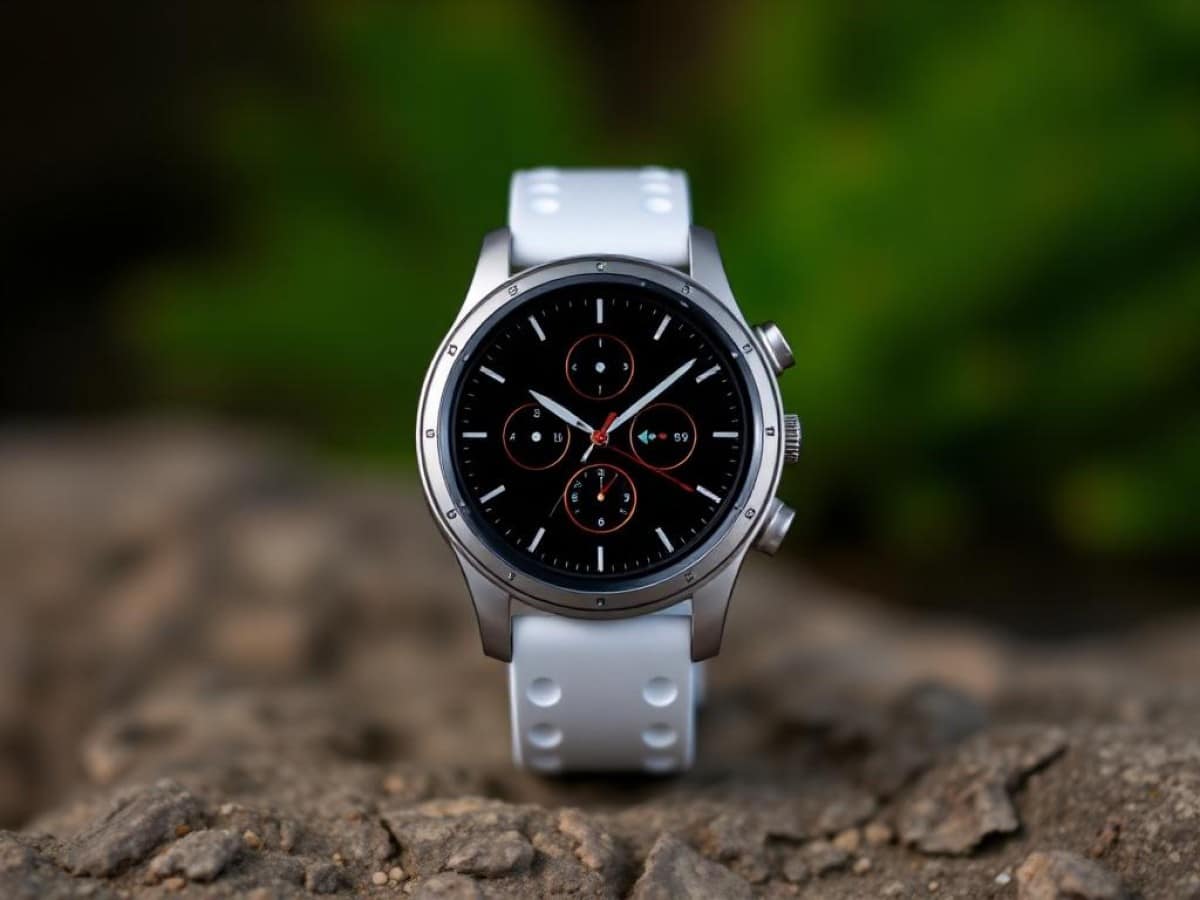
After maintaining the same design for four years, Samsung has finally decided to innovate with its Galaxy Watch 8. In addition to its new rounded-square shape, the watch has also slimmed down and incorporates the latest software features from Samsung’s watch lineup.
But how does it stack up against other smartwatches on the market, and does it address the shortcomings of previous versions? We’ll find out in this comprehensive review of the Samsung Galaxy Watch 8.
Samsung Galaxy Watch 8Specifications
| Model | Samsung Galaxy Watch 8 |
|---|---|
| Dimensions | 43.7 mm x 46 mm x 8.6 mm |
| Screen Resolution | 480 x 480 pixels |
| Panel | Super AMOLED |
| Internal Memory | 32 GB |
| Weight | 34 g |
| Heart Rate Sensor | Yes |
| Sleep Analysis | Yes |
| Accelerometer | Yes |
| Ambient Light Sensor | Yes |
| Protection Rating | IP68, 5 ATM, MIL-STD-810H |
| Product Sheet |
The watch used in this review was provided by the manufacturer.
Samsung Galaxy Watch 8Innovative Rounded-Square Design
After debuting its rounded-square design with last year’s Galaxy Watch Ultra, Samsung has decided to implement this design across its entire 2025 watch lineup. Thus, the Samsung Galaxy Watch 8 features a brand new design, hailed as innovative by the manufacturer, with a round screen and a square case with rounded corners.
While the principle is the same as on the Galaxy Watch Ultra, the form factor of the Samsung Galaxy Watch 8 is quite different, especially due to the absence of beveled edges around the watch. Here, as with previous standard models of the Galaxy Watch, we have a watch that primarily focuses on simplicity, without any protrusions, markings, or bezel. Instead, the screen of the watch is raised above the case, which could potentially make the display more susceptible to impacts and scratches.
As with most Samsung watches, the Galaxy Watch 8 also comes in two sizes, thus catering easily to both small and large wrists:
- Galaxy Watch 8 40 mm: 40.4 x 42.7 x 8.6 mm, 30 grams without strap
- Galaxy Watch 8 44 mm: 43.7 x 46.0 x 8.6 mm, 34 grams without strap
The only common feature between the two sizes is actually the main selling point of the watch: its thinness. The Galaxy Watch 8 is the thinnest Samsung watch to date, announced at 8.6 mm thick. For comparison, here are the thicknesses of some competing watches:
| Thickness | |
|---|---|
| Samsung Galaxy Watch 8 | 8.6 mm |
| Samsung Galaxy Watch 7 | 9.7 mm |
| Samsung Galaxy Watch Ultra | 12.1 mm |
| Apple Watch Series 10 | 9.7 mm |
| Garmin Venu X1 | 7.9 mm |
| Google Pixel Watch 3 | 12.3 mm |
| Huawei Watch Fit 4 Pro | 9.3 mm |
The watch is thus thinner than most of its competitors, with an 11% reduction in thickness compared to the Galaxy Watch 7. Ultimately, only the Garmin Venu X1, which focuses entirely on thinness, performs better in this regard.
Moreover, the integration of an aluminum case allows the Galaxy Watch 8 to remain relatively light. Admittedly, a few grams more or less won’t make a big difference in everyday use, but it will definitely matter for sports — for example, in running — where a heavier watch will move more easily due to inertia and gather skewed cardio data from a sensor that detaches from the skin.
In use, I appreciated the thinness and lightness of the watch — tested here in the 44 mm version. The Galaxy Watch 8 is comfortable to wear and easy to forget about, even during workouts.
Furthermore, on the right side of the case, we find the two traditional oblong-shaped buttons, allowing for navigation in the interface in addition to the touchscreen. Unlike the Galaxy Watch 8 Classic, Samsung did not include the new action button from its “Ultra” model here. We also note the absence of a color button — red or orange — that we had seen on the upper button until now, with both buttons being identical here.
It’s also worth noting that the Galaxy Watch 8 is quite versatile in that it doesn’t include any markings, so it can be worn on either the right or left wrist, with the buttons on the right or left.
Regarding the strap, the Galaxy Watch 8 comes with a “Sport” type model made of soft silicone. While it retains the buckle system with the flap that slides between the skin and the opposite strap, it’s evident that the material has changed to reduce adherence and friction against the skin, making this system much more comfortable than before.
However, while Samsung previously offered a universal strap system on its watches — despite the addition of the “One Click” button for easy removal — the Korean brand has opted for a brand-new attachment system this time.
In the absence of lugs, we therefore find a proprietary mechanism to integrate the strap into the case, a system similar to that of the Galaxy Watch Ultra, but distinct in that the size of the straps is different. Put simply: if you had invested in dozens of straps for your Galaxy Watches up until now, you’ll need to shell out again for the Galaxy Watch 8, with straps specifically designed for it.
Finally, regarding the durability of the watch, even though the Galaxy Watch 8 is made of aluminum with a raised screen, Samsung has not skimped on its efforts. Indeed, we find sapphire glass protection on the screen to limit scratches, as well as 5 ATM, IP68, and MIL-STD-810H certifications for the watch. Practically, this means that you can wear it without fear underwater for swimming, but not for diving.
Samsung Galaxy Watch 8An Even Brighter Screen
For the screen of its Galaxy Watch 8, Samsung once again uses a round OLED panel, with two different sizes depending on the size of the watch:
- Galaxy Watch 8 40 mm: 1.34 inches, 438 x 438 pixels, 327 pixels per inch
- Galaxy Watch 8 44 mm: 1.47 inches, 480 x 480 pixels, 327 pixels per inch
Specifically, the Galaxy Watch 8 44 mm retains the same size and resolution as last year’s Galaxy Watch 7 44 mm. However, the 40 mm model benefits from a slightly larger and better-defined panel than last year’s version, which had a 1.31-inch screen with 432 x 432 pixels.
Regarding display density, we also have a very comfortable resolution, close to that of Apple Watches with their “Retina” screens at 326 pixels per inch. This allows you to view the screen without being able to individually discern each pixel.
But the biggest difference in this new generation comes from the brightness. Samsung continues its race for the brightest panels. After surpassing 2000 cd/m² on the Galaxy Watch 7, the Galaxy Watch 8 now reaches a peak brightness of 3000 cd/m². It thus matches both the Galaxy Watch Ultra and the Apple Watch Ultra 2.
In daily use, this means that the lighting of the watch is bright enough to counteract reflections from the sky or sun during a hike or a run in full sunlight. You won’t have trouble viewing the data. It’s also worth noting that the brightness of the watch can be automatically managed thanks to the ambient light sensor. A manual gauge can also be used to adjust the brightness across 10 levels.
The Galaxy Watch 8 also benefits from an always-on display mode that allows you to keep certain data displayed on the screen, even when you’re not looking at the watch.
This display can also be disabled by switching the watch to “sleep” mode, which can be programmed directly in the menus at certain times or synchronized with the sleep mode of your smartphone. In addition to the always-on display, sleep mode will also disable the screen lighting when raising the wrist and activate the do not disturb mode.
For the watch faces, the Galaxy Watch 8 includes all of Samsung’s previous models, as well as some new ones. Good news, since this is a Wear OS watch, you’ll have access to the many watch faces available for download in the Google Play Store. Additionally, the watch should soon have access to watch faces available on third-party applications like Facer, WatchMaker, or Recreative, although at the time of this review, this was not yet the case.
Samsung Galaxy Watch 8What’s New with One UI 8 Watch?
As always with Samsung, you’ll need two apps to properly manage the Galaxy Watch 8 with your phone: Galaxy Wearable and Samsung Health. The first will allow you to manage the settings of the watch, while the second focuses on collecting health and training data.
Galaxy Wearable (Samsung Gear)
Download for free
Additionally, it should be noted that the Samsung Galaxy Watch 8 is only compatible with Android smartphones and not with iPhones. It can be used with phones from Oppo, Xiaomi, Google, or Honor, but some features are limited, as we will see later.
To power the watch, Samsung has reused the same processor as last year’s models, namely the Exynos W1000 chip coupled with 2 GB of RAM and 32 GB of storage — the Galaxy Watch 8 Classic and the new Galaxy Watch Ultra, on the other hand, come with 64 GB of storage.
On the software side, the watch introduces both Samsung’s new interface, One UI 8 Watch, and the new version of Google’s system, Wear OS 6.
Navigation within the Galaxy Watch 8 is facilitated through both the touchscreen and the two side buttons:
- swipe down: quick settings
- swipe up: list of installed applications
- swipe to the right: notifications, go back
- swipe to the left: application cards
- single press on the upper button: return to the watch face
- long press on the upper button: Gemini
- double press on the upper button: return to the previous application
- single press on the lower button: go back
- long press on the lower button: Samsung Wallet
In practice, we therefore have controls similar to those of previous Samsung watches and quite simple to grasp after a few days. We will also add the possibility of enjoying a virtual bezel that allows, by making a round trip on the screen with your finger, to simulate a rotating bezel to scroll through the menus.
Moreover, it is possible to customize certain functions of the two buttons, for example the double press and long press on the top button, or the short press on the bottom one. Samsung also offers gesture functions with the double pinch, shake, or “knock knock,” which can each perform certain actions depending on the context.
With the arrival of One UI 8 Watch and Wear OS 8, the Galaxy Watch 8 also benefits from a redesigned graphical interface — which will also be
Similar Posts
- Samsung Galaxy Watch 8 Classic Review: A Smartwatch That Packs a Punch!
- First Look at the Galaxy Watch 9: Comfort Meets Hidden Upgrades
- I Tried the Samsung Galaxy Watch Ultra 2: Brilliant Timepiece, But Not for the Rugged Path
- Samsung Galaxy Watch 4 Update Arrives: Not the One You Expected!
- Huawei Watch Fit 4 Review: Precision Meets Affordability in This Smartwatch!

Maya Singh is a senior editor covering tablets and hybrid devices. Her work explores how these tools reshape digital productivity and learning. She also contributes to feature editorials on emerging tech.