
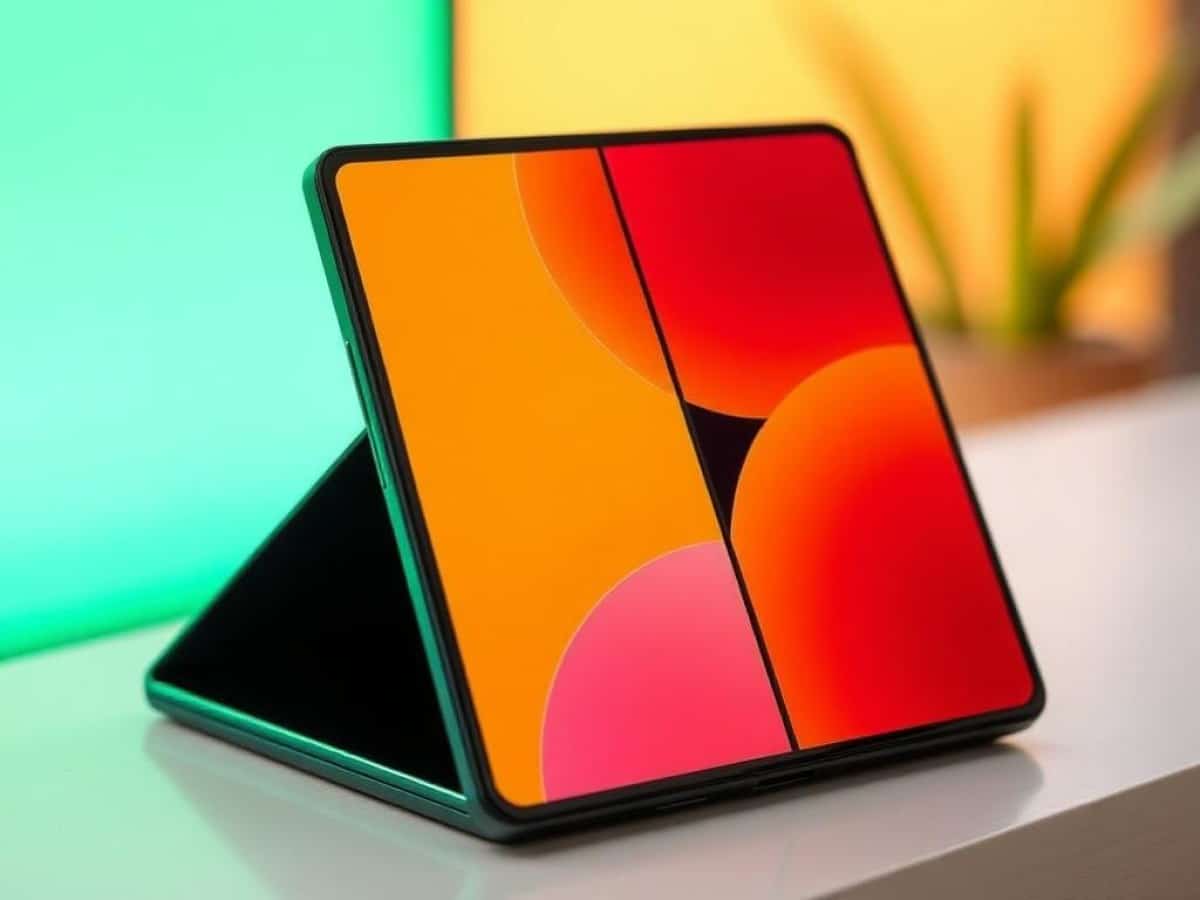
We recently had the opportunity to test the Samsung Galaxy Z Fold 7. This ultra-thin foldable smartphone is visually stunning, but how does it perform in everyday use? Here’s our detailed review.
Scientists confirm: This is the most effective way to get your cat’s attention, according to new research
Elderly Couple Refuses Reserved Seats—Viral Train Standoff Sparks Fiery Debate on Courtesy
As the latest addition, the Samsung Galaxy Z Fold 7 impresses with its sleekness. It’s the thinnest foldable phone we’ve seen from the tech giant. But is the rest of the device as polished and refined as its design?
Here is our complete review of the Samsung Galaxy Z Fold 7.
Samsung Galaxy Z Fold 7 Test Video
Youtube video link: [Subscribe to Frandroid]
Samsung Galaxy Z Fold 7 Specifications
| Model | Samsung Galaxy Z Fold 7 |
|---|---|
| Dimensions | 143.2 mm x 158.4 mm x 4.2 mm |
| User Interface | One UI |
| Screen Size | 8 inches, 6.5 inches |
| Resolution | 2488 x 2224 pixels |
| Pixel Density | 407 ppi |
| Display Technology | AMOLED |
| SoC | Qualcomm Snapdragon 8 Elite |
| GPU | Qualcomm Adreno 830 |
| Internal Storage | 256, 512, 1024 GB |
| Rear Camera | Main: 200 MP, Secondary: 12 MP, Tertiary: 10 MP |
| Front Camera | 10 MP |
| Video Recording Resolution | 8K@30fps |
| Wi-Fi | Wi-Fi 7 (be) |
| Bluetooth | 5.4 |
| 5G | Yes |
| NFC | Yes |
| Connector Type | USB Type-C |
| Battery Capacity | 4400 mAh |
| Weight | 215 g |
| Colors | Black, Blue, Green, Grey |
| Product Sheet |
Note: This review was conducted using a Galaxy Z Fold 7 provided by Samsung.
Design of Samsung Galaxy Z Fold 7
The Samsung Galaxy Z Fold 7 is undeniably a beautiful device, and its design also enhances practicality in daily use when folded.
To understand its appeal, it’s crucial to note that the standout feature of the Samsung Galaxy Z Fold 7 is its thinness—4.2 mm when unfolded (143.2 x 158.4 x 4.2 mm). This device could have been the thinnest foldable smartphone globally if not for the Honor Magic V5, which slightly undercuts it.
In hand, the Galaxy Z Fold 7 exudes a sense of sophistication and elegance. The device’s thinness, paired with a relatively light weight of 215 grams for this type of device, makes it feel less cumbersome than you might expect. It’s heavier than typical smartphones but feels surprisingly light when unfolded.
For comparison, the Galaxy Z Fold 7 is lighter than a Galaxy S25 Ultra or an iPhone 16 Pro Max. If the weight of those models doesn’t bother you, the Fold 7 won’t either.
However, aside from its impressive thinness, the unfolded form of the device doesn’t offer much else in terms of handling surprises. However, this thinness becomes significantly more relevant when using the Fold 7 in its folded state.
The folded phone finally moves away from the bulky “brick-like” form that still hindered the experience offered by its predecessors. It’s much more comfortable in the hand, feeling like a slightly larger traditional smartphone. Here too, a comparison with the S25 Ultra is apt. It isn’t suitable for fans of small phones, but it doesn’t look out of place among larger models.
This is where the new design really shines. Additionally, the new 21:9 aspect ratio of the external screen makes the Galaxy Z Fold 7 much more comfortable for typing on the alphanumeric keyboard when folded.
In short, the thinness of the Samsung Galaxy Z Fold 7 brings it closer than ever to the initial promise of foldable smartphones: a phone that can be used normally but has the advantage of transforming into a tablet without compromising the folded form.
The design of this Galaxy Z Fold 7 indeed captured my heart, especially since Samsung continues to offer nice matte finishes that are pleasant to the touch, with edges that are rounded but not sharp. The rear camera module unfortunately does not avoid protrusion, which can make the smartphone wobble when placed flat. However, a significant thinning effort prevents this feature from being truly bothersome.
It’s not all perfect, though. Despite having Gorilla Glass Victus 2 on the back (and Gorilla Glass Ceramic 2 on the external screen), scratches appear quite quickly on this Galaxy Z Fold 7. I know that two members of the group of French tech journalists and YouTubers who attended the Unpacked event, like me, noticed minor damage on the backs of their test units in less than 24 hours.
A few days later, it was my turn to notice some on my Fold 7, which I had not mistreated. It only took a 40-minute subway ride where the foldable smartphone traveled in the same pocket as a Galaxy S24 Ultra for minor but visible damage to appear at the junction between the rear glass and the reinforced aluminum chassis. I should note that Samsung did not provide us with protective cases. I can therefore confirm that it is a risky bet.
This is the only real concern I have about the durability of the Fold 7. As for the hinge, I find that Samsung continues to do a very good job of reassuring its audience by offering the necessary resistance so that one does not feel like they could break the device with the slightest mishandling. Note, however, that the phone does not seem to unfold completely. It’s a bit unsettling once you notice, but it’s something we’ve already seen on other foldable smartphones. We’re really talking about a tiny smidgen of nothing at all.
When you open the Galaxy Z Fold 7, you are immediately faced with the large screen. It still has a visible crease in the center, but this has significantly diminished. It appears depending on how the light reflects on it and is almost imperceptible to the touch. Samsung is catching up in this area. Also, note that there is now a punch hole on this panel instead of a camera hidden under the screen as was the case in previous generations. The manufacturer justifies this choice by the constraints of thinness.
Finally, there’s a small detail I really like: the side-mounted fingerprint reader is very responsive and works more quickly for me and my greasy fingers than many in-screen fingerprint readers.
Display of Samsung Galaxy Z Fold 7
The Samsung Galaxy Z Fold 7 features two displays. The external one can be used in folded form as if it were a standard smartphone. The internal one is capable of folding and offers a “tablet” experience.
Both panels benefit from OLED display technology and a refresh rate ranging from 1 to 120 Hz. Here’s what you need to know about the diagonals and definitions:
- External screen: 6.9 inches, Full HD+ (2520 x 1080 pixels).
- Internal screen: 8 inches (2184 x 1968 pixels).
First of all, it’s good to reassure right away. The screens of the Fold 7 are very good overall. The flaws we will mention here and there will annoy the purists. And I will always say it, at more than 2000 euros a smartphone, you have to nitpick.
In terms of maximum brightness, there’s not much to complain about. With our probe and the CalMan software from Portrait Display, we measure nice peaks.
External screen:
- 1347 nits in SDR;
- 2421 nits in HDR.
Internal screen:
- 1330 nits in SDR;
- 2471 nits in HDR.
We were unable to reach the 2600 nits promised by Samsung, but the results obtained remain excellent and suggest that we simply did not manage to reproduce the conditions for the 2600 nit peak. As a reminder, on OLED panels, we are forced to set the smartphone to automatic brightness and to do our best to flash a light into the ambient light sensor. This is the only way we really reach the maximum values. Otherwise, in manual mode, full gauge does not represent the real peak of brightness.
This is a measure of protection for OLED screens. Another security system observed during our probe test: the smartphone can quickly limit its brightness when it starts to heat up. In any case, you should normally have no readability issues on these screens of the Galaxy Z Fold 7. We just regret not seeing the same anti-reflective layer of the Galaxy S Ultra on the external panel of this Fold.
Otherwise, as for the more precise measurements, the default Vivid mode proved to be too unfaithful to the colors it was supposed to display. The Natural mode, on the other hand, is better in this respect, but too dull and dreary in addition to being less good in terms of colorimetric coverage.
After a few tests, I found that the best balance was found with the Vivid mode while going into the advanced settings to lower the blue gauge by 5 notches. I insist on the advanced settings, because by settling for the default gauge, I can’t get conclusive results.
We then obtain, on the internal screen, a Delta E of 5.04 in SDR on the DCI-P3. As a reminder, for the human eye not to perceive the difference between the real color and the one displayed on the screen, this index must be 3 or less. The Galaxy Z Fold 7 does not shine in this area despite the adjustments. The Natural mode is a bit better here (4.83) while the default Vivid mode goes even higher (5.19).
The advantage of the setting I suggest here is that it is very close to the perfect average temperature. While aiming for 6500 K for a good balance between blue and red, we obtain here 6558 K. In comparison, the Natural mode goes down too low (red) and the default Vivid mode goes too high (blue).
In HDR, where color fidelity can go awry, the damage remains limited on the Galaxy Z Fold 7 with a Delta E of 6.6 (it is estimated that a device does well under the bar of 6).
This is complemented by honorable colorimetric coverages: 131% on the sRGB and 88% for the DCI-P3. Concretely, this means that the Galaxy Z Fold 7 knows how to display a satisfactory level of nuances, it has a nice palette of colors. The DCI-P3 could have been better, but we will recall that this color space is wider and therefore more difficult to cover. In this exercise, we maintain the level of the default Vivid mode, that is, the best mode for the diversity of tones.
On the external screen, the measurements made are very similar to those of the internal panel. The Delta E is displayed at 4.95 in SDR and 6.4 in HDR while the average temperature revolves around 6540 K. In short, the two panels of the Samsung Galaxy Z Fold 7 are very similar in terms of display quality.
In short, the screens of the Galaxy Z Fold 7 mainly suffer from their lack of fidelity in colors. However, the brightness is top-notch and there is not much to complain about the colorimetric coverage. In addition, with a small adjustment of the Vivid mode to temper the blue dominance, we even get an excellent average temperature. In short, give it a little boost and the smartphone offers a very good visual experience, without being as perfect as one might expect at more than 2000 euros.
Software of Samsung Galaxy Z Fold 7
Yay! We already have the right to One UI 8 (Android 16) on the Samsung Galaxy Z Fold 7. With the Flip 7 and Flip 7 FE, these are the first smartphones to benefit, right out of the box, from the stable version of Google’s new iteration.
However, don’t expect absolutely drastic changes in terms of user experience. One UI 8 looks like two drops of water to One UI 7 (Android 15). We are rather on optimizations here and there in order to achieve better stability, particularly for the proper functioning of the AI options of Galaxy AI.
Remember mainly that One UI 8 probably improves everything that happens behind the scenes for Samsung’s developers. Thus, we have good hope that the updates of the Galaxy smartphones from One UI 7 to 8 will be less slow and chaotic than the passage from One UI 6 to 7.
I always appreciate the One UI experience and especially the interactions designed for the Fold. The best-known example is probably the ability to display the camera’s image return on the phone’s external screen so that the person being photographed knows what they will look like.
This also proved practical in a slightly different context during a long weekend. My partner wanted to be able to film herself with the ultra-wide-angle sensor as part of a souvenir video of a hike. With the Fold open, she could manage her frame without a problem (but with the fear of dropping the phone-tablet held with one hand at arm’s length).
For my part, I really appreciated the possibility of doing AI photo retouching on the large screen, because you can display the original image and the modified version side by side to compare them more easily.
Otherwise, you have to press and hold a button to see the original in full screen and then release to switch back to the retouch. This is how I was able to generate the masterpiece below.
Here is how the AI completely managed to fool us by generating the missing part on the boat. And it’s quite funny to see that it took the initiative to generate feet for me since they were out of frame in the original photo. Notice however how my feet rather resemble fins.
Despite this detail that is more amusing than anything else, it is clear to see the impressive progress of Galaxy AI in about a year and a half.
AI photo retouching is becoming more and more relevant, without being infallible obviously.
Speaking of photo retouching, it is frustrating to find that the Galaxy Z Fold 7 is no longer compatible with the S Pen Fold Edition which nevertheless required a good dose of engineering. This is one of the consequences of the thinness desired by the brand. In such a chassis, it is difficult to put the components necessary for the proper functioning of the stylus.
Finally, Samsung remains excellent on its promises of software longevity. 7 years of Android updates. 7 years of security updates. You will be at peace.
I also allow myself a little highlight of the multitasking of Samsung’s Folds on the large screen where you can display up to three applications at the same time.
It’s rarely useful, but when it is, it’s a real kick. More often useful: the taskbar at the bottom of the large screen allowing you to go very quickly from one app to another. I just sometimes have some trouble making it appear, there is a small sliding gesture to master.
Photography with Samsung Galaxy Z Fold 7
There are three cameras on the back of the Samsung Galaxy Z Fold 7. As a reminder, here is the configuration:
- Main camera of 200 MP (f/1.7), OIS with a sensor of 1/1.13 inch 44% brighter than on the previous generation;
- Ultra wide-angle of 12 MP (f/2.2), with autofocus to manage the macro mode;
- x3 telephoto lens of 10 MP (f/2.4), OIS, digital zoom up to x30.
It is therefore a pleasure to see a 200 MP sensor invited on Samsung’s foldable and the brand thus shows that it wants to offer a quality that approaches what the Galaxy S25 Ultra, its best smartphone in photo can do.
However, overall, if the Galaxy Z Fold 7 is undeniably high-end and good in photo, it does not yet equal the talent and versatility of the Ultra model.
The photos taken with the main sensor are thus very good in terms of dynamic and contrast management. The colors come out well, the Galaxy Z Fold 7 avoids overly saturating the tones and I did not notice any particular chromatic aberration. It is in the fineness of the details that we nevertheless feel that the smartphone does not go as far as one might hope.
Be careful, it is very good, but at 2100 euros, the consumer could expect a higher quality, more sharpness. We are therefore undoubtedly on a very good smartphone in photo, but it is the perspective of its price that can create frustration.
This is the observation that applies to all shooting modes: very good, but we could have hoped for more.
Similar Posts
- Samsung Unveils Galaxy Z Fold 7: Sleeker, More Powerful, But Pricier!
- Before the Foldable iPhone: Samsung’s Z Fold7 Pushes the Boundaries of Slimness
- World’s Thinnest Folding Smartphone Revealed: It’s Not Samsung’s Galaxy Z Fold 7!
- Galaxy Unpacked: Watch the Launch of Samsung Galaxy Fold 7 and Flip 7 Live!
- Will Your Samsung Smartphone Get One UI 8.5? Check This List of Compatible Devices

Maya Singh is a senior editor covering tablets and hybrid devices. Her work explores how these tools reshape digital productivity and learning. She also contributes to feature editorials on emerging tech.