
Scientists confirm: This is the most effective way to get your cat’s attention, according to new research
Elderly Couple Refuses Reserved Seats—Viral Train Standoff Sparks Fiery Debate on Courtesy
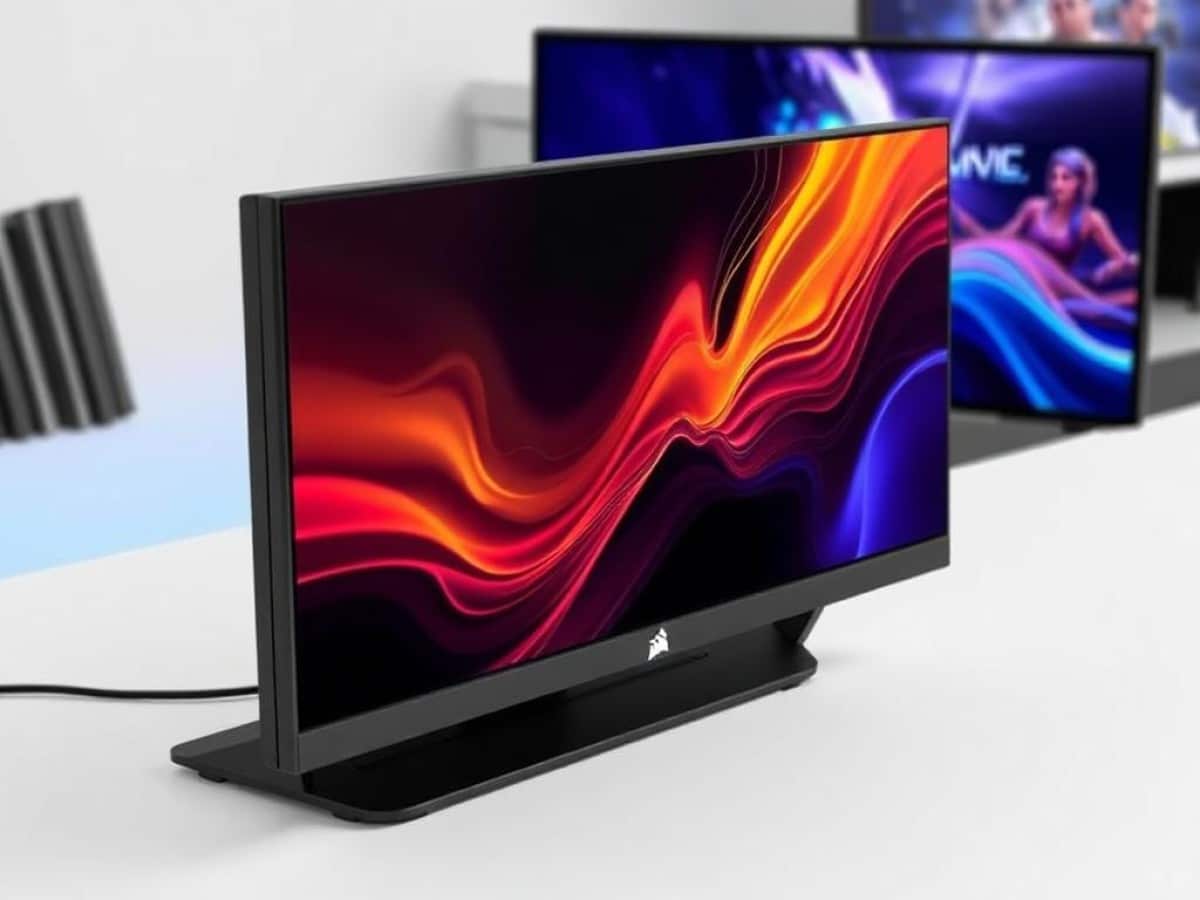
Quietly announced during CES 2025 in Las Vegas, the Xeneon Edge from Corsair took a while to reach our markets. Following a cancelled launch last spring, several months elapsed before it finally debuted in mid-August.
This product is indeed quite unique: a touchscreen monitor with an unusual aspect ratio designed to boost your productivity. It can display widgets using Corsair’s tool or function as a full-fledged secondary Windows screen.
Thus, the Xeneon Edge aims to be a versatile companion for various user profiles, including creatives, gamers, streamers, and even office workers. We’ve thoroughly tested it for several weeks to form our opinion.
Technical Specifications
| Model | Corsair Xeneon Edge 14.5” LCD |
|---|---|
| Dimensions | 37.2 cm x 2 cm |
| Screen Size | 14.5 inches |
| Resolution | 2560 x 720 pixels |
| Refresh Rate | 60 Hz |
| HDMI Ports | 1 |
| DisplayPort Ports | 0 |
| Built-in Speakers | No |
| USB | Yes |
| Product Sheet |
Design
The design immediately stands out when you unpack the monitor. The 14.5-inch panel features a 32:0 aspect ratio, similar to ultra-wide screens on the market. The front of the monitor lacks any Corsair branding but is framed by fairly thick bezels.
The back features a dual non-slip rubber coating, especially when the screen is mounted horizontally on a case (one of the possible usage modes). A support with four magnetic attachments allows it to be placed on the desk at a slight angle, which is quite handy.
In summary, we are looking at a straightforward and unadorned design that fits seamlessly into any setup.
Installation
The Xeneon Edge’s special feature lies in its versatility. You can place the monitor on your desk using the provided stand, but other methods are also possible.
You can insert it directly into your case if you have space to accommodate a 360mm AIO system (3 fans of 120mm each). This is convenient if you want to dedicate the screen to system monitoring.
A series of 14 magnets also allows you to attach it to any ferromagnetic surface, whether it’s a piece of furniture, a case facade, or something else.
Furthermore, the Xeneon Edge can be integrated into any simulation setup (sim racing, flight sim) with two 1/2″–20 supports on the back of the product.
However, it’s regrettable that there’s no universal VESA mounting system, which would have allowed the screen to be attached to various arms and stands on the market.
Connectivity
Let’s discuss the connectivity, which remains quite minimalistic but complete.
There’s a USB-C port that powers the screen, with a DP-Alt mode for adding display functionality. This is handy if you don’t want to carry an extra cable, but it will mainly interest laptop users. Another port, this time HDMI, will serve for display purposes.
Note that if you choose to install the screen inside your case, an internal USB-C to USB-C cable allows you to connect it directly to your motherboard.
Screen
While the Xeneon Edge is intended as a full-fledged monitor, its use is mainly for displaying widgets and third-party applications. We won’t test it as extensively as a main PC monitor, but it’s still interesting to assess the quality of the panel.
As a reminder, this is an AHVA screen, a derivative of IPS technology that theoretically offers much better viewing angles and good gaming performance. Here, Corsair has chosen to stick with a 60 Hz refresh rate, which makes sense for the intended use of the product.
The touchscreen is multi-touch and includes a gyroscope to orient the Windows interface according to the screen’s orientation, like a smartphone. The screen easily picks up fingerprints and is less pleasant to use than a smartphone or tablet’s screen, particularly due to its glossy coating.
Here, the glossy screen coating is advantageous (as we will see with contrast), but also a disadvantage with a mirror effect that offers poor management of reflections.
We measured the panel quality with our calibrite DisplayPlusHL probe within Calman Ultimate software. The screen performs very well in terms of contrast with a ratio of 1765:1 on our sample. While some screens of the same type barely exceed 1000:1, this is a good result.
The standard brightness of 344 cd/m2 is suitable for all ambient light conditions, but the color rendition is quite catastrophic. At default settings, the observed color temperature is over 14000K, far too cold and distant from the European D65 white point at 6500K. Here, we recommend going into Corsair ICUE settings and lowering the blue value to achieve a less cold image.
In terms of color accuracy, we won’t be too harsh (as it’s not its primary purpose), but the Xeneon Edge displays a quite high Delta-E of 9.65, with peaks at 22 on shades of gray and skin tones. Here, the faulty factory white balance is undoubtedly to blame.
But if you’re using the Xeneon Edge to display widgets, then these considerations can be easily overlooked.
Software and Use Cases
The full potential of the Xeneon Edge lies in its support for widgets via the Corsair iCUE application. Of course, you can use it as a secondary Windows screen, but you won’t be harnessing its full potential.
In iCUE, you can add various widgets from a predefined list to the screen. The panel is split into six zones, with a widget also able to occupy two vertical slots for a more square shape.
You can add information from all your system’s sensors: CPU, GPU, RAM, as well as fan speed, temperature, or memory load. In each case, the user can choose a custom title, as well as change the background or outline color.
These measurement widgets are not interactive, but others make use of the touchscreen. Consider the very practical volume mixer, for adjusting the sound intensity of each of your applications in the manner of a GO XLR.
You can also add shortcuts to your favorite apps and games or even integrate YouTube videos. However, the utility of this feature is questionable.
Alternatively, you can use it in vertical format to display a Twitch chat window, or a Discord window alongside your gaming session.
More tech-savvy users can use the iFrame widget to insert web content directly into one of the slots. You can interact with it tactilely, just like a website.
The list of widgets is currently limited, but regular updates to iCUE should expand the library in the future. Notably, more integration with third-party applications, especially creative ones, is missing.
Price and Availability
The Corsair Xeneon Edge is sold at a price of 259.90 euros exclusively on Corsair’s website at the moment. As of writing, it is even out of stock, and therefore unavailable to customers.
Corsair Xeneon Edge 14.5” LCD
at the best price
There are no offers at the moment, discover
-
Asus ROG Strix XG27ACS
249 €
8/10
Read the review -
Acer PD163Q
399 €
7/10
Read the review -
Xiaomi G34WQI
289 €
7/10
Read the review
The price of 259.90 euros seems quite high while IPS screens of the same size can be found at 50% of the price in stores. Here, the Xeneon Edge stands out with its unique wide format and integration with iCUE.
Similar Posts
- Corsair Vanguard Air 99 Wireless Review: Feature-Packed Keyboard Falls Short!
- Discover the Corsair Sabre v2 Pro Ultralight Wireless Review: Featherlight Precision
- Corsair Scimitar Elite Wireless SE Review: Unleash MMO Gaming Superiority!
- MacBook Neo 2 Shocker: No Touchscreen in Sight for Apple’s Latest!
- TCL 27G64 Review: Affordable Mini-LED PC Monitor Breakthrough!

Maya Singh is a senior editor covering tablets and hybrid devices. Her work explores how these tools reshape digital productivity and learning. She also contributes to feature editorials on emerging tech.