
Scientists confirm: This is the most effective way to get your cat’s attention, according to new research
Elderly Couple Refuses Reserved Seats—Viral Train Standoff Sparks Fiery Debate on Courtesy
Mini-LED technology, while not widely adopted yet, can be exceptionally effective. It aims to bridge the gap between LCD and OLED by offering enhanced contrast levels while still utilizing backlighting.
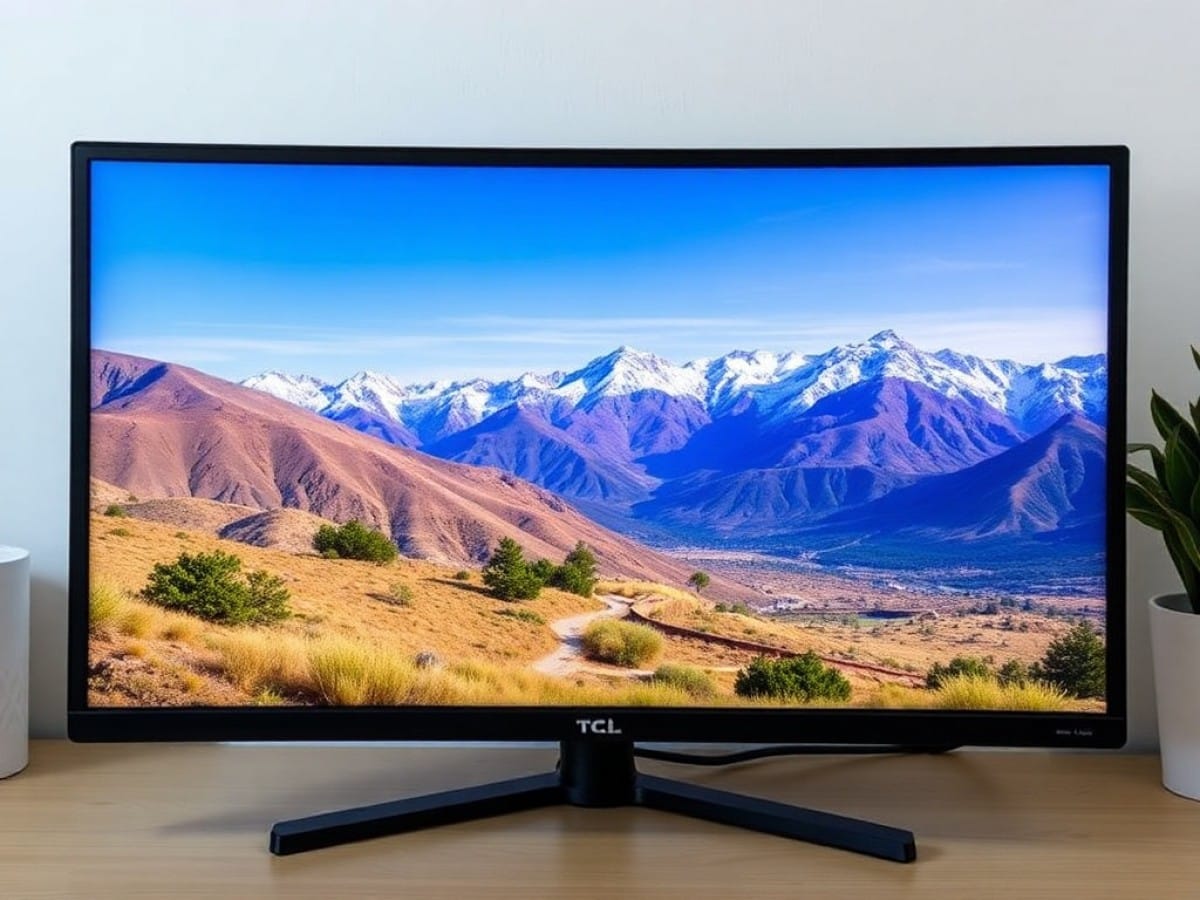
This TCL 27G64 screen features Mini-LED technology at a highly affordable price of around 229 euros. But what does it offer for this price?
| Model | TCL 27G64 |
|---|---|
| Dimensions | 61.5 cm x 22.8 cm |
| Curved Screen | No |
| Screen Size | 27 inches |
| Aspect Ratio | 16:9 |
| Resolution | 2560 x 1440 pixels |
| Refresh Rate | 180 Hz |
| Response Time | 1 ms |
| Maximum Brightness | 600 cd/m² |
| Number of HDMI Ports | 2 |
| Number of DisplayPort Ports | 1 |
| Built-in Speakers | No |
| USB | No |
| Weight | 6.23 kg |
| Product Sheet |
A Bulky Design
The thickness mentioned earlier is a result of the LCD structure. The panel comprises LEDs and their backlighting, which results in significant thickness within the chassis.
Indeed, the design is quite thick. The monitor sports a gray design, with the rear shell extending from each corner of the panel to meet at the monitor’s stand attachment.
The monitor has a distinctive gamer aesthetic, with several curves and lines to add depth. The control joystick is conveniently located under the screen, in the middle, making it easy to access like many other models. The On-Screen Display (OSD) is easily navigated with the four-directional joystick.
Despite the pronounced thickness, the borders are surprisingly thin. When using the monitor, the thin borders are noticeable. I usually use a 49-inch screen, and the borders are much thicker. Here, you easily gain a centimeter on each side, which is quite beneficial.
Connectivity
Being an entry-level model, the connectivity options are not very extensive. It features two HDMI 2.1 ports for video, along with a DisplayPort 1.4, which are standard for many similar models.
In addition to these three ports, there is only a 3.5 mm jack, but no USB ports to complete the technical specifications. This is somewhat disappointing but understandable given the price.
Monitor Stand
The stand of this TCL monitor is somewhat unusual. The base on which the monitor sits is quite standard: a flat hexagonal plate that does not obstruct the desk. However, the stand that attaches to the panel is a bit odd.
It features a cable management loop at the back for… managing cables. This loop is a slightly open strap that allows cables to be tucked away, but I found its use to be not very ergonomic.
This is the only flaw noted in the stand and its support, which is otherwise stable and adjustable as desired.
On-Screen Display (OSD)
The menu of this TCL 27G64 is very user-friendly, with quick access to adjust brightness, change HDMI or DisplayPort input, turn off the screen, or access the full menu. All options are easily accessible thanks to the small joystick located under the screen.
The more comprehensive menu is also well organized with display indicators for the current settings at the top, showing whether HDR is “On”, the resolution, and refresh rate. It’s a standard feature but always a plus.
Highly Contrasted Image
Mini-LED is essentially an LCD technology but with more LEDs, allowing for greater contrast capability. Here, TCL has opted to use a VA base for the LCD. This means, theoretically, we can expect reduced viewing angles, increased contrast, variable response times, and some black smearing (dark trails or latency in transitions to dark).
In use, there is indeed a limited viewing angle, but personally, I sit directly in front of my monitor, so it wasn’t an issue. However, the black smearing was slightly more bothersome, along with a sensation of latency during sudden movements.
When testing extreme cases like the UFO test pattern, it’s noticeable that reading scrolling text is challenging. But it’s when scrolling through dark texts or on a dark background that I observed some strange effects of movement and slowness. It’s subtle, but over time and with my keen eyes, it was slightly noticeable. Another point, on blooming, it’s quite subtle in use. It remains an LCD, but it’s not a bad LCD, despite its limited 180 zones. It could have been worse, but it seems TCL’s algorithm is well-tuned.
Overall, the panel performs very well, especially considering the moderate price. First, it’s a bright panel. It’s typical for LCDs, but it reaches 418 cd/m² in SDR, and 1000 cd/m² in HDR on a 25% white window. It’s very comfortable, and I felt it in use (flash in my eyes when I opened Slack at 8 AM, in the dark).
As for color accuracy, it’s also good, but it depends on the modes. The standard and FPS modes achieve Delta E values of 6.41 and 5.06, respectively, which are significantly above the target value of 3, where the difference between the expected and displayed color is not noticeable. It’s the RPG mode that saves the day, with a Delta E of 2.73.
The same mode achieves a Delta E of 3.1 in HDR, which is respectable, though still above the threshold. We discussed the strengths and weaknesses of a VA panel earlier, and among the advantages was the contrast. Indeed, it’s more than correct thanks to Mini-LED, with a contrast ratio of 500,000:1. In local dimming with a VA panel, we find a perfectly honest measurement of 3,253:1, which is usable and far superior to what traditional LCD offers. For dark games, it will be perfect in HDR.
Another interesting measurement is the white balance. We note a temperature of 6,976 K, which is a bit higher than the targeted 6,500 K. This results in a slightly colder white, but it’s not blatantly obvious.
Finally, for the coverage of color spaces, it reaches 166% of BT.709 (sRGB), 111% of DCI-P3, and 75% of Rec.2020. The latter is mostly reserved for HDR image professionals, so we’re looking at a decent figure here.
Here, we have a monitor that caters to gamers, who will enjoy faithful colors, visible even in bright sunlight, and with great contrast to top it off.
A Screen Cut Out for Gaming, but Not Too Fast
This TCL 27G64 is designed primarily for gaming. It boasts a 1 ms GtG response time, 180 Hz refresh rate, and high contrasts for the darkest gaming scenes. To test this monitor, during the Game Awards period, Clair Obscur: Expedition 33 served as a benchmark. Also, Valorant was used to test more reactive games to assess motion clarity.
In principle, the high contrast is a blessing for a game like Clair Obscur, which relies on dark aspects more than once (it’s in the name). Although it’s not OLED or QD-OLED, it’s still very satisfying in the long run. It’s enjoyable to immerse oneself in the dark and appreciate the high contrasts to settle into the game’s atmosphere and its marked artistic direction. Depending on your machine, you may or may not reach them, but even the 180 Hz contributes to a pleasurable gaming experience. It’s surprising to see gameplay elements reveal themselves through their color in a sea of dark hues.
However, Clair Obscur has a drawback, the incompatibility with HDR. Once HDR mode is activated and you switch to a compatible game, like Cyberpunk 2077, it immediately improves. We see the measured contrast of more than 500,000:1, and it’s very enjoyable to see. Important areas are brighter, and the contrast is impressive. The overall quality is very correct—color, brightness, contrast—it’s enjoyable to play on this panel in Cyberpunk, but not just that.
In more energetic games, like Valorant, where the stakes are all about responsiveness, I struggled a bit more. After conducting some measurements and several tests on test patterns to verify this trailing effect during abrupt movements, I couldn’t see anything else. I had some bad sessions where I focused more on this visual defect than on the overall view, even though it’s actually minor.
A few days later, I tried it again, and it was already better. When I had friends try it out without biasing them with this visual defect, they didn’t report feeling these trailing effects. Some, even after being told there might be this display issue, didn’t even notice it, which says a lot. The best advice: try it out for yourself to form your own opinion.
Price and Availability
The TCL 27G64 is available for a suggested price of 299 euros. It seems to be priced around 230 euros currently, making it an even better choice. Only one color version is available here, the gray version from the test.
TCL 27G64
at the best price
-
Son-Vidéo.com
229 € -
Boulanger
230 € -
Fnac
230 €
See the offer
-
Darty
230 €
See the offer
-
EasyLounge
229 €
See the offer
Similar Posts
- MSI MPG 274URDFW E16M Review: Is This the Best Mini-Led Monitor for PC Gamers?
- Alienware AW3425DW Review: Is This the Ultimate Ultrawide OLED Screen?
- Apple Plans OLED iPad Air: But Not for the M4 Generation!
- Asus ROG Strix XG27JCG Review: Is It Truly Half 5K, Half 2K, or Just Meh? Discover Now!
- Android Rival to iPad Mini: RedMagic Astra 2’s OLED Display Is a Game-Changer!

Maya Singh is a senior editor covering tablets and hybrid devices. Her work explores how these tools reshape digital productivity and learning. She also contributes to feature editorials on emerging tech.