
Scientists confirm: This is the most effective way to get your cat’s attention, according to new research
Elderly Couple Refuses Reserved Seats—Viral Train Standoff Sparks Fiery Debate on Courtesy
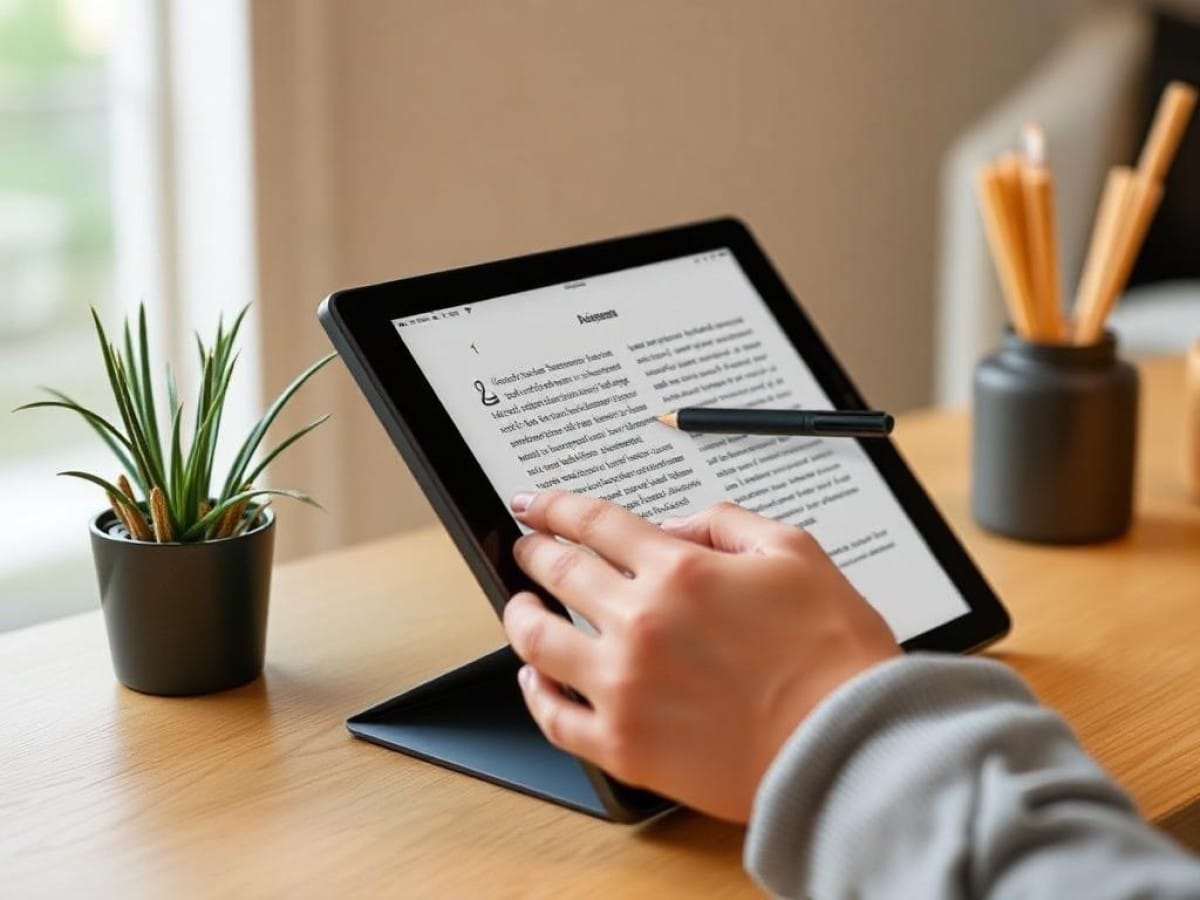
The ReMarkable Paper Pro Move, priced from $449, is the latest e-paper tablet from the company, and having used it for several weeks, it has quickly become my preferred device in the ReMarkable lineup.
If you’re acquainted with last year’s ReMarkable Paper Pro, consider the Move as a more compact and less expensive variant. Sporting a 7.3-inch Canvas Color display, the Paper Pro Move is about the size of a large paperback found at airports, making it significantly more convenient to carry in a purse or pocket.
The smaller form factor of the Paper Pro Move integrates more seamlessly into daily life compared to the larger 11.3-inch ReMarkable Paper Pro. Although I sometimes missed having a larger screen, the portability and functionality of the Move often made it my go-to device because it retains the same writing tools and experience as its larger counterparts.
The ReMarkable Paper Pro Move is an excellent choice for anyone who frequently takes notes or tracks ideas, making it a top contender among tablets for writers, note-takers, and those who value a compact digital notebook with endless pages.
- What is it? A nearly pocket-sized ReMarkable slate featuring the same writing tools and feedback as the Paper Pro, but in a smaller frame.
- Who is it for? Designed for writers, business professionals, journalists, students, and anyone interested in an e-paper tablet that mimics the feel of paper, with a limited color palette and a 7.3-inch display.
- What does it cost? The device starts at $449 and includes a ReMarkable Marker. For $499, it comes bundled with a ReMarkable Marker Pro that has an additional eraser feature.
- What do we like? The writing sensation on ReMarkable devices is unmatched, the limited color support is a pleasant feature, and the device’s lightweight and small size make it highly portable.
- What don’t we like? The e-paper technology can be slow, causing delays when loading documents or navigating pages, which is a common drawback of this technology.
|
Spec |
ReMarkable Paper Pro Move |
|---|---|
|
Price |
$449 w/ Marker, $499 w/ Marker Plus |
|
CPU |
1.7GHz dual core Cortex-A55 |
|
RAM |
2GB LPDDR4 |
|
Storage |
64GB |
|
Display |
11.8-inch Canvas Color display |
|
Ports |
USB-C, accessory port |
|
Dimensions |
7.7 x 4.2 x 0.2 inches |
|
Weight |
0.52 pounds |
Although I primarily use a keyboard for writing these days, there’s a unique charm in the act of writing with a pencil on paper that I still find appealing.
ReMarkable has carved a niche for itself by creating e-paper tablets that nearly replicate the feel of writing in a traditional notebook, from the texture of the pencil on paper to the overall writing experience.
It’s not an exact match, but it’s close enough to be endearing. If that’s not convincing enough to consider a Paper Pro Move, here are some additional benefits I’ve noticed during my experience with the device.
Compact Design Enhances Portability and Usability
“The ability to tuck the Paper Pro Move into my jacket pocket like a large notebook, and use it throughout the day to quickly jot down notes, is incredibly convenient.”
My initial impression of the Paper Pro Move was excitement over its compact, pocket-friendly size. Despite having large hands, the device fits snugly like an oversized reporter’s notebook, which is a feature I particularly enjoy.
The slim, easy-to-carry design of the Paper Pro Move is essential as it enhances the likelihood of the device being used frequently throughout the day.
It reminds me that while I appreciate the ReMarkable Paper Pro, I seldom use it because its size, comparable to a full iPad, means it usually remains at home on my desk. In contrast, I relish the ability to slip the Paper Pro Move into my jacket pocket like a large notebook, ready to be used anytime to capture a thought or manage tasks.
Of course, this does not mean that the ~$500 tablet is being used to its full potential, and this is something to consider before making a purchase—do you really need a ReMarkable slate for tasks that your smartphone, which you likely already carry, can handle?
In reality, probably not. Your smartphone can manage your notes and random thoughts, and it can do much more. However, no device I’ve tested can replicate the feeling of drawing a pencil across paper as well as the ReMarkable Paper Pro Move.
Vibrant Colors Enhance Creativity and Visibility
ReMarkable’s introduction of color e-paper displays began with last year’s ReMarkable Paper Pro, and the addition of color continues to add an element of fun.
If you’ve never seen the Paper Pro in person, manage your expectations: you won’t see the full color spectrum like on an iPad. The ReMarkable Paper Pro Move’s e-paper display isn’t a traditional screen capable of full HD, but it uses a Canvas Color display that manipulates tiny CMYK ink particles at different layers to produce up to 10 possible colors.
In practice, this allows you to use the ReMarkable Paper Pro Move’s tools (including markers, highlighters, pencils, and paintbrushes) to draw and color on notes and documents in up to 10 colors, such as green, blue, magenta, yellow, and orange.
While the Paper Pro Move may not be suitable for someone seeking a full range of color and art tools available on other tablets, the additional colors it offers do enable you to enhance your notes with illustrations and color highlights in a way that I find quite enjoyable.
Exceptional Writing Experience on the Move’s E-Paper Display
“The pleasure of writing on a ReMarkable device is so great that I often bring the Paper Pro Move with me just to doodle and jot down ideas.”
As expected, the latest ReMarkable device offers a superb writing experience.
This isn’t surprising, considering the Paper Pro Move features the same Color Canvas display introduced in last year’s model. When used with the ReMarkable Marker stylus, you benefit from over 4,000 levels of tilt and pressure sensitivity, providing significant feedback as you move the stylus across the screen.
This is why writing on the Paper Pro Move feels superior to using a stylus on a glass screen, such as that of an iPad. It’s difficult to describe without trying it yourself, but writing or doodling on the ReMarkable Paper Pro Move gives the impression that the stylus nib is truly making a mark on the display.
Indeed, the ReMarkable Marker comes with replacement nibs that you’ll need to change occasionally as they wear down from use.
Although I generally dislike writing longhand due to the physical strain from years of writing professionally, the enjoyable sensation of writing on a ReMarkable device often compels me to take the Paper Pro Move with me for casual note-taking and sketching.
I have a strong fondness for the ReMarkable Paper Pro Move, but I’m also aware of its limitations, particularly given its $449 price tag.
Adapting to the Lag Requires Patience
ReMarkable has made significant efforts over the years to enhance the responsiveness of their e-paper tablets, and the Paper Pro Move is the quickest and most responsive model I’ve used. However, there is still a noticeable delay between drawing a line with the stylus and seeing it appear on the screen.
While this slower performance may feel cumbersome compared to using an iPad or even a Kindle, it can be beneficial in certain situations. For example, the delay can help when shading, highlighting, or drawing, as it allows you to see what you’re doing and correct any missed spots.
Nevertheless, quickly navigating through documents or menus on the ReMarkable Paper Pro Move can be a frustrating experience due to the time it takes to load new pages.
Similar Posts
- Discover How the ReMarkable Paper Pure Might Convert You to Handwriting: A Keyboard Warrior’s Tale
- Kindle Scribe Colorsoft Unveiled: Experience the Ultimate in Color Reading and Writing!
- Swap Your iPad and Kindle for This E-Reader with Paper-Feel Screen: Now Up to 39% Off This Prime Day!
- Boox Note Max Review: Versatile Android E-Paper Tablet with a Steep Price Tag
- Top Kindles of 2025: Discover Our Expert Reviews & Ratings!

Tobias Nguyen covers mobile technology and social media trends. He combines a background in digital marketing with a passion for emerging tech to provide readers with data-driven insights and practical tech usage tips.