
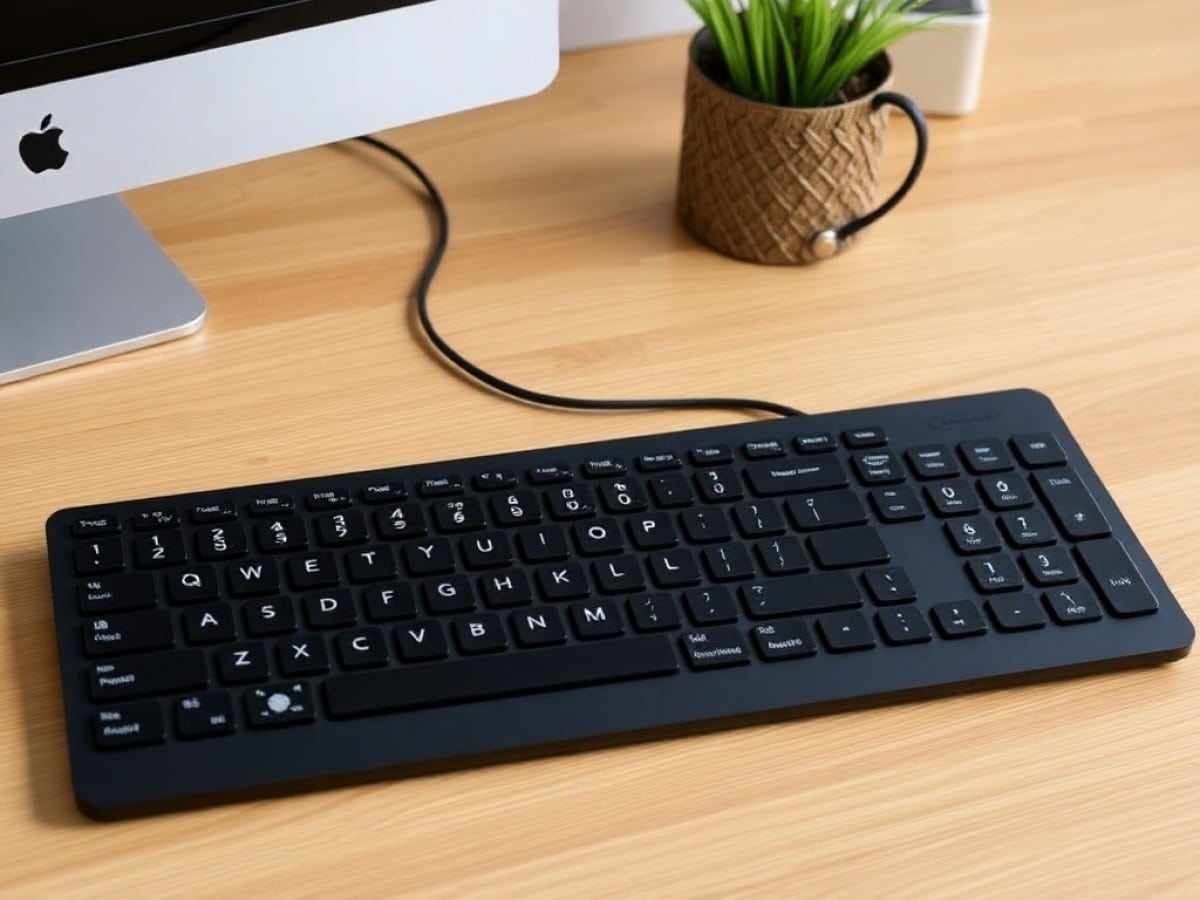
Logitech is back with a new wireless office keyboard that you will virtually never need to recharge. The Signature Slim Solar+ harnesses ambient light and offers numerous productivity features. Here’s our review.
Scientists confirm: This is the most effective way to get your cat’s attention, according to new research
Elderly Couple Refuses Reserved Seats—Viral Train Standoff Sparks Fiery Debate on Courtesy
Fifteen years ago, back in 2010, I purchased my first wireless keyboard. It was a novel device at the time because it recharged using solar and ambient light. The Logitech K750, therefore, did not require charging or battery replacements, which was quite impressive for that period. I used this keyboard for both office work and gaming. Although it quickly reached its limits in gaming, the K750 left me with fond memories.
I was pleasantly surprised when I learned that Logitech had decided to produce a successor in 2025. Has the Swiss manufacturer perfected the formula with this new Signature Slim Solar+ after decades of experience in office keyboards? Find out in our review.
Technical Specifications
| Model | Logitech Signature Slim Solar Plus |
|---|---|
| Format | Full-size / 100% |
| Type of Switch | Membrane |
| Weight | 700 g |
| Product Sheet | Available |
Design and Ergonomics
Thin office keyboards have flooded the market, and Logitech has specialized in this area, particularly with its MX Keys series. With the Signature Slim Solar+, the company essentially offers a variant of the K950 that we tested in 2024. The difference lies in its solar charging strip located at the top of the keyboard, which is set into a concave recess with a shiny surface, allowing it to blend into any setup effortlessly.
This keyboard adopts a sleek, modern aesthetic with a 108-key layout that includes a numeric keypad. It is completely made of plastic, differing from the MX Keys with its rounded edges and lightweight construction. Its design clearly positions it as a professional keyboard, only lacking a proper tilt adjustment to suit your preferences.
Furthermore, the keyboard is compatible with both Windows and macOS, thanks to dual labeling on the numeric keys. It also includes useful shortcuts on the function key row (Fn) with numerous shortcuts for both operating systems (window layout, emoji shortcuts, screenshot, etc.). A new row of buttons above the numeric keypad includes shortcuts for muting your microphone, camera, or audio during online meetings—very convenient.
I have been using it daily for the past three weeks instead of the built-in keyboard on my MacBook Air M3. It features a laptop-style chiclet keyboard mechanism, providing a comfortable and quiet typing experience. However, the feedback feels slightly mushy, less crisp and “satisfying” compared to the MX Keys range, but still very good overall.
One minor drawback: it lacks backlighting, making it less convenient to use in dim conditions. On this point, the MX Keys S maintains a significant advantage.
Fonctionnalités
The Slim Solar+ K750 can be configured via Logi Options+, Logitech’s configuration tool for all its office products, including the MX (Keys and Master) series. In the software, you can reassign different function keys to many other system shortcuts. A new feature this year is the right Option key, next to the second Shift key, which can be used to launch any AI tool (ChatGPT, Perplexity, Copilot).
Smart Actions are also present, acting like macros to activate a sequence of predefined actions at the press of a button. For instance, you can set up a work mode by launching your calendar app, email, and notepad instantly, or any other combination of applications. Various macros are available on Logi Options+, and you can certainly create your own.
It is worth exploring these Smart Actions, as using them can significantly speed up some repetitive tasks in your daily routine. I have set up one for my morning browsing, with a window for Feedly and Notion side by side, and another for my writing periods, which turns off notifications and arranges the windows according to my habits.
Battery Life and Connectivity
The big promise of the Logitech Slim Solar+ is its unlimited battery life. The keyboard recharges from any light source, whether natural or artificial. It doesn’t just recharge with sunlight like Superman and can survive long weeks under a desk lamp.
A shortcut in Logi Options+ will tell you whether the keyboard is well-lit or if it needs a stronger light source. Its central charging band makes it quite easy to find light. However, a small downside is that its battery is still not removable, but it is designed to last 10 years without replacement.
In terms of connectivity, the keyboard uses Bluetooth LE (Low Energy) technology and does not require a dongle to function. It can connect to three different devices like its predecessor, with a pairing and selection system that is just as intuitive.
Price and Availability
The Logitech Signature Slim Solar+ is available at a recommended price of 109.99 euros in stores. However, it can be found for 100 euros at some retailers.
This positions it in the premium category, similar to the MX Keys, which is priced at 119.99 euros (also currently available for under 100 euros).
Similar Posts
- Logitech MX Master 4 Review: Is This the Best Office Mouse Ever?
- Logitech G512 X 98 Review: The Hybrid Keyboard We Didn’t Need
- Tested: Hator Skyfall 80 MAG Ultima 8K Wireless Keyboard – Magnetic Deal Under €100!
- Corsair Vanguard Air 99 Wireless Review: Feature-Packed Keyboard Falls Short!
- Be Quiet! Light Mount Review: Experience Unmatched Silence and Simplicity!

Maya Singh is a senior editor covering tablets and hybrid devices. Her work explores how these tools reshape digital productivity and learning. She also contributes to feature editorials on emerging tech.