
Scientists confirm: This is the most effective way to get your cat’s attention, according to new research
Elderly Couple Refuses Reserved Seats—Viral Train Standoff Sparks Fiery Debate on Courtesy
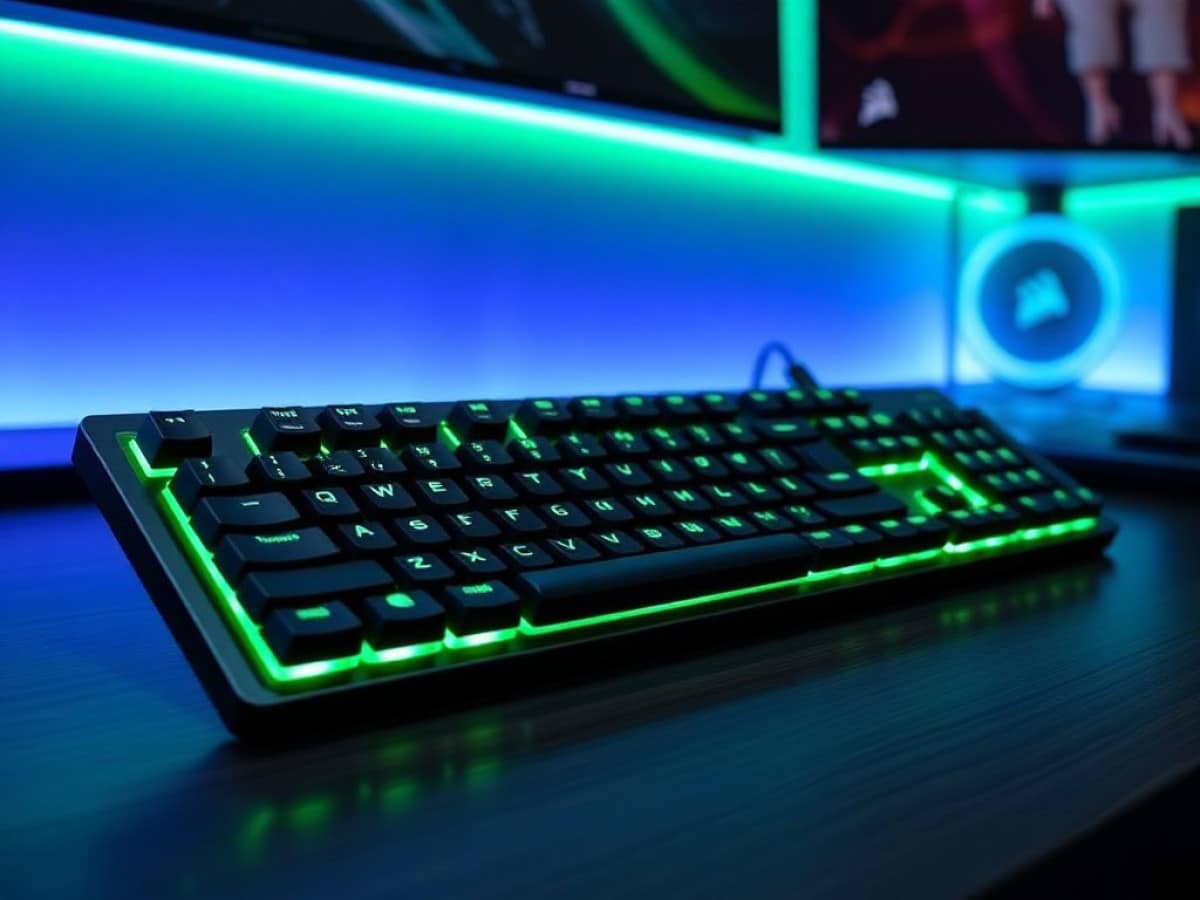
The Corsair Vanguard Air 99 gaming keyboard is a wireless, low-profile, and compact model. Similar to the Galleon 100 SD, it features dedicated Stream Deck keys and a customizable LCD screen, all in an uncommon 99% layout that minimizes space without sacrificing functionality.
The keyboard connects via 2.4 GHz wireless or Bluetooth and offers an 8,000 Hz polling rate. It uses Corsair’s OPX low-profile optical switches. Surprisingly, it doesn’t feature analog switches, and notably lacks PBT plastic keycaps—a curious decision given the keyboard’s high price tag of 280 euros at launch.
At first glance, these design choices are hard to justify considering the steep price of this new model.
Technical Specifications
| Model | Corsair Vanguard Air 99 Wireless |
|---|---|
| Layout | Full-size / 100% |
| Switch Type | Mechanical |
| Max Polling Rate | 8000 Hz |
| Weight | 928 g |
| Product Sheet |
Compact Yet Comprehensive
The Vanguard Air 99 Wireless retains the visual identity of previous Corsair models. It features a plastic chassis with a metal case that is beveled and elegantly curved, adding a modern and premium feel. Although it closely resembles the Galleon 100 SD, it is significantly thinner, embodying the true essence of a low-profile keyboard. This slim design does not compromise its sturdiness, as the keyboard is almost impervious to twisting, thus preserving the typing experience despite its compact form.
Like the Logitech G915 X, this Vanguard Air 99 is equipped with six extra keys positioned vertically to the left of the keyboard. Labeled S1 to S6, these can be customized via the Stream Deck app and come with replacement keycaps, though without an integrated screen. These keycaps, along with the directional arrows, are uniquely translucent, enhancing the RGB lighting elegantly.
Despite the inclusion of these extra keys, the Vanguard is more compact than its competitors due to its 99% size. This means the directional keys area is compressed between the main typing area and the numpad. Moreover, these keys are positioned closer together, saving a few more precious millimeters. This thoughtful design choice impacts the initial usage period, where typing errors are more frequent.
The first real disappointment with this new model is Corsair’s decision to use ABS plastic keycaps. After just a few hours of use, the keys become greasy and shiny, necessitating frequent cleaning. At a price point of 280 euros, this is almost inexcusable. Nevertheless, the integrated RGB lighting diffuses effectively through them.
Corsair continues its love affair with LCD screens, as evidenced by the LCD display on the Vanguard Air 99, positioned above the numpad and showing various keyboard statuses through icons. The animated Corsair logo can also be replaced with a custom image. The traditional customizable scroll wheel found on previous models complements the LCD screen.
The rear edge houses the power switch, a secondary switch for toggling between Windows and macOS systems, and a USB-C charging port. There’s also a designated storage slot for the wireless dongle. Additionally, for enhanced ergonomics, two foldable feet with two position settings allow for adjusting the keyboard’s angle.
Fairly Limited Battery Life
Like most wireless keyboards from the brand, the Corsair Vanguard Air 99 Wireless comes with a USB dongle that ensures a reliable wireless connection up to an 8,000 Hz polling rate. This rate is also achievable via a wired connection using the provided USB-C cable. Moreover, for broader compatibility, a Bluetooth connection is also available.
Corsair does not specify the battery life under different connection methods. The technical sheet states a battery life of 55 hours with the RGB lighting off and the LCD screen brightness at 20%. In our testing, using the factory settings with the RGB lighting on, the screen brightness at about 20%, and a polling rate of 1,000 Hz, the keyboard lost 40% of its battery after approximately 12 hours of use.
Effective and Quiet Switches
The Vanguard Air 99 Wireless introduces Corsair’s new OPX Low-Profile optical switches. These offer a total travel of 2.5 mm, with an actuation point at 1.5 mm and an actuation force of 45 g. These are fairly standard linear switches, albeit quite responsive and pre-lubricated from the factory.
The typing experience is overall convincing with switches that are both silent and smooth. After getting used to the unique layout of the keyboard, typing proceeds smoothly, whether for writing tasks or intense FPS gaming. The isolation work on the chassis, combined with the intrinsic qualities of the switches, makes the Vanguard Air 99 a very discreet keyboard, reminiscent of the Logitech G915 X and Razer’s DeathStalker V2 Pro.
However, minor flaws slightly mar the experience. Notably, the absence of stabilizers on some keys, such as the right Shift key, which tends to depress too easily on the sides. Additionally, the immediate proximity of the Stream Deck key row to the main typing area makes it easy to confuse them with the Esc, Ctrl, and Shift keys, leading to frequent errors during initial use.
Web-Based Software and More
Like all recent keyboards from the brand, the configuration of the Vanguard Air 99 Wireless is done solely through the Corsair Web Hub. This web-based utility is advantageous as it requires no installation, although it is not completely stable yet. Detection issues and persistent slowness are still present. Additionally, the Stream Deck app must be installed to fully utilize the dedicated keys.
The web module is much simpler to use than the cumbersome iCue. Key assignments have a dedicated menu offering a variety of functions, with the ability to record macros. Stream Deck keys can also be reassigned here, as long as the dedicated app is not running. The scroll wheel offers several functions: volume control, lighting adjustment, and scrolling, but it is not possible to add new functions to it.
Only the FlashTap feature is available for performance, which allows setting a priority between the A and D movement keys. Although hidden in the advanced settings, the debounce delay of the switches is adjustable.
In addition to the lighting effects of the switches, which benefit from numerous pre-configurations and can be adjusted individually, the screen is also customizable. However, customization is limited to adding a custom image. This is particularly limited in appeal, as it would have been nice to have at least a few widgets available.
To fully enjoy the dedicated Stream Deck keys, head to the corresponding application, which must be installed separately. There’s nothing new here since it operates like a typical Stream Deck, except that the keys do not integrate a display, which inevitably limits their usefulness. It’s surprising that the original configuration includes a weather key, which is utterly useless without the display function of a true Stream Deck.
Note that it is not possible to have multiple “pages” of configuration as is the case with other products in the range. Unless dependent on certain advanced features of the Elgato ecosystem, the value of these Stream Deck keys remains quite limited.
Price and Availability of Corsair Vanguard Air 99 Wireless
The Corsair Vanguard Air 99 Wireless keyboard is available at a recommended retail price of 280 euros.
Corsair Vanguard Air 99 Wireless
at the best price
-
Darty
279,99 € -
Fnac Marketplace
411,90 €
Similar Posts
- Razer Joro Reviewed: Is This the Ultimate Gaming Magic Keyboard?
- Glorious GMBK 75% Review: The Affordable Gaming Keyboard Revolution!
- Corsair Scimitar Elite Wireless SE Review: Unleash MMO Gaming Superiority!
- Tested: Hator Skyfall 80 MAG Ultima 8K Wireless Keyboard – Magnetic Deal Under €100!
- Silent Yet Limited: MSI Strike 600 Silent Keyboard Review – Find Out More!

Maya Singh is a senior editor covering tablets and hybrid devices. Her work explores how these tools reshape digital productivity and learning. She also contributes to feature editorials on emerging tech.