
Scientists confirm: This is the most effective way to get your cat’s attention, according to new research
Elderly Couple Refuses Reserved Seats—Viral Train Standoff Sparks Fiery Debate on Courtesy
Geekom, a leading name in the field, is back with the A7 Max. The goal remains the same: to provide the power of a full-sized desktop tower in a case that fits in the palm of your hand. With the rising cost of components due to a shortage of RAM, it’s a significant challenge to offer top-tier performance without breaking the bank.
Technical Specifications
| Specifications | Geekom A7 Max |
| Processor | AMD Ryzen 9 7940HS (8 cores, 16 threads, Zen 4) |
| GPU | AMD Radeon 780M (integrated GPU) |
| RAM | 16 GB DDR5-5600 (1×16 GB – single channel) |
| Storage | 1 TB SSD M.2 PCIe Gen 4 |
| Connectivity | Wi-Fi 6E, Bluetooth 5.4, Dual 2.5 Gbps Ethernet |
| Ports | 4x USB (10 Gbps), 2x USB 4 (40 Gbps), 2x HDMI 2.0, SD Card Reader |
| Dimensions | 135 x 132 x 45.9 mm |
| Price | Approx. 799€ |
Design, Connectivity, and Ergonomics
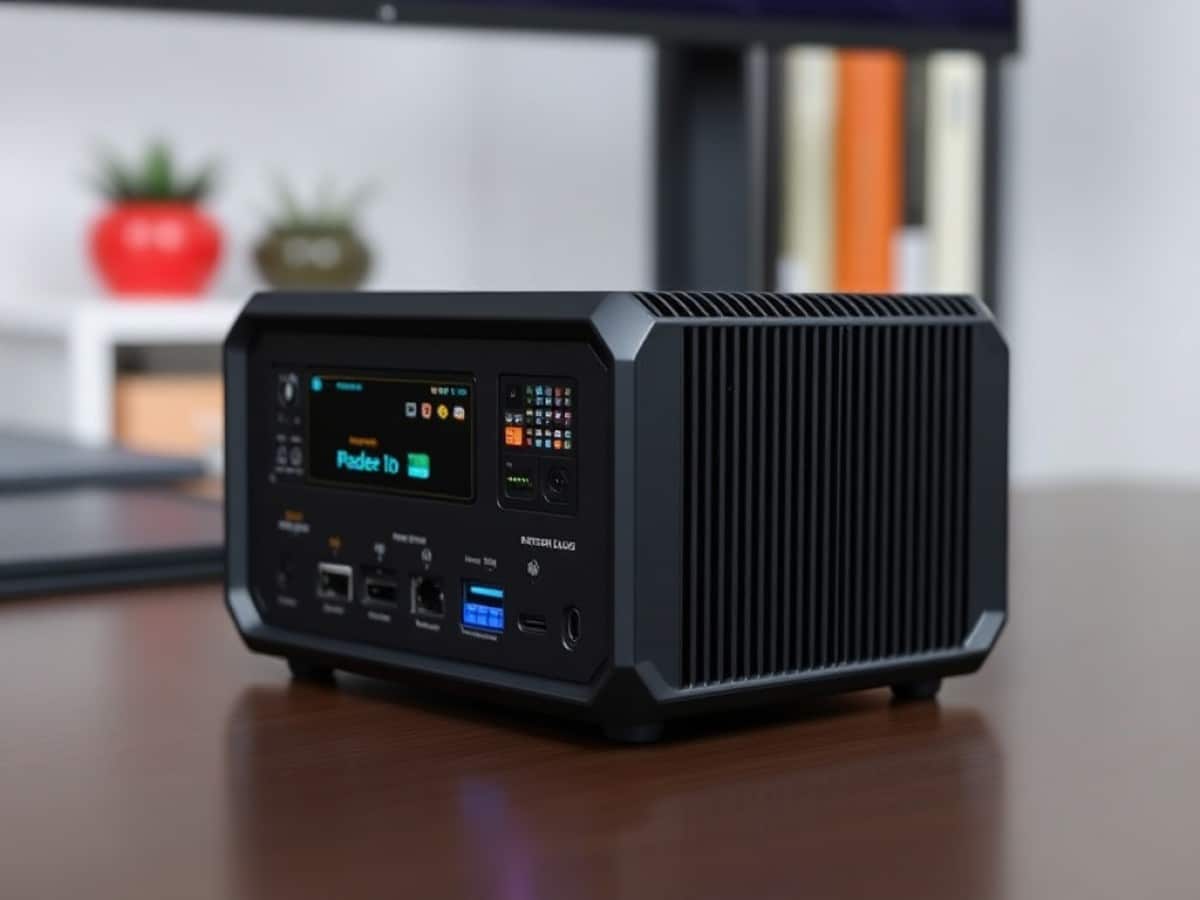
Geekom has made significant improvements: gone is the plastic, replaced by a single-piece anodized silver aluminum chassis. It’s attractive, feels cool to the touch, and emits a very reassuring sense of solidity. Like the Mac mini, which clearly inspires Geekom, though they are not alone in this.
Placed on a desk next to a 4K monitor, it looks impressive and doesn’t clash with an Apple product.
Its form is nearly square, and it takes up minimal desk space. You can hide it behind a monitor or let it proudly sit under your screen.
I am particularly fond of the SD card reader on the left side. The power button provides a satisfying click, and the ports are smartly distributed.
On the front, there are four USB-A ports (10 Gbps) and a 3.5 mm jack. However, one might ask, where is the USB-C? The absence of a front-facing USB-C port for quickly charging a smartphone or connecting an external SSD is an annoying ergonomic oversight.
Why You Should Never Reheat These Foods in the Microwave – The Hidden Dangers Experts Warn About
I tried the top 5 guard dogs—here’s what makes these breeds the ultimate protectors
The back offers a variety: two USB 4 type-C ports, two HDMI ports, and dual 2.5G Ethernet… Enough to connect four screens if you wish, or even set up a NAS server. However, upgrading the RAM could have been made simpler.
Geekom has hidden the screws under rubber pads (which need to be peeled off) and the cover is firmly clipped on. Also, be cautious with the very short Wi-Fi cables when opening. While not impossible, a simpler access like in previous generations would have been appreciated. Once opened, just clip in a second RAM module.
Software
Geekom provides a clean installation with a Windows 11 Pro system free of “bloatware.” No trial antivirus programs, no ad pop-ups. Power up, configure your Microsoft account, and you’re ready to work in 5 minutes.
For Linux enthusiasts, it’s nearly perfect. I installed Fedora, and everything was recognized immediately: Wi-Fi 6E, Bluetooth 5.4, and graphic acceleration. It’s a machine that can meet the needs of developers or for setting up a robust small home server (Home Assistant, Plex, etc.).
The BIOS is basic but does the job. It mainly allows you to adjust the processor’s performance mode. A small Windows software for managing fan profiles without rebooting would have been nice, but that’s a minor quibble.
Performance
The focus here is the APU in this mini PC. The AMD Ryzen 9 7940HS is not a typical desktop PC processor (like those found in large towers). It’s a high-end mobile chip, originally designed for very powerful gaming laptops. The difference? Power consumption.
While a desktop tower consumes around 150 W, this chip is optimized to run between 35 and 54 W. It’s a tremendous amount of power packed into maximum energy efficiency (4 nm process).
Let’s look at the numbers with Geekbench 6, which measures burst performance (short tasks). The A7 Max performs admirably: 2,587 points in Single-Core and about 10,565 points in Multi-Core. That’s quite respectable.
In Cinebench 2024, which tests 3D rendering over a longer period (more realistic for creators), the Ryzen 9 flexes its muscles but starts to hit thermal limits. It stabilizes a score around 934 points in multi-core and 104 points in single-core. It’s solid, but you can see the processor slightly decrease its frequency after 5 minutes to avoid overheating. Nonetheless, it remains a very capable machine for video editing or light 3D work.
I then ran the brand-new Cinebench 2026, the current ruthless standard that now includes heavy NPU (AI) calculations and CPU Ray Tracing loads. Here, the score of 2,869 points in multi-core and 168 points in single-core is honorable, but reveals throttling. The case heats up, and the processor cannot maintain a constant 5.2 GHz. It settles into an efficient but not maximal cruising rhythm.
In terms of raw computing power, it matches desktop references like the Ryzen 7 5700X or a Core i5-13400F.
Compared to a laptop, it’s at the top of the food chain. Where an ultrabook (like a MacBook Air or Dell XPS 13) prioritizes battery life with low-power processors (U series), this Ryzen “HS” series favors sustained performance. Since it’s housed in a better-ventilated case than an ultra-thin laptop, it holds its frequencies longer without collapsing. It’s the best of both worlds.
However, there’s a technical “but” to address: the RAM. Geekom made the odd choice to ship this model with only one 16 GB module (Single Channel). Likely a cost-saving measure.
For the CPU, it doesn’t make much difference; it runs fast. But for the graphic part (the iGPU Radeon 780M), which uses the same memory, it’s a bottleneck depending on what you’re doing.
Result in gaming? The Radeon 780M iGPU is theoretically capable of competing with a small dedicated graphics card (like the GTX 1650). But because of the single memory module, it’s throttled by about 30%. Cyberpunk 2077 or Forza Horizon 5 will run, but you’ll have to reduce the resolution or details more than necessary.
It’s playable, but frustrating knowing the chip could perform better. The solution is simple and found: adding a second RAM module frees up the beast and transforms the experience.
It’s important to note that while the Geekom A7 Max can operate in Dual Channel, the default configuration is typically Single Channel (1 x 16 GB), and you need to add a second module to truly benefit from Dual Channel.
Fortunately, the motherboard has 2 SO‑DIMM DDR5 slots and supports up to 64 GB (2 x 32 GB). In practice, just add a second identical module (e.g., another 16 GB DDR5‑5600).
Regarding heat, the metal case dissipates heat well. Under normal use, it’s perfectly silent. Under heavy load (gaming or 3D rendering), the fan kicks in. You can hear it; it’s a noticeable whoosh, but nothing catastrophic for such a compact format. The SSD is well-cooled and maintains its speeds consistently.
Price and Availability
Priced at around 799 €, the Geekom A7 Max is at the higher end of the mini PC spectrum.
You will also get an 8% instant discount with the code FRDA7MAX.
Geekom A7 Max
at the best price
-
Amazon Marketplace
711 €
The A7 Max is also available on Geekom’s website with an 8% discount, code FRDA7MAX.
Alternatives
At Geekom, you have many alternatives like the A7, A8 / A8 Max, A6… And if you need more power, there’s the A9 Max.
If the Windows environment is not mandatory, the Mac mini M4 remains the king in terms of silence and energy efficiency. However, with Apple, it’s impossible to later add RAM or storage. The Geekom retains the advantage of upgradability.
Also, check out our buying guide for the best mini PCs here.
Similar Posts
- Geekom A9 Max Review: Is This Mini-PC the Ultimate Power-to-Cost Champion?
- Geekom A9 Max 2026 Review: Mini-PC Upgrades to Ryzen AI 9 HX 470 Power!
- Minisforum MS-03 Review: Panther Lake Unleashed: Triple 10 GbE & Dedicated GPU Slot!
- Geekom A5 Pro Review: Affordable Powerhouse Mini-PC with a 3-Year Warranty – Is It the Best Right Now?
- Minisforum AI X1 Pro-470 Review: Is This the Ultimate Mac Mini Killer?

Maya Singh is a senior editor covering tablets and hybrid devices. Her work explores how these tools reshape digital productivity and learning. She also contributes to feature editorials on emerging tech.