
Scientists confirm: This is the most effective way to get your cat’s attention, according to new research
Elderly Couple Refuses Reserved Seats—Viral Train Standoff Sparks Fiery Debate on Courtesy
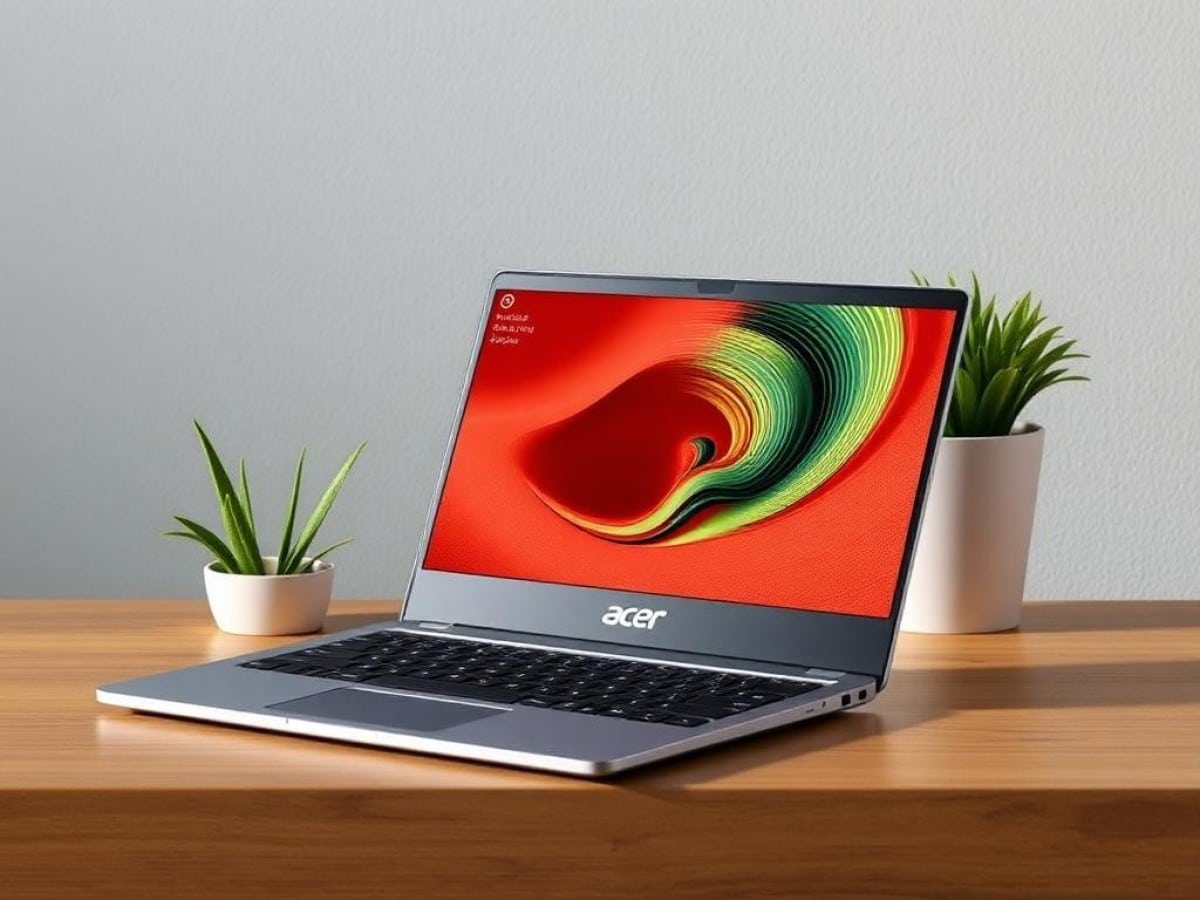
Indeed, in the tech world, it’s always tempting to head straight for the most powerful, the sleekest, and naturally… the most expensive. But as you and I both know, our bank managers rarely approve of this decision. Let’s consider more sensible options, like the Acer Aspire 14 AI.
Technical Specifications
| Model | Acer Aspire 14 AI A14-52M |
|---|---|
| Dimensions | 318 mm x 16 mm |
| Resolution | 1920 x 1080 pixels |
| Display Technology | OLED |
| Touch Screen | Unknown |
| Processor (CPU) | Core Ultra 5 226V |
| Graphics Chip (GPU) | Intel ARC Graphics |
| RAM | 16 GB |
| Internal Memory | 512 GB |
| Build | Plastic |
| Operating System (OS) | Microsoft Windows 11 |
| Weight | 1500 grams |
| Depth | 225 mm |
| Product Sheet |
Design
Typical for this price range, the upper chassis features a simple thin aluminum shell. Apart from the small Acer mirror-effect logo placed on the upper right corner of the device, and the Taiwanese brand’s artificial intelligence signature logo that subtly blends into the surrounding grey, there’s nothing particularly striking. The rest of the chassis is very plasticky, extremely light, with a somewhat grippy feel under the finger.
The design lines are not the thinnest we have seen on the market. The Acer Aspire 14 AI of 2025 appears more rectangular than it seems, with very pronounced edges. Moreover, the screen hinges stand out as large plastic rectangles that are not especially aesthetic.
That said, this might sound a bit harsh. After all, this is an ultrabook that manages to maintain the best features of its category, namely a thickness of only 1.6 cm and a weight of 1.5 kilograms, without sacrificing too much in terms of looks. The Acer Aspire 14 AI is very practical in its design choices, yet does so wisely.
Keyboard and Touchpad
The keyboard setup is as straightforward as it gets, with completely ordinary scissor switches. These don’t offer much key travel and have a very soft tactile response, but they are still quite serviceable. Heavy typists might need to adjust their typing force a bit with this setup.
The touchpad, comfortably sized and centrally placed, isn’t particularly high-quality. We are dealing with a very basic plastic surface that’s slightly grippy, yet it remains functional. The click feels satisfying.
Connectivity
On the left, we find two USB-C Thunderbolt 3 ports, an HDMI 2.1 port, and a USB A 3.2 Gen 1 port. On the right, there is another USB A 3.2 Gen 1 port and a combo jack.
This array of ports is quite adequate, especially considering the 14-inch size of the device. With the available space, there’s hardly anything missing that would necessitate the use of a dongle.
Importantly, Acer has not opted to downgrade the performance of certain connections, such as favoring USB 3.0 or similar decisions. Here, the connectivity remains modern.
Webcam and Audio
The webcam features a basic 1080p sensor. To be honest, its output is very poor. The colors are all washed out, and the artificial intelligence supposed to enhance the image turns skin tones almost cardboard-like. It can be somewhat challenging to use in video conferencing without having to apologize to your audience.
The audio setup is also quite poor. The speakers, integrated at the bottom of the chassis, deliver a sound lacking any subtlety. Their output is not only quite low but also very metallic, with no appreciation of mids or bass. The robotic sound quality is not particularly pleasant and is really just there for basic needs.
Screen
The Acer Aspire 14 AI boasts a 14-inch OLED display with a resolution of 1920 x 1200 pixels and a 16:10 aspect ratio. Its maximum refresh rate is 60 Hz, which is “the old standard” but still quite acceptable for entry-level ultrabooks.
Using our sensor and Portrait Displays’ Calman Color Calibration software, we found a coverage of 172% of the sRGB space and 115% of the DCI-P3 space. The maximum brightness measured in SDR is 407 cd/m², with a slightly too warm average color temperature of 6242K. The average delta e00 is measured at 3.3, very close to excellence, with a maximum shift of 5.67 on pastel blue tones.
Now, the Acer Aspire 14 AI is certified DisplayHDR500 True Black. In reality, the panel can indeed reach up to 650 cd/m² of peak brightness in HDR… But unfortunately, this display mode seems to have been barely considered by Acer. The EOTF and luminance are completely misaligned, and the average delta e00 measured in HDR is 26.91, which is completely off. The laptop comes with HDR disabled by default: do not enable it.
Software
If you’re a fan of pre-installed ads, Acer continues to lead the pack in their integration. From McAfee to Dropbox, NordVPN, and Booking, you’ll need to do a comprehensive cleanup of the setup before using the computer, or you’ll be bombarded with advertising notifications.
At the heart of Acer’s software experience, which otherwise feels somewhat outdated, we have Acer Sense. The new software remains as pleasant to use as ever, to the point where we really wish the rest of the tools offered by the manufacturer would follow suit.
Performance
In our test configuration, the Acer Aspire 14 AI is centered around the Intel Core Ultra 5 226V, an 8-core SoC — 4 performance and 4 efficiency cores — with 8 threads that can turbo up to 4.5 GHz. It is supported by 16 GB of LPDDR5X RAM at 8533 MT/s and 512 GB of PCIe Gen 4 storage.
Benchmarks
In Cinebench 2024, we see scores of 564 points in multi-core and 112 points in single-core. Nothing surprising here: the Core Ultra 5 is more suited to simple office tasks, which the Acer Aspire 14 AI handles very well. However, for more productive or creative tasks… the CPU part is largely inferior to current AMD offerings.
The Intel Arc graphics part performs well again… in benchmarks. This chip will be particularly useful for some quick editing on the go, especially for social media, but won’t handle a large 4K file, for example.
In terms of storage, there are no disappointments: the read and write rates are quite consistent with the late generation of PCIe Gen 4.
Cooling and Noise
Nothing surprising in terms of heat: we’re essentially at 52°C at the bottom of the chassis, common for ultrabooks. The integrated fans in the Acer Aspire 14 AI tend to be more audible than most other similar setups, but the slight background noise generated is rare and not disruptive.
Battery Life
The Acer Aspire 14 AI includes a 65 Wh battery, which is recharged through a 65 Wh USB-C power block. It doesn’t get more balanced than that! The laptop is compatible with the Power Delivery standard, allowing it to be recharged by any block using this standard.
Under typical office use, with the screen set to 50% brightness, we see between 13 and 14 hours of usage. This is very good, well above the average for ultrabooks with this type of configuration.
Price and Availability
The Acer Aspire 14 AI with our test configuration is sold for 799.99 euros. However, it is often available on promotion for 699.99 euros, which is a very good price.
Acer Aspire 14 AI A14-52M
at the best price
-
Fnac
-
Darty
-
Rakuten Marketplace
-
Cdiscount Marketplace
-
Fnac Marketplace
Similar Posts
- Acer Swift 16 AI (2026) Review: Experience the Best of Intel and Acer in One Product!
- Review: Acer Swift Edge 14 AI (2025) – Stunning, Lightweight Laptop Lacks Power
- Altyk L16F Review: Impressive French Innovation? Find Out Now!
- Dell 14 Premium Review: Powerful Ultrabook, But on the Heavier Side!
- Asus ROG Strix G16 (2025) Review: Discover the Power of Mobile RTX 5060

Maya Singh is a senior editor covering tablets and hybrid devices. Her work explores how these tools reshape digital productivity and learning. She also contributes to feature editorials on emerging tech.