
Scientists confirm: This is the most effective way to get your cat’s attention, according to new research
Elderly Couple Refuses Reserved Seats—Viral Train Standoff Sparks Fiery Debate on Courtesy
It has been two years since the launch of Samsung’s first “Ultra” smartwatch before the Korean company unveiled a new model.
The advantage of waiting two years is that the manufacturer has had time to refine its formula with a Galaxy Watch featuring a brighter screen, more advanced sports functions, a more generous battery, and a more powerful chip.
But what is the Galaxy Watch Ultra 2 like in everyday use? We had the chance to test it, and here is our complete review.
Samsung Galaxy Watch Ultra 2 Video Review
Samsung Galaxy Watch Ultra 2 Specifications
| Model | Samsung Galaxy Watch Ultra 2 |
|---|---|
| Dimensions | 47.4 mm x 47.4 mm x 10.7 mm |
| Technology | Li-Ion |
| Screen resolution | 498 x 498 pixels |
| Panel | Super AMOLED |
| Internal memory | 64 GB |
| Weight | 61.5 g |
| Accelerometer and electronic compass | Yes |
| Sleep analysis | Yes |
| Ambient light sensor | Yes |
| Protection rating | IP69K, 10 ATM, MIL-STD-810H |
| Product sheet |
The watch used in this test was provided by the manufacturer.
Samsung Galaxy Watch Ultra 2 A watch as massive as ever, but slimmer
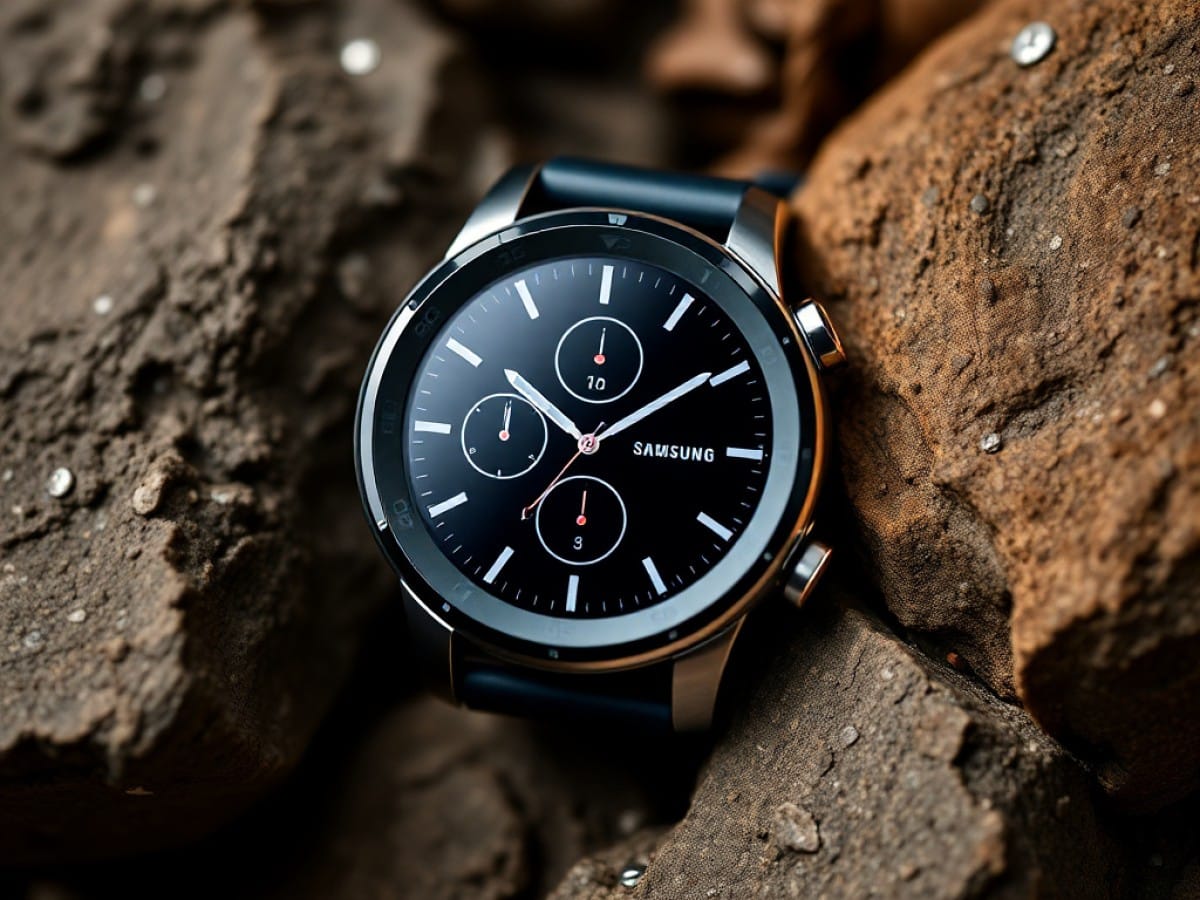
At first glance, nothing has changed for the Galaxy Watch Ultra 2 compared to the first Samsung Galaxy Watch Ultra. Unsurprisingly, the brand has retained the markers of the first generation for this new version. It must be said that the first Galaxy Watch Ultra had inaugurated the “squircle” format subsequently declined on other watches in the range, such as last year’s Galaxy Watch 8 and Galaxy Watch 8 Classic.
Here, we are dealing with a watch offered in a unique format of 47.4 x 47.1 x 10.7 mm. It’s a case almost identical to that of the first generation, but the Galaxy Watch Ultra 2 nevertheless allows itself to lose 1.4 mm in thickness for a case that is 12% thinner. It doesn’t make the watch particularly thin, but it does slightly improve wearing comfort.
The Galaxy Watch Ultra 2 also retains the same material for the case, mainly titanium, with a crown that encircles the screen and protects it from potential scratches. However, unlike the Galaxy Watch in the “Classic” version, this is simply a fixed decorative element and not a rotating bezel. The screen also occupies 52% of the surface of the watch. It’s not much, but it’s the problem when you want to fit rounds into squares.
Upon closer inspection, Samsung has nevertheless worked on the finishes of its Galaxy Watch Ultra 2. This is particularly visible on the central action button, which is now positioned completely in its housing, without giving the impression that it is a rotating crown. The manufacturer has also erased the small lines positioned on the other two buttons and refined the somewhat coarse plastic protrusion at the buttons of its first Galaxy Watch Ultra. Finally, the bezel is now annotated with mention of the hours to add a bit more cachet to the watch.
Samsung is also positioning its Galaxy Watch Ultra as an outdoor watch. In addition to the titanium case, this is observable by the choice of sapphire glass on the screen to avoid scratches.
In use, despite the slightly heavier weight of the Galaxy Watch Ultra 2 compared to the first version – 61.5 g versus 60.5 g – I must admit that the watch remains comfortable to wear. This is explained in particular by its slightly slimmer profile, which thus has less tendency to stray from the wrist during activity. Samsung also explains that it designed the watch based on the physical data of millions of possible wrists.
However, it should be noted that the Galaxy Watch Ultra 2 remains a bulky watch and will be more suitable for lovers of large watches than for the thinnest wrists.
Another element that contributes a lot to the comfort of the watch is Samsung’s choice of strap. While the first Galaxy Watch Ultra came with a rather thick silicone strap – inspired by that of the Apple Watch Ultra – the Galaxy Watch Ultra 2 benefits from a much thinner strap.
It nevertheless retains the same attachment system as the first model and therefore allows the use of the same straps. However, remember that Samsung watches now require specific straps and are not compatible with standard watch straps.
As for resistance and waterproofing, Samsung has pulled out all the stops by offering not only a watch certified 10 ATM and EN 13319 – and therefore suitable for diving up to 40 meters – but also IP69K and MIL-STD810H. In practice, you can therefore wear the watch on your wrist on any occasion without fear of drowning it.
Samsung Galaxy Watch Ultra 2 An extremely bright screen
Samsung has achieved a feat with the screen of its Galaxy Watch Ultra 2. Until now, the brightest watch on the market, the Garmin Fenix 8 Pro Microled, had a display that could reach, in peak brightness, 4500 cd/m². Other smartwatches, with Amoled screens, were limited to screens of 3500 cd/m² for the Huawei Watch Ultimate 2 or 3000 cd/m² for most high-end watches. This is notably the case for the Google Pixel Watch 4, the first-generation Samsung Galaxy Watch Ultra, or the Apple Watch Series 11.
For its part, the Samsung Galaxy Watch Ultra 2 manages to reach a brightness of 5000 cd/m², well beyond the competition, while retaining an Amoled panel. Concretely, the watch remains perfectly readable in all circumstances, even during outdoor sports sessions in the mid-July 2026 heatwave. During my test, I never had to squint because of the sunlight, the data displayed on the watch remained perfectly readable thanks to the display of the timepiece.
We should also note the use of a slightly larger screen than on the first Galaxy Watch Ultra, since it goes from a diameter of 1.47 to 1.52 inches, an increase in diameter of 3.4% and a display area of 6.9%. Logically, the same goes for the definition which now rises to 498 x 498 pixels, with a density of 328 pixels per inch — therefore beyond the 326 pixels per inch of the “Retina” displays of the Apple Watch.
Of course, the Galaxy Watch Ultra 2 is equipped with an ambient light sensor to automatically adjust the screen lighting to your environment. It also benefits from an always-on display mode, activated by default. Finally, by default, the watch will switch to a monochrome display on shades of red when the surrounding brightness drops to avoid eye fatigue. However, this function can be disabled in the watch settings.
It should also be noted that the watch offers several focus modes such as cinema or sleep which will then automatically disable the always-on display and turning on the screen by lifting the wrist. Good point, the sleep mode can be scheduled at fixed times directly in the watch settings or based on the modes already programmed on your phone if the Galaxy Watch Ultra 2 is paired with a Samsung smartphone.
Regarding the dials, Samsung has preinstalled about fifty models on its watch, all customizable both in terms of complications, shades, or background photos. You can also download many more from the Google Play Store and even from third-party dial stores like Facer.
Samsung Galaxy Watch Ultra 2 A clear, readable, and customizable interface
The Samsung Galaxy Watch Ultra 2 is one of the first watches on the market — alongside the Galaxy Watch 9 — to feature the new Snapdragon Wear Elite chip from Qualcomm. This SoC dedicated to smartwatches has the advantage of benefiting from a big.LITTLE architecture with four low-power Cortex-A55 cores and one high-performance Cortex-A78 core, all designed in a 3 nm etching process. This chip is backed by 2 GB of RAM and 64 GB of storage.
The watch is also equipped with Google’s Wear OS system in version 7.0 and Samsung’s One UI 9 Watch interface.
Concretely, due to the Wear OS system, the Galaxy Watch Ultra 2 is only compatible with Android smartphones and not with iPhones. To pair the watch with the smartphone, you will necessarily have to install the Galaxy Wearable app on your phone, as well as the Samsung Health app for collecting health data. Too bad, we would have appreciated Samsung finally simplifying the process with a single common app to manage both the watch and health data.
Galaxy Wearable (Samsung Gear)

Maya Singh is a senior editor covering tablets and hybrid devices. Her work explores how these tools reshape digital productivity and learning. She also contributes to feature editorials on emerging tech.
Categories
Latest Articles