
Scientists confirm: This is the most effective way to get your cat’s attention, according to new research
Elderly Couple Refuses Reserved Seats—Viral Train Standoff Sparks Fiery Debate on Courtesy
Following the mid-year release of its new high-end tablet, the OnePlus Pad 3 (which we reviewed in June), the Chinese manufacturer is kicking off the year by refreshing its mid-range offering.
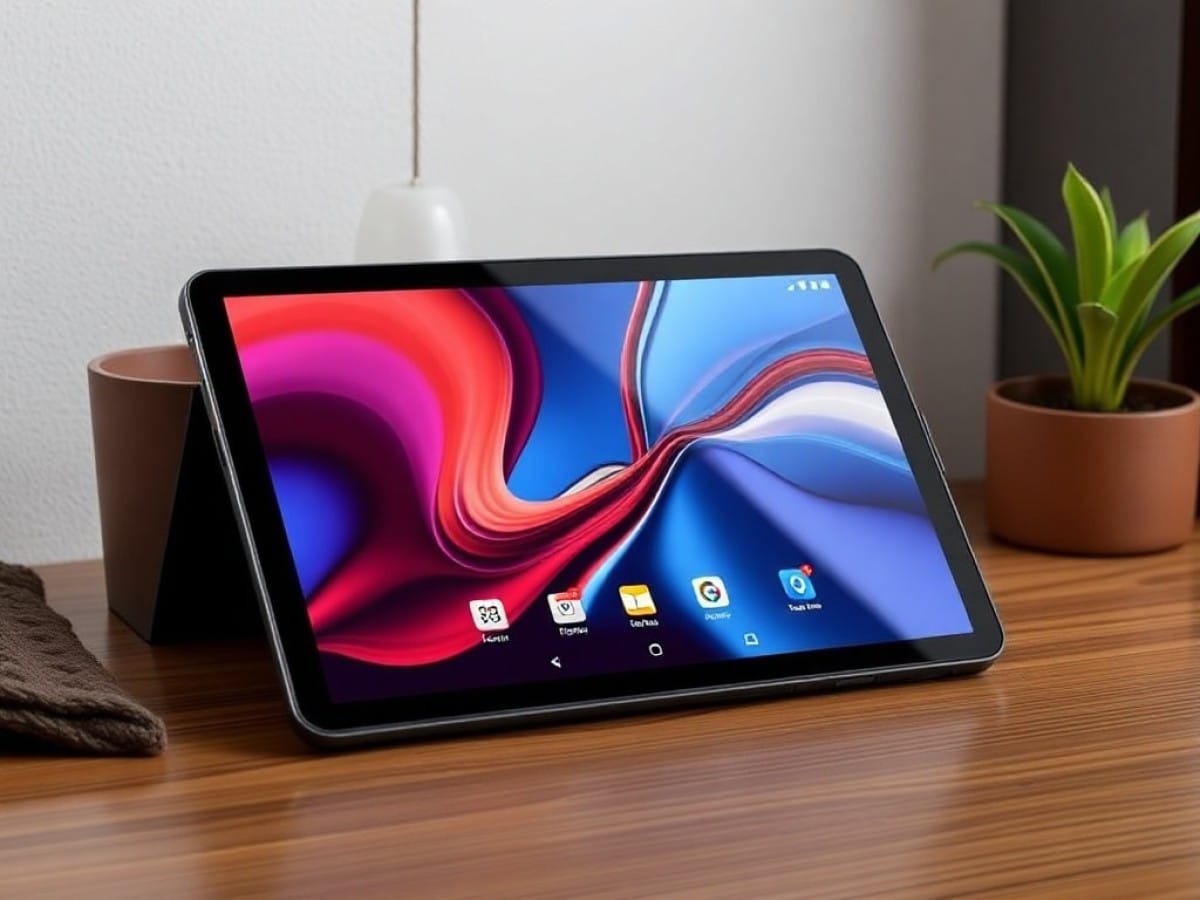
The OnePlus Pad Go 2 is slightly smaller and less sophisticated than its older sibling (12.1 inches versus 13.2 inches for the OnePlus Pad 3), making it more affordable. It features a large LCD screen, a Mediatek processor, and two lenses, each with 8-megapixel sensors.
It’s worth noting that an even more budget-friendly model, the OnePlus Pad Lite, is available for €229 (or €179 on promotion). This model features even more modest specifications, including a 90 Hz, 11-inch display.
Does the OnePlus Pad Go 2 hold its own against competitors launched a few months ago like the Honor Pad 10 (currently €280, with 8 GB of RAM and 256 GB of storage) or the Xiaomi Redmi Pad 2 Pro (€301, with 6 GB of RAM and 128 GB of storage)? Here is our verdict.
Technical Specifications
| Model | OnePlus Pad Go 2 |
|---|---|
| Dimensions | 192.77 mm x 266.01 mm |
| Screen Size | 12.1 inches |
| Resolution | 2800 x 1980 pixels |
| Pixel Density | 284 ppi |
| Screen Technology | LCD |
| Processor Model | Dimensity 7300-Ultra |
| RAM | 8 GB |
| Internal Memory | 128, 256 GB |
| Rear Camera | 8 MP |
| Front Camera | 8 MP |
| Wifi | Wi-Fi 6 (ax) |
| Bluetooth | 5.4 |
| NFC | No |
| Waterproof | No |
| Weight | 597 grams |
| Colors | Black, Purple |
| Product Details |
Design
The OnePlus Pad Go 2 is available in two colors: lavender or black. The latter tends to show fingerprints quickly, accumulating smudges on the back of the tablet.
The medium-sized tablet measures 26.6 x 19.2 x 0.7 cm and weighs 600 grams, offering a good balance between visual comfort and ease of use and transport. It’s important to note that it is not waterproof, nor is it certified as resistant to any water exposure. Therefore, care should be taken not to use it in overly humid environments or in the rain.
On the back, apart from the manufacturer’s logo, the only noticeable feature is the camera lens. The front camera, used for selfies, is much more discreet as it is embedded in the black border that surrounds the LCD screen.
Elsewhere on the edges of the tablet, there are two volume adjustment buttons, the power button, a USB-C port, and a tray for installing a microSDXC card (and a nano SIM for the 5G-compatible version of the tablet).
Also noticeable are four groups of openings (two on each side of the screen when viewed in landscape mode), behind which are the four speakers.
With its protective case, sold separately (€40 not on promotion), it can be kept in an almost vertical position, which allows you to watch a video while keeping both hands free.
However, this accessory has two (minor) drawbacks. First, the tablet cannot be positioned vertically (in portrait display mode). Secondly, the folding of the cover that “secures” the tablet’s position is not very easy to perform and is subsequently quite unstable (a slight manipulation of the tablet can cause it to fall, which is annoying).
It’s worth noting that the manufacturer does not offer a Bluetooth keyboard as an option. And since the one offered with the OnePlus Pad 3 is not Bluetooth and works through power connectors integrated into that tablet, it cannot be used with the OnePlus Pad Go 2. Therefore, one must be purchased from another brand, such as Logitech.
The stylus is also optional. It communicates with the OnePlus Pad Go 2 via Bluetooth and recharges via its USB C port. Additionally, it features a button that you simply press to switch tools in a graphic application, make a partial screenshot, or take notes directly on the screen (even when it is turned off!).
It is certainly the essential accessory for those looking to make drawings or sketches, with an app like Sketchbook (no graphic app is installed by default).
Screen
For its display, the OnePlus Pad Go 2 utilizes a 12.1-inch LCD screen (an inch more than the OnePlus Pad Lite and one less than the OnePlus Pad 3).
With a 7:5 aspect ratio, it displays images at a resolution of 2800 x 1980 pixels. This ratio is somewhat unusual, as it is a bit squarer than the more traditional 16:10 format adopted by other tablets, such as the Xiaomi Redmi Pad 2 Pro or the Honor Pad 10.
The main consequence is that videos usually occupy less space on the screen and are adorned with wide black bands. However, when it comes to browsing websites or social networks, this is not a problem, since the entire surface is used.
It’s also worth noting, in the latter case, that the screen borders are quite thin.
The OnePlus Pad Go 2 supports a maximum refresh rate of 120 Hz. As usual, in addition to the system’s automatic selection of the refresh rate, it is possible to set it to 60 Hz (to save energy and thus maximize the tablet’s endurance) or 120 Hz (to optimize visual comfort when scrolling vertically or playing games).
The manufacturer claims a maximum brightness of 600 nits, or even 900 nits in automatic brightness mode. It also ensures that the screen is capable of reproducing 98% of the DCI-P3 color space.
In practice, the measurements we have made, with our probe and the Calman software from Portrait Displays, show that Honor’s claims are only partially verified.
Regarding brightness, the promise is kept. Indeed, the LCD screen displays a rather bright image (617 nits), both in SDR and HDR. And it even climbs to 866 nits when activating the automatic brightness mode. That’s not bad, although it may prove insufficient for perfect readability if you use the tablet in your garden or on your balcony, under the sun.
Moreover, the displayed colors are indeed what they should be. Indeed, with the Natural display profile, the average Delta E, which provides information on color fidelity, is just over 3, the threshold below which colorimetry is considered realistic. This display profile is all the more satisfactory as the average color temperature there was measured at 6495 K, a value that characterizes perfectly neutral colorimetry.
The contrast ratio, on the other hand, is respectable for an LCD. It is 1357:1. This reflects the fact that the displayed black is not of abyssal depth. While this is not really regrettable most of the time, in the context of office use, it can be noticeable when watching a movie or series that includes many night scenes. Recall that the contrast ratio of an OLED screen is much higher (much higher, since the black is perfect).
Another small flaw of this LCD screen lies in the fact that the viewing angle is somewhat limited. This results in the fact that while the display quality is satisfactory when looking at the screen straight on, it degrades—with a black that becomes grayish, washed out—when looking at the tablet from the side.
Finally, OnePlus’s promise is not kept when it comes to the point of color coverage, since—according to our measurements and methodology—only 66% of the DCI-P3 gamut could be displayed by the screen (99% and 45% for the BT.709 and BT.2020 color spaces).
However, this should not prevent a vast majority of users from appreciating the display quality delivered.
Performance
Unlike its older sibling, the OnePlus Pad 3, which features a Qualcomm Snapdragon 8 Gen 3 chip, the OnePlus Pad Go 2 is equipped with a Mediatek processor, the Dimensity 7300 Ultra to be precise.
This is the same processor (or at least an identical variant) found in some mid-range smartphones, like the Xiaomi Redmi Note 14 Pro (launched at the very beginning of 2025), the CMF Phone 2 Pro (Dimensity 7300 Pro), or the Motorola moto G86 (Dimensity 7300).
The processor is assisted by 8 GB of memory and 128 GB or 256 GB of storage. On a positive note, it is possible to purchase the first model and install, later, if needed, a microSDXC card, which will increase the storage capacity in a few seconds.
Thus equipped, the tablet offers excellent responsiveness when it comes to performing all the everyday office and multimedia tasks (browsing websites, social networks, viewing photos and videos, drawing, etc.).
And even if you want to play, for example, Fortnite, the tablet provides satisfaction. Thus, the display most of the time includes between 30 and 60 frames per second, with medium graphic quality.
While the fluidity of the animations is not perfect and the beauty of the game is not optimal, this does not prevent you from enjoying a good gaming experience.
Especially since the temperature rise is very limited (50 degrees maximum) and the level of performance remains quite stable over time (throttling is only 15% after one hour).
Software
The OnePlus Pad Go 2 runs on Android 16, complemented by OnePlus’s OxygenOS 16 overlay. After the initial setup of the tablet, there is almost no bloatware, which is always appreciated.
In terms of features, the software environment is pleasant and quite complete, with Gemini, a smart sidebar, the Open Canvas mode, which allows two applications to be displayed simultaneously, and the ability to display an application in a miniature floating window.
Some AI functions are present to facilitate writing (via the Notes app in particular), translation, or even the transcription of an audio recording into handwritten notes.
However, for photo editing, nothing very original. We find the now-classic tools, such as the magic eraser, the removal of reflections (which is not used every day!) or blur, as well as the improvement of definition.
Finally, regarding the longevity of the tablet, the manufacturer announces Android updates for three years, while security updates are guaranteed for the next six years.
Photography
The OnePlus Pad Go 2 is slightly less well-equipped than its older sibling, the OnePad 3. This is not necessarily a tragedy, as this type of device is not really suited for taking photos.
Thus, while it still includes a lens at the front, for selfies, and one at the back, they are both associated with an 8-megapixel sensor (compared to 13 megapixels for the rear sensor of the OnePlus Pad 3).
Wide-Angle
The wide-angle lens and its sensor do not allow for the creation of particularly precise images, as their definition is somewhat limited (3264 x 2448 pixels). However, it is still sufficient for sharing memories with loved ones or on social networks.
It should be noted, however, that the sharpness of some shots is not up to par (the butterfly or the cat), despite good lighting conditions.
Zoom
The photo module interface allows you to get closer to your subject thanks to a 2x digital zoom. This allows for the capture of satisfactory quality images, most of the time.
However, images generated with a 5x zoom (and a fortiori up to 10x, the maximum level of digital zoom), are much more muddled and are not really usable.
Selfie
The quality of photos captured by the front lens/sensor duo is rather satisfactory, without more.
Video
If you wish to create video sequences with the tablet, you must settle for Full HD (1080p) mode, only (no 4K like on the OnePlus Pad 3), with 30 frames per second (only).
Audio
For audio, the OnePlus Pad Go 2 is equipped with four speakers, which is half as many as on the OnePlus Pad 3. But this does not prevent it from delivering very good audio quality.
Indeed, we were able to appreciate a good balance between the different frequency ranges, as well as well-audible bass. It is therefore perfectly possible to use the tablet without headphones to listen to music, play games, and watch movies/series.
However, if you need to use Bluetooth headphones or earphones, so as not to disturb people nearby, the tablet is compatible with aptX HD,
Similar Posts
- OnePlus 15R Officially Unveiled: Meet the 2025 Flagship Killer!
- Switched from iPad to OnePlus Pad Go 2: Discover the Affordable Android Powerhouse!
- OnePlus Pad Mini Set for 2026 Debut: Could It Outshine the iPad Mini?
- Poco X8 Pro Review: Unleashing the Ultimate Budget Gaming Phone with RGB LEDs!
- OnePlus Pad 3 Review: Why It’s Time to Switch from Your iPad!

Maya Singh is a senior editor covering tablets and hybrid devices. Her work explores how these tools reshape digital productivity and learning. She also contributes to feature editorials on emerging tech.