
Scientists confirm: This is the most effective way to get your cat’s attention, according to new research
Elderly Couple Refuses Reserved Seats—Viral Train Standoff Sparks Fiery Debate on Courtesy
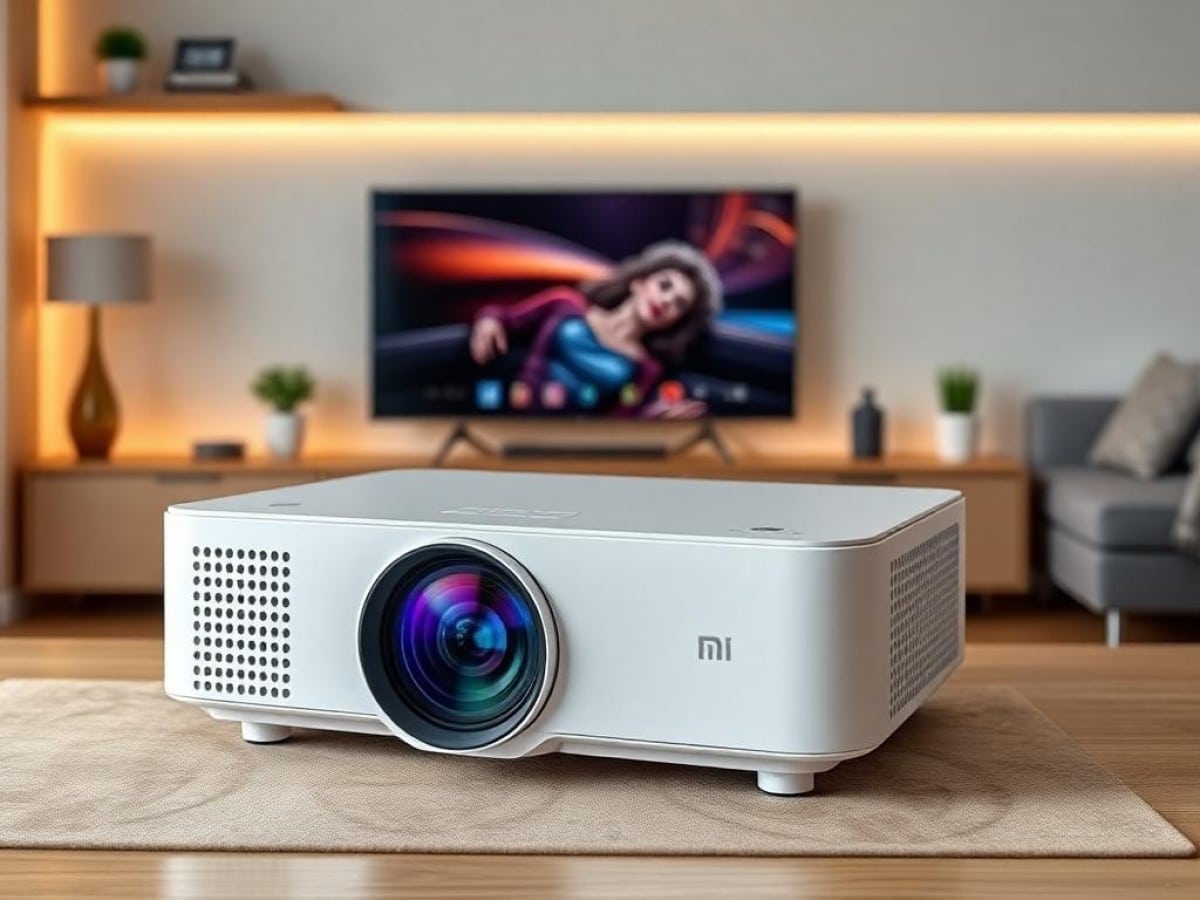
Following an official unveiling in China, Xiaomi took the stage at MWC 2025 in Barcelona to announce the global launch of two new projectors: the Xiaomi Smart Projector L1 and the Xiaomi Smart Projector L1 Pro. Both models are recognized for their compact design, similar to the Xming Page One, and share several technical specifications. It’s worth noting that Xming, a Formovie sub-brand, is a joint venture with Xiaomi.
While not as small as the Xgimi MoGo 3 Pro, these projectors still aim to offer ease of use with a range of automatic corrections. Equipped with Google TV and access to all major streaming platforms, including Netflix, they also feature an HDMI input for connecting external devices such as gaming consoles or Blu-ray players.
The L1 and L1 Pro from Xiaomi have identical specs except for their brightness output. According to Xiaomi, the L1 Pro offers 400 ANSI Lumens (similar to the uniquely designed Xgimi Elfin Flip, for example), while the L1 provides half of that. Therefore, both are best used in environments that can be made as dark as possible.
Both models feature LCD display technology, which doesn’t produce the rainbow effects that some users might be sensitive to. They also come with Wi-Fi and Bluetooth connectivity and are equipped with two 5W speakers for audio. That covers the basics.
But how does the Xiaomi L1 Pro actually perform? We had a chance to test it out for a while, and here’s our full review.
Why You Should Never Reheat These Foods in the Microwave – The Hidden Dangers Experts Warn About
I tried the top 5 guard dogs—here’s what makes these breeds the ultimate protectors
Xiaomi Smart Projector L1 ProTechnical Specifications
| Model | Xiaomi Smart Projector L1 Pro |
|---|---|
| Dimensions | 210 mm x 189 mm x 128 mm |
| Maximum Resolution | 1920 x 1080 pixels |
| Screen Size | 120 inches |
| HDMI Ports | 1 |
| Number of Speakers | 2 |
| Speaker Power | 10 watts |
| Audio Output | Headphones, Speakers |
| Operating System (OS) | Google TV |
| Voice Assistant | Google Assistant |
| Product Sheet |
The Xiaomi Smart Projector L1 Pro reviewed was provided by the brand. It was tested in conjunction with a Lumene Movie Palace UHD Platinum 300C screen, a model designed for projectors. Measurements were taken with professional equipment directly in front of the screen to minimize errors and provide values that reflect what the viewer can actually see.
Xiaomi Smart Projector L1 ProDesign: A Compact, Portable Case
The Xiaomi Smart Projector L1 Pro features a relatively classic design. It’s housed in a compact body measuring 210 x 128 x 189 mm, weighing about 2 kg, making it easy to move from one room to another. Its design closely resembles the Xming Page One (Formovie), with very rounded corners and a large lens on the front.
The device sports a faux leather coating over a large part of its external casing, giving it a touch of class. On the front, there is a large grille and thus a large lens for the light source. There is also a small sensor that allows for proper image corrections.
On top, a single button is used to turn the device on or off. Underneath, there’s a universal screw mount for fixing it onto a suitable stand.
Xiaomi also offers a separate accessory stand that serves as a swing mount, allowing the projector to be tilted up to 360 degrees. The stand is perfectly stable. During our test, only a cream version of this stand was available, but Xiaomi now offers a stand in the same dark tone as the projector.
Like other models of this size, the device comes with a compact electrical transformer, which should be considered when moving the projector.
Xiaomi Smart Projector L1 ProConnectivity
Just like the Xming Page One, the L1 Pro features a relatively simple set of connections. It includes an HDMI port, a USB-A port, a headphone jack, and a power connector.
The L1 Pro supports Wi-Fi 5 and Bluetooth 5.0. It also has Chromecast functionality for wirelessly sending content from an Android device. It includes Google Assistant, and for Amazon Alexa, a connected speaker must be nearby.
The Remote Control
The remote control of the projector is quite compact, making it handy even though it is not backlit, which is something we still find slightly disappointing. It features a button to activate the voice assistant (the microphone is in the device, not in the remote), and a directional button allows for navigation through the menus.
Volume is controlled by a dual button. Also noteworthy is the presence of a direct access button to Netflix and another to launch YouTube.
Xiaomi Smart Projector L1 ProThe Screen
The Xiaomi Smart Projector L1 Pro does not come with a screen, leaving the choice of screen up to the user. However, if on a budget, one might be tempted to use a wall as a projection surface, thus losing the benefits of using a specialized screen. Prices range from 400 to 2700 euros for screens of various sizes that are treated for optimal projection.
Xiaomi Smart Projector L1 ProInstallation: Easy to Set Up
As mentioned earlier, installing the L1 Pro projector is very straightforward. Simply position it relatively in front of the wall or screen, and the device uses various correction functions to optimally adjust the image. The offset is neutral, meaning the center of the image is at the projector’s level. Then, keystone correction and focus are automatic, adjusting the image as often as the device is moved. An automatic alignment can be performed if a screen is available. Additionally, note the obstacle avoidance function that adapts the image if an object comes into the projection area.
Like all other projectors, the L1 Pro can project forward, backward, with its head up or down.
There is no zoom, and the size of the image depends on the distance from the projection surface. The projection ratio is 1.21:1. With a distance of 1.5 meters from the screen, the image has a base of 126 cm and approximately 147 cm diagonally. To achieve a 100-inch diagonal image, a distance of 270 cm is required. For a 3-meter base, the device must be placed approximately 3.60 meters from the screen or wall. It’s worth mentioning that the projector uses LCD technology, which does not produce a frame (or border) unlike DLP models.
Xiaomi Smart Projector L1 ProThe Interface: Google TV in Control
The L1 Pro runs on the Google TV system. It displays a home page with various menus and suggested content that grows as you use the device. You can easily resume a program you were watching, for example. A bar displays pre-installed apps and those you add.
As previously mentioned, all major streaming platforms are pre-installed, including Netflix, Prime Video, Mycanal, Apple TV+, Disney+, etc. If that’s not enough, you can launch the app download interface to find additional apps.
The menus for settings are quite standard for this type of device. There’s one for configuring the image and adjusting the settings. Navigation is relatively smooth.
Xiaomi Smart Projector L1 ProImage Quality: Subjective Mode
The Xiaomi Smart Projector L1 Pro is equipped with an LCD chip, just like the Xming Page One and unlike many budget projectors. It displays an image with Full HD resolution.
The brand recommends using it for images between 60 and 100 inches, but it can officially go up to 120 inches, at the expense of brightness. The closer you place the device to the wall or screen, the brighter the image, as shown in the measurements below.
The images produced by the device are pleasing and easy on the eyes. They possess a certain natural quality, which is quite appealing. The contrast isn’t extraordinary, but it’s decent. As much as possible, use the projector in maximum darkness. However, it can be used in a slightly lit room, though the output will appear noticeably washed out, which might still be adequate for projecting a presentation, for example.
While the projector is easy to install, compact, and equipped with numerous image correction features, one might be less demanding regarding image quality, which will ultimately satisfy many users. For cinephiles, the verdict is more nuanced. HDR content handling is adequate for most content, even if sometimes details are lost, especially on certain test patterns that are challenging for this type of device with its brightness limitations.
Motion Compensation and Scaling
The L1 Pro provides high-quality fast images. No judder effects were observed, and panning shots are executed with precision. Moreover, the outlines of objects are well treated. The scaling is quite satisfactory for a device at this price point.
The Rainbow Effect
The image produced does not exhibit the rainbow effect. Thanks to the LCD panel. This phenomenon is present in all projectors using DLP technology from Texas Instruments, but LCD models are completely free of it. The visibility of this effect depends on the viewer’s sensitivity and may occur by creating the impression of seeing small rainbows (red/green/blue) on the edges of bright objects against dark backgrounds, or on certain subtitles, for example.
Xiaomi Smart Projector L1 ProMeasurements: Backed by Probes
Unsurprisingly, the L1 Pro offers the same image optimization options and image modes. It is possible to choose between User, Standard, Vivid Colors, Sport, Movie, and Game modes (only available for external sources). These are the same configurations for SDR and HDR content.
Regarding options, note the ability to play with the color temperature, the DNR (Digital Noise Reduction) and MPEG NR (same) functions to reduce digital noise, if necessary. You can also activate a function to adjust skin colors and stretch blue, if needed. Colors can also be adjusted as well as gamma. Note finally that white balance can be performed at 11 points, which is significant and thus allows for optimal calibration of the device. Indeed, with the default settings provided, it must be said that optimization is welcome.
Thus, with the Movie mode, which allows for the closest approach to a “cinema” rendering, the measurements are not extraordinary. Color fidelity is not accurate, as the average Delta E was measured at 7.05, according to our measurements, which is significantly higher
Similar Posts
- ViewSonic M1B Max Review: Google TV in a Sub-€500 Mini Portable Projector!
- Valerion VisionMaster Pro 2 Review: Triple-Laser Projector Brightens Your Living Room
- TCL A1s Review: Compact Projector Shines with Google TV, Delivers Top Performance!
- Xiaomi 15T and 15T Pro Launch Date Revealed: Here’s What We Know!
- BenQ W2720i Review: Does This Android TV Back-Room Projector Measure Up?

Maya Singh is a senior editor covering tablets and hybrid devices. Her work explores how these tools reshape digital productivity and learning. She also contributes to feature editorials on emerging tech.