
Scientists confirm: This is the most effective way to get your cat’s attention, according to new research
Elderly Couple Refuses Reserved Seats—Viral Train Standoff Sparks Fiery Debate on Courtesy
The ViewSonic M1B Max falls into the category of compact projectors that aim to turn any wall into a cinema screen, whether you’re in the living room, a bedroom, or on the go. Weighing less than 1 kg, featuring a very compact chassis and an integrated battery, it targets clearly nomadic use while retaining a relatively ambitious spec sheet that is more comprehensive than those of basic entry-level pico projectors. With its Full HD 1080p resolution, Google TV system, and a host of apps, it promises to project an image from 40 to 100 inches at a distance of between 0.8 and 2.67 meters, covering the majority of viewing situations in a small room.
Competing against it, the ViewSonic M1B Max faces many rivals, including the Xgimi MoGo 4, some portable models from BenQ like the GV50, and Samsung The Freestyle (and its announced successor, The Freestyle+), which all share the promise of transforming a blank surface into an improvised screen with automatic focus and keystone correction. It remains to be seen if its versatility holds up in everyday use, both in terms of image quality and interface fluidity, audio output, or ease of use on the move. We have tested it.
Viewsonic M1B MaxSpec Sheet
| Model | Viewsonic M1B Max |
|---|---|
| Dimensions | 182 mm x 62 mm x 141 mm |
| Maximum Resolution | 1920 x 1080 pixels |
| Screen Size | 100 inches |
| HDMI Ports | 1 |
| Number of Speakers | 2 |
| Speaker Power | 6 watts |
| Audio Output | Headphones |
| Operating System (OS) | Google TV |
| Voice Assistant | Google Assistant |
| Product Sheet |
Test Conditions
The ViewSonic M1B Max projector we tested was loaned to us by the brand. It was tested in conjunction with a Lumene Movie Palace UHD Platinum 300C screen, a model specifically designed for projectors. Measurements were taken using professional equipment directly in front of the screen to minimize errors and provide values consistent with what the viewer can actually see. This protocol is identical for all projector tests to enable comparison.
Viewsonic M1B MaxDesign, a Projector on a Tiltable Stand
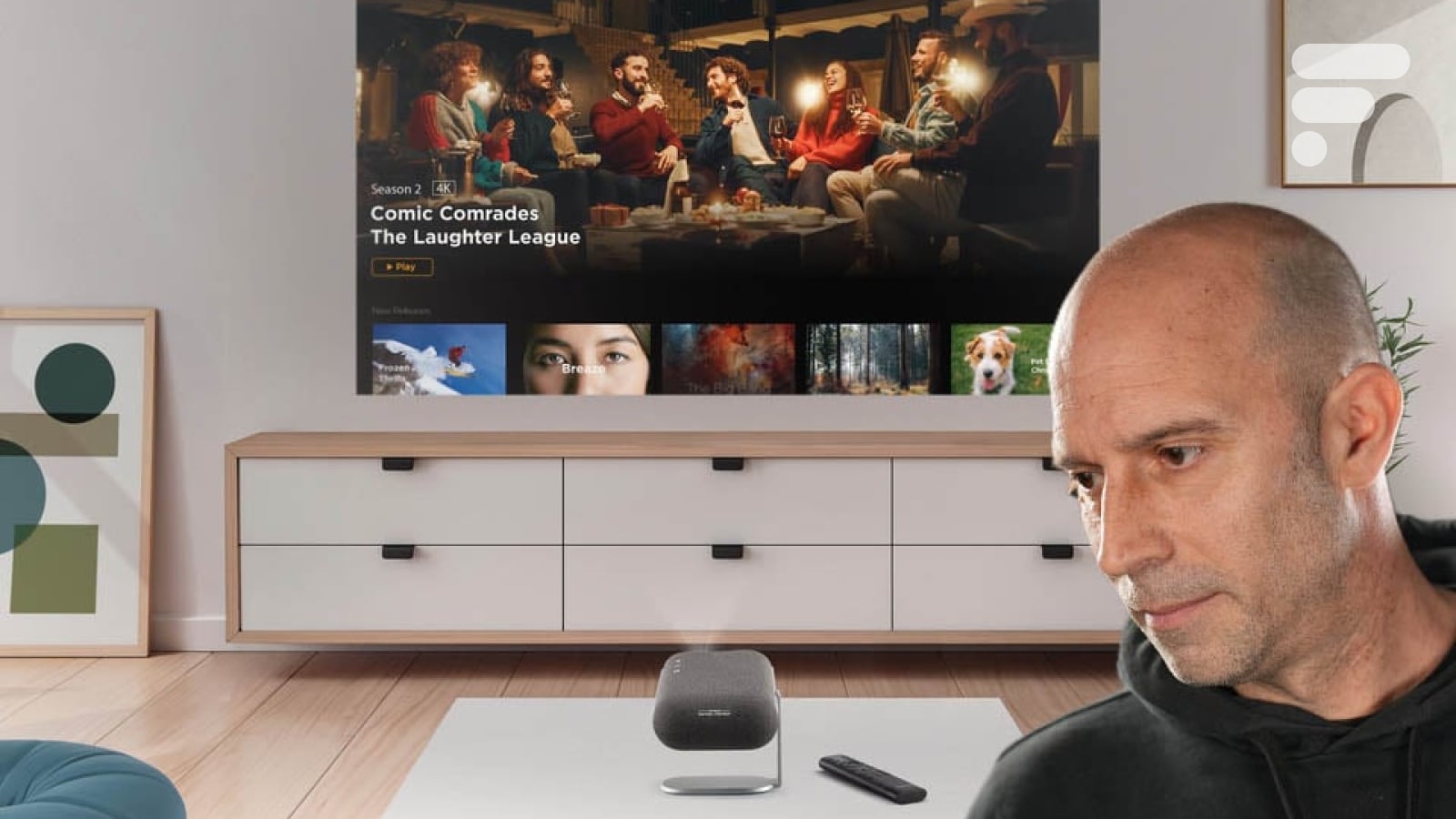
The ViewSonic M1B Max continues the distinctive design of the brand’s M1 series, with a rectangular shape with rounded corners, very compact, mounted on a large swiveling arm that serves both as a support and protection (when not in use).
When folded, the stand thus covers the lens on the front, protecting the lens during transport and giving the projector the appearance of a small stylish block easy to slip into a bag or place on a shelf.
It is important to note that the device comes with a small soft case, perfectly suited to its size.
The chassis combines a black and silver finish, with a fabric surface that is very pleasant to the touch. The vents blend seamlessly into the design of the product.
Weighing less than 1 kg, the M1B Max nevertheless gives a pleasant feeling of density that reassures when handling. The 3-in-1 stand mechanism is well adjusted, capable of supporting the projector at many projection angles without wobbling, whether it is placed on a coffee table, a shelf, or a more improvised surface.
The ability to rotate the stand 360 degrees allows for projection on both a vertical wall and towards the ceiling. Everyone can find the best angle…
On the top, there are three buttons: play/pause, volume up, and volume down. To turn it on, simply tilt it. The device automatically detects that you want to use it and gets ready to go.
Underneath, there is a universal screw thread for installing it on a suitable support.
The projector thus operates with a battery, which we will return to, but it can, of course, be connected to a mains socket via a transformer. Unfortunately, this is not really compact, resembling those of an older generation laptop.
We would have liked this accessory to benefit from the same attention to compactness as the projector itself for obvious reasons of ease of transport. Moreover, the supplied case does not allow it to be slipped inside, which means that a pouch is needed for the transformer and remote control.
Viewsonic M1B MaxConnectivity
The connectivity of the ViewSonic M1B Max is in line with its portable vocation and highly connected orientation. Behind a hatch installed on the side, there is an HDMI 1.4 input, sufficient to accommodate a console, Blu-ray player, or TV box, with support for Full HD 1080p signals.
In addition, the M1B Max offers a USB-A 2.0 port that can be used to play certain multimedia files and power light accessories, but it is especially the presence of a USB-C port for video streaming that marks its modernity. This allows, for example, to project the image from a compatible laptop or smartphone, while possibly also providing power via a Power Delivery external battery of at least 45 W. This possibility of extending the battery life with an additional battery is interesting, definitively marking the nomadic character of the product, which is then no longer dependent on a mains socket for a long evening.
For audio, a mini-jack 3.5 mm output allows you to connect headphones or a wired external audio system, while Bluetooth 5.0 allows connection with wireless speakers to enhance the sound immersion if desired. The device is compatible with dual-band Wi-Fi.
The Remote Control
The remote control delivered with the ViewSonic M1B Max follows the codes of recent Google TV devices, with a compact format, minimalist ergonomics, and several dedicated shortcuts. It features essential keys for navigating the menus, volume control, access to the Google TV home screen, and playback management (useful but sometimes redundant with the validation key). There is no key for direct access to streaming services.
An integrated microphone allows for voice search via Google Assistant, greatly simplifying access to movies, series, or applications without having to enter titles character by character.
The layout of the keys is quite intuitive, with a central directional pad and buttons that are well differentiated by touch, which reduces errors even in the dark. Note that the remote control is not backlit.
Viewsonic M1B MaxThe Screen
The ViewSonic M1B Max projector is delivered without a screen. This leaves the choice, but if the budget is limited, one might also be tempted to install it without a screen by using a wall as a projection surface and thus lose the relatively significant benefit of having a surface optimized for projection. Count between 500 and 2,700 euros approximately for screens of different sizes whose surface benefits from a specific treatment.
Viewsonic M1B MaxInstallation, Everything is Automatic
The installation of the ViewSonic M1B Max is designed to be as immediate as possible, especially for users who have never handled a projector before. Simply position the device on a stable surface, deploy the 3-in-1 stand to direct the optics towards the wall or screen, and adjust the angle and setback until a projection of the desired size is obtained. The announced image size range, between 40 and 100 inches, allows for adaptation to both a small wall and a larger screen in a living room or outdoors. With a setback of 1.5 m, you get an image that is 135 cm diagonally or about 53 inches.
Like all recent projectors, the M1B Max has an instant automatic focus and automatic horizontal and vertical trapezoid correction, which drastically reduces the time needed to obtain a sharp and well-rectangular image.
These functions are triggered as soon as the device is moved or tilted and can be manually refined in the menus if necessary, although the quality of the geometry is always better when the projector is placed as frontally as possible. Our tests showed that it was almost always necessary to refine the automatic adjustments.
Viewsonic M1B MaxThe Image in Subjective Mode
In the field, the ViewSonic M1B Max delivers an image that reflects its technical choices well: a Full HD 1080p matrix combined with an LED source and a Cinema SuperColor+ treatment supposed to expand the color palette.
On high-quality streaming content, colors generally appear vivid, with pleasant saturation that gives relief to animated films, highly colorful series, and documentary or travel videos.
The overall precision remains satisfactory for such a compact projector, especially when staying within a reasonable diagonal of 60 to 80 inches with an appropriate setback. It is possible to vary the brightness between 3 modes: Battery Saving, Eco, and Full (brightness).
The different image modes (TV, High Intensity, Low Blue Light, and Film) allow modifying the character of the rendering according to the nature of the content. The Film mode best does justice to films and series, favoring relatively natural tones and slightly more measured brightness. On streaming series, the image maintains good readability in indoor scenes, with correct flesh tones and sufficient contrasts to distinguish the main details, provided that light sources in the room are limited.
Textures, faces, and backgrounds offer correct sharpness without brilliance. Dark scenes require more control of ambient light: in a slightly lit room, blacks may appear grayer, which is typical of this type of portable projector, while in almost total darkness, the rendering gains depth and impact.
Let’s say that the ViewSonic M1B Max offers a pleasant image on all types of common content, provided two constraints are respected: a reasonable image size and a room at least partially darkened. Under these conditions, it allows for a real sensation of an improvised cinema session, whether for films, series, or online videos, without feeling like watching a mere gadget.
Motion Compensation
The ViewSonic M1B Max does not offer motion compensation functions as advanced as some more expensive living room projectors, but it does benefit from video treatments designed to ensure a certain fluidity.
The Rainbow Effect
Like all DLP projectors (except those with specific treatment like Valerion), this model is affected by the rainbow effect, which may sometimes appear to the most sensitive viewers as colored flashes around bright objects on a dark background.
Viewsonic M1B MaxOur Measurements, Probes Included
With this projector and the default settings provided by the brand, we were able to record some measurement figures. Thus, the native contrast ratio is established at 312:1, which is far from exceptional. Then, with SDR (standard) content, the average color temperature was recorded at 6,920 K for an ideal value of 6,500 K with the Film mode. This means that the images are warmer than they should be. The average gamma was measured at 1.6, thus significantly lower than the ideal value of 2.4 for a dark environment. Finally, regarding color fidelity, we measured an average Delta E of 7.83, well above the threshold of 3, below which the human eye cannot distinguish between the displayed color and the requested color.
With HDR content, still with the Film mode and default settings, the M1B Max peaks at a brightness of only 78 cd/m² for an image that is only 135 cm diagonally (device placed 1.5 m from the wall or screen). Color fidelity is not really there with an average Delta E of 10.53, far exceeding the threshold. Finally, regarding the coverage of color spaces, DCI-P3 is covered at 87.27%, which is correct while BT.2020 is covered at 75.34%, also a correct value for this type of device.
Viewsonic M1B MaxSimilar Posts
- Xiaomi Smart Projector L1 Pro Review: Compact Google TV Gadget Impresses!
- Nothing Projector Matte White Screen Test: Brighter Images, Less Contrast!
- LG CineBeam S Review: Ultra HD Mini Projector With Winning Design Fits Inches From Wall
- Xgody Gimbal N6 Pro Review: Is This Budget-Friendly Connected Projector Worth It?
- Heavyweight Smartphone Doubles as Projector: See This Near-Kilo Tech Marvel!

Maya Singh is a senior editor covering tablets and hybrid devices. Her work explores how these tools reshape digital productivity and learning. She also contributes to feature editorials on emerging tech.