
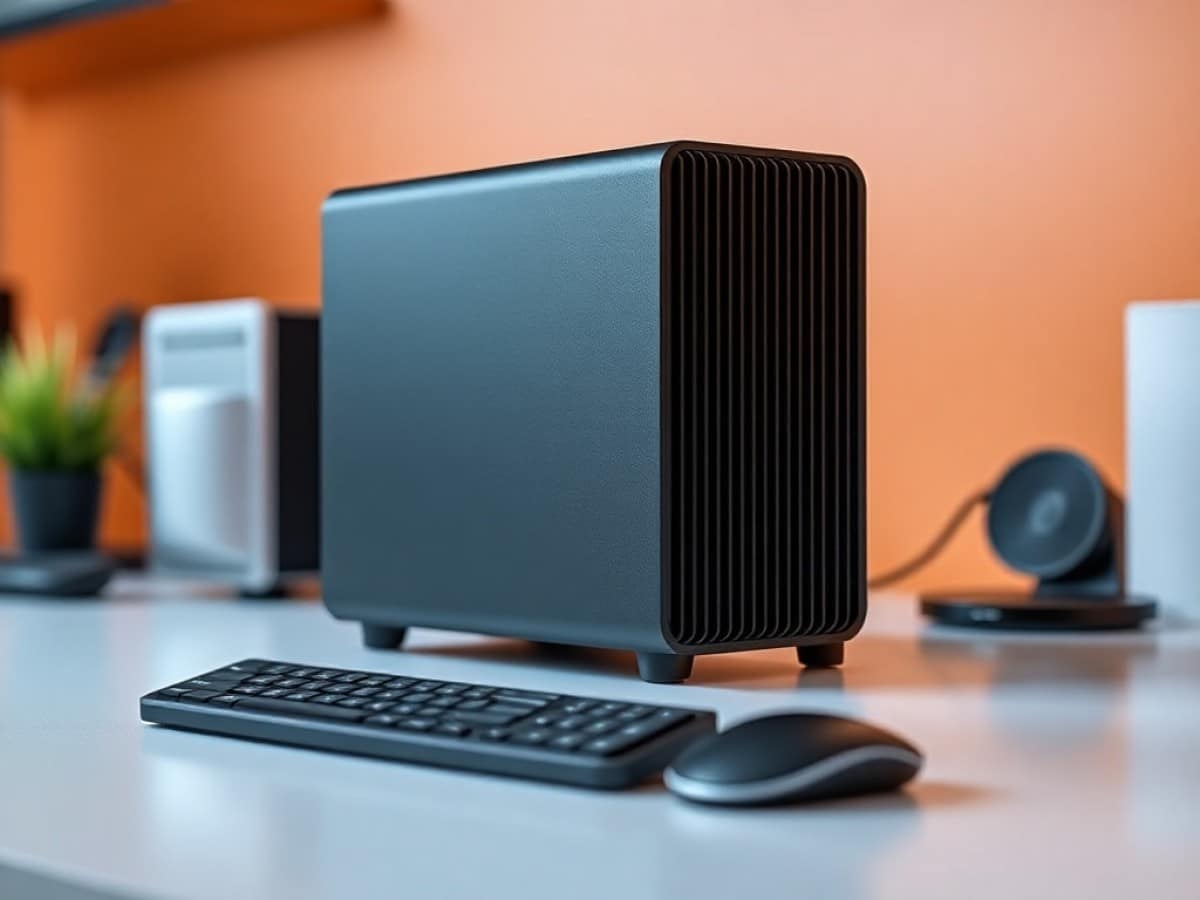
For years, there has been a clear division in the world of desktop computers: compact mini-PCs on one side for office work and servers, and towering rigs on the other for gaming and heavy-duty tasks.
Scientists confirm: This is the most effective way to get your cat’s attention, according to new research
Elderly Couple Refuses Reserved Seats—Viral Train Standoff Sparks Fiery Debate on Courtesy
This separation seemed necessary. A mini PC doesn’t handle gaming well, and a tower PC doesn’t fit in a backpack. The Minisforum MS-S1 Max challenges this notion with its AMD Ryzen AI Max+ 395 processor and 128 GB of unified memory.
After a month of testing through gaming sessions, AI model processing, and benchmarks, I’m seriously questioning: is compromise no longer necessary?
This machine, priced at 2,599 euros, clearly doesn’t target the general public. It’s aimed at AI developers who need to run large language models locally, creators who juggle numerous applications at once, and gamers who don’t want to give up desk space. AMD’s Strix Halo architecture promises a revolution: combining 16 Zen 5 cores and a Radeon 8060S GPU with 40 compute units into a single chip, all accessible via 128 GB of shared RAM.
Fiche technique
| Minisforum MS-S1 Max | Specifications |
| Processor | AMD Ryzen AI Max+ 395 (16 cores / 32 threads, Zen 5, up to 5.1 GHz) |
| Memory | 128 GB LPDDR5X-8000 MHz (256-bit, shared CPU/GPU) |
| Integrated GPU | AMD Radeon 8060S (40 compute units RDNA 3.5, 2900 MHz) |
| NPU | Up to 50 TOPS (126 TOPS combined) |
| Storage | 2 TB NVMe Gen 4×4 (2 M.2 slots) |
| Network | 2x 10 GbE RJ45 (Realtek R8125), Wi-Fi 7 (MediaTek MT7925), Bluetooth |
| USB | 2x USB4 v2 (80 Gbps), 2x USB4 (40 Gbps), USB 3.2 Gen 2, 2x USB 2.0 |
| Expansion | PCIe Gen 4 x4 (physical x16 format) |
| Video | 1x HDMI 2.1, DisplayPort via USB-C |
| Power Supply | 320 W internal (Liteon), configurable TDP 45-120W |
| Dimensions and Weight | 222 x 206 x 77 mm, 2.8 kg |
| System | Windows 11 Pro preinstalled |
| Price | 2,599 euros |
Understanding what makes the Ryzen AI Max+ 395 special requires a deep dive into the architecture. AMD has taken a page from Apple’s book with its Apple Silicon chips. In a traditional computer, the CPU, GPU, and RAM are separate on the motherboard. Data must travel via the PCIe bus between these components, creating bottlenecks.
The Ryzen AI Max+ 395 integrates everything into a single package, making it a SoC (system-on-chip): the 16 Zen 5 cores, the Radeon 8060S GPU with its 40 compute units, and most importantly, four LPDDR5X memory controllers instead of the usual two. This setup doubles the available bandwidth to about 250 GB/s.
The 128 GB of LPDDR5X-8000 dynamically shares between the CPU and GPU according to needs. You can allocate up to 96 GB exclusively to the GPU through the BIOS, an amount of VRAM typically found only on professional cards costing 5,000 or 8,000 euros.
The unit for this test was provided by Minisforum.
Ergonomics, Design, Connections, and Interior
The MS-S1 Max is quite charming. Its aluminum chassis exudes solidity.
Minisforum didn’t try to minimize the volume this time. The machine is about twice the height of an MSA-2 while maintaining a similar footprint.
Thus, it might be more appropriate to call it a “compact PC” rather than a “mini PC” since it doesn’t compare with the mini PCs.
This increase in size isn’t just for aesthetics: it addresses the thermal demands of a processor that can go up to 120 W in TDP. The front face uses a wide ventilation grille accompanied by two USB-C USB4 ports, a USB-A 3.2 Gen 2 port, a combo audio jack, and the power button.
The system can be positioned vertically or horizontally thanks to the non-slip pads on two sides.
I particularly appreciate the build quality. The angles are sharp, the ventilation grilles well cut, and there’s no play in the assembly. Minisforum has clearly made progress since its early models.
One annoyance during the testing period was the sticker on the top of the case, which used an incredibly strong adhesive. Three weeks after removing it, my fingers still stick when I touch that area. This sticker is meant to prevent accidentally ejecting the motherboard by removing the two rear screws, but frankly, they could have used a less aggressive adhesive.
The rear connectivity gathers most of the essential ports. Two USB4 v2 USB-C ports operate at 80 Gbps, a first for a mini-PC in this category. These connectors also manage the DisplayPort alternate mode and can provide 15 W to charge devices.
You can connect an eGPU or a dock here, like the Thunderbolt 5 Razer Chroma. Here, you can reach 4 GB/s with an external M.2 SSD. Four additional USB-A ports complete the arsenal: two in USB 3.2 Gen 2 and two in USB 2.0. A single HDMI 2.1 output handles the main display.
The two 10 GbE Ethernet ports rely on Realtek R8125 controllers. Under Windows 11, everything works immediately from the first boot. Under Linux, the experience varies significantly depending on the distribution. Ubuntu 22.04 and later versions recognize the ports after installing the r8125-dkms package. However, Debian 13 and Proxmox gave me a hard time. I had to connect a USB to Ethernet adapter to continue my tests under these systems.
Disassembly is performed by removing two screws at the back. The panel then slides effortlessly, revealing the interior of the beast. A massive heat sink occupies two-thirds of the available volume. This aluminum structure integrates six copper heat pipes and two 70 mm fans.
The fins extend along the entire length of the case to maximize the exchange surface.
The 320 W Liteon power supply is at the back of the chassis. This brand, which disappeared from the radar since the CD burner era, reappears with a very decent internal block. Having an integrated power supply greatly simplifies installation: a simple power cable is enough, so no bulky external transformer is needed.
A dedicated 40 mm fan cools the power supply independently of the main circuit.
Two M.2 slots accept SSDs in the 2280 format. The first, occupied by the provided 2 TB drive, benefits from four PCIe Gen 4 lines for theoretical read speeds up to 7,000 MB/s. The second slot is limited to a single PCIe Gen 4 line, meaning performance should peak around 1,750 MB/s.
Minisforum provides an additional heat sink in the accessories, but the available space just fits for installing it on the first slot.
The MediaTek MT7925 Wi-Fi 7 card occupies a separate M.2 connector at the front of the system.
The PCIe Gen 4 slot in the physical x16 format is an interesting addition. However, this connector only has four electrical lanes. This configuration is suitable for adding a 25 GbE network card or a U.2 adapter for professional storage.
However, Minisforum explicitly indicates that adding dedicated graphics cards is not supported. Nevertheless, you can use an external graphics card (eGPU) via one of the USB4 ports.
The Wi-Fi antennas are hidden behind the front plastic grille. This improves reception compared to placement at the back where cables create interference. The 6 GHz bands work correctly, and the range remains excellent.
The cooling system adopts a four-level architecture controllable individually. The BIOS offers four preset modes: Silent, Balanced, Performance, and Rack. I mainly used the Performance mode for my tests.
Performance and Gaming
Let’s start with the CPU. The Cinebench R24 tests place the Ryzen AI Max+ 395 on par with high-end desktop PC processors.
The multi-core score reaches 1,795 points in Performance mode, better than the Intel Core i9-13900K and Ryzen 9 9900X, which consume more than 200 W.
These 16 Zen 5 cores with their optimized architecture deliver impressive raw power. The single-core score is at 1,795 points, a very good value ensuring strong performance in single-core applications.
Measured power consumption was between 130 and 160 W depending on the selected BIOS mode, which is quite appropriate given the power developed.
The real surprise comes from the integrated GPU. I admit I had doubts before my tests. Forty RDNA 3.5 compute units clocked at 2,900 MHz seemed light compared to the monsters that equip dedicated graphics cards.
Then I launched Counter-Strike 2 in 1080p with high settings. The game ran at 85-90 fps with occasional drops to 60 in particularly loaded scenes. Totally playable. Shadow of the Tomb Raider, albeit aging but still demanding, displayed 127 fps in 1080p with everything maxed out. Even pushing up to 4K, the game remained smooth at 40 fps before any optimization of graphical settings.
Recent titles obviously demand more compromises. Monster Hunter Wilds is at 54 fps in 1080p with ultra settings but collapses to 26 fps in 4K. Final Fantasy XIV: Dawntrail displays a comfortable 114 fps in 1080p which drops to 48 FPS in 4K with high settings. Clair Obscur: Expedition 33 runs at 50-55 fps in 1080p on medium settings.
In short, the MS-S1 Max is a viable 1080p/1440p gaming machine. For native 4K in recent AAA titles, a dedicated graphics card remains essential. But for an APU without a graphics card, the performance greatly exceeds what we’re used to.
Can we replace a real graphics card with this system? The answer depends on your usage. If you mainly play titles like CS2, Valorant, League of Legends, or Apex Legends, the Radeon 8060S does the job well. These games prioritize smoothness over graphical beauty and run without issue at over 100 fps.
For recent AAA titles, the situation gets complicated. The GPU holds up in 1080p with compromises on settings, but forget about advanced ray tracing or native 4K. Compared to an RTX 4060 Ti, the Radeon 8060S is 30 to 40% behind in raw performance.
Especially since a PC with a Ryzen 7 9700X CPU and dGPU RTX 4060 Ti costs about 800 euros without counting the case, power supply, cooling, and RAM. The MS-S1 Max comes ready-to-use at 2,300 euros with 128 GB of RAM, 2 TB of storage, Windows 11 Pro, 10 GbE connectivity, and a three times more compact form factor. For someone who travels regularly or has limited space, this proposition remains interesting.
3DMark tests confirm what I observed. Night Raid, a benchmark designed for integrated GPUs, displays a score of 70,000 points with 130,522 points in pure graphics. Steel Nomad Light maintains between 80 and 100 frames per second with a score of over 11,000 points. Fire Strike, more demanding, achieves results of a mid-range gaming laptop.
As for ray tracing tests, they show the limits of the RDNA 3.5 architecture. Solar Bay reaches 5,200 points.
In short, despite everything, these gaming performances convinced me that a new era is opening for mini-PCs. For years, I accepted as a given that a compact format meant performance compromises. The MS-S1 Max challenges this paradigm. With a few adjustments to graphical settings, the machine offers a satisfactory gaming experience on most titles. It’s not a beast that will break all records, but it’s a smart compromise between power, size, and versatility.
And above all, it’s a very responsive machine for office work, web browsing, and intensive multitasking.
The 128 GB of RAM offers a huge margin. I simultaneously opened Photoshop with three 2 GB files, Premiere Pro with a 4K timeline, Chrome with 40 tabs, Discord, Spotify, and several virtual machines. The system didn’t flinch. The speed of the Gen 4 SSD eliminates loading times.
Moreover, the idle power consumption pleasantly surprised me. The system only draws 13-16 W in standby, an astonishingly low figure for this spec sheet.
In short, you can keep the machine on 24/7 without feeling guilty. Under light CPU load during web browsing or word processing, consumption climbs to 45-58 W. Gaming pushes the counter between 110 and 140 W depending on the intensity of the scene.
I managed to exceed 160 W during the most sadistic tests. The 320 W power supply therefore has a comfortable reserve.
At rest, the external temperature of the chassis quickly rose to 55-60°C while the internal sensors only displayed 40-50°C. The fans remained discreet. As soon as an intensive workload started, the fans ramped up and the external temperature dropped to 30-35°C. This means that the heat pipes efficiently transport heat to the fins once the airflow increases.
Sound levels vary significantly depending on usage. At rest in Balanced mode, the system emits a discreet hum around 41 dBA, barely perceptible in a quiet office. Under maximum load with 3DMark, the noise climbs to 53 dBA.
The sound profile makes me think of a continuous deep hum rather than unpleasant high-pitched whistles.
One downside, the thermal management still seems perfectible at the software level. The fan control algorithm could react more quickly to load variations. In my initial tests, the system remained abnormally hot at rest before cooling down abruptly once started. Minisforum has already released two BIOS updates since the product’s launch, proof that the company is actively working on optimization. I think the Chinese manufacturer can still improve the ventilation curves.
AI Performance and Language Models
Artificial intelligence is the selling point of this system. The possibility of allocating up to 96 GB of VRAM to the GPU allows the execution of language models (LLM) locally. I admit that this is quite new for us, but we will certainly get used to running some LLMs on the machines we test for comparison in the future.
On an RTX 4090 with its 24 GB of VRAM, you are limited to models of 30 to 40 billion parameters maximum. The MS-S1 Max can load models of 120 billion parameters.
So why run an LLM locally? This opens up unprecedented possibilities for privacy, development, and sensitive professional applications. One can imagine having this machine accessible to a few developers or others, for example.
I spent an entire week playing with different models under Linux and Windows. Under Linux Ubuntu 22.04, installing the necessary tools requires some technical skills but remains documented. GPU/CPU memory allocation is finely managed via the BIOS. Setting the dedicated VRAM to 1 GB is sufficient, the Linux kernel dynamically allocates the rest according to needs.
Performance with ROCm 7 reaches 37-38 tokens per second on GPT-OSS 120 billion parameters. This throughput allows near real-time interaction for code assistance, document analysis, or content generation.
Moreover, Windows has caught up with Linux in terms of AI. Thanks to what? ROCm 7 now runs natively without WSL. Installation requires a few steps: Git for Windows, UV to manage Python environments, then downloading PyTorch modules from AMD repositories. The process takes about an hour the first time.
Once configured, Comfy UI starts without a problem and automatically detects the 50 GB of shared VRAM available in the default configuration. LM Studio also works very well with the choice between ROCm and Vulkan.
Historically, Vulkan offered better performance on AMD hardware for AI. With the recent launch of ROCm 7, the situation reverses. On GPT-OSS 120B, Vulkan generates about 36 tokens per second while ROCm reaches 37-38 tokens per second. Smaller models like Qwen 3 4B run around 25-26 tokens per second.
Image generation with Comfy UI works well. Stable Diffusion XL, a memory-hungry model, loads entirely on the GPU without a problem. A 1024 x 1024 image generates in about 12 seconds depending on the complexity of the request, of course. That’s less than a mobile RTX 4070, for example, which takes 8 seconds on the same task. But the iGPU Radeon 8060S holds up honorably in comparison.
The whole system works well under Linux too. Frameworks like Ollama install in a few commands. I set up an instance of Open WebUI connected to Ollama to create a local ChatGPT-like interface. The whole system runs on the MS-S1 Max without slowdowns, and allows chatting with several models simultaneously. For someone who regularly handles confidential data, this is an invaluable asset depending on what you do.
A 70 billion parameter model in 8-bit requires about 70 GB of memory. Technically possible on the MS-S1 Max, but the system will switch to the SSD to manage the extended context. Performance then drops dramatically. I therefore recommend models of 13 to 30 billion parameters.
The integrated NPU capable of 50 TOPS (126 TOPS combined CPU/GPU/NPU) remains underutilized currently. Most AI frameworks mainly use the GPU for its versatility. Some specific applications like Windows Copilot or Adobe Photoshop with its native AI functions take advantage of the NPU, but the ecosystem is limited. Note that AMD communicates a lot about these TOPS without the actual usage following yet.
Compared to an RTX 5090 or a professional RTX 6000 Ada, the MS-S1 Max obviously loses in raw performance. A 4090 generates 80 to 100 tokens per second on the same models thanks to its higher computing power and memory bandwidth of 1 TB/s. But the 4090 only has 24 GB of VRAM. For large models exceeding this capacity, it’s impossible to load them. The MS-S1 Max therefore sacrifices pure speed to offer unmatched memory capacity in its price range. It’s a different compromise that meets specific needs.
For an AI developer, researcher, or small business looking to deploy
Similar Posts
- GMKtec EVO-X2 Review: AMD Strix Halo Power, 128GB RAM, iGPU Rivals RTX 4060!
- Geekom A9 Max Review: Is This Mini-PC the Ultimate Power-to-Cost Champion?
- Minisforum AI X1 Pro-470 Review: Is This the Ultimate Mac Mini Killer?
- Minisforum MS-03 Review: Panther Lake Unleashed: Triple 10 GbE & Dedicated GPU Slot!
- Minisforum MS-02 Ultra Review: World’s Most Compact PC with GeForce RTX 5060 Unveiled!

Maya Singh is a senior editor covering tablets and hybrid devices. Her work explores how these tools reshape digital productivity and learning. She also contributes to feature editorials on emerging tech.