
Scientists confirm: This is the most effective way to get your cat’s attention, according to new research
Elderly Couple Refuses Reserved Seats—Viral Train Standoff Sparks Fiery Debate on Courtesy
Framework holds a unique position in the laptop market. Though it has a small market share, its impact is significant.
Unlike other manufacturers who often opt for sealed, glued, or soldered components, this American brand designs machines that are meant to be opened, repaired, and upgraded by the users themselves. Following a compelling 13-inch Framework Laptop Pro that rivaled the MacBook, and an initial release of the Laptop 16 in 2025 where I had disassembled the machine to install an RTX 5070, here comes the 2026 model.
This new setup includes an AMD Ryzen AI 9 HX 370 (Zen 5, 12 cores / 24 threads), a 12 GB GeForce RTX 5070 Laptop with Blackwell architecture, 32 GB of DDR5 in dual-channel, and a 2 TB WD_BLACK SN7100 SSD. A significant upgrade from a few months ago is the RTX 5070 now with 12 GB of VRAM, up from 8 GB. These additional 4 GB make a substantial difference, especially in AI tasks as we’ll explore later.
Technical Specifications
| Specifications | Framework Laptop 16 (2026, tested configuration) |
|---|---|
| Processor | AMD Ryzen AI 9 HX 370 (Zen 5, 12C / 24T, 4 Zen 5 + 8 Zen 5c, up to 5.14 GHz) |
| Dedicated GPU | NVIDIA GeForce RTX 5070 Laptop (Blackwell, 12 GB GDDR7, TGP 100 W) |
| Integrated GPU | AMD Radeon 890M (16 CU RDNA 3.5) |
| NPU | AMD XDNA 2, about 50 TOPS (Copilot+ certified) |
| RAM | 32 GB DDR5-5600 (2 × 16 GB, dual-channel, upgradeable SO-DIMM) |
| Storage | WD_BLACK SN7100 2 TB NVMe PCIe 4.0 |
| Screen | 16 inches, 2560 × 1600 |
| Network | Wi-Fi 7 (replaceable RZ717 module), Bluetooth |
| Ports | 6 Expansion Cards slots (USB-C, USB-A, HDMI, DP, jack, microSD, etc.) |
| Input Modules | Keyboard, touchpad, spacers, and interchangeable modules |
| Expansion Bay | Expansion Bay for interchangeable GPU module |
| System | Windows 11 Pro (official Linux support) |
| Price of tested configuration | 4,442 euros |
This test unit was provided by Framework.
The Concept: A Laptop That Assembles Like Swedish Furniture
Before diving into the numbers, it’s essential to understand what makes this machine stand out. The Framework Laptop 16 isn’t just a repairable laptop; it’s a complete modular system where nearly every component can be removed, replaced, or upgraded with no special skills required. Framework provides the only necessary tool (a combined screwdriver-spudger) in the box, publishes all its repair guides online, and sells every spare part in its online store.

The machine features three distinct modular systems. First, the Expansion Cards: six slots on the sides accommodate standardized expansion cards that can be inserted and removed on the fly. USB-C, USB-A, HDMI, DisplayPort, Ethernet, audio jack, microSD reader, additional storage: you literally customize your connectivity. One day it might be three USB-Cs for the office, the next day an HDMI and Ethernet for a presentation. No other manufacturer offers this.
Why You Should Never Reheat These Foods in the Microwave – The Hidden Dangers Experts Warn About
I tried the top 5 guard dogs—here’s what makes these breeds the ultimate protectors
Next, the Input Modules, the system of input modules that spans the entire upper deck of the machine (the keyboard area). This is probably the most spectacular part of the concept.
The keyboard, touchpad, and surrounding elements are interchangeable magnetic modules, requiring no tools.
You can choose a keyboard with or without a numeric keypad, position the touchpad in the center, left or right, fill the gaps with spacers (finishing covers available in several colors), or even install exotic modules like a programmable macro pad (the Macropad) or a decorative LED matrix. The layout of the workspace becomes a personal choice, changeable in thirty seconds.
Finally, the Expansion Bay, the rear bay that hosts the graphics module. This is what allows switching from a configuration with only an integrated GPU (lighter and more enduring machine) to one with a dedicated GPU.
The RTX 5070 in this test is a module that screws to the back of the chassis, connected via PCIe, and that Framework can replace with future generations. This is the product’s most ambitious promise: upgrading a laptop’s graphics card as you would on a desktop.
Assembly: SSD, RAM, Keyboard, All Done by Hand
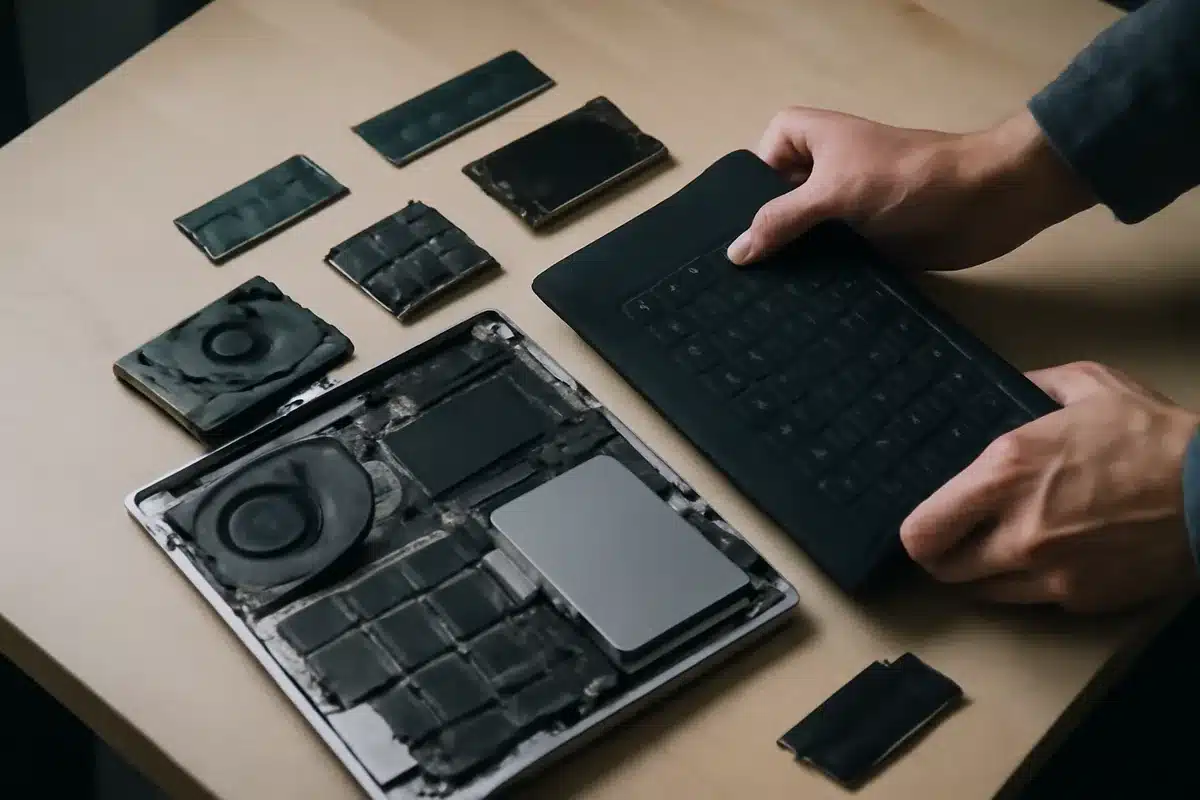
I personally installed the SSD and RAM for this configuration, as Framework offers with its DIY (Do It Yourself) editions, sold cheaper than pre-assembled configurations. The process is incredibly simple. The input modules lift by hand thanks to magnetic attachments, exposing the internal tray. The two SO-DIMM DDR5 slots and the M.2 slots are immediately accessible, clearly marked, with QR codes printed on the motherboard that link directly to official guides. The SSD installs with a single captive screw, the RAM clips in, and reassembly takes less than five minutes.
The disassembly of the keyboard clearly illustrates the philosophy: no fragile ribbon to disconnect while praying, no plastic clips to break. Slide the unlocking latch, the modules lift up, and the contacts are made via pogo pins.
Even complete replacement of the screen, webcam, or battery remains within reach of a careful user with the official guide.
It’s worth noting that most manufacturers solder RAM and glue batteries, so Framework’s choice deserves praise. It has a direct impact on the machine’s lifespan and total cost of ownership.
Protect your digital life and devices from viruses, scams, ransomware, and online threats with Bitdefender, awarded for its protection and compatible with Windows, Mac, Android, and iOS.
Special mention finally for the official Linux support. Framework documents and actively supports major distributions (notably Ubuntu, Fedora), publishes its drivers, and collaborates with the community. For developers and advanced users who want a gaming or creation laptop running Linux without hacks, it’s one of the few serious options on the market.
Design, Screen, and Finish: Function Over Form
The Framework Laptop 16 opts for functional rather than spectacular design. The aluminum chassis features clean, almost austere lines compared to gaming laptops adorned with RGB and fins. It’s a consistent choice: the machine targets creators and developers as much as gamers, and its discreet aesthetic fits everywhere, from the open space to the meeting room. The build is sturdy, without noticeable flexing of the chassis or the panel, and the finishes have clearly improved since the brand’s early generations.
Let’s be honest about one thing: modularity comes with an aesthetic cost. The joints between the input modules, spacers, and Expansion Cards create visible separation lines not found in unibody chassis milled from a single block. It’s not bothersome in use, the modules are firmly held and nothing moves or creaks, but those looking for the visual purity of a MacBook or an XPS won’t find it here. It’s the assumed compromise of the concept: every line of separation is also an entry point for repair and evolution.
The 16-inch screen offers a resolution of 2560 x 1600 pixels, in a 16:10 format well suited for productivity with its additional height compared to the classic 16:9. The panel is pleasant for daily use, with comfortable indoor brightness and neat colorimetry for occasional photo retouching. The native 1600p resolution is ideal for gaming: it’s precisely where the RTX 5070 performs best, as confirmed by our measurements later. And true to the company’s philosophy, the screen itself is replaceable: Framework has upgraded the panels on its machines in the past, and this one can be upgraded as well.
As for the keyboard, the typing experience is decent with sufficient key travel and a clear response, though it doesn’t reach the best keyboards on the market. The real pleasure lies elsewhere: being able to choose your layout. Centered keyboard with spacers on either side, or shifted to the left with a numeric keypad, touchpad positioned wherever you want: no other machine offers this freedom. The touchpad itself is a good size, precise, with a distinct click.
The connectivity deserves a special mention since it is, by definition, what you choose. The six Expansion Card slots (three on each side) accept any combination you prefer: USB-C, USB-A, HDMI, DisplayPort, Ethernet, audio jack, microSD reader, or even additional storage modules.
Note that certain slots should be prioritized for charging and maximum throughput, as Framework precisely documents the capabilities of each position. In practice, you set it up once according to your habits and forget about it, with the ability to change a module in ten seconds as needs evolve. Compared to traditional laptops that lock in two USB-Cs and a jack for the life of the machine, the difference in comfort is real.
Finally, the overall form factor remains reasonable for a 16-inch machine with a dedicated GPU. The RTX 5070 module in the Expansion Bay adds a protrusion to the back of the chassis, slightly extending the depth of the machine.
It’s noticeable, you get used to it, and it contributes to the cooling of the GPU. The total weight is within the norm for the category, portable on a daily basis in a backpack without suffering, with a powerful USB-C charger that at least avoids the massive proprietary block of traditional gaming laptops.
CPU Performance: The HX 370 is Strong and Durable
The Ryzen AI 9 HX 370 combines 4 Zen 5 performance cores and 8 Zen 5c efficient cores, for a total of 12 cores and 24 threads. It’s the same chip as in the Geekom A9 Max, but in a chassis that gives it better thermal headroom.

| CPU Benchmark | Score |
|---|---|
| Cinebench 2026 Single | 484 |
| Cinebench 2026 Multi | 4,497 |
| Geekbench 6 Single | 2,943 |
| Geekbench 6 Multi | 15,573 |
| Geekbench 7 Single | 2,647 |
| Geekbench 7 Multi | 16,787 |
The single-core score of 2,943 on Geekbench 6 is the highest I’ve recorded on a laptop in my recent tests, and the multi-core score of 15,573 points (16,787 on Geekbench 7) puts the machine on par with the best mobile Zen 5 configurations. The Cinebench 2026 multi-core score of 4,497 points confirms it: for editing, compiling, or rendering, the HX 370 gets the job done without breaking a sweat.
The behavior under sustained load is just as convincing. Under sustained CPU + RAM stress via OCCT, the all-core frequency slowly drifts from 3,920 to 3,875 MHz, a throttling of only 1.2%, with a stabilized temperature at 81°C. In other words, the machine maintains its 3.9 GHz all-core over time, without sudden drops. The CPU consumes about 43 W continuously, a setting chosen by Framework to coexist properly with the GPU (the HX 370 is configurable from 15 to 54 W).
Gaming: Path Tracing Becomes Playable on a Mid-Range Laptop
This is a significant part of this test, and it deserves some time. The RTX 5070 Laptop with Blackwell architecture brings with it the Multi Frame Generation of DLSS 4, exclusive to the RTX 50 series. To measure what this changes concretely, I used Cyberpunk 2077, the benchmark for ray tracing rendering, exploring the full range of settings in 1440p.
| Cyberpunk 2077 (2560 × 1440, DLSS 4) | Average FPS |
|---|---|
| Ultra native (in 1600p, native screen resolution) | 56.9 fps |
| Ray Tracing Ultra + DLSS Quality | 45.2 fps |
| Path Tracing (Overdrive) + DLSS | 30.5 fps |
| Path Tracing + DLSS + Frame Gen ×2 | 53.8 fps |
| Path Tracing + DLSS + Frame Gen ×4 | 97.6 fps |
Let’s read these figures in order. In Ultra native without ray tracing, at the native screen resolution (2560 x 1600), the game already runs at 57 fps. By activating Ray Tracing Ultra with DLSS Quality, we maintain 45 fps, very playable, and probably the best visual quality/fluidity ratio to enjoy ray-traced reflections and lighting daily.
Path Tracing (the Overdrive mode, the most realistic and demanding lighting render in the game) runs at 30 “real” fps. This is where Frame Generation comes into play: in ×2 mode, we go back to 54 fps; in ×4 mode, we approach 98 fps, with minimums never dropping below 88 fps. Path tracing, long reserved for powerful desktops, becomes fluid on a mid-range laptop. To put it in perspective, the iGPU Arc B390 of the Framework Laptop 13 Pro couldn’t even launch this mode.
An honest nuance on Multi Frame Generation: it interpolates images, so the visual fluidity is superb, but the input latency remains pegged to the 30 real fps of the render. Solo on
Similar Posts
- Framework Laptop 16 Review (2025): I Upgraded My Laptop with a RTX 5070 GPU!
- Framework Laptop 13 Pro Review: Is This the Ultimate MacBook Killer?
- Asus TUF Gaming A18 (2025) Review: Is It Too Big for the RTX 5050?
- Asus TUF Gaming A18 (2025) Review: Is It Too Big for an RTX 5050? Find Out Now!
- GMKtec EVO-X2 Review: AMD Strix Halo Power, 128GB RAM, iGPU Rivals RTX 4060!

Maya Singh is a senior editor covering tablets and hybrid devices. Her work explores how these tools reshape digital productivity and learning. She also contributes to feature editorials on emerging tech.