
Scientists confirm: This is the most effective way to get your cat’s attention, according to new research
Elderly Couple Refuses Reserved Seats—Viral Train Standoff Sparks Fiery Debate on Courtesy
Technical Specifications
The Elegoo Centauri Carbon boasts compact dimensions of 380 x 380 x 457 mm and a weight of 13.5 kg, making it a printer that fits easily into a home workshop or even a living room. Its printing volume of 220 x 220 x 250 mm offers a workspace of 12.1 liters, which is adequate for most personal and semi-professional printing projects.
Elegoo Centauri Carbon
-
ELEGOO
€329
All Elegoo 3D Printers
This 3D printer uses FDM (Fused Deposition Modeling) technology with a CoreXY architecture that features fixed motors driving the print head through crossed belts, reducing moving masses and thus allowing for higher print speeds, greater accuracy, and less vibration than traditional Cartesian architectures. The fully enclosed chamber ensures optimal thermal control. The maximum resolution reaches 0.1 mm in layer height, while measurements show remarkable accuracy of 0.01835 mm in X and 0.02116 mm in Y with an average standard deviation of only 0.0138 mm.
The advertised performances are impressive with a maximum speed of 500 mm/s and an acceleration up to 20,000 mm/s², although standard print speeds are generally between 150 and 300 mm/s for optimal daily use. The machine accepts a broad range of materials including PLA, PETG, ABS, ASA, PA, PC, and is particularly well-suited for carbon fiber-reinforced filaments with its nozzle capable of reaching 320°C.
Modern connectivity features include dual-band Wi-Fi, a USB port, 8 GB of internal storage, and automatic updates. This printer remains single-color without an automatic filament change system.
Design and Ergonomics
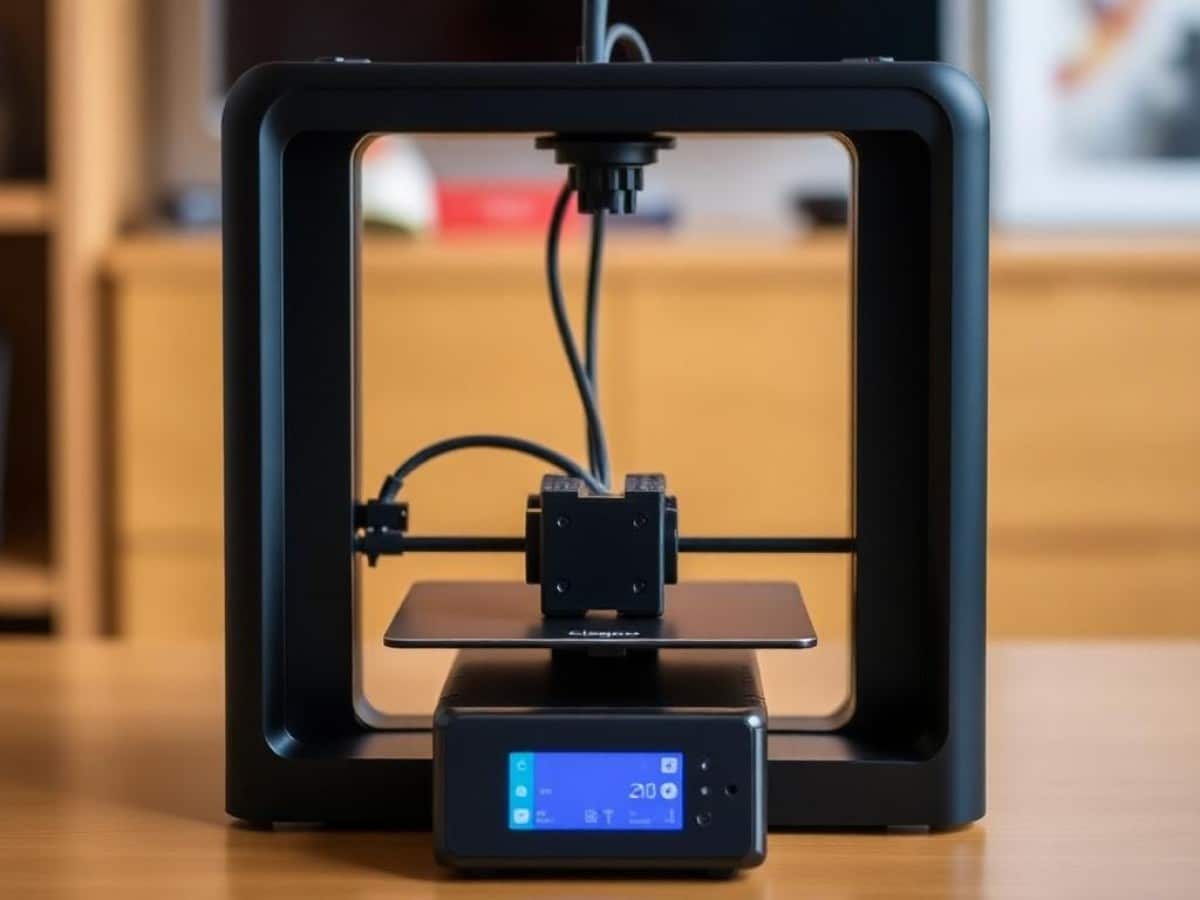
Installed in my office, the Centauri Carbon stands out from my other printers. Gone are the loud orange of my old Prusa or the white plastic of the Ender 3 – here, it’s matte black that fits perfectly next to my PC gaming setup. My wife, usually sensitive to printer noise, even agreed to keep it in the living room as it is so quiet! The matte black finish combined with the robust extruded aluminum chassis gives a solid impression and integrates well into modern interiors. The enclosed chamber with a transparent front door allows for direct visual monitoring of prints while maintaining optimal thermal control.
Setup is a major strength of this printer. Delivered pre-assembled, calibrated, and tested at the factory, it is almost ready to use straight out of the box after the initial calibration and the removal of the 3 screws that secure the build plate during transport. The integrated automatic leveling system and plug-and-play setup allow you to start printing in less than fifteen minutes.
Accessibility for maintenance is decent with direct access to the direct drive extrusion system and very easy filament changes. The automatic nozzle cleaning and purge ejection system is particularly well thought out.
The provided maintenance tools and access to internal components are satisfactory. Being a single-color printer, multi-color ergonomics do not apply.
Software and Interface
The Elegoo slicer software, based on Orca slicer, is functional with a clear and intuitive interface. Pre-configured profiles for different types of filaments make it very user-friendly for beginners, while advanced settings remain accessible for experienced users. It is possible to initiate and monitor the printing process in real time directly from the “machine” tab of the software. The integrated camera allows you to visually follow the progress of prints and create timelapses of them.
The printer’s own user interface is successful thanks to its responsive and well-designed touchscreen. Navigating through the menus is intuitive, and the information and options displayed during printing are clear and relevant.
Compatibility with third-party software remains limited but functional. While it is possible to use Cura or PrusaSlicer, this requires manual configuration of profiles and does not benefit from the same level of optimization as the manufacturer’s slicer. This relative limitation on third-party compatibility is unfortunate and represents an area for improvement in future updates.
Connectivity and Advanced Features
Modern connectivity options include stable and fast Wi-Fi on both frequency bands. The Elegoo Slicer software allows for efficient remote control with smooth file transfers and real-time monitoring.
The additional features significantly enrich the user experience. Automatic OTA updates keep the firmware up-to-date without manual intervention. The end-of-filament detection system prevents failed prints, while the power outage resume function protects against unexpected interruptions.
Print Tests
First test, first stress: will it successfully print the famous Benchy on the first try? After only 32 minutes of waiting (and a few anxious glances), the verdict is in: it’s a flawless success! Even the notoriously tricky portholes are perfectly clear.
The 20mm XYZ calibration cube reveals the printer’s quite accurate precision with measured dimensions of 20.02 x 19.97 x 20.01 mm. The right angles are perfectly respected, and the dimensional consistency is impressive.
The temperature tower, which helps optimize settings for different materials, reveals an optimal temperature of 210°C for PLA and 240°C for PETG, with excellent thermal management thanks to the enclosed chamber.
Printing a 12 cm Eiffel Tower demonstrates the printer’s capabilities on complex geometries. The print succeeds without supports, with well-rendered architectural details and no signs of warping or distortion.
The power consumption is reasonable with 180 to 220W in operation and only 15W in standby mode.
The nighttime test: First overnight test in the living room: 45 dB announced, but what does it really sound like? My wife sleeps in the next room, it’s the ultimate test! Result: she wasn’t even awakened by the 8-hour print. The enclosed design of the machine contributes greatly to this remarkable acoustic discretion.
The weekend challenge: Rainy weekend = printing marathon! 3 large pieces for an underwater drone project in 2 days. Zero failures, zero interventions. This machine amazed me with its consistency.
The unexpected guest: When my neighbor (a complete novice) saw the printer running, he wanted to try it out. In 10 minutes, he had started his first print via the interface. That’s what a true plug-and-play machine is all about!
Speed and Productivity
Print timing confirms the good performance of the machine. A Benchy is printed in 32 minutes in quality mode and 20 minutes in speed mode, while the 20mm cube takes only 12 minutes.
When compared to competitors, it shows superior performance to the Prusa MK4 on similar objects, comparable to the Bambu Lab A1 mini, and significantly better than Creality printers in the same price range.
Tests with Different Filaments
Tests with PLA reveal excellent bed adhesion and perfect surface quality, deserving a rating of 9 out of 10. PETG also prints very well with good adherence and respect for the material’s transparency.
Printing flexible TPU is possible but more challenging, requiring a significant speed reduction to avoid jams. This limited but existing capability merits a rating of 6 out of 10. Technical filaments are a strong point of this printer, especially those reinforced with carbon fibers, as well as ABS and ASA, which are well-managed thanks to the enclosed chamber.
Price and Availability
The value for money of this printer is exceptional. The high performance achieved for a price of €349.99 in France places this machine at the top of its category.
This printer represents a significant advancement in accessible 3D printing, successfully offering a high-performance, enclosed CoreXY printer at a highly competitive price.
-
ELEGOO
€329
Despite some software limitations and the lack of multi-color capability, it stands out as an excellent choice for 2025, particularly suited for users who prioritize quality, ease of use, and reliability.
| Design and Ergonomics | 8 |
|---|---|
| Software and Interface | 7 |
| Connectivity | 8 |
| Technical Performance | 8 |
| Print Quality | 9 |
| Material Compatibility | 8 |
| Value for Money | 9 |
Similar Posts
- Bambu Lab H2S 3D Printer Test with AMS Pro 2: Discover Big, Colorful Innovations!
- 3D Printing the Titanium Apple Watch Case: A Groundbreaking Overview!
- Master Adobe Suite in the AI Era: Top 5 Courses to Become a Pro!
- Apple Watch’s ‘Carbon Neutral’ Label Banned in Germany: Could the EU Be Next?
- macOS 27 Drops Time Capsule Backup: Find Out What’s Next!

Maya Singh is a senior editor covering tablets and hybrid devices. Her work explores how these tools reshape digital productivity and learning. She also contributes to feature editorials on emerging tech.