
Scientists confirm: This is the most effective way to get your cat’s attention, according to new research
Elderly Couple Refuses Reserved Seats—Viral Train Standoff Sparks Fiery Debate on Courtesy
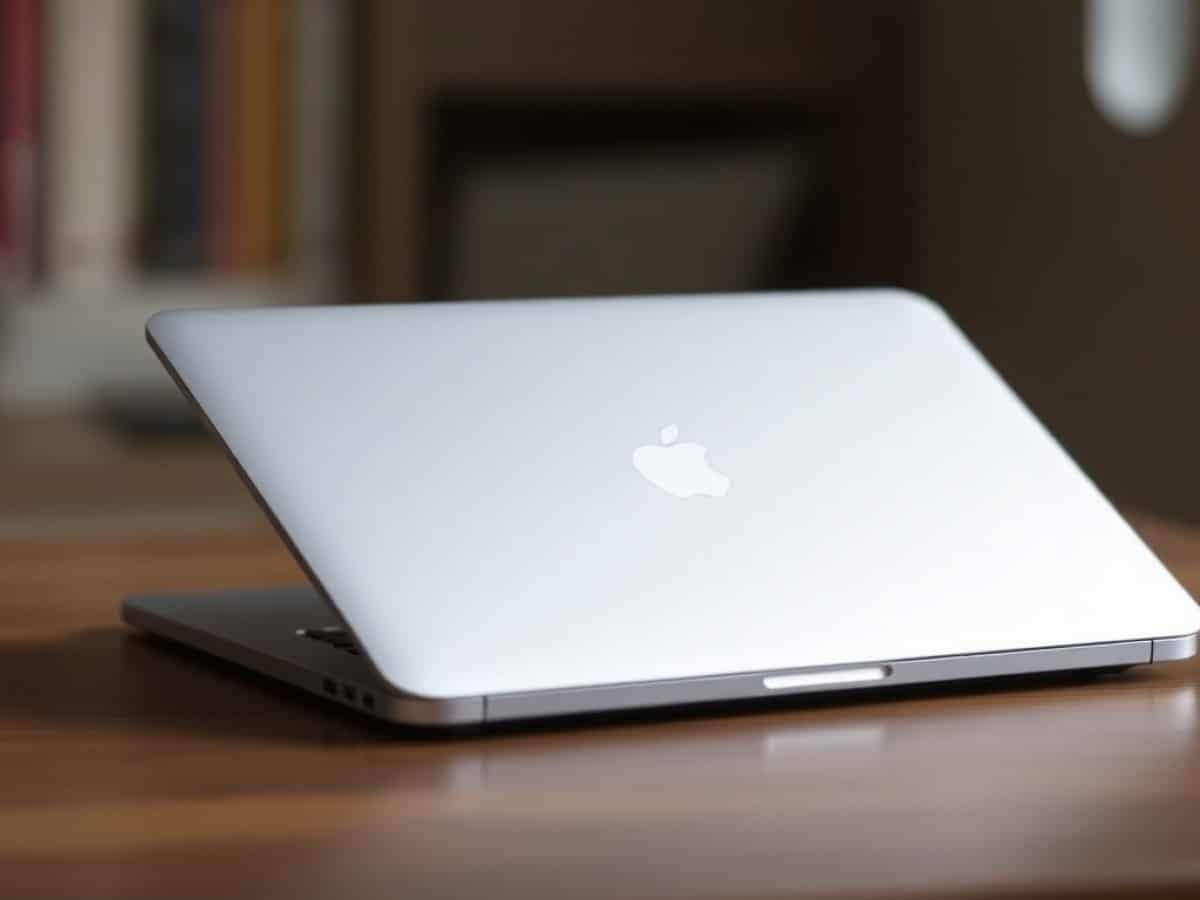
For the past six years, the MacBook Air has been one of our favorite laptops each year. With its sturdy build, ever-effective design, and especially its increasingly impressive performance, it is almost always our recommendation in the segment of computers costing just over 1000 euros.
Since the introduction of a new chassis with the M2 models in 2022, the MacBook Air formula has changed very little, except for its technical evolutions.
The MacBook Air 13 M5 does not revolutionize the formula, but it does show us yet again impressive year-on-year performance gains.
Technical Specifications
| Model | Apple MacBook Air 13 M5 (2026) |
|---|---|
| Dimensions | 304.1 mm x 11.3 mm |
| Resolution | 2560 x 1664 pixels |
| Display Technology | IPS |
| Touch Screen | No |
| Processor (CPU) | M5 |
| Graphics Chip (GPU) | Apple GPU |
| RAM | 16, 24, 36 GB |
| Internal Memory | 512, 1024 GB |
| Appearance | Metal |
| Operating System (OS) | macOS |
| Weight | 1230 grams |
| Depth | 215 mm |
| Product Sheet |
A Timeless Yet Effective Design
The design of the MacBook Air has remained the same since 2022. With its unibody aluminum chassis made from recycled materials, Apple’s ultraportable maintains its sturdy foundation, ensuring it feels familiar to users. It continues to employ a simple and effective visual language for this segment, while our model features its typical silver/black color scheme.
The build quality feels robust, with no flex when handling the device. We’re testing the 13-inch version here, which weighs 1.23 kg and is 1.13 cm thick. While competitors might offer lighter and thinner options, this model maintains the slim and lightweight chassis that has historically been a hallmark of the MacBook Air.
However, one might expect some evolution after four years, the only recent changes being the additional fingerprint-resistant coating introduced with the M3 model. With recent rumors suggesting an OLED display by 2028 or 2029, we hope for a design refresh by then.
Keyboard and Touchpad
Typing on the MacBook Air remains a very satisfying experience. Although the keys have a very short travel, the typing feel is comfortable with a crisp and satisfying feedback.
The “Force Touch” trackpad is still part of the package, offering a smooth glide and a very distinct click. We still recommend mastering macOS gestures to maximize productivity potential.
Connectivity
The connectivity options on the MacBook Air M5 are identical to the previous model, featuring: a MagSafe charging port, two USB-C ports supporting Thunderbolt 4 and USB 4 with a bandwidth of 40 Gbit/s, and a 3.5mm headphone jack.
The MacBook Air M5 supports two external displays with a resolution of 6K / 60 Hz or 4K / 144 Hz. If you want to increase the resolution, it can support a single 4K display at 240 Hz and even go up to 8K at 60 Hz if desired.
If you need more USB-C ports or even the presence of HDMI or an SD card reader, you’ll need to look at the MacBook Pro. Connectivity remains one of the major differentiators between the different MacBook ranges.
Finally, the MacBook Air M5 now supports Wi-Fi 7 and Bluetooth 6, ensuring it is future-proof even as these standards are not yet widely adopted by router and peripheral manufacturers.
Webcam and Audio
The webcam on the MacBook Air features a 1080p sensor that offers good image quality and handles light well for your video calls. It supports Center Stage to automatically center the frame on your face on the screen. In short, there are no complaints.
The four speakers on the MacBook Air continue to perform well with the M5 model, delivering surprisingly good sound quality with present, albeit not very powerful, bass. It ranks among the top ultraportables in this respect.
Display
The MacBook Air retains its high-quality IPS LCD panel. Its contrast ratio of 1270:1 places it among the best in this screen category (except for IPS Black), although the LCD still exhibits blacks that tend towards dark gray. A shift to OLED, which rumors suggest might happen by 2028 or 2029, would be a welcome upgrade for Apple’s ultraportable.
In terms of brightness, the display performs quite well with a peak of 297 cd/m2 in SDR and 523 cd/m2 in HDR. You can use it comfortably in bright environments, although this brightness level may not suffice for outdoor use in direct sunlight. Additionally, its glossy coating is prone to reflections.
In color performance, the MacBook Air continues to nearly cover the DCI-P3 color space (94.5%), offering a vastly superior color rendition compared to, for example, the MacBook Neo. The color accuracy is once again outstanding with a Delta-E of 1.89 in SDR and 1.56 in HDR. This is excellent, although the grayscale accuracy (from black to white) could be more precise.
While an upgrade to OLED would be desirable, the current 60 Hz refresh rate seems like an unforgivable omission in 2026.
Software
This year, the MacBook Air M5 comes equipped with macOS 26 Tahoe, the latest version of the OS that introduced the Liquid Glass design overhaul. The system interface features increased transparency, rounded edges, and shadow effects. It’s easy to get used to, especially since Apple has also improved customization options for the control center, Spotlight, and Finder.
It’s worth noting that you can reduce the intensity of the Liquid Glass effects in the system settings. Since version 26.4, it has also been possible to apply a charging limit and activate optimized charging to preserve battery capacity when you leave your MacBook Air plugged in continuously. Finally.
Performance
Surprisingly, the MacBook Air M5 is equipped with the Apple M5 chip. The CPU part incorporates 10 cores, including 4 “super cores” for high performance and 6 energy-efficient cores. To recall, the super cores are designed for heavy applications (4K editing, rendering, code compilation), while the energy-efficient cores handle everyday tasks with minimal energy consumption. The GPU is offered in two variants: 8 or 10 cores, depending on the configuration chosen.
It’s worth noting that the memory bandwidth has increased this year to 153 GB/s, up from 120 GB/s on the M4 model. This facilitates memory access between the CPU, GPU, and Neural Engine for AI applications.
Finally, the storage has now doubled for the same price, with an NVMe SSD with 512 GB on the base model, configurable up to 1 TB, 2 TB, or even 4 TB. Let’s see what this M5 chip has to offer.
Our Impressions in Use
The MacBook Air is an ultraportable that is difficult to “stutter” in daily use, as its performance seems never to falter. For office work, almost nothing stops it. I regularly work with dozens of tabs, sometimes multiple Chrome sessions, but also a few applications: some native, but also others in the form of Electron web apps (Notion, Slack, Discord, etc.)
I use a MacBook Air M3 daily, and that’s for nearly 10 hours a day. I notice a satisfying increase in fluidity in launching applications and multitasking, which I can attribute to its much faster SSD, but also to a serious increase in memory bandwidth (153 GB/s vs. 100 GB/s).
Thus, the experience remains smooth under all circumstances on the Air, including for creative tasks.
Benchmarks
For the processor test, we are still in a transition phase between Cinebench 2024 (on which we tested the majority of our machines) and Cinebench 2026, for this year’s tests. However, the 2024 version allows us to compare this MacBook Air M5 with its direct competitors.
With a multicore score of 939, the chip surpasses the high-performance Ryzen AI 9 HX 370 chip from AMD and the Snapdragon X Elite from an ultraportable, but is below on a more imposing chassis (the Vivobook S 15 with 1033 points). It even ranks above the mid-range Intel Panther Lake, the Core Ultra X7 358H. Thus, it competes in the same league as a Core Ultra 7 or 9 on creative/gamer chassis like the HP Omen Transcend 14 or the 2024 ROG Zephyrus. Impressive.
It’s worth remembering that the MacBook Air is cooled passively, meaning only through the radiators and heat pipes of the chassis and not via a fan. Therefore, it is less capable of sustaining high performance over the long term. As the warmer days approach, performance variations are common between several heavy tasks.
We indeed noticed differences of up to 130 points during our tests on a “warm” machine that had already undergone several benchmarks. Once again, if you are looking for flawless stability on the heaviest tasks, the Pro range with its active cooling is there.
In terms of storage, in addition to doubling the capacity of the SSD, the performance has made a giant leap, moving from 3.2 GB/s to almost 7 GB/s. A massive gain aided by the presence of two NAND chips instead of one on the SSD.
For Creatives
The MacBook Air remains a machine quite capable of running creative software for editing and retouching on the go. The chip is surprisingly robust for heavy tasks in some cases, without however competing with the Pro models.
Our benchmark tool recently deployed a major update to the protocol related to Adobe Premiere Pro, invalidating previous scores. We had to retest the entire Mac lineup to at least provide a glimpse of the evolution of the range at this level.
Compared to the MacBook Air M3, the gain on Adobe Premiere Pro is over 53%, on a protocol that mixes both rendering and advanced AI-based processing filters. Compared to the M1 from 2020, video editing performance is 80% superior.
On Photoshop, the gains are more measured but present, with performance up by 24% compared to the M3 model and 64% compared to the M1. Once again, raw performance and sustained performance over time will be even better on a MacBook Pro that actively cools its chip.
Cooling and Noise
As we’ve mentioned several times in this article: the MacBook Air is not cooled by any fans. It therefore makes no noise but can be sensitive to thermal throttling, a reduction in clock frequencies to preserve the durability of the chip.
Under heavy workloads that exploit both the processor and the graphics card, the keyboard can exceed 50 degrees on the surface near the R and T keys. While this can be felt during use, the test is intentionally heavy to bring out the worst-case scenario.
Battery Life
The MacBook Air M5 can last more than a day on a single charge and can still claim two days of work in office use. For simple wireless browsing and office work, you can expect nearly 18 hours of battery life with the brightness set to 50%.
Mixing office work, video watching, and listening to music via Bluetooth, the battery life fluctuates between 15 and 16 hours during our various tests.
We’re still looking at excellent battery life, which, although not the best on the market (some models exceed 20 hours), offers a level of usage peace of mind that is always welcome.
Price and Availability
The 13-inch MacBook Air M5 is sold starting at 1199 euros, like the previous model. As of this writing, you can find it for 1099 euros at some retailers (Fnac, Darty).
But the pleasant surprise this year is in the storage, which has doubled for the same price (512 GB versus 256 GB).
Apple MacBook Air 13 M5 (2026)
at the best price
-
Fnac
999 € -
Darty
999 € -
Cdiscount
- Apple Unveils M5 Chip Breakthroughs: Faster, Smarter Technology Revealed!
- MacBook Neo 2 Expectations: Release Date and Key Features Revealed!
- Budget-Friendly MacBook Rumor: Spring Release Anticipated!
- Review: Acer Swift Edge 14 AI (2025) – Stunning, Lightweight Laptop Lacks Power
- M5 Ultra Chip in a MacBook Pro? Highly Unlikely!

Maya Singh is a senior editor covering tablets and hybrid devices. Her work explores how these tools reshape digital productivity and learning. She also contributes to feature editorials on emerging tech.