
Scientists confirm: This is the most effective way to get your cat’s attention, according to new research
Elderly Couple Refuses Reserved Seats—Viral Train Standoff Sparks Fiery Debate on Courtesy
The TP-Link Tapo RV50 Pro Omni robot vacuum is a particularly comprehensive model given its price, incorporating all the latest features in its charging station. In addition to its 15,000 Pa suction power, it features rotating mops, one of which is mounted on an extendable arm that allows it to more easily reach corners and crevices. Its AI-enhanced navigation is based on LiDAR and a camera, ensuring easy home mapping while avoiding obstacles.
Its washing station provides clean water, distributes cleaning fluid through a dedicated tank, and also collects dirty water used to clean its mops. The mops are washed with hot water, dried with hot air, and can even stay neatly at the station when not in use.
This new model is priced at a suggested retail price of 600 euros, but is already on permanent promotion for 500 euros. This price seems quite reasonable for such a complete product.
Technical Specifications
| Model | TP-Link Tapo RV50 Pro Omni |
|---|---|
| Dimensions | 35 cm x 47.5 cm x 48 cm |
| Color | Black |
| Washing Function | Yes |
| Product Sheet |
Classic but Functional Design
RV50 Robot Vacuum
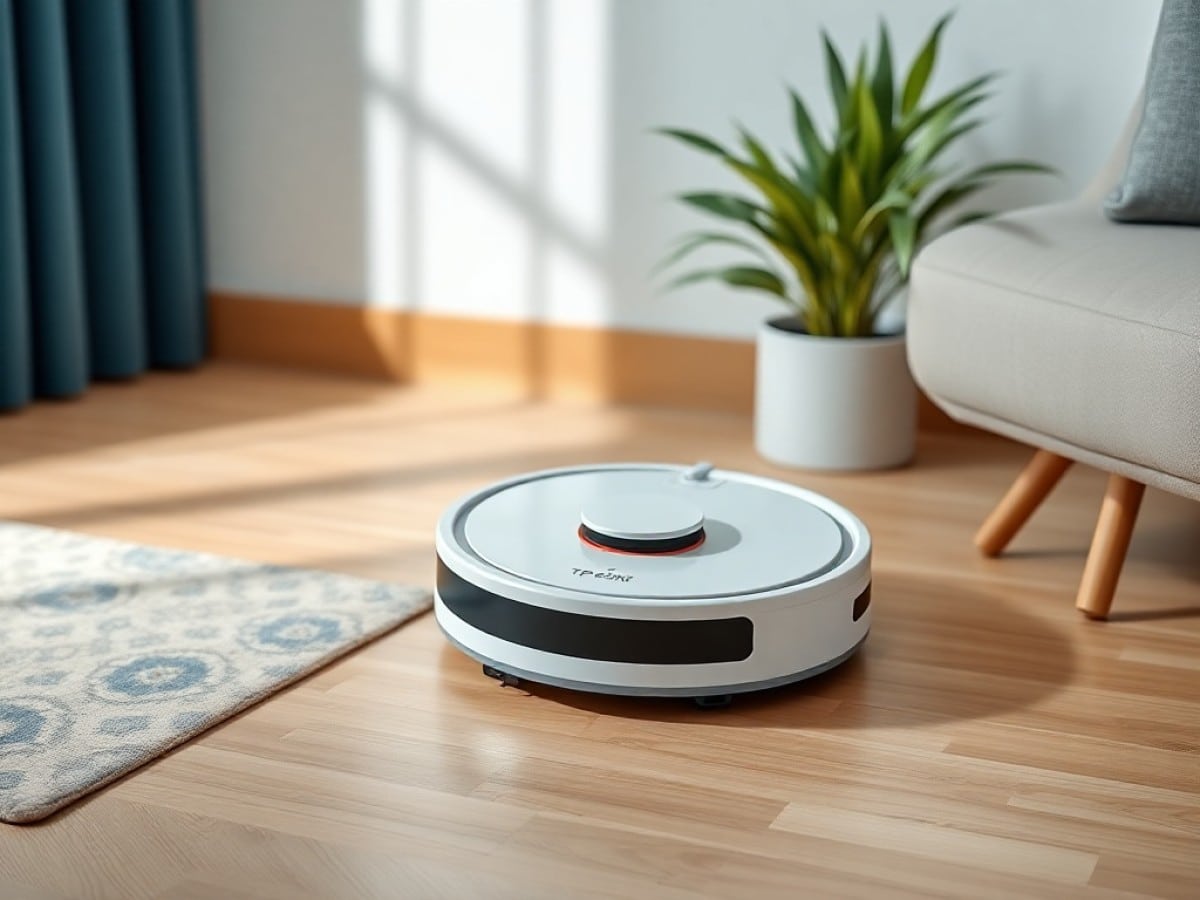
The Tapo RV50 Pro Omni doesn’t particularly stand out for its design. Some might say it’s quite basic and just another robot vacuum. The robot itself is made largely of matte black plastic with some shiny inserts at the edges and on top of the rangefinder. While these materials give it a decidedly modern design, the accumulation of dust on these black surfaces becomes visible very quickly. Beyond its appearance, the RV50 Pro Omni benefits from a classic design and a standard size (35 cm in diameter).
However, its height of 10 cm at the rangefinder’s peak does not allow it to slide under the lowest furniture or all sofas. This rangefinder is supplemented by a front and side laser block and the usual contact and fall sensors. The buttons on the front of the hood allow for launching various tasks such as automatic cleaning, area cleaning, or returning to the charging station. The back of the hood can be removed to access the robot’s internal dustbin for maintenance and cleaning.
The cleaning components located under the robot are standard. There is a single side brush (on the right side) equipped with two bristles. This is complemented by the main suction brush, which consists of standard nylon bristles, along with a rubber blade. This assembly is completed by a comb designed to prevent tangles from hair and fur. This comb incorporates electric razor-type blades that will cut the hair once back at the base to prevent their accumulation. Two retractable rotating mops are also present, and one of them is mounted on a motorized sliding support ensuring proper wall-following and maximum surface coverage.
The RV50’s movements are ensured by the classic trio consisting of two central cushioned wheels complemented by a completely free front caster. This caster deserves special mention for its little brush that prevents it from accumulating dirt as it moves.
All-in-One Charging Station
Unlike the almost decorative stations of Dreame or Mova, the charging and maintenance station of the RV50 Pro Omni is relatively compact with its 48 cm height and a floor print of 35 by 47.5 cm. The robot does not fully slide into it and thus rests on the platform extending at the front.
This station features two distinct external water tanks. This means they are part of the station’s “design.” The clean and dirty water tanks have respective capacities of 5 and 4 liters. The latter is also equipped with a cartridge aimed at filtering the water and preventing bad odors. The detergent is automatically added via a proprietary sealed tank. It is therefore impossible to refill it once empty, and it is imperative to buy a new one, with the recurring cost this entails. The detergent tank is located behind the removable facade panel, along with the dust bag.
Comprehensive Settings and Wide Compatibility
The RV50 Pro Omni requires the use of the TP-Link Tapo app for operation. This app is common to all devices in the Tapo range such as cameras and other smart modules. A sensible choice that allows for simplified interaction between the vacuum and other brand products. Adding the RV50 to the app is, as always with TP-Link, fully guided and therefore very simple.
TP-Link Tapo
Mapping the home is done effortlessly thanks to the various onboard sensors. After the initial steps of customizing the rooms and adding any furniture, the RV50 Pro Omni is thus operational very quickly. Like most competitors, the creation of forbidden zones and virtual walls is possible.
Cleaning tasks can be directly launched from the main management page and are divided into three distinct tabs. It is thus possible to initiate a complete cleaning of the home, but also to order the maintenance of a zone or specific rooms. In each case, the app allows you to choose to vacuum, mop, do only one or the other, or one after the other. An automatic mode is also offered. Note that each case remains completely customizable in terms of suction power, water quantity, and number of passes.
The home page of the robot within the app gives access to quick and customizable actions. For example, it is possible to create a button that directly launches the vacuuming of the entire apartment, or part of it, with specific settings. These tasks can also be used directly in the cleaning schedule, which benefits from a dedicated menu. All tasks are historized and benefit from a summary of important events.
A few options are offered within the app to adjust the cleaning behaviors of the robot. Thus, carpet and rug areas are detected automatically, and the robot can, as desired: ignore them, vacuum them, mop them, or do nothing. Each carpet or rug area benefits from its own settings, allowing then to adjust the cleaning accordingly. In the same spirit, it is possible to force the robot to clean rooms in the direction of the fibers of a parquet floor.
The charging station comes with a generous list of options related to its operation. From the frequency of emptying to that of washing the mops, but also their drying, everything is adjustable. An intelligent mode remains activated by default for these two aspects.
As part of the Tapo range, the RV50 Pro Omni thus benefits from the automations offered by the app. It can be both the trigger (when it starts cleaning or something malfunctions) and the “triggered” by starting the cleaning if another device is activated. Compatible with Matter, its addition is done effortlessly within third-party apps thanks to the configuration code generated by the Tapo app. On Home Assistant and Homekit, it is possible to start a cleaning, but it also reports its status, cleaning mode, and battery level. Finally, it remains possible to add and control it using Google Home or Alexa.
A Reliable Daily Companion
On paper, the 15,000 Pa of embedded power should allow the RV50 Pro to be effective in vacuuming most surfaces. Indeed, it has not failed the task during our few weeks of testing, mainly on hard floors (tile and PVC).
In standard power, it effectively removes all dust and small residues in its path. However, it struggles more when it comes to picking up dirt along baseboards and furniture, since its single side brush is not extensible. Nevertheless, its asymmetrical design avoids the wrapping of hair and fur, and its low rotation speed effectively brings debris in front of the robot rather than expelling it from its path.
Cleaning of carpets and rugs turned out to be adequate, although its generous power does not compensate for the lack of a double brush. The single suction brush does not allow it to penetrate deeply into the fibers, especially on long-pile carpets. The RV50 is indeed capable of detecting them to temporarily increase its suction power on these surfaces. It lifts and even goes as far as to completely remove its mops if necessary.
The rotating mops ensure generous coverage of the robot’s path, especially since the right one can automatically offset to closely follow baseboards and walls. They also offer very adequate pressure, enabling them to effectively lift dried stains on hard floors. The integrated detergent solution in the base is relatively neutral in terms of smell, but still offers a slight sensation of freshness after the RV50 Pro has passed.
If tasks involving dried and sugary products logically require several passes to be completely eliminated, the robot proves very effective for daily vacuuming and regular mopping. It remains anyway possible to adjust the “power” of the cleaning within the app to, for example, perform a more thorough cleaning at regular intervals.
In summary, the RV50 Pro struggles in two aspects: vacuuming carpets, especially long-pile ones, and capturing dust along baseboards and furniture. Also, it should be noted that the robot pauses briefly whenever it needs to extend the arm of its mop (which happens very often), generating a characteristic noise in the process. This is not a deal-breaker, but it does have a very slight impact on its cleaning speed.
It is therefore not the fastest in its segment. In my 80 m² apartment, it takes an hour to vacuum the entire home in standard setting. However, the battery life is very satisfactory since this same task consumes about 25% of the battery. In pure vacuuming, the RV50 Pro can easily exceed three hours of cleaning before needing to be recharged. Finally, its noise levels remain really reasonable with an average around 60 dB in standard mode.
Impressive Agility
The initial mapping performed by the RV50 Pro is very accurate and requires only a few room divisions to be fully usable. The map can then be embellished with different furniture and objects, which are supposed to help the robot in its automated daily cleaning. The only real disappointment, quite common on devices with a LiDAR: the persistence in detecting ghost rooms behind French doors. Fortunately, this does not impact the map, except for a notification at the end of each cleaning cycle.
While TP-Link promises advanced object detection, the reality is a bit less flattering. The RV50 Pro spots and tries to avoid shoes or toys, but often ends up touching them or slightly moving them. It is, however, incapable of detecting cables, with the risk that laces or wires get caught in the brushes, or that a toy is damaged. Not to mention potential damage in case of animal droppings forgotten on the floor. Moreover, the app does not display any summary of the obstacles encountered, which limits the practical interest of this detection.
Low Daily Maintenance
The daily maintenance of the robot is facilitated by a dedicated menu within the app that lists the calculated wear status of the various components of the RV50 Pro. Reminders will therefore be automatically issued by the app when they need to be cleaned or replaced.
After a good month of use, the effectiveness of the hair and fur cutting system of the main brush is evident. No clumps are present at the ends of the latter, and only a small tuft got stuck in the middle, which was removed at the next emptying. The same goes for the side brush, which remains free of any hair or fur.
Apart from emptying the dustbin, which is done at each session, the mops benefit from a hot water bath after a defined time (or after each cleaned room). This cleaning takes about three minutes each time. This is also the time it takes for the robot to get ready when the mops are needed for the task launched from the app
Similar Posts
- Deal Alert: Roborock Vacuum Robot at €400 – Now Compatible with Smart Home!
- Matter Robot Vacuums Invade Apple Homes: How Tech Enhances Domestic Life
- Xiaomi Robot Vacuum X20 Max Review: Top Features at a Low Price!
- Ecovacs Deebot X9 Pro Omni Review: Powerful Vacuum Disappoints in Reliability
- Roborock Qrevo Slim Review: Achieve Thorough Cleaning Even Under Low Furniture!

Maya Singh is a senior editor covering tablets and hybrid devices. Her work explores how these tools reshape digital productivity and learning. She also contributes to feature editorials on emerging tech.