
Scientists confirm: This is the most effective way to get your cat’s attention, according to new research
Elderly Couple Refuses Reserved Seats—Viral Train Standoff Sparks Fiery Debate on Courtesy
GoPro was notably absent from the 360 camera market for a long time. Since the launch of the original Max in October 2019, the company had refocused on its traditional action cameras, allowing Insta360 to dominate this niche almost uncontested.
After years of development and numerous delays, GoPro is returning with a clear intention to outdo its well-established competitors. On one hand, the Insta360 X5, released in April 2025, continues to dominate with its versatility and mature ecosystem. On the other hand, DJI made a significant impact in late July 2025 with its first camera of this kind, the Osmo 360, known for its impressive image quality.
The GoPro Max 2, announced on September 23 and available for sale from September 30, 2025, enters a market that is far more competitive than it was in 2019. Adding to this is the challenging financial situation that GoPro has been facing for several years, making the Max 2 seem like a do-or-die effort. GoPro promises a leap in resolution with true 8K, improved battery life, and notably, the integration of its expertise in stabilization. On paper, it seems capable of competing with the market leaders. But how does it perform in reality?
GoPro Max 2Technical Specifications
This review was conducted with a GoPro Max 2 provided by GoPro.
GoPro Max 2A Subtle Yet Solid Comeback
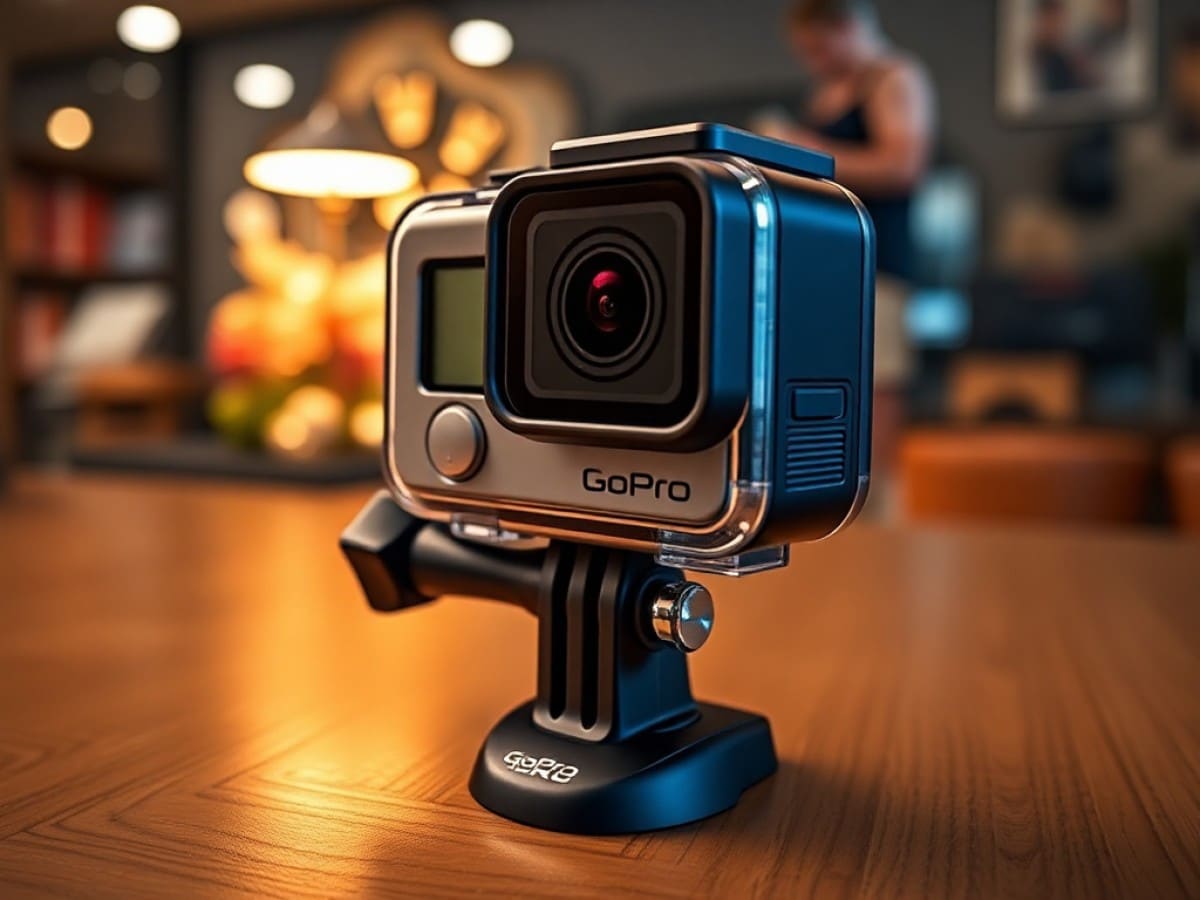
GoPro hasn’t tried to revolutionize the design. The Max 2 retains the compact, rounded silhouette of its predecessor. Its dimensions are modest: 64 x 69.7 x 48.7 mm, weighing 195 grams, positioning it between the DJI Osmo 360 (183 grams) and the Insta360 X5 (200 grams).
Two immediate impressions when handling the GoPro Max 2 for the first time:
- the camera feels robust;
- the design seems outdated as it closely resembles the first GoPro Max.
The sense of durability is likely due to the rubber coating characteristic of GoPro cameras. My colleague had already dropped it onto a carpet from a desk height shortly after we received it… but strangely, I was not as worried as I would have been with its competitors.
It’s important to remember that the fragility of 360-degree cameras lies in their dual lenses. Even a minor fall can often result in scratches or breaks. Here, GoPro stays true to its roots. The Max 2 is part of a long line of cameras designed (or at least marketed) for extreme sports and thus needs to be at least minimally durable.
The camera includes protective lenses that are not only detachable but also replaceable. A simple ‘clip-off’ system (if I may) allows for the damaged lens to be quickly replaced by the user. On this front, GoPro matches the Insta360 X5 and is even more practical.
This approach is far more sustainable than that of the DJI Osmo 360, whose lenses are fixed, requiring additional protection—or extreme care in handling.
In terms of design, it’s primarily the screen size that makes the Max 2 less appealing: while Insta360 opts for a longer product—and thus a longer screen—DJI and GoPro choose a more compact format with a mechanically smaller screen.
On the right side, a metal flap protects the USB-C port and the microSD slot. A dual-access design that mirrors the original Max and avoids multiple openings on the chassis. Unfortunately, the Max 2 includes no internal storage. DJI holds an advantage here with its Osmo 360.
Also present are the two iconic physical buttons: the shutter on the top edge and the Mode/Power button on the left side. To confirm operation, an LED indicator is installed at the front and another at the back. For sound, the brand uses a six-microphone setup distributed around the casing.
The water resistance remains modest at 5 meters without a housing. This is enough for casual snorkeling but falls short of the 10 meters of the DJI Osmo 360 and even further behind the 15 meters of the Insta360 X5. Remember that 360° cameras require a dedicated housing for underwater recording, otherwise significant stitching errors and thus unusable videos may occur.
When it comes to mounting, GoPro focuses on versatility with three compatible systems: the classic GoPro tabs, the standard tripod screw, and their new magnetic mount system. You couldn’t ask for more. Well, maybe including one of these magnetic mounts in the box.
The removable 1960 mAh Enduro battery marks a departure from the GoPro ecosystem: it is not compatible with the batteries of the original Max, nor with those of recent Hero models, although the capacity has only increased by 360 mAh from the previous generation.
It’s worth noting the integration of a large ventilation grille on the side of the Max 2: GoPro has clearly anticipated overheating issues. This is a point we will check in the section of our test dedicated to battery life.
GoPro Max 2Software Interface: A Bit Cramped
We are disappointed with the built-in screen on the GoPro Max 2. While it is adequate, it suffers in direct comparison with the Insta360 X5’s screen.
Its 1.8-inch landscape format feels cramped next to the 2.5-inch vertical screen of its rival. Like the DJI Osmo 360 with its 2-inch screen, you often have to aim precisely with your finger, especially for settings located in the corners. The navigation on the tall screen of the Insta360 X5 offers undeniably superior visual and tactile comfort, especially when reviewing recorded videos.
On this subject, it is not possible to navigate 360 degrees in videos stored on the GoPro Max 2. This isn’t critical (since you’ll use your phone for editing anyway), but the absence of such a basic feature is puzzling.
Otherwise, the interface of the GoPro Max 2 is quite smooth. Swipes respond well, and I encountered no notable slowdowns during my test. GoPro maintains its historical logic: it’s simple, clean, effective. Those familiar with the Hero will feel right at home in seconds, and newcomers won’t be lost.
However, the responsiveness and fluidity of competing interfaces really give the impression of using a smartphone, whereas GoPro still very much makes you feel like you’re using an action camera.
The processor used on the Max 2 is still the GP2, launched with the Hero 10 Black in… 2021. This likely explains many of the limitations of the Max 2.
The usual shortcuts are still there: a swipe down opens the quick settings dashboard, a swipe up accesses the gallery. You can create your own presets to quickly switch from a “Vlog” mode to an “Action” mode (for example) without redoing all the settings each time.
A small detail that I don’t necessarily find in the competition: pressing the power button allows you to return to the home screen — handy when you’ve buried yourself in several menus.
Just like Insta360, GoPro is conservative about the number of buttons on the Max 2’s body. You’ll find the bare essentials: a Mode/Power button on the side and the shutter on top.
This might be seen as a lack of customization by some users, but it will be seen as a blessing by those who just want to film without fuss. Importantly, the buttons on the Max 2 are very clickable — again, a detail that can make a difference in sports scenarios.
Well… the camera’s startup is not the fastest. Count a good 5 seconds between clicking the button and starting recording. Thus, the Max 2 does not reach the instant responsiveness of the DJI Osmo 360’s standby mode.
In conclusion, the interface of the GoPro Max 2 sticks to the basics. It loses out in terms of display comfort and customization options compared to Insta360, but it gains in simplicity of use. It’s just a pity that GoPro didn’t take the opportunity with this V2 to enlarge the screen a bit and offer a less cramped touch experience.
While the ergonomics are mastered, they are beginning to show their age compared to the more modern formats of the competition. GoPro is a good third here.
GoPro Max 2Usage and Editing: The Bare Minimum
Accessories
The GoPro ecosystem remains a model in the industry, but with the Max 2, the brand blows hot and cold. Let’s start with the good news: the camera integrates the magnetic mounting system introduced on the Hero 13 Black. A real liberation in daily use: those who are already well-equipped with accessories can switch from a chest harness to a pole in two seconds, without spending time screwing and unscrewing the camera—count 15 to 30 euros per magnetic mount, however.
On this point, GoPro catches up with DJI and even takes a slight lead over the Insta360 X5, which requires a screwable adapter to offer the same flexibility. Although 360-degree cameras will primarily be used with a pole, the integration of three attachment options offered on the Max 2—the classic tabs, the screw thread, and the magnetic system—is commendable.
However, the brand misses the opportunity to fully capitalize on its installed base. The new Enduro battery of the Max 2, wider than that of the original Max, makes your old batteries unusable. Worse, it is not even compatible with those of the GoPro Hero 13. Fragmenting the ecosystem is frustrating, where DJI was smart to use the same battery for its Osmo Action 3, Osmo Action 4, Osmo Action 5 Pro, and even the latest Osmo Action 6—allowing for shared equipment. If you’re coming from a Max 1 or a Hero, be prepared to spend again.
Regarding sound, the Max 2 remains compatible with Bluetooth audio connection, but still does not offer an integrated microphone adapter like DJI with its direct connection to DJI Mics. Insta360 has also started offering small external mics that automatically connect to the brand’s cameras.
A word about the “Max Grip” pole that was delivered with the Max 2: stiffer and thicker than the usual models, it again reminds us of the brand’s seriousness for adventure and extreme sports. Like the competition, this pole is not included in the basic pack, forcing newcomers to further increase their spending.
Editing
Every new test of a 360-degree camera sees me repeating the same thing, just in case for beginners: before being shared, 360-degree videos must be cropped (or “reframed”) to a classic format like 16:9 or 9:16.
Okay, it’s also possible to export the videos in 360-degree format to “live an immersive experience” with a dedicated headset, but I doubt you’re reading this test for that specific need.
So, this almost mandatory step through the editing phase is done on the mobile app or the desktop software. And this is where the GoPro experience takes a different turn.
On mobile, the Quik app has been revised to accompany the release of the Max 2. The interface is clean, the menus are clear, and you’ll find the essential tools. As usual, you first need to transfer the videos stored on the camera to the “Media” area of the app before processing them.
GoPro Quik
Download for free
This Step 1 already allows you to cut each video (select a part you are interested in and set aside the rest) and change the final ratio. This is one of the major advantages of 360 cameras, being able to switch with one click between:
- 16:9 (landscape mode);
- 9:16 (portrait mode for vertical videos on a phone or for social media stories);
- 1:1 (square format for Instagram posts, for example);
- 8:7 or 7:8;
- 4:3…
Step 2 then involves cropping the video according to what you want to show in the image. The ReFrame mode allows you to manually place your keyframes (keyframes) to direct the viewer’s gaze where the action is happening (at the first second I orient the shot towards me driving the car and at the eighth second I change sides to show the road, for example). GoPro has also integrated a mode that automatically follows the main subject.
In our tests, it was relatively simple to place keyframes at the beginning of a video and then switch to this algorithm-based tracking at the end of the video. As for the tracking itself, it proved effective for simple scenes, with the ability to stay centered on two people walking side by side.
And that’s about it for the app, without it being a surprise on my part, unfortunately. On the one hand, I tell myself that users won’t get too lost and that it will be quick to edit and export small videos for social media, for example. On the other, I remember the brand name and I can’t help but underline the functional poverty.
Understand that compared to the Insta360 app, which is full of creative templates, “wow” effects in one click, integration of sports/GPS stats in overlay, and generally advanced editing tools, Quik is too conservative—not to say behind the times.
Let’s say that GoPro aims for efficiency rather than unbridled creativity. It’s a shame for a type of camera initially thought for strong inventiveness in editing. Okay, the few automatic transitions offered to change the point of view save the furniture by slightly dynamizing the final rendering.
The situation gets seriously complicated on the desktop. While Insta360 offers a complete and mature software suite on the computer, and DJI is slowly trying it out, GoPro neglects
Similar Posts
- I Tested the Insta360 Luna Ultra: A Stunning First Try Against DJI, But At What Cost?
- I Tested the Insta360 GO Ultra for 8 Months: Nearly the Perfect Mini-Camera!
- Testing the DJI Osmo Pocket 4P: Pro Features at an Unexpected Price!
- Hands-On Review: DJI Osmo Pocket 4 – Can’t Wait for What’s Next!
- Samsung Galaxy S26 Edge Leaks: See the Stunning New Design Now!

Maya Singh is a senior editor covering tablets and hybrid devices. Her work explores how these tools reshape digital productivity and learning. She also contributes to feature editorials on emerging tech.