
Scientists confirm: This is the most effective way to get your cat’s attention, according to new research
Elderly Couple Refuses Reserved Seats—Viral Train Standoff Sparks Fiery Debate on Courtesy
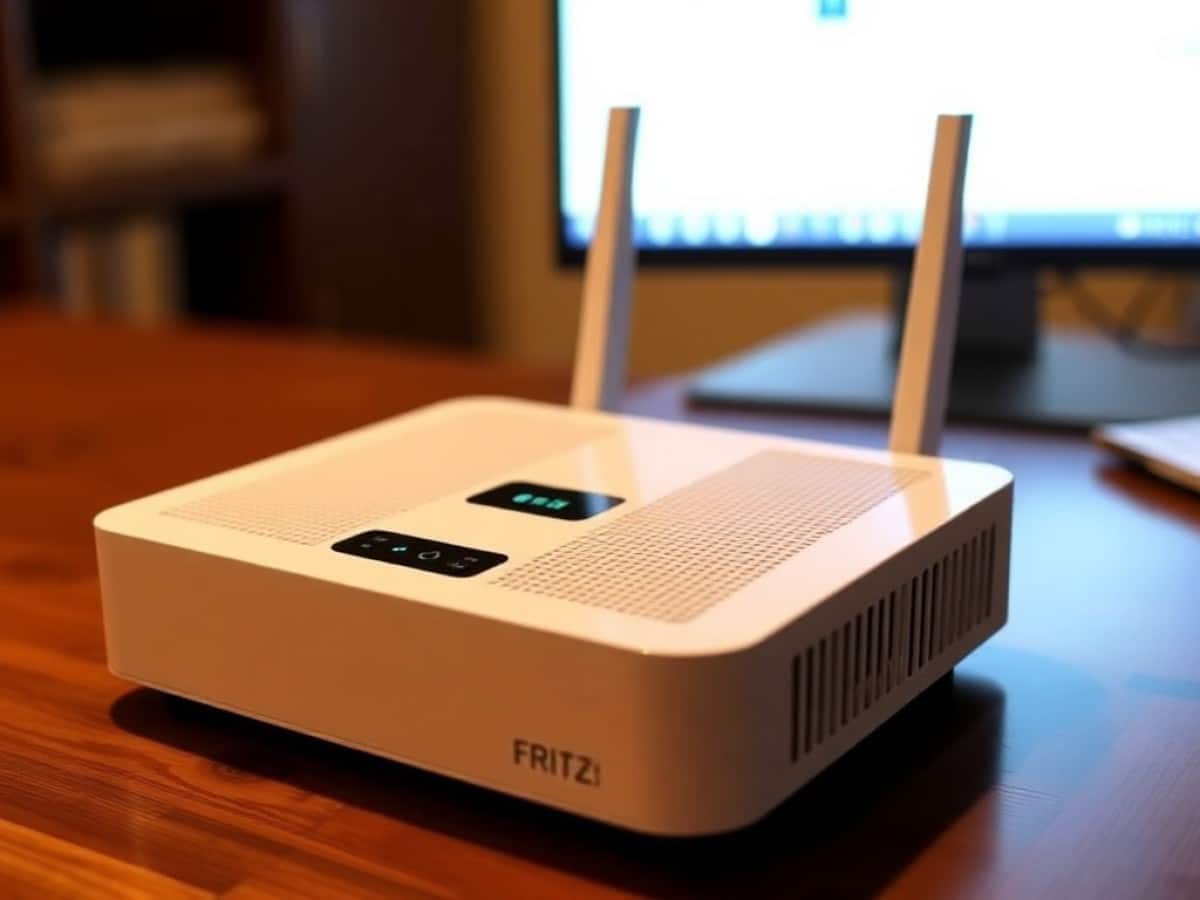
For many years, FRITZ! has been a name on the other side of the Rhine. Not due to a lack of quality, but because the French market is quite unique: our ISPs provide very comprehensive proprietary boxes (Freebox, Livebox, etc.), leaving little room for a separately purchased router. This trend is beginning to shift, and the FRITZ!Box 4690 is a prime example. It is the brand’s first Wi-Fi 7 router without a modem, meaning it’s a device that you can connect behind an existing box or, for the more daring, use in place of it.
I received a test unit, connected it to an 8 Gb/s symmetrical fiber Free connection, and tested its capabilities. Before diving into the numbers, it’s important to understand the background of this brand to grasp why its arrival is so intriguing to enthusiasts.
FRITZ!, the German Giant Unknown in France
FRITZ! is the face of a Berlin-based company founded in 1986 by four students under the name AVM. The FRITZ! brand emerged in 1995 and became so dominant that the company eventually renamed itself after its flagship product line: since the summer of 2025, AVM has officially been known as FRITZ!, capitalizing on a brand recognition estimated at around 80% in Germany.
The company’s dominance in Germany is surprising when first discovered from a French perspective. FRITZ! holds about 50% of the German consumer router market, with a turnover of roughly 620 million euros in 2022 and approximately 880 employees (2022 figures). Their products are designed in Berlin, manufactured within the European Union, and sold in over forty countries.
To put FRITZ!’s standing in Germany into perspective for a French reader, it’s somewhat akin to what Free represents here in France. However, the dynamics are different: Free is an ISP, FRITZ! is a hardware manufacturer. But the similarities are there: an active community of enthusiasts who follow every update, a proprietary system that evolves over years, and a reputation built more on the hardware itself than on subscription services. There, many ISPs either provide a FRITZ!Box by default or allow subscribers to use their own since the operator often just provides the line.
This reversed logic explains the delayed adoption in France. Here, the ISP box comes with the subscription and already does almost everything: Wi-Fi, telephony, TV, NAS. Buying an additional router has long seemed superfluous. The 4690 targets a specific audience: those seeking a more powerful network, a more refined interface, or simply wanting to take control of their installation.
Why You Should Never Reheat These Foods in the Microwave – The Hidden Dangers Experts Warn About
I tried the top 5 guard dogs—here’s what makes these breeds the ultimate protectors
Technical Specifications
| Model | FRITZ!Box 4690 |
| Type | Wi-Fi 7 Router without modem, to be connected behind a box, a fiber/cable/DSL modem, or a 4G/5G dongle |
| System | FRITZ!OS (based on Linux), version tested: 291.08.22 |
| Wi-Fi | |
| Standard | Wi-Fi 7 (802.11be), backward compatible a/b/g/n/ac/ax |
| Bands | Dual-band: 5 GHz (Wi-Fi 7) + 2.4 GHz (Wi-Fi 6), no 6 GHz |
| Advertised Speeds | Up to 5.7 Gb/s on 5 GHz + 1.2 Gb/s on 2.4 GHz (~7 Gb/s combined) |
| Antennas / Channels | 4×4 MIMO, channels up to 160 MHz |
| Wi-Fi Security | WPA3 / WPA2, WPS |
| Features | Mesh Wi-Fi, guest access / hotspot, Eco Wi-Fi |
| Wired Connectivity | |
| WAN | 1× 10 Gb/s (WAN/LAN) |
| LAN | 1× 10 Gb/s + 3× 2.5 Gb/s |
| USB | 1× USB 3.0 (network storage, printer) |
| Wired Telephony | 2 ports (RJ11 / TAE selectable) for analog phones, answering machines, or fax |
| Telephony | |
| Telephone System | Built-in, DECT base for up to 6 cordless handsets |
| VoIP | IP telephones (SIP) via LAN/Wi-Fi, HD telephony, encrypted voice transmission |
| Answering Machines | 5 integrated answering machines, sending voice messages by email |
| Directories | Local and online (Google, Apple, CardDAV, etc.), up to 1000 entries |
| Other | Call forwarding, three-way conference, number blocking, Eco DECT, fax function |
| Network & Security | |
| VPN | WireGuard and IPSec |
| Remote Access | MyFRITZ! |
| Security | Firewall / NAT, port forwarding, Wake on LAN, parental controls |
| Backup | Fail-safe mode via a 4G/5G dongle on the USB port |
| Home Automation & Media | |
| Home Automation | DECT ULE (heating, sockets, lighting), “if-then” automations, FRITZ!App Smart Home |
| Storage / Media | FRITZ!NAS, DLNA / UPnP AV media server, IPTV compatible |
| Physical Features | |
| Dimensions | 250 × 69 × 184 mm |
| Average Consumption | 13 to 14 W |
| Warranty | 5 years (manufacturer) |
| Price | €319 at launch, around €300 in stores depending on the retailer |
This unit was provided by the brand.
A Modest Design with Expansive Connectivity
Visually, the 4690 remains understated. It adheres to the FRITZ! style: a glossy white cover, a red insert at the back, and a dark gray chassis, all made of high-quality plastic. It’s designed to lie flat, unobtrusive, easily blending into a shelf. The labels on the top are printed diagonally, but the device is not meant to stand upright; it lives horizontally.
The real interest of this box is at the back, where the connectivity options are extensive. There are a 10 Gb/s WAN port, a 10 Gb/s LAN port, and three 2.5 Gb/s LAN ports. No “classic” 1 Gb/s Gigabit ports here: everything is at least multi-gigabit. For a home router, this is generous, almost overkill given current subscriptions, but it’s exactly what makes it relevant for a fast fiber connection and for future needs.
The rest of the connectivity options show that FRITZ! remains true to its mission as a home hub. There are two telephone ports (RJ11/TAE) for an analog handset or a fax, an integrated DECT base for wireless telephony and home automation, and a USB 3.0 port to turn a thumb drive or disk into a small shared network storage. These are details you almost never find on competing routers from Asus, Netgear, or TP-Link.
The power consumption is modest: 13 to 14 W on average according to the manufacturer, which is economical for a device this connected. In use, the casing remains warm and silent, with no fan.
FRITZ!OS: The Interface That Makes All the Difference
If there’s one area where FRITZ! really stands out, it’s the software. The in-house system, FRITZ!OS, is based on a Linux kernel and is controlled via a browser at fritz.box, or through the mobile apps MyFRITZ! and FRITZ!App. The initial setup is disarmingly simple: you authenticate with the password printed on the box, select your country, France is indeed listed, and it’s already connected.
Once inside, you find an interface that’s both clearer and more comprehensive than most. The dashboard displays very informative connection diagrams, showing, for example, the actual speed to your internet box, both upload and download.
For someone who’s not a network administrator, it’s reassuring; for an advanced user, everything essential is there without drowning in jargon. And there’s plenty to do. Here’s what I used daily, and I’ll return in more detail later to Mesh, telephony, home automation, and VPN, each deserving its own paragraph:
- MyFRITZ!, secure remote access to the interface from outside, without complicated setup.
- Parental controls with time quotas, filters, and device blocking.
- Port forwarding, dynamic DNS, Wake on LAN: everything necessary for those who want to host a service at home.
- FRITZ!NAS and media server (DLNA/UPnP) via the USB port, for sharing files, photos, and music on the network.
A Homegrown VPN: WireGuard and IPSec without Third-party Servers
The 4690 can set up a VPN directly from the box, without an external server or subscription. A quick reminder: a VPN creates an encrypted tunnel between a device and your network, which allows access to your files, NAS, or cameras from outside as if you were at home, and secures your connection on public Wi-Fi.
Two protocols are offered. WireGuard, recent, lightweight, and fast, is ideal for a smooth nomadic connection with minimal configuration. IPSec, older but very widespread, is useful when a device or a company mandates this standard. The FRITZ!OS assistant generates the configuration in a few clicks, and even a WireGuard QR code to scan from your smartphone. It’s one of the most accessible implementations I’ve seen on a consumer router: where many require a paid cloud service or cumbersome manipulations, here everything is done from the interface, locally.
Another strength is the software support. FRITZ! is known for frequent updates that genuinely add functions over the years, and the brand promises 5 years of warranty as well as long-term maintenance. On my unit, the firmware was running version FRITZ!OS 291.08.22. This commitment over time is what keeps the German community so loyal.
A small downside regarding apps: the FRITZ! mobile apps remain functional but feel somewhat dated compared to the polish of some competitors. For deep settings, the web interface is preferable. This isn’t a real flaw, just an observation.
Performance: Handling 8 Gb/s Fiber with Minimal Loss
Time for the metrics. I connected the 4690 in router mode behind a Freebox Ultra, on an 8 Gb/s symmetrical fiber, with a 10 Gb/s link between the two. Tools used included Ookla Speedtest for multi-connection reference, iperf3, the networkQuality tool from macOS for latency under load, and TR-064 feedback from the box. The wired client was a 10G Mac mini, the local server a 2.5G mini-PC, and the Wi-Fi client an iPhone Air compatible with Wi-Fi 7 in 2×2.
In Wired Mode: True Multi-Gigabit
Here’s where the 4690 shows that its 10 Gb/s isn’t just a sticker. In Internet routing through the box, I recorded 7.78 Gb/s in download, which is 97% of the 8 Gb/s subscription, and 3.95 Gb/s in upload. In the local network, switching between 2.5 Gb/s ports maintained 2.35 Gb/s without any loss, at the speed of the cable. The latency is exemplary at rest: 0.43 ms to the box locally, 11.5 ms to the Internet, and 0% packet loss.
To put these figures in context, a test by the Cowcotland editorial team, conducted on the same Free 8 Gb/s fiber, reached up to 8 Gb/s in both directions on Speedtest in wired mode. My routed values are slightly lower on the upload, which can be explained by the measurement protocol and the actual load, but we’re in the same ballpark: this box truly exploits a multi-gigabit line.
In Wi-Fi 7: Fast and Well-Optimized, within the Limits of Dual-Band
At a meter from the box, on the 5 GHz band, my iPhone negotiated a link at 2,161 Mb/s and delivered in reality 1,818 Mb/s in download and 1,649 Mb/s in upload. This is an efficiency of about 84% of the theoretical speed, which is above the market average: many routers lose more between the speed announced by the radio and what actually reaches the device.
Here’s where an explanation for a recurring discrepancy is needed. The spec sheet lists up to 5.7 Gb/s on 5 GHz. This figure corresponds to the total capacity of the radio in a 4×4 configuration. However, almost all smartphones and laptops connect in 2×2, which caps the link at around 2.9 Gb/s, a point confirmed by several independent tests. My real 1,818 Mb/s on a 2×2 iPhone are thus consistent, and even good.
A floor below, the speed drops, as expected: 756 Mb/s in download, 226 Mb/s in upload, with efficiency falling to 44%. The signal remains high (93%), but the distance and floor traversal do their job. The marked drop in upload is mainly due to the phone’s transmission power, not the box. To cover a large house, a repeater or the FRITZ!Mesh kit becomes necessary, which is true for all routers without satellites.
The big missing piece is the 6 GHz band. The 4690 is dual-band: it benefits from the efficiency gains of Wi-Fi 7 (4K-QAM modulation, better spectrum management) but lacks the multi-link (MLO) and the peak speed offered by a tri-band model like the 5690 Pro. For real-world use, streaming, gaming, telecommuting, it’s rarely a problem. For those who want Wi-Fi 7 in its most comprehensive form, it’s a limitation to be aware of.
The Only Real Snag: A Bit of Bufferbloat
My only technical reservation concerns latency under load, known as bufferbloat. This term refers to the ballooning of response time when the connection is saturated by a large transfer.
At rest, my latency hovered around 13 ms, which
Similar Posts
- Keenetic Hopper KN-3811 Review: Discover Why Wi-Fi 6 is Far From Obsolete!
- Netgear Orbi 370 Review: Experience Cutting-Edge Wi-Fi 7 Mesh System, Lacks 6 GHz Support
- Eero Pro 7 Review: Discover the Affordable, High-Performance Wi-Fi 7 Router!
- Xiaomi BE3600 Pro Review: Unleash Wi-Fi 7 Mesh to Upgrade Your Internet Box!
- 400,000 SFR Subscribers Must Switch Plans Soon: Are You One of Them?

Maya Singh is a senior editor covering tablets and hybrid devices. Her work explores how these tools reshape digital productivity and learning. She also contributes to feature editorials on emerging tech.