
Scientists confirm: This is the most effective way to get your cat’s attention, according to new research
Elderly Couple Refuses Reserved Seats—Viral Train Standoff Sparks Fiery Debate on Courtesy
Priced at 499 euros, the Motorola Edge 70 Fusion positions itself as one of the most ambitious mid-range smartphones currently available.
Indeed, the brand promises a robust spec sheet in a smartphone with a polished design and an impressively thin profile at just 7.21 mm thick and weighing 177 grams.
This combination of slimness and light weight is quite rare in this price range. Hopefully, this has not been achieved at the expense of other aspects.
Motorola Edge 70 FusionTechnical Specifications
| Model | Motorola Edge 70 Fusion |
|---|---|
| Dimensions | 75.60 mm x 162.76 mm x 7.21 mm |
| Screen Size | 6.78 inches |
| Resolution | 2772 x 1272 pixels |
| Pixel Density | 450 ppi |
| Display Technology | AMOLED |
| SoC | Qualcomm Snapdragon 7s Gen 3 |
| Internal Storage | 128, 256, 512 GB |
| Rear Camera |
Sensor 1: 50 MP Sensor 2: 13 MP |
| Front Camera | 32 MP |
| Video Recording Resolution | 4K @ 30 fps |
| Wi-fi | Wi-Fi 6E |
| Bluetooth | 6.0 |
| 5G | Yes |
| NFC | Yes |
| Fingerprint Sensor | Under the screen |
| Connector Type | USB Type-C |
| Battery Capacity | 5200 mAh |
| Weight | 177 g |
| Colors | Black, Blue, Green, Grey |
| Product Details |
Motorola Edge 70 FusionDesign
Aesthetically, the Motorola Edge 70 Fusion follows in the footsteps of its predecessor, the Edge 60 Fusion, making it a truly attractive smartphone. The front is very traditional, featuring a 6.78-inch curved screen on all four edges with a central punch hole at the top of the display.
The bezels are present but not excessive and, thanks to the curved edges, the screen occupies 91.50% of the front surface.
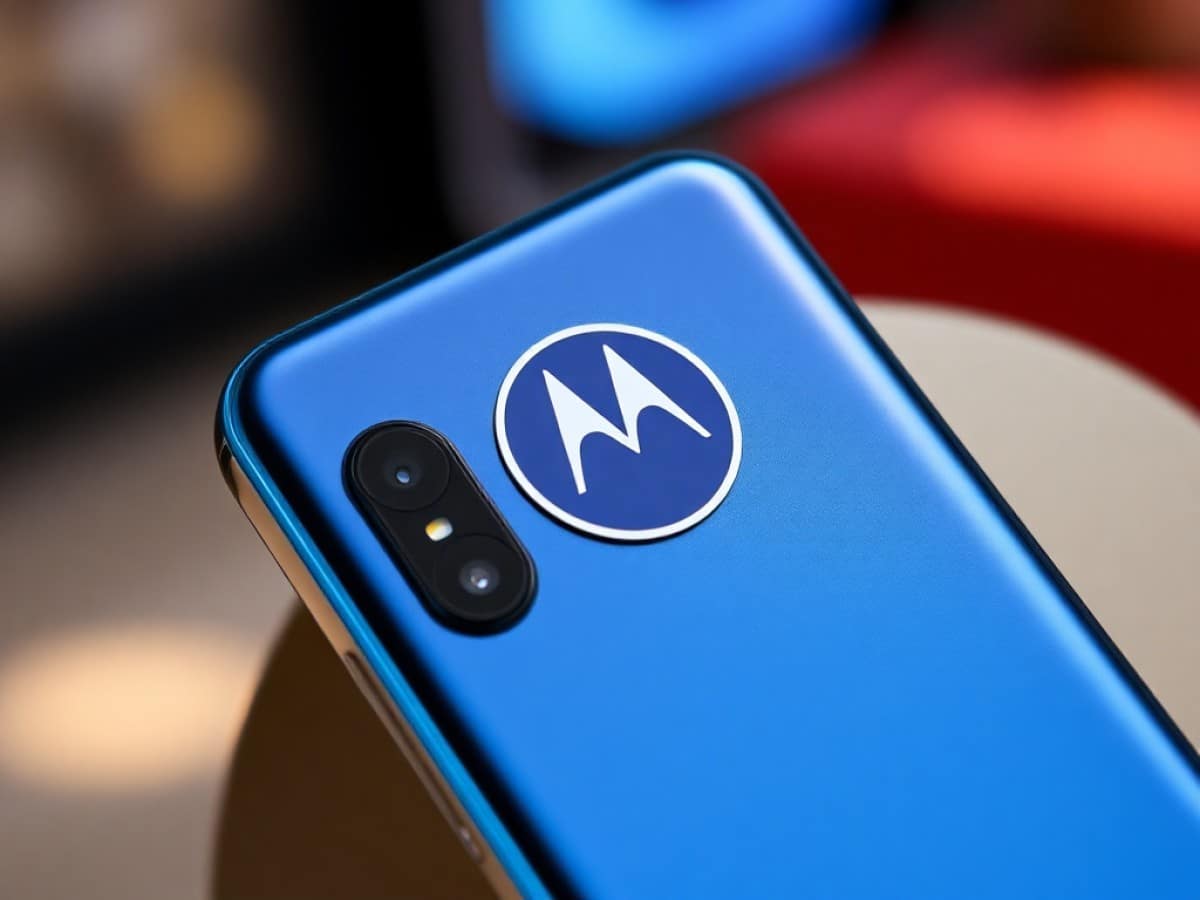
The back is the most differentiating and pleasing aspect both visually and to the touch. Here, we have a flat surface, covered in a fabric that visually and tactilely resembles linen and nylon. We thus have a slightly textured, silky surface that is pleasantly soft.
At the bottom is the Pantone logo, with the official name of the color, and this model comes in Orient Blue (deep blue), Sporting Green (green), Silhouette (black), and Country Air (grey). This fashion touch is enjoyable.
The aluminum camera block remains pleasant, with its natural, almost organic integration. It is circled in gold and incorporates 3 sensors and a flash. Each is surrounded by a colored outline on a black background. Motorola has successfully lent a real elegance to its Edge 70 Fusion. Note that, when placed flat, this camera block creates a real imbalance. As long as you do not interact with the area above the virtual keyboard, the usage remains comfortable.
Returning to the screen curved on all four sides, it very naturally joins the flat and particularly thin edges. The entire assembly is very aesthetically pleasing, and here we also have a thin smartphone at 7.21 mm thick.
Here, unlike on the Edge 70, there is no AI button, but of course, on the right edge, there are dedicated volume and sleep buttons. They are thin, yet with enough relief to identify them without looking. If you have large or medium-sized hands, the ergonomics will be excellent and the thumb naturally rests on them. For others, a bit of stretching of the thumb is required, but it’s nothing too constraining.
This device is therefore a beautiful product, elegant, slightly fashionable, and seriously built. Thus, we have an aluminum chassis, IP68 and IP69 certification, and also MIL-STD 810H certification. This last point means it can withstand military-grade requirements in terms of resistance to tough environments.
Motorola Edge 70 FusionDisplay
The Motorola Edge 70 Fusion features a 6.78-inch AMOLED panel, with a resolution of 2772 x 1272 pixels. This gives us a display that boasts around 450 ppi, offering a very appreciable level of detail.
The refresh rate is dynamic, switching from 60 to 120 Hz depending on your usage. It is also possible to opt for one or the other as a fixed value.
We then conducted our measurements using our colorimetric probe and the CalMAN Ultimate software from Portrait Displays. Among the three color profiles offered by the device, the one called “Natural” provides the best rendering, with an average Delta E of 2.52 in SDR and an average color temperature of 6442 K. In HDR, it is less good, with an average Delta E of 6.75. Surprisingly, the color accuracy here is less precise.
The color space is average, with 109% of the sRGB gamut and 73% of the DCI-P3. A little more effort on the latter would have been good to have more displayable color nuances.
The brightness is also notable, with a maximum of 1566 nits in SDR, allowing for enjoyment in almost all lighting environments. In HDR, we measure a maximum of 1576 nits, enough to appreciate compatible content. We’ve seen better, but for the price, it’s fair.
Since the phone is certified HDR10+, this remains sufficient for use in an environment brighter than dim light, but not much more.
Motorola Edge 70 FusionPerformance
Motorola has played it safe here with, at the heart of its Edge 70 Fusion, a Snapdragon 7s Gen 3 SoC, supported by an Adreno 810 GPU, 8 or 12 GB of RAM, and 128, 256, or 512 GB of storage in uMCP.
Given this now standard configuration, the performance is unspectacular. In this price range, it sits in the average, without excelling. Thus, it suffices for running Android smoothly and the majority of applications. We noted a few rare slowdowns…
In terms of 3D gaming, the Adreno 810 GPU does the job, but it struggles. Thus, in Fortnite, even though the 120 fps mode is offered, at minimal graphic quality, it remains a mirage: with sometimes peaks at 92 fps (very rare), for an average of 40 to 50 fps and repeated drops to less than 25 fps. The 90 fps mode, always at minimal quality, holds up better, with peaks at 90 fps and an average of 50 to 60 fps.
In Epic quality, the 60 fps are there, but a bit unstable, with drops to 45 fps. By lowering the visual quality a notch, the framerate is more stable, with still some small occasional drops. Nothing that will shock the general public, and more competitive players will switch to medium quality for better stability.
Call of Duty very well supports the 90 fps mode (low graphic quality), with some framerate drops during intense action moments, but never below 75 fps. In Ultra graphic quality, the framerate remains at 60 fps, with occasional drops to 55, or even 47 fps. For a really stable framerate, it’s better to reduce the visual rendering by a notch or two.
Finally, Genshin Impact, unsurprisingly, struggles to maintain 60 fps: at maximum graphic quality, the framerate fluctuates between 47 and 52 fps, with some short peaks at 60 fps and regular drops to 40 fps. By switching to Medium mode, it rather stays between 57 and 60 fps, with some drops to 48 fps. For a really stable 60 fps, the Low graphic mode remains the only solution for the most demanding players.
In intensive use, good news: Motorola manages the SoC perfectly, which, after an hour of intensive use, suffers at most a 12-point loss compared to the available power. This is done in stages: we stay around 100% power for a good 18 minutes, then move to about 92% for just under 25 minutes, before finishing at 87% during the last minutes.
Regarding heat, it remains controlled with peaks at 39° or a bit more, but this is rare. The heat is mainly concentrated around the area adjacent to the camera block. It’s not very bothersome, unless you are really sensitive to heat.
Motorola Edge 70 FusionSoftware
Android 16 is in charge on this Motorola Edge 70 Fusion, complemented by the custom My UX interface. This duo provides an interface close to stock Android, with just a few additional customization options.
Motorola enriches Android with multiple gestures, such as shaking the mobile twice to turn on the flashlight, or launching an application by tapping twice on the back of the Edge 70 Fusion. To this are added many other tools, including, of course, AI.
In this area, Motorola offers now-standard functions, such as real-time translation. It also highlights a Memories function, which is intended to be a sort of super reminder. You feed this space with ideas, voice notes, images, and Memories sorts them for you. A function close to what Nothing offers with its Essential Space.
We also have tools related to images, such as Image Studio, which allows generating drawings from simple sketches or a text prompt. A fairly effective tool, fun, even if the generation is limited to five requests per day.
Regarding the software update policy, while we do have five years of security patches, Motorola will only offer the next three generations of Google’s OS, up to Android 19. A bit short compared to the competition.
Motorola Edge 70 FusionPhotography
The Motorola Edge 70 Fusion features two lenses on the back of the smartphone:
- A 50-megapixel wide-angle with an aperture of f/1.8;
- A 13-megapixel ultra-wide-angle with an aperture of f/2.2 as well.
A third sensor is present: it is named 3-in-1 light sensor, without its specific use being detailed. The selfie camera consists of a 32-megapixel sensor, with an aperture of f/2.2.
Wide-angle
The 150 MP sensor offers shots with pleasing sharpness, both in bright sunlight and on cloudy days. The details are there, and the microdetails just as much, allowing for a texture rendering above average.
The management of contrasts is quite fine and helps to better bring out the nuances. Brightness is very well managed, with very little real overexposure. The Edge 70 Fusion knows how to handle these areas without making them burnt out. The colorimetry really depends on the ambient light, becoming more saturated when it is very intense. However, in this price category, Motorola does not amaze us, but it positions itself well above average.
At night, in poorly lit areas, we still get a satisfactory result. The colorimetry remains fairly natural, the contrasts are well held, and the brightness well managed, even if the foreground tends to be a bit more intense than the secondary planes.
At night, in poorly lit areas, we still get a satisfactory result. The colorimetry remains fairly natural, the contrasts are well held, and the brightness well managed, even if the foreground tends to be a bit more intense than the secondary planes.
In an urban environment with good street lighting, we gain in quality and precision. We notice a slight tendency to make certain shots too bright at times, which reduces the level of details and contrast, but this is not the norm.
Similar Posts
- Motorola Unveils Edge 70: Direct Challenger to Galaxy S25 Edge and iPhone Air!
- Finally, an ultra-thin smartphone that doesn’t sacrifice battery: Motorola shakes up Apple and Samsung with the Edge 70
- Android 16 Beta Hits Eight New Motorola Smartphones: Find Out Which Ones!
- Ultra-Thin Smartphone Craze Continues: Xiaomi Challenges the iPhone Air
- Samsung Galaxy A37 Review: A Pricier, Subtle Upgrade Unveiled!

Maya Singh is a senior editor covering tablets and hybrid devices. Her work explores how these tools reshape digital productivity and learning. She also contributes to feature editorials on emerging tech.