
Choosing Large Displays Over Compact Design
Scientists confirm: This is the most effective way to get your cat’s attention, according to new research
Elderly Couple Refuses Reserved Seats—Viral Train Standoff Sparks Fiery Debate on Courtesy
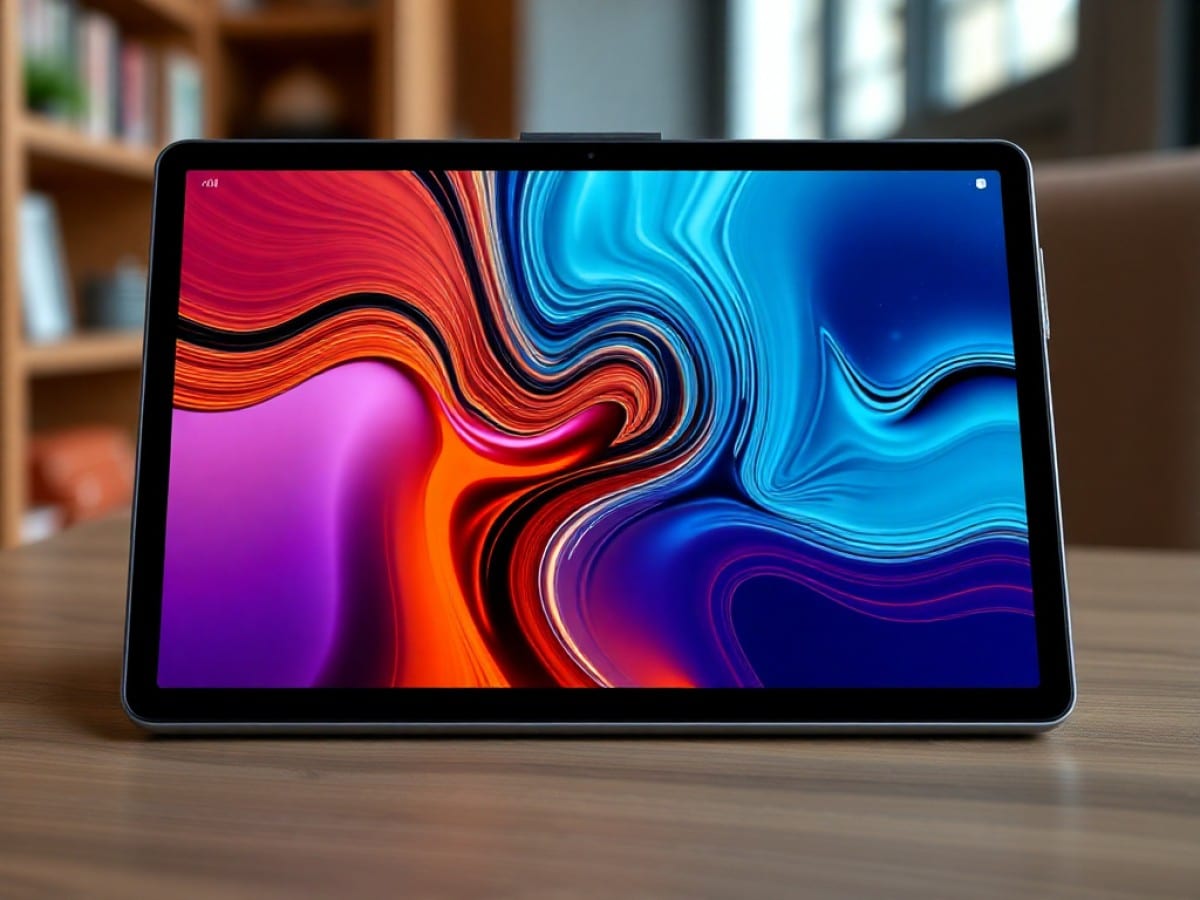
Having always favored smaller, one-handed tablets like the Nexus 7 and iPad mini for their portability, I was surprised to find myself more drawn to a much larger 14.3-inch tablet.
The TCL NXTPAPER 14 stands out not just for its specs—boasting 8GB of RAM, 256GB of storage, and a robust 10,000 mAh battery—but for its distinctive screen. This device swaps between a black and white ink mode and a colorful paper mode at the touch of a button, offering a unique, paper-like texture on its matte display.
Initially, the smaller yet more powerful TCL NXTPAPER 11 Plus caught my attention, but it was the NXTPAPER 14 that truly captivated me with its glare-free screen under intense light. Having now used it outside of a brief encounter in a Taiwanese mall, its practicality in everyday scenarios has become evident.
Article continues below
While it’s unlikely to become my go-to device, the NXTPAPER 14 has found its niche. Its larger size is particularly useful for those who prefer a bigger device that feels more substantial when carried.
Why You Should Never Reheat These Foods in the Microwave – The Hidden Dangers Experts Warn About
I tried the top 5 guard dogs—here’s what makes these breeds the ultimate protectors
Transforming from a Tablet to a Portfolio
The NXTPAPER 14 package includes everything needed right out of the box. It comes with a folio-style case, a long charging cable, and a pressure-sensitive stylus equipped with a USB-C port for charging.
Unlike many top tablets, you don’t have to search for accessories like a case or screen protector. TCL has eliminated the guesswork by providing these essentials, allowing you to immediately start enjoying your device. While there isn’t a screen protector included, using one would detract from the distinctive paper-like touch of the NXTPAPER 14’s matte display.
Although I’m not a digital artist, having a stylus handy for scrolling and signing documents is beneficial. The included T-Pen offers 4,096 levels of pressure sensitivity and up to 100 hours of battery life. Its interaction with the NXTPAPER 14’s matte display provides a unique tactile experience, unlike the slickness of a glass screen with other styluses like the Apple Pencil or Surface Pen.
The feel of the NXTPAPER 14 under my arm as I move from room to room is remarkable. With its dimensions slightly larger than a standard sheet of printer paper and an aluminum back, it truly feels like I’m carrying a ready-to-go clipboard folio.
Designed for Seamless Scrolling
As a frequent news checker, scrolling almost feels like a full-time job when I’m not typing away at my keyboard. The NXTPAPER 14 offers a satisfying scrolling experience, akin to upgrading from a budget laptop to a top-tier one with a larger trackpad.
The extra screen space on the NXTPAPER 14 is well-utilized. You can run two apps side by side or have one app in a floating window while another runs full-sized in the background—ideal for quick calculations or messages.
Accessing the app drawer on such a large device can be cumbersome, which is why TCL introduced the Edge Bar feature. By swiping in from the side and holding briefly, you can pull up a customizable dock with shortcuts and tools. You can also add your favorite apps for even quicker access.
For avid readers like myself, using the NXTPAPER 14 in portrait mode enhances the reading experience. Whether I’m navigating through a Google Doc or browsing through the newly redesigned Tom’s Guide website, the large display allows me to see more content at once.
While I’ve covered more on the NXTPAPER 11 Plus, it’s worth noting that the NXTPAPER 14 isn’t limited to just standard reading modes. With a simple push of the NXTPAPER Key, you can switch from Regular Mode to either Color Paper Mode or Ink Paper Mode. Each mode has benefits, but I particularly appreciate how Ink Paper Mode significantly extends the tablet’s battery life. It’s impressive to see the battery life estimate jump from double to triple-digit hours with just one button press.
And if reading isn’t your main interest, the NXTPAPER 14 also excels as a portable monitor due to its size.
Evolving into a Smart Portable Monitor
The NXTPAPER 14 handles streaming apps for all the top streaming services without issue. My initial use for streaming was a bit unconventional as I set it up in the sitting room, which lacks a TV, to watch a holiday movie while wrapping Christmas presents—a task at which I am admittedly terrible.
After recently testing the Genki Covert Dock 3 with my Switch 2, I was curious to see if I could enhance my gaming experience on the NXTPAPER 14. Although it’s equipped with an octa-core MediaTek MT8781 processor suitable for simple games, it’s not cut out for more intensive games like the mobile version of Red Dead Redemption. This limitation led me to experiment with the Genki ShadowCast 3 Pro.
I installed the Covert Dock 3 under my desk and, instead of using an HDMI cable for my TV, I connected the ShadowCast 3 Pro to stream the video feed from my Switch 2 directly to the NXTPAPER 14. To complete the setup, I purchased and installed the Noir Pro: USB Camera app for $9—a small price for a big gaming upgrade on this tablet.
Beyond Just Prime Real Estate
Months after my initial encounter with the NXTPAPER 14 in that Taiwanese mall, the tablet continues to impress. While I’ve always believed smaller tablets were superior, spending quality time with this large display has shifted my perspective to appreciate the value of extra screen space.
While it may not perform as robustly as more premium tablets like the Samsung Galaxy Tab S11 Ultra or the iPad Pro in demanding tasks, the NXTPAPER 14 is significantly more affordable. Additionally, the inclusion of essential accessories like a case and stylus—right out of the box—adds incredible value, eliminating the need for extra spending.
Having the opportunity to use both the NXTPAPER 14 and the 11 Plus, I plan to switch between the two based on my needs: the 11 Plus for portable power and the 14 when size matters most. Either way, these tablets offer unique features at a great value, making them hard to overlook.
Although TCL may or may not introduce a larger NXTPAPER model, I’m eager to see a second-generation NXTPAPER 14 with enhanced power to match its impressive capabilities.
Follow Tom’s Guide on Google News and add us as a preferred source to get our up-to-date news, analysis, and reviews in your feeds. Subscribe to Tom’s Guide on YouTube and follow us on TikTok.
- I use these 3 tricks with all my tablets so they don’t just feel like a bigger phone
- These are the best budget tablets under $500
- Samsung Galaxy Tab S11 Ultra vs. iPad Pro M5 — which tablet should you buy?
Similar Posts
- Swap Your iPad and Kindle for This E-Reader with Paper-Feel Screen: Now Up to 39% Off This Prime Day!
- Best Back-to-School Tablet Deals 2023: Top Picks From iPad, Samsung, and Microsoft Starting at $209!
- A Month with a $330 Smartphone Featuring E-Ink Display: It Changed My View on Affordable Phones
- ReMarkable Paper Pro Move: Ultimate E-Paper Experience for Writers and Note-Takers!
- Discover How the ReMarkable Paper Pure Might Convert You to Handwriting: A Keyboard Warrior’s Tale

Tobias Nguyen covers mobile technology and social media trends. He combines a background in digital marketing with a passion for emerging tech to provide readers with data-driven insights and practical tech usage tips.