
Scientists confirm: This is the most effective way to get your cat’s attention, according to new research
Elderly Couple Refuses Reserved Seats—Viral Train Standoff Sparks Fiery Debate on Courtesy
AMD has finally released its “Strix Point” chips (referred to here as Gorgon Point) for Mini PCs, and Minisforum is the first to launch with the AI X1 Pro-470.
Expect AI features galore with an enhanced NPU, but more importantly, computing power that, on paper, should challenge Apple’s M-series chips.
We tested this chip in the first equipped PC, a Mini PC named Minisforum AI X1 Pro-470. It adopts the form factor of the X1 Pro but is powered by the new chip.
Technical Specifications
| Specifications | X1 Pro-470 |
| Processor | AMD Ryzen AI 9 HX 470 (12 cores / 24 threads) |
| GPU / NPU | Radeon 890M / NPU 86 TOPS (complete system) |
| Memory | 32 GB DDR5 (tested) Supports up to 128 GB |
| Storage | 1 TB SSD NVMe PCIe 4.0 (3 slots available) |
| Connectivity | Wi-Fi 7, Bluetooth 5.4, 2x Ethernet 2.5 Gbps |
| Ports | 2x USB4, OCuLink, HDMI 2.1, DP 2.0, SD Card |
| Price | 799 € (barebone) / 1399 € (tested) |
The Ryzen AI 9 HX 470 is a powerhouse, and the inclusion of an OCuLink port indicates that Minisforum is serious about those who want to connect an external GPU and turn this device into a 3D rendering monster. However, at 1400 euros for the complete setup, it enters the realm of a well-equipped Mac mini M4 Pro.
The tested configuration was provided by Minisforum.
Why You Should Never Reheat These Foods in the Microwave – The Hidden Dangers Experts Warn About
I tried the top 5 guard dogs—here’s what makes these breeds the ultimate protectors
Unboxing, Design and Connectivity
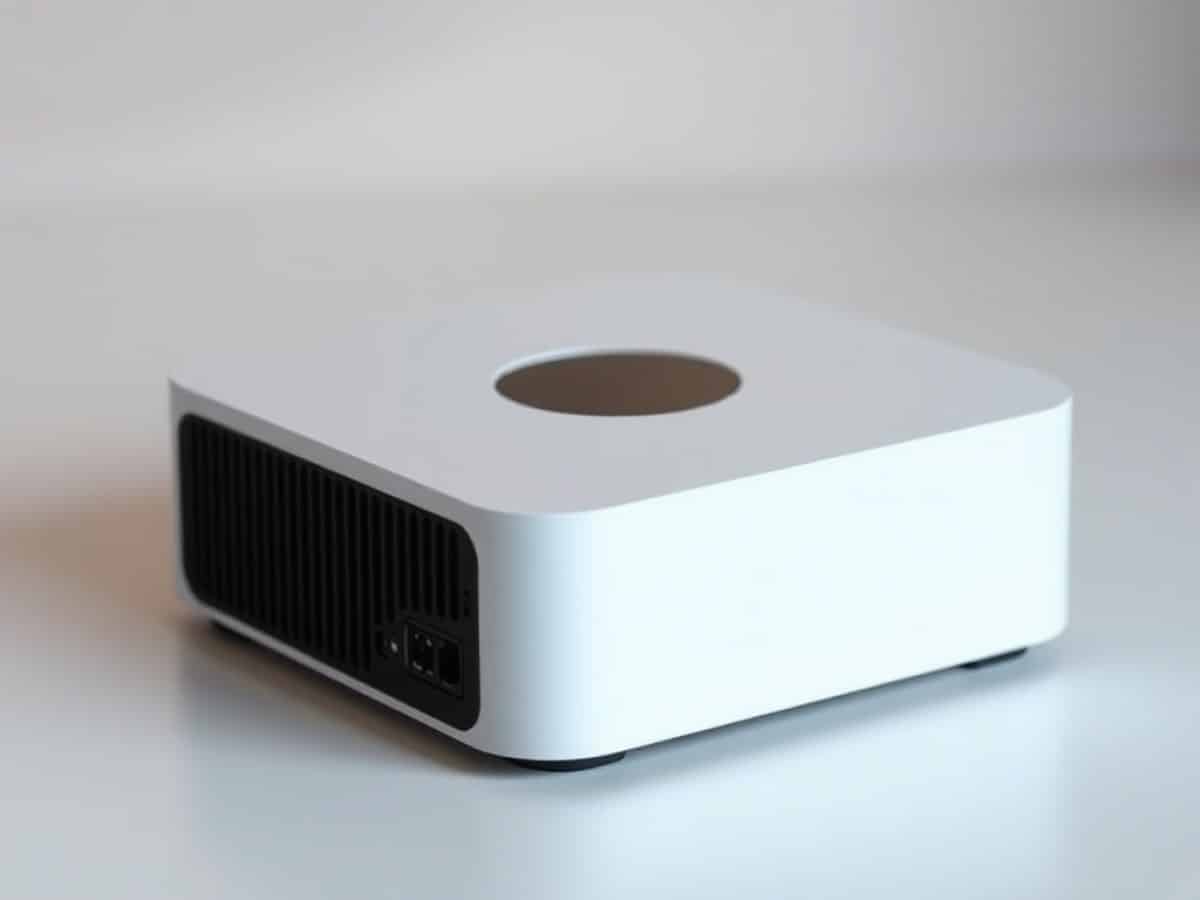
This isn’t a Mini PC that hides behind a monitor. The X1 Pro-470 is noticeably larger than last year’s model. It features a form factor reminiscent of the older Intel Mac mini, with a wider and deeper chassis.
In the box, Minisforum cleverly included a vertical dock. You can stand it on its edge to save space. It’s stable, neat, and gives it a cool, small control tower look.
Setting it up is a breeze for one simple reason: the power supply is integrated. No huge power brick lying on the floor or behind the desk. Just plug in a simple “clover” cord and you’re good to go.
The initial boot-up is typical for Windows 11 Pro, but the hardware touches stand out immediately. The fingerprint reader on the top is responsive and lets you bypass the password in a flash.
The specs promise two SO-DIMM slots for RAM, but on my test unit, I only saw one used. This is likely a cost-saving measure, a response to the RAM shortage, and is now very common in the PC world. However, as you’ll read later, this impacts GPU performance.
In terms of design, the unit features high-quality sandblasted aluminum. It’s understated and professional. The finishes are clean, nothing creaks, and the assembly appears solid.
The front is busy, perhaps too much so. It features two USB-A ports, a USB-C port, and a combo jack. But the strangest part is the physical Copilot button. Honestly? There’s already an icon in the taskbar and a keyboard shortcut. Having to drop your mouse to press a button on the PC seems unnecessary to me.
At the back, it’s a port festival. The double USB4 is there, and one of them supports 100W charging (Power Delivery). I tried powering it with a 65W laptop charger: it works, but performance drops by half. For full power, stick with the conventional power cord.
The side of the device hides a full-size SD card reader. It’s perfect for emptying your cards after a shoot without having to search for a lost dongle in a drawer. However, we achieved only average transfer speeds with this reader.
The networking is superb: two 2.5 Gbps Ethernet ports and Wi-Fi 7. You could turn this into a luxury NAS if you use the three available NVMe SSD slots.
A special mention goes to the OCuLink port. It’s the rising connection for eGPUs, offering significantly higher bandwidth than Thunderbolt 4 for gaming. If you have the brand’s DEG1 dock, you can transform this little PC into a 4K gaming powerhouse.
The top of the case features the fingerprint reader, compatible with Windows Hello.
There are also two small mics on the front for voice commands or impromptu meetings. The built-in sound is just for emergencies. Don’t expect it to replace your speakers; it’s adequate for a notification or a quick YouTube video, but it severely lacks bass.
Cooling appears to have been a priority. The vents are large and strategically placed.
The chassis remains quite “dense”. At 1.5 kg, the internal power supply and copper cooling system contribute to its weight. It’s not a PC you forget in a backpack, but it’s still portable.
One last note on the buttons: the Power button is clearly distinct from the Copilot button, but they are close together. Be careful of mispresses in the dark, even though the power button is located at the far left.
Finally, we’re looking at a power supply capable of delivering 134.9 W (19V / 7.1A).
Accessing the components involves removing a few screws under the rubber feet. It’s a typical Minisforum feature, a bit annoying, but you don’t go there every day. Once inside, the layout is clean, even if the single RAM slot issue bothers me.
Performance
Here, we have a new generation Strix Point, achieving the pinnacle of APU architecture: the Zen 5 CPU architecture and the RDNA 3.5 graphics core coexist so well that one might question if entry-level graphics cards are still relevant. This historic fusion is now enhanced by an NPU for artificial intelligence.
And this Ryzen AI 9 HX 470 is a computing beast. On Geekbench 6, it scored 2893 points in single-core and 10428 points in multi-core.
| Benchmark | Single-Core / Single-Thread | Multi-Core / Multi-Thread |
| Geekbench 6 | 2 893 pts | 10 428 pts |
| Cinebench 2024 | 117 pts | 1 100 pts |
| Cinebench 2026 | 646 pts (Core) / 481 pts (Thread) | 4 321 pts |
On Cinebench 2026, the 4321 points in multi-thread score shows that for video editing or 3D rendering, this little PC is no slouch.
Regarding the GPU, the Radeon 890M is the top integrated chip on the market. On Geekbench AI, it hit 28 809 points in Vulkan. In real terms? You can play recent games in 1080p with medium to high settings smoothly. It’s impressive for a graphic circuit that consumes almost nothing.
AI is a major selling point. With 86 TOPS total (NPU + GPU + CPU), local tasks like background blur in video calls or automatic transcription run without a hitch. It feels like the machine is ready for the upcoming wave of AI features in Windows, even if for now, it’s mostly marketing. You might be able to run some small local LLMs (and even then, it depends on the amount of RAM), but it could inspire some project ideas.
And the noise? That’s the pleasant surprise. It’s inaudible at rest. Under full load during a Cinebench render, there’s a hum, but nothing annoying. My tests show about 32.7 dB at 50 cm, which is extremely contained for such a powerhouse.
The “phase change” cooling seems to work wonders. The processor stays below 80°C even when pushed hard for an hour. It’s reassuring for the lifespan of the components, especially in such a confined format where heat is normally the number one enemy.
The 1 TB SSD provided is fast, making good use of PCIe 4.0. But the real luxury is having three M.2 slots. You can have one disk for the system, one for your games, and a huge one for your video archives without any cables lying around.
In multitasking, the 32 GB of RAM handles tasks smoothly. But offering 32 GB of RAM is good on paper, but placing it on a single slot (Single Channel) could be problematic.
To understand the issue, remember that the iGPU Radeon 890M doesn’t have dedicated memory: it draws directly from the system’s RAM. By running on a single channel, you’re halving the available memory bandwidth. For office work, it’s unnoticeable. But in gaming? The graphics chip spends its time waiting for data, creating a bottleneck.
In essence, this choice severely cripples gaming performance: you could lose between 20 to 40% of frames per second compared to a Dual Channel configuration (2 x 16 GB). As it stands, if you really want to game, your first task after purchase should be to buy a second RAM module to unleash the full potential.
The OCuLink port, tested with an external card, allows for tripling gaming performance. It shifts from a very robust desktop PC to an extreme gaming machine with just one cable. It’s the ultimate modularity for those who work hard and play even harder.
A note on USB-C power: don’t expect to use it for heavy tasks if your monitor doesn’t deliver at least 100 W. Geekbench scores plummet dramatically if power is lacking, with the PC switching to “forced economy” mode.
Price and Availability
At 1399 euros in this configuration, Minisforum moves from the “good deal” category to attacking the premium market.
Minisforum AI X1 Pro-470
at the best price
-
Amazon
999 €
Indeed, the Ryzen AI 9 HX 470 chip is a technological marvel, but the end user must consider whether they’re paying for power or for miniaturization. In my opinion, the Barebone version at 799 euros is much more appealing for those who already have RAM and an SSD on hand, especially considering the bottleneck caused by the Single Channel on the complete model.
Similar Posts
- GMKtec EVO-X2 Review: AMD Strix Halo Power, 128GB RAM, iGPU Rivals RTX 4060!
- Minisforum AtomMan G7 Pro Review: Transforming a Mini PC into a Home Console!
- Minisforum MS-02 Ultra Review: World’s Most Compact PC with GeForce RTX 5060 Unveiled!
- Geekom A9 Max Review: Is This Mini-PC the Ultimate Power-to-Cost Champion?
- Geekom A7 Max Review: Small Size, Big Performance – Don’t Be Fooled!

Maya Singh is a senior editor covering tablets and hybrid devices. Her work explores how these tools reshape digital productivity and learning. She also contributes to feature editorials on emerging tech.