
Scientists confirm: This is the most effective way to get your cat’s attention, according to new research
Elderly Couple Refuses Reserved Seats—Viral Train Standoff Sparks Fiery Debate on Courtesy
Not long ago, the gaming landscape was rather simple. Portable gaming consoles were mostly dominated by Nintendo, with new entries from Valve under Linux and even ASUS among other manufacturers in the Windows ecosystem. This diversity allowed many to experience PC gaming or enhance their gameplay like never before, marking a happy period in gaming history.
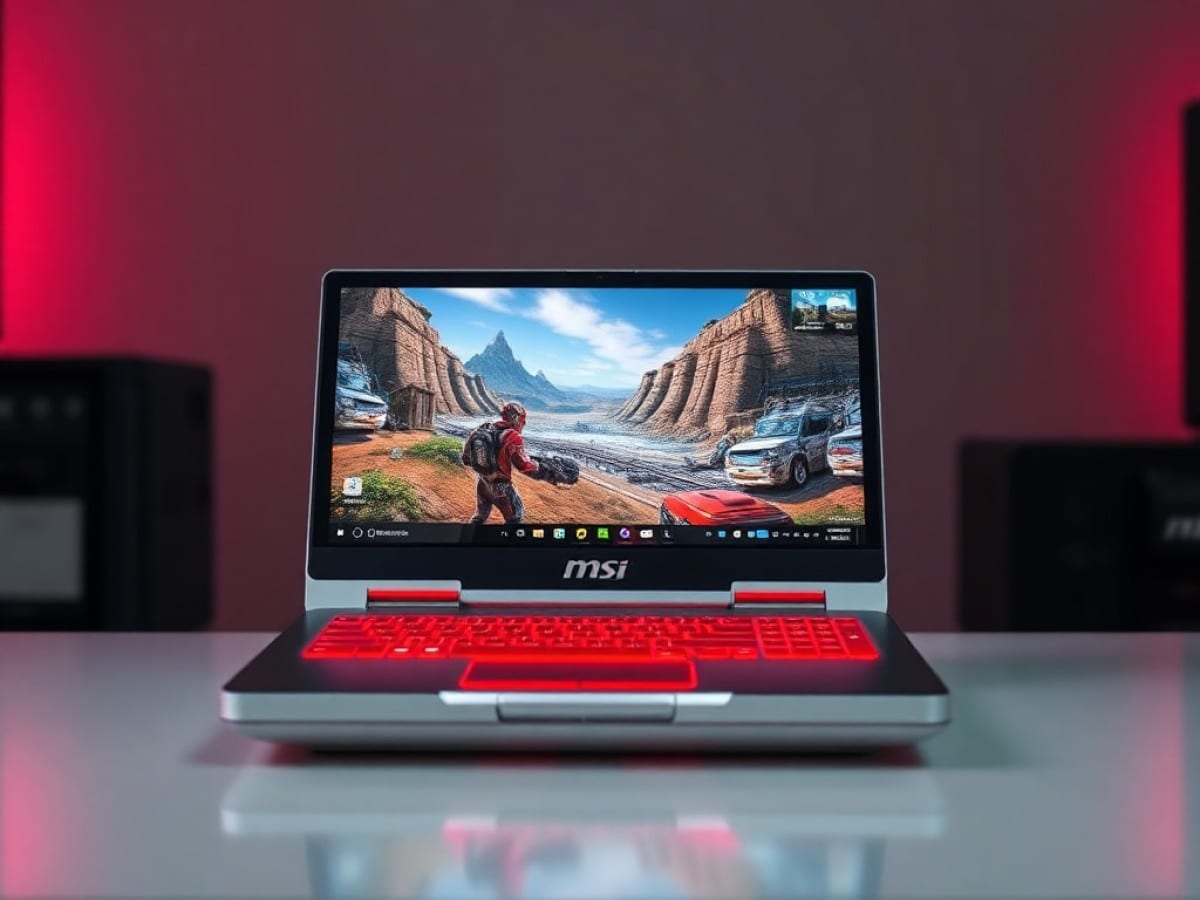
But the current RAM crisis, fueled by an investment bubble in artificial intelligence, has turned the tide. As the MSI Claw 8 EX AI+ enters the market as Intel’s first truly successful foray into this niche with its dedicated Arc G3 and G3 Extreme SoCs, it feels like delivering a pizza to a burning apartment. Yet, what a pizza it is, my friends—truly exceptional.
Technical Specifications
| Model | MSI Claw 8 EX AI Plus CG3EM |
|---|---|
| Dimensions | 32.1 cm x 13 cm x 4.8 cm |
| Support | Digital |
| Maximum Resolution | Full HD |
| Wifi | Wi-Fi 7 |
| Bluetooth | Yes |
| Weight | 785 g |
| Product Sheet |
Design
Since its debut at Computex 2026, the design of the MSI Claw 8 EX AI+ has received mixed reviews. Despite its overly complex and hard-to-pronounce name, the design of the handheld console itself largely follows the same design principles as the ROG Xbox Ally and Ally X, with the exception of its distinctive mauve color scheme, which really sets it apart.
The primary goal here is to optimize ergonomics to the fullest. To achieve this, MSI has made the same design decision as Asus ROG: allowing the screen to protrude from the chassis. However, the Claw 8 EX AI+ only allows the screen to protrude, whereas Asus ROG includes the speakers in its design, making it slightly thicker.
Additionally, the handles of the MSI model are not as “pronounced” as in the design itself; the entire body stretches to accommodate the hands, making the Claw 8 EX AI+ appear more imposing than its rival despite their similar sizes.
The MSI Claw 8 EX AI+ weighs 785 grams, compared to 715 grams for the ROG Xbox Ally X. This difference is hardly noticeable, as both handheld consoles rely on the balance of their components for comfort. Both achieve this balance remarkably well: playing on either feels like holding a traditional controller with a screen in the center. The screen is bigger on the MSI model, but it remains just as comfortable.
Buttons, Joysticks, and Triggers
The overall build quality is excellent, but what about the interactive elements of the MSI Claw 8 EX AI+? Let’s start with the joysticks. They use Hall effect sensors, which should prevent future stick drift issues. Unfortunately, they lack some tension, though they are not the worst on the market. If you prefer a bit of resistance and are a bit anxious, you may not find them entirely comfortable, although they are not overly soft.
Now, the directional pad. There’s improvement here on the MSI Claw 8 EX AI+, especially since the directions provide a satisfying click and precision that is sorely lacking in others. For the majority of users, this will be more than adequate. For those who use it primarily, especially for fighting games or demanding platformers, there’s a bit of rigidity in the entire block, particularly due to the central dome, which could be more elevated, and the very scooped shape of this saucer-like d-pad. It feels like the team had quarter circles in mind but went a bit overboard on the design. A less pronounced scoop and a higher dome would make it perfect!
In terms of interactive points, these are really the only two elements that could be criticized. The rest is near perfect, especially the ABXY buttons, whose feel and feedback are excellent, almost exactly like a standard Xbox controller. The analog triggers are also Hall effect sensors, offering excellent activation distance. The L1/R1 buttons are very clicky, but they activate regardless of where pressure is applied, thus perfectly supporting gaming sessions. The M1/M2 buttons at the back are perfect, just what you need to forget them easily but still activate them freely. And the new vibration motor is excellent, in line with the ROG Xbox Ally X, which has really made an effort in this area.
The only real concerns are with the ordinary menu buttons—Start/Select/Menu/Options. Very small, not of great quality, they do the job but require a lot of getting used to. Their small size and barely marked separation often lead to confusion between the two sides, and there’s nothing more frustrating than opening MSI Center M when you just wanted to pause your game. This trait is also found on the ROG Xbox Ally X, but at least that model had the good sense to make them feel different to the touch thanks to their angled design. Here, it will take creating muscle memory over many months before everything becomes natural to use.
Connectivity
One major advantage of trusting Intel is found here: two Thunderbolt 4 ports at 40 Gb/s on the top, and a microSD Express card reader on the top, in addition to the traditional combo jack port, which thankfully has not been abandoned by handheld consoles.
On the wireless front, the Intel advantage is still present. Wi-Fi 7 and Bluetooth 6 are on offer, representing the best technologies currently available in this category. Add to this the fingerprint reader integrated into the power button, perfect for securing a handheld console without making this security feature a chore to use daily.
Screen
One of the MSI Claw 8 EX AI+’s strongest selling points is the size of its screen. Here we find an 8-inch diagonal IPS LCD panel with a 1920 x 1200 pixel resolution, or a 16:10 ratio. This panel is touch-sensitive and offers a 120 Hz refresh rate compatible with VRR starting from 48 Hz. Let’s just say it now: these are the exact same characteristics as the ROG Xbox Ally X.
Under our probe and with the CalMAN software from Portrait Displays, we find coverage of 108% of the sRGB space for 72% of the DCI-P3 space. The maximum brightness is measured at 478 cd/m² for an excellent contrast ratio of 1438:1.
The average color temperature is measured at 7175K, a bit cool for the NTSC standard at 6500K, with an average delta e00 measured at 3.72 for a maximum of 6.71—excellent for this format and this level of competition.
Indeed, there’s no OLED, but this type of panel with VRR compatibility is much more expensive, and VRR on these formats is truly appreciated. Compared to the ROG Xbox Ally X, the MSI Claw 8 EX AI+ offers equal quality for a significantly larger diagonal.
Software
The biggest weakness of the MSI experience. MSI Center M remains a central software that is highly improvable, primarily serving to locate all your installed games and major platforms (Steam, Xbox, Epic, etc.) in one place.
And this interface is still a bit slow, not very pleasant to use, and doesn’t seem to have evolved much since the first MSI Claw 7. It still offers the ability to customize keys as you wish, both for changing the M1/M2 on the back and for adjusting stick sensitivity or vibration (excellent, by the way), but it’s a pity that you can’t also customize the menu buttons. Let’s hope that MSI adds this possibility in the future, through an update that we’ll find again on MSI Center M.
The advantage is that nowadays, Windows’ Xbox mode is truly at the center of use. If MSI Center M still exists, it’s in the form of a shadow while the Xbox app now takes precedence. Hallelujah, especially since this app has improved significantly since its first release and finally offers the remaining battery percentage or even the ability to add any game or any application as a shortcut. Alas, the impact on performance is still not very visible on the final experience, but navigating the OS with a controller is pleasant.
With all due respect to the MSI teams, it would be better nowadays for them to completely abandon the idea of MSI Center M and pass their updates through Windows itself. But for that, Microsoft would need to give the Xbox app much more settings, especially to be able to take control of the integrated controller.
Performance
The moment you’ve all been waiting for, no doubt. The MSI Claw 8 EX AI+ is powered by Intel’s G3X, the new SoC dedicated to gamers with a 14-core processor part—2 performance, 8 efficient, and 4 ultra-efficient cores—capable of turboing up to 4.7 GHz. It is especially coupled with the Intel Arc B390 graphics part with 12 Xe3 cores. Finally, we find in the MSI Claw 8 EX AI+ 32 GB of LPDDR5X RAM at 8533 MT/s and 1 TB of PCIe Gen 4 storage.
We will naturally compare all this to its sworn enemy, the AMD Ryzen Z2 Extreme also dedicated to handheld gaming PCs, and simply the best in its category before Panther Lake arrives.
Benchmarks
We chose to perform most of our tests in 5W increments, from 10 to 35W, to establish the real power curves of the two machines.
Under Cinebench 2026, we can see that the two configurations really find their comfort zone starting at 15W on single thread. Intel leads with 50% more power compared to its red rival.
In multi-thread, the two configurations essentially follow the same performance curve, which peaks at a score of 3689 points for the Intel G3X at 35W. This time, it corresponds to a modest but noticeable 19% performance gain over AMD.
Naturally, it’s in the integrated graphics circuit where we expect the duel against the Radeon 890M. And on Steel Nomad Light from 3DMark, we can see that Intel’s little baby seems to offer a much sharper curve than the AMD experience, which tends to stagnate from 25W while the blue team seems to have a bit more in reserve past 35W.
At 35W, it even offers 62% more performance, but at the heart of the mill at 20W, the difference is still very marked with 39% more performance. In theoretical benchmarks, Intel clearly dominates AMD.
In-Game
Now, managing a theoretical benchmark doesn’t tell everything about real-world gaming performance. That’s why we selected 10 modern games using 10 different game engines, which we tested in 5W increments from 10 to 35W. And a bonus LEGO Batman under Unreal Engine 5, for a total of 11 games tested.
The average FPS found were then converted into averages and compared with the ROG Xbox Ally X in the same exercise. All this in native performance, without any help from FSR, XeSS, or any other technology.
If the curves are less marked than Steel Nomad Light, the evidence is naturally that the MSI Claw 8 EX AI+ is more performant. But above all, we find once again a faster plateau for the Z2 Extreme, which from 20W has little more to offer when the Intel G3X continues to climb pleasantly and doesn’t seem to want to find its plateau until 35W.
Note that at 20W, the MSI Claw 8 EX AI+ exceeds the average of 30 FPS when the ROG Xbox Ally X continues to be below 25 FPS on average. And at 35W, we find 51% more performance for the Intel G3X at 42.3 FPS average compared to 28.
Let’s now compare the games in more playable conditions, i.e. in High level with FSR or XeSS activated in balanced mode without frame generation. All on three striking performance profiles for these SoCs: 15W, 25W, and 35W. The lowest possible for modern games, the 10W having no chance of working outside 2D games that would work anyway, the best performance/consumption ratio, and the maximum performance.
007 First Light (Glacier)
We start very strong here since the Intel G3X offers better performance on the Glacier engine of 007 First Light at 15W than the Z2 Extreme can provide on its best profile of 35W. Everything is more or less said, but let’s note a superb optimization that allows more than 60 FPS as soon as 25W on the MSI Claw 8 EX AI+.
Alan Wake 2 (Northlight)
At 15W, we see that the Z2 Extreme does not reach the playable 30 FPS on Alan Wake 2 when the Intel G3X is already playable with an easy-to-maintain stable 30 FPS. At the maximum of 35W, Intel allows us to have a small 13% more performance. The competition is already a bit tighter.
Assassin’s Creed Shadows (Anvil)
An important element to note here: in High mode, Assassin’s Creed Shadows freely uses ray-tracing. This is certainly what explains why, once again, Intel takes the lead with a 25W mode far superior to the near unplayable 35W at AMD. The difference here is 21% at 35W.
Battlefield 6 (Frostbite)
In Battlefield 6, Intel once again takes the lead from 25W. Several striking points here: the G3X reaches 34 FPS from 15W, when AMD must reach its 25W, and the blue team almost reaches 60 FPS at 35W. The slap is striking at 35W: +42% performance at 35W.
Black Myth Wukong (Unreal Engine 5)
The same observation as BF6 for Black Myth Wukong: 15W passes 30 FPS at Intel, and 25W surpasses 35W of the red team. We arrive at a difference at 35W of +33% for Intel’s G3X.
Cyberpunk 2077 (REDengine)
You’re starting to know the song. More than 30 FPS from 15W at Intel, which reaches a relatively equivalent score only from 25W. Intel takes the first two places and offers 42% more performance. XeSS also offers a more polished image rendering, making the 60 FPS reached on Cyberpunk 2077 really pleasant to the eye.

Maya Singh is a senior editor covering tablets and hybrid devices. Her work explores how these tools reshape digital productivity and learning. She also contributes to feature editorials on emerging tech.