
Scientists confirm: This is the most effective way to get your cat’s attention, according to new research
Elderly Couple Refuses Reserved Seats—Viral Train Standoff Sparks Fiery Debate on Courtesy
The Duo series from Asus has gained renewed vigor. With the rise of dual-screen designs, what was once a concept has transformed into fully-fledged devices that don’t require significant compromises. While the ultrabook category boasts a powerful Zenbook Duo this year, the creative and gaming sectors haven’t seen a new “Duo” model in a while.
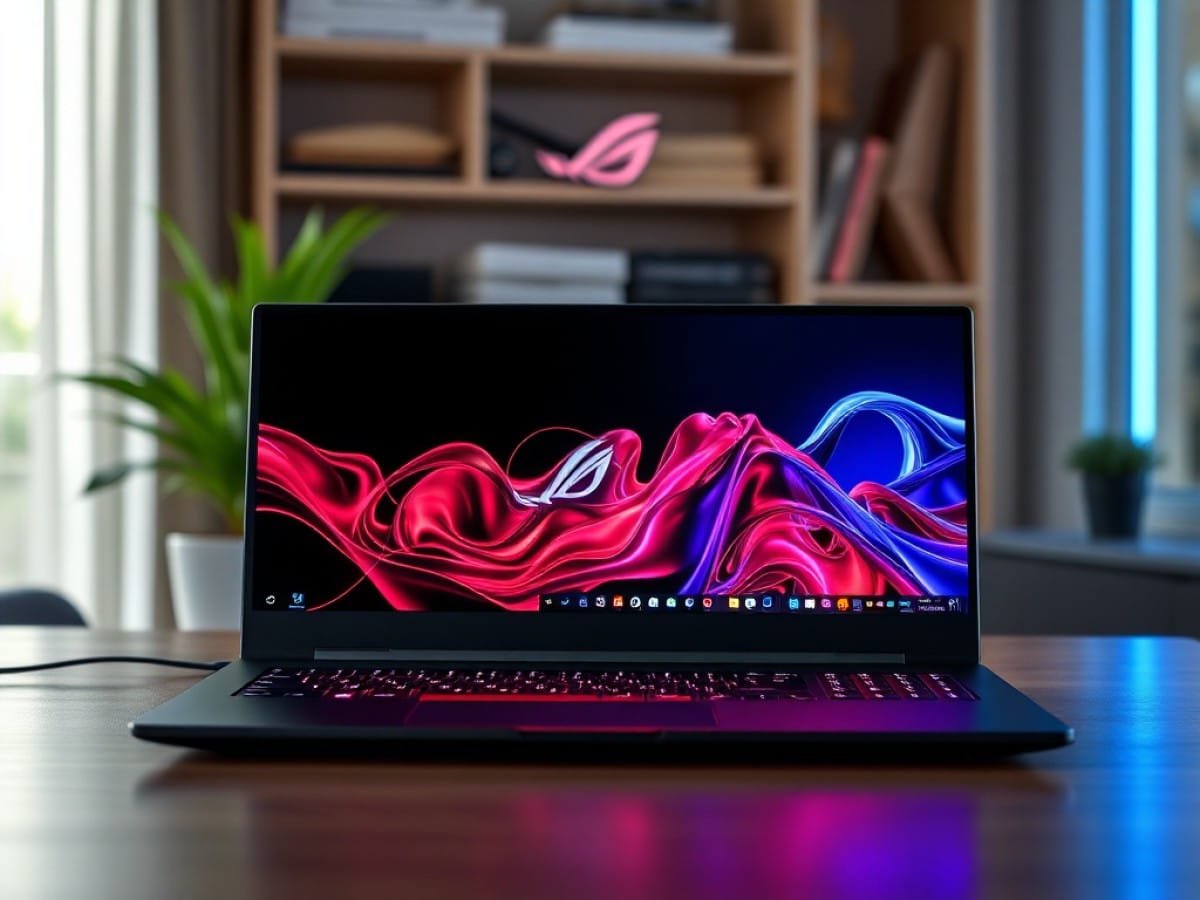
The wait is over. With the ROG Zephyrus Duo, Asus has doubled down on its offering by pairing the same design with an ultra-powerful setup. The result is an extremely intriguing—and pricey—laptop that will undoubtedly appeal to a specific market segment that doesn’t mind the high cost.
Technical Specifications
| Model | Asus ROG Zephyrus Duo (2026) |
|---|---|
| Dimensions | 355 mm x 19.9 mm |
| Display Technology | OLED |
| Touch Screen | Yes |
| Processor (CPU) | Core Ultra 9 386H |
| Graphics Chip (GPU) | NVIDIA GeForce RTX 5090 |
| RAM | 32, 64 GB |
| Internal Memory | 1024, 2048 GB |
| Material | Plastic |
| Operating System (OS) | Microsoft Windows 11 |
| Weight | 2820 grams |
| Depth | 247 mm |
| Product Details |
Design
If you’ve ever seen a Zenbook Duo in the wild, imagine “the same but thicker”. If not, imagine a relatively normal gaming laptop when closed.
Aside from a slightly heavier weight than other premium products in its category, at 2.82 kilograms, it doesn’t stand out much at first glance. It also has a noticeable thickness of 2.5 centimeters, which might suggest a step back in design.
The real magic happens when you open it. The Asus ROG Zephyrus Duo reveals its full potential with two OLED screens connected by a 360° hinge, and a magnetically attached keyboard on the lower part that can be freely detached. At the back of the chassis, a built-in stand of excellent quality allows the setup to be placed upright with the keyboard lying flat in front of it.
The result? We have a primary screen typically perfectly positioned in front of the eyes, and a completely free secondary screen beneath it. This configuration is ideal for optimizing various production uses. But unlike the Zenbook Duo, we’re no longer limited to photo editing and light video work.
The sheer power of the Zephyrus Duo means it can easily handle massive 4K editing, complex After Effects timelines with multiple effects, or even a comfortable mobile streaming setup.
For anyone used to a multi-screen setup, the Zephyrus Duo makes perfect sense. Unlike some competitors where the screen is just a single flexible panel, the separation here is beneficial: it allows you to treat the two areas as distinct screens, something that Windows already manages well. Users can intuitively find their way around, quickly setting up their favorite tools.
Keyboard and Touchpad
This concept is largely possible thanks to the detachable keyboard. Note that it’s powered by pogo connectors when attached to the setup, but it also includes a battery for easy use once detached. It then connects via Bluetooth to the main chassis to function freely, and it can also be charged via USB-C if needed.
When placed on the second screen, the keyboard configuration is nearly perfect. Asus has significantly improved over the years, ensuring the keys always offer good travel and effective stabilization. Aside from the split space key, tailored to an American layout, nothing feels uncomfortable. The same goes for the touchpad, which is broad and smooth, lacking haptic feedback here but still very solid.
The only issue with usage is that once detached to enable dual-screen use, this “not-so-optional accessory” still needs to be… placed somewhere. And then, we are faced with the thinnest, flattest keyboard in the world, which isn’t particularly ergonomically optimized. While it’s quite usable on your lap, one can’t help but wish for a slight tilt when used on a desk, for the sake of our wrists.
Connectivity
On the left, we find an HDMI 2.1 port, a USB A 3.2 Gen 2 port, a USB-C Thunderbolt 4 port, and a combo jack. On the right, a second USB-C Thunderbolt 4 port, another USB A 3.2 Gen 2 port, and a full-size SD card reader. For wireless connections, it includes Wi-Fi 7 and Bluetooth 6.0.
Nothing is missing, and Asus has even made an effort to place the most important ports on both sides of the setup. Hats off to the designer.
Webcam and Audio
The integrated 1080p webcam here isn’t great, as is often the case. While the output isn’t too bad, artifacts and noise are very present, and the colors are somewhat washed out. It’s sufficient for video conferencing.
The audio setup is surprising. The main speakers are located between the two OLED panels, on the hinge itself, which prevents them from being muffled by the user. The quality is average but effective.
Screen
The Asus ROG Zephyrus Duo features two 16-inch OLED panels with a resolution of 2880 by 1800 pixels, giving a 16:10 aspect ratio. Both panels support a maximum refresh rate of 120 Hz and are touch-enabled with an effective anti-glare coating.
We’ll treat both panels as one, as they are virtually the same under our probe and with the CalMAN software from Portrait Displays. In our measurements, we find a coverage of 161% of the sRGB space and 115% of the DCI-P3 space. The maximum brightness is measured at 471 cd/m² in SDR, quite good, while the VESA DisplayHDR True Black 1000 certification guarantees brightness peaks of at least 1000 cd/m² in HDR.
The average color temperature is measured at 6155K, slightly warm compared to the 6500K NTSC standard sought. The average delta e00 is measured at 2.76, simply perfect, with a maximum deviation of 5.72, which is very reasonable. Overall, we are looking at an excellent panel that will meet the demands of creatives who are particular about their colors.
Software
Here, we find the usual combination of MyAsus and Armoury Crate, which together manage the machine’s finer settings without any issues. Everything works very well, as always. And as per Asus, there are also some pre-installed software that should be removed quickly.
Importantly, the manufacturer here enables its ScreenXpert software by default along with some utilities to make using the dual screens simpler. In truth, it must be admitted that the tools pre-integrated on the Windows operating system are largely sufficient for use in landscape mode, which will be 99% of the time spent on this setup truly dedicated to creatives.
Performance
In our test configuration, the most expensive for this product, the Asus ROG Zephyrus Duo is powered by the Intel Core Ultra 9 386H, a SoC with 16 cores for 16 threads capable of turboing up to 4.9 GHz. It is paired with 64 GB of LPDDR5X RAM at 8533 MT/s, and 2 TB of storage on PCIe Gen 5.0.
Naturally, the star of the show is the NVIDIA GeForce RTX 5090 mobile graphics part, with a 150-watt TDP. It benefits from 24 GB of VRAM in GDDR7, accelerating all sorts of uses from gaming to creation to artificial intelligence.
Benchmarks
Under Cinebench 2024, we find scores of 995 points in multi-core and 126 points in single-core. These translate under Cinebench 2026 into scores of 4194 points in multi-threads for 516 points in single-thread.
Let’s be clear: Qualcomm wins the crown in this category, but Intel’s greater compatibility and these excellent performances are important in the context of the Zephyrus Duo. The Snapdragon X2 Elite Extreme would have been a problem here.
For the graphics part, we find scores of 5561 points on Speed Way for 5217 points on Steel Nomad. These scores remind us more of an RTX 5080 mobile than an RTX 5090 mobile, which is somewhat disappointing. Nothing surprising though: some sacrifices must be made to accommodate such a unique chassis. And for creatives, the 24 GB of VRAM may prove important. If you’re considering the config for gaming, there’s no need to go for this premium configuration; the RTX 5070 Ti or 5080 version will be sufficient.
In Game
There’s no contest: we’re about ten FPS behind the RTX 5080 integrated into the latest MSI Raider 16 here. The performance sacrifice to accommodate such a unique chassis is evident, meaning that for a gaming profile, there’s no justification for investing in the RTX 5090 version here.
For Creatives
This is where we find a performance bonus compared to an RTX 5080 mobile: video editing, on which we find an increase of… 5%. Still, a larger VRAM pool will be absolutely necessary for some creatives, especially on After Effects.
Cooling and Noise
When set to turbo mode on synthetic full-power processes, the Zephyrus Duo proves to be quite noisy, akin to a small hairdryer. But here’s the thing: in use, on a more typical performance profile, the computer knows how to walk the line between noise and power to maintain comfortable use. Temperatures are very well managed even at full throttle, with a maximum of 50°C measured on the chassis and well away from the user.
Battery Life
The Asus ROG Zephyrus Duo is equipped with a large 90 Wh battery, almost as large as it’s legally allowed to be on an airplane (99 Wh). The setup is supported by a 250-watt power supply, which benefits from Asus’s proprietary reversible charger, although the computer also accepts chargers in Power Delivery.
In office use, with brightness limited to 50%, we find a battery life of between 6 and 7 hours when using both screens simultaneously. On a single screen, we barely reach between 9 and 10 hours.
The fact is that this setup is primarily meant to be “portable”. In which case, achieving nearly ten hours on office use is already quite pleasant in itself, especially considering that other configurations dedicated to heavy creative work typically fall below the 5-hour mark.
Price and Availability
The 2026 Asus ROG Zephyrus Duo is priced from 7000 euros in France with an RTX 5070 Ti. For our test version, the most premium with an RTX 5090 and PCIe Gen 5 storage, you will need to shell out no less than 8199 euros.
Asus ROG Zephyrus Duo (2026)
at the best price
-
Amazon
7 999,99 €
Similar Posts
- Asus ROG Zephyrus G14 (2025) Review: Small Size, Big Power!
- Asus TUF Gaming A18 (2025) Review: Is It Too Big for an RTX 5050? Find Out Now!
- Asus TUF Gaming A18 (2025) Review: Is It Too Big for the RTX 5050?
- Asus ROG Strix G16 (2025) Review: Discover the Power of Mobile RTX 5060
- Asus ROG Strix Scar 18 Review (2025): Unleashing the Power of RTX 5080 on Mobile!

Maya Singh is a senior editor covering tablets and hybrid devices. Her work explores how these tools reshape digital productivity and learning. She also contributes to feature editorials on emerging tech.