
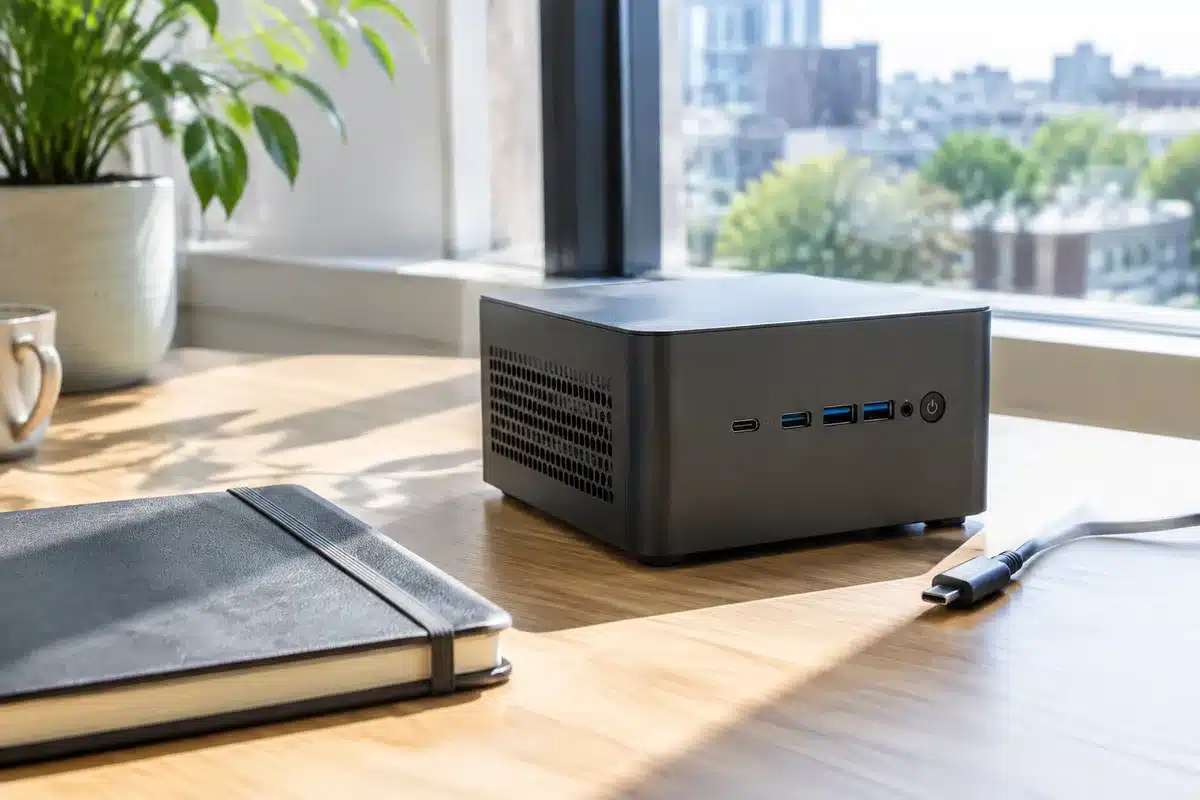
Despite its somewhat odd name, the A5 2027 we’re reviewing is not a prototype of a future release. Geekom is already selling this unit and has been for several weeks. Why “2027,” then? Most likely to suggest it’s prepared for tasks you’ll face next year.
Scientists confirm: This is the most effective way to get your cat’s attention, according to new research
Elderly Couple Refuses Reserved Seats—Viral Train Standoff Sparks Fiery Debate on Courtesy
That said, given the hardware updates expected in 2027, don’t count on revolutionary changes. The A5 2027 relies on a Ryzen 7 7730U — an 8-core chip that can boost up to 4.5 GHz — and should remain competent for many common workloads. One cost-saving choice by Geekom that’s worth noting: the CPU runs on DDR4, not expensive DDR5. A sensible move in the current market.
Specifications
| Model | Geekom A5 2027 |
|---|---|
| Dimensions | 112 mm × 117 mm × 49.2 mm |
| Processor (CPU) | AMD Ryzen 7 7730U |
| Graphics (GPU) | AMD Radeon Graphics (iGPU – Vega) |
| Memory (RAM) | 16 GB (2 × 8 GB DDR4-3200 SO-DIMM) |
| Internal storage | 256 GB / 512 GB NVMe (depending on configuration) |
| Wi‑Fi standard | Wi‑Fi 6 (802.11ax) |
| Bluetooth version | 5.4 |
| Operating system | Microsoft Windows 11 |
| Weight | 652 grams |
| Product sheet |
The review unit was provided on loan by Geekom.
Design: classic Geekom styling
If you’ve read mini‑PC reviews on Frandroid for a while, you’ll recognize Geekom’s design language: the A5 2027 uses the same “A” chassis as its predecessors. The case comes in a pale gray finish with subtle silver trim that gives it a neat, understated look. Rounded corners help it avoid an overly industrial or boxy aesthetic, which is a nice touch.

Being a mini‑PC, the unit is compact — especially so given its nearly square footprint of 117 × 112 mm. Where it really stands out among small PCs is height: at 49.2 mm it’s slimmer than many rivals. The unit is also light, weighing precisely 652 g. Note that the external power brick is separate and adds extra bulk: the adapter measures about 100 × 64 × 25 mm and weighs roughly 280 g.
One interesting claim from Geekom is the chassis’ robustness: the company describes a “reinforced one‑piece metal structure” capable of withstanding up to 300 kg of vertical pressure. While there’s no formal certification presented — so take that with skepticism — Geekom also says it ran tests for temperature, electrostatic discharge, drops, pressure and aging. In hand, the machine feels solid and well built.
Connectivity: a functional but modest set
Geekom’s mini‑PCs can vary widely in connectivity, sometimes offering the cutting edge and sometimes keeping things basic. The A5 2027 falls into the pragmatic middle: don’t expect Thunderbolt or USB4 here, nor multi‑gigabit wired networking beyond a single Ethernet jack. There’s no 5 or 10 GbE port — just one network port, which is 2.5 GbE.
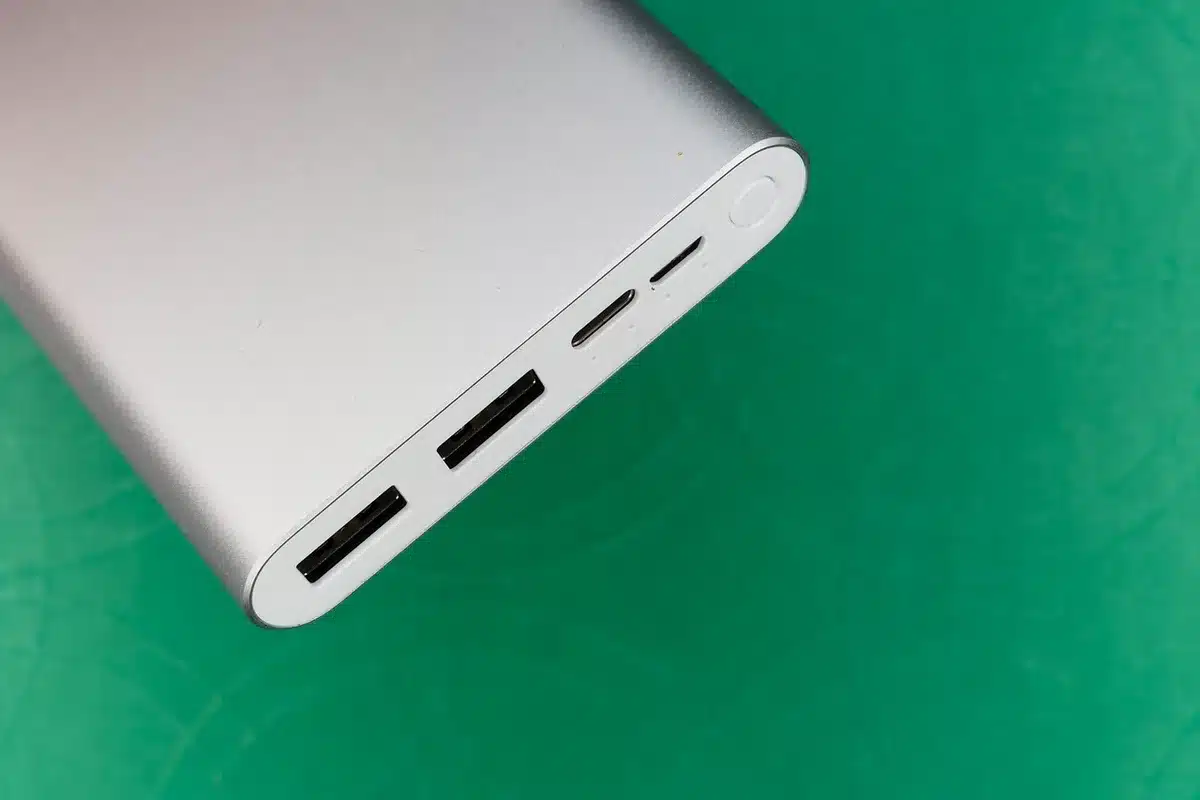
Still, the machine provides a total of six USB ports. Two USB 3.2 Gen 2 Type‑A connectors sit on the front, and on the rear there’s one USB 2.0 Type‑A, one USB 3.2 Type‑A and two USB 3.2 Type‑C ports. The two Type‑C ports do not support Power Delivery, but they do carry DisplayPort signals, so you gain flexibility for multiple displays.
The A5 2027 ships with two HDMI 2.0 outputs on the back, and by combining those with the two USB‑C DisplayPort lanes you can drive up to four monitors simultaneously — handy for desktop setups. Physical extras include a Kensington lock slot on the left and an SD card reader on the right. As mentioned, network connectivity is limited to a single 2.5 GbE RJ45 port.
Accessories: almost bare essentials
Fans of Chinese mini‑PCs know they rarely overload the box with extras, and Geekom follows that trend here. In the packaging you’ll find a small thank‑you card — decorative and pleasant, if not useful — plus the power brick rated up to 65 W, the power cord and an HDMI cable. Notably absent is an Ethernet cable; given the price of a basic patch cable, that omission feels stingy.
A handful of screws and a metal bracket are included, however. These aren’t glamorous, but the bracket is a VESA mount kit that lets you affix the mini‑PC to the back of a monitor to save desk space — a practical inclusion that not every maker remembers to provide.
Software: Windows 11, almost ready out of the box
Mini‑PC makers continue to default to Microsoft’s ecosystem, and Geekom is no exception. There’s no option to buy the A5 2027 without an OS or preinstalled with a Linux distribution; the unit I received boots into the Windows 11 setup and completes installation on first run. That means you’ll get a machine that’s quickly usable, provided you’re comfortable with Windows.
Importantly, the preinstalled copy isn’t a limited or “trial” edition, so you won’t get nag screens prompting you to activate Windows after a few days. Geekom also recommends completing the initial Windows setup while the PC is offline — don’t plug in the Ethernet cable or join Wi‑Fi right away. That prevents Windows from immediately downloading updates and can shave time off the first‑boot experience.
Beyond Microsoft’s own tools, Geekom doesn’t bundle additional third‑party utilities or bloatware. That clean software slate is appreciated: you get no extra features, but equally no unwanted apps to uninstall. At Frandroid we prefer systems that ship this way.
Performance: real‑world behavior
The “2027” suffix implies an iterative update, but technically the core is familiar: the Ryzen 7 7730U is a somewhat older mobile chip. It still offers 8 cores and 16 threads and can boost up to 4.5 GHz. In the mini‑PC format there’s no discrete GPU option, so graphics rely on the processor’s integrated Radeon (Vega) iGPU — which, to be frank, isn’t the newest integrated graphics architecture from AMD.
A notable advantage of this platform is DDR4 memory support. Geekom ships two SO‑DIMM sticks of DDR4‑3200, each 8 GB, for a total of 16 GB — a sensible compromise in today’s price climate, even if it’s a step down from the 32 GB some minis offered not long ago. Both SO‑DIMM slots are occupied, but the system supports up to 64 GB total if you decide to upgrade later.
Disassembly is straightforward: remove the four screws hidden in the rubber feet, lift the rear plate, and you have access. Be mindful of the SATA cable when opening. Inside you’ll find the two SO‑DIMM slots, a SATA connector that can host a 2.5‑inch drive (a rarity in tiny PCs), and two M.2 sockets. The primary M.2 is occupied by a 512 GB Kingston NVMe 2280 SSD; the second M.2 is 2242 in length and supports SATA only. The Wi‑Fi card and SD card reader live under the M.2 area; Wi‑Fi is limited to Wi‑Fi 6 and Bluetooth is 5.4.
Graphics are the weak point: our 3DMark runs confirmed that the iGPU struggles. Fire Strike returned 3,419 points, Time Spy Extreme managed only 626 points, and the lighter Steel Nomad test scored 201. In gaming tests the limitations are clear: at 720p with maximum detail, Shadow of the Tomb Raider ran at about 27 fps and Forza Horizon 5 reached only 16 fps — effectively unplayable.
Dropping settings to the lowest available helps but doesn’t turn the A5 2027 into a capable gaming rig: we measured averages of roughly 53 fps in Tomb Raider and 59 fps in Forza at minimal quality. These figures are average framerates and occasional stutters remain possible. For fast‑paced, demanding titles this machine isn’t suited, but lighter indie titles and emulator games perform comfortably. We tested indies such as Horizon Chase Turbo, Samurai Shodown, Tricky Towers, Unpacking and Unrailed and didn’t encounter issues.
For CPU workloads, Cinebench 2026 offers a realistic portrait: single‑threaded performance landed at 351 points, not far behind some higher‑end mini‑PCs (the IT13 Max we tested scored 435 single‑thread). In multi‑threaded mode, however, the A5 2027 is outpaced — 1,942 points versus 3,610 for that higher‑end competitor.
PCMark, which aggregates everyday tasks ranging from basic office work to light content creation, highlights the system’s limits where graphics acceleration matters. The essentials test scored 6,905 and productivity 12,869 — both in a reasonable range — but the digital content creation test returned only 5,375 points, well behind more powerful mini‑PCs like the IT13 Max (about 10,130 points).
Storage performance reflects Geekom’s cost choices: the supplied Kingston NVMe drive is PCIe 3.0. CrystalDiskMark shows sequential reads near 3.7 GB/s and sequential writes around 3.1 GB/s. That’s slower than PCIe 4.0 drives but perfectly fine for everyday use.
Finally, on AI tasks the A5 2027 is not intended to shine. With 16 GB of system RAM and no dedicated accelerator, local AI workloads are constrained. Using the Procyon suite, tests repeatedly warned that the hardware was unsuitable; the only test that completed — image generation with Stable Diffusion 1.5 Light — was almost a failure. If you need a machine for serious local AI experimentation, look elsewhere.
Power draw and thermal behavior
Geekom hasn’t aimed for innovation here but rather for a proven, cost‑effective approach. Cooling relies on the company’s IceBlast 3.0 system, a combination of a large fan and a single‑piece metal chassis. That design does the job: under our heaviest runs the CPU peaked at about 82.9°C but we didn’t observe throttling. Typical loads kept the CPU under 70°C most of the time.
The SSD and memory also stay reasonably cool — the NVMe never exceeded about 50°C even with only a small thermal pad. Acoustic levels are modest: the fan is audible but not intrusive, with a maximum measured around 35.6 dB and an average in the low 30 dB range, which is positive for a compact, actively cooled unit.
Power consumption is likewise modest. The A5 2027 typically draws around 20–25 W in normal use and peaked near 35.4 W under maximum load. These numbers are acceptable for a mini‑PC of this class.
Price and availability
Using DDR4 memory and offering 256 or 512 GB SSD options shows that mini‑PC makers are trying to hold prices down where they can. That said, the A5 2027 still sits at a mid‑range price point.
The machine has been available from major retailers for several weeks. Expect to pay about €579 for the configuration with 16 GB of RAM and a 512 GB SSD. A model with a 256 GB SSD (still with 16 GB of RAM) is listed around €499. Given the compromises — older iGPU, DDR4 memory and a PCIe 3.0 SSD — those prices are reasonable if your needs are office work, multi‑screen desktop setups or light multimedia, but the A5 2027 is not the right choice if you require strong GPU performance or local AI processing.
Similar Posts
- Geekom A9 Max Review: Is This Mini-PC the Ultimate Power-to-Cost Champion?
- Geekom A7 Max Review: Small Size, Big Performance – Don’t Be Fooled!
- Geekom A5 Pro Review: Affordable Powerhouse Mini-PC with a 3-Year Warranty – Is It the Best Right Now?
- Geekom A9 Max 2026 Review: Mini-PC Upgrades to Ryzen AI 9 HX 470 Power!
- GMKtec EVO-T1 Review: Intel’s Latest Mobile Processor Gives It a Serious Edge

Maya Singh is a senior editor covering tablets and hybrid devices. Her work explores how these tools reshape digital productivity and learning. She also contributes to feature editorials on emerging tech.