

Prepare yourself for a productive 2027
Scientists confirm: This is the most effective way to get your cat’s attention, according to new research
Elderly Couple Refuses Reserved Seats—Viral Train Standoff Sparks Fiery Debate on Courtesy
The year-end is a great moment to pick up a new skill or begin developing an idea. Learning involves researching, taking notes and practicing — and the Samsung Galaxy Tab S12 lineup is built to support all of that. Combining strong performance, long battery life and Galaxy AI in a slim, lightweight body, the Galaxy Tab S12 family — especially the Tab S12 Ultra and Tab S12+ — also supports professional apps and optional accessories that help with studying and creative projects.
At a glance
- A slender, lightweight chassis and durable battery life make the Galaxy Tab S12 a portable workspace for study and productivity.
- Galaxy AI tools, Multi Window multitasking, the S Pen and Note Assist bring research, note-taking and AI help together.
- Support for professional apps and accessories gives you practical ways to turn learning and ideas into real work.
Quick tip 1: Keep your entire workflow visible
When you’re studying something new, you rarely focus on just one thing. You might be watching a lecture while jotting down notes and searching for additional information.
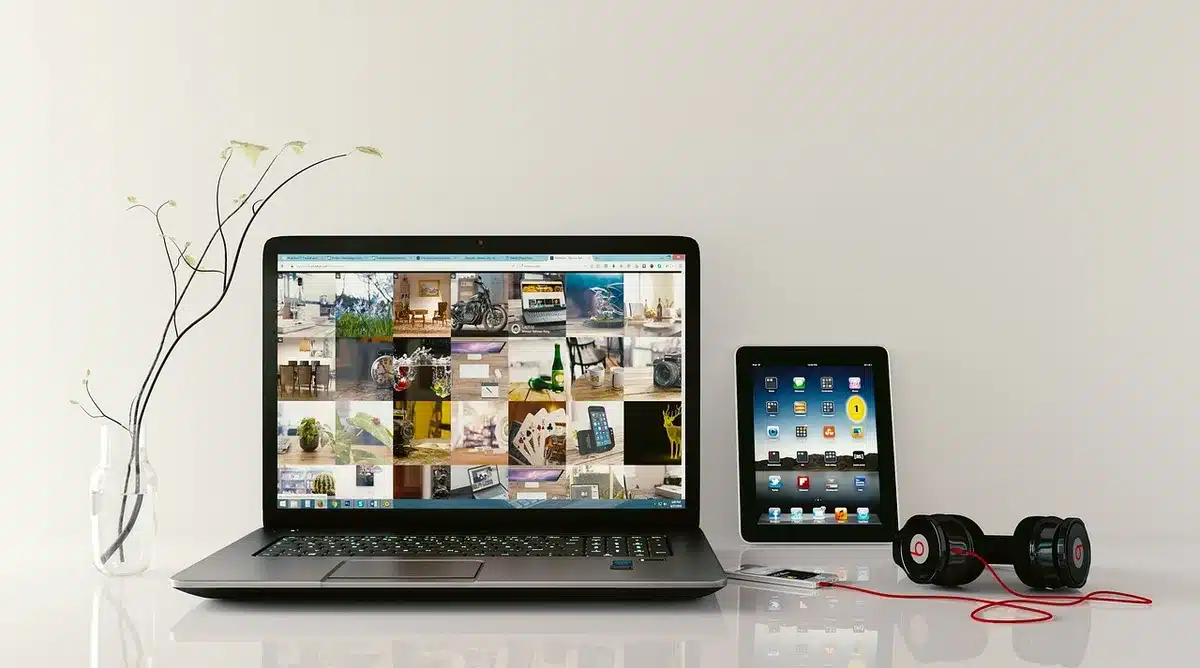
On the Galaxy Tab S12 models, Multi Window lets you display up to three apps side-by-side. For instance, you could stream a class, have Samsung Notes open for writing, and run an AI assistant simultaneously. This arrangement reduces the need to switch apps constantly and helps you move smoothly between different kinds of material.
The bundled S Pen makes it straightforward to highlight key points, mark up documents or sketch diagrams directly on the screen as you follow along.
Quick tip 2: Turn notes into actionable summaries
Writing notes is only one step. Going back over what you captured and pulling out the main ideas helps you retain and apply new information. Note Assist in Samsung Notes can generate summaries of your notes, making it easier to review lessons or study material. Note Assist needs a Samsung Account and works when your notes have at least 200 characters. Instead of re-reading every line, a summary lets you focus quickly on the most important concepts and decide what to study next.
Quick tip 3: Use Gemini to deepen your understanding
Asking questions is a key part of learning. The Galaxy Tab S12 series includes a six-month trial of Google AI Pro, giving broader access to Google’s AI tools. Gemini can help you investigate topics more fully when questions arise.
Why You Should Never Reheat These Foods in the Microwave – The Hidden Dangers Experts Warn About
I tried the top 5 guard dogs—here’s what makes these breeds the ultimate protectors
Gemini Notebook aggregates notes, images, recordings and documents into a single workspace. It can also produce summaries, generate podcasts and create quizzes to help you review and internalize what you’ve collected.
Quick tip 4: Carry your workspace with you
A capable creative or study setup doesn’t need to stay in one place. The Galaxy Tab S12 Ultra measures 5.1mm thin and weighs 692g (Wi‑Fi model), while the Galaxy Tab S12+ is 5.3mm thick and weighs 553g (Wi‑Fi model).
Battery life is engineered for long sessions: the Galaxy Tab S12 Ultra can provide up to 23 hours on a single charge, and the Galaxy Tab S12+ up to 21 hours. That slim profile and extended battery mean you can take a class on the commute, keep working at a café and continue in a library without worrying about recharging frequently.
Quick tip 5: Give resource-heavy tasks the power they require
The Tab S12 family isn’t just for note-taking and browsing — it delivers Samsung’s most capable tablet performance yet. Built on a 3nm process, the chipset offers markedly better performance than the previous Tab S11 Ultra: up to 61% faster NPU processing, about 19% higher CPU performance and roughly 17% improved graphics performance.
A redesigned 3D vapor chamber helps manage heat during intensive work like video editing or advanced graphics tasks. The Tab S12 Ultra is available with up to 16GB of RAM and 1TB of internal storage, and you can expand storage with a microSD card up to 2TB.
Quick tip 6: Choose apps that match your projects
The Galaxy Tab S12 series runs a wide array of apps suited to learning and creative work. Adobe Photoshop comes preloaded, bringing robust image-editing and design tools to the Android tablet environment with S Pen compatibility.
LumaFusion offers professional-level video editing, and Clip Studio Paint supports advanced drawing and painting. Productivity apps like Notion help with writing, planning and organization, while Notability and GoodNotes are tailored for capturing and organizing handwritten notes.
For problem-solving and study aids, MyScript Math can solve handwritten equations and display the steps, and MyScript Notes converts handwriting into study materials and quizzes.
Samsung also bundles app and service perks worth around $600 in total, including trials and discounts to help you get started.
Quick tip 7: Equip the tablet with the accessories that fit your routine
An S Pen is included with every Galaxy Tab S12, providing a natural input method for note-taking, annotation and sketching. For extended typing sessions, the Pro Keyboard creates a more traditional laptop‑like setup with an aluminum finish and a dedicated Galaxy AI Key for quick AI access. The Book Cover Keyboard Slim is another keyboard option offering comfortable viewing angles and easy typing. Together, the tablet, S Pen and optional accessories give you multiple ways to turn what you learn into real work.
Wrap up 2026 by practicing what you’ve learned
The Galaxy Tab S12 series brings together tools for researching, taking notes and creating. Multi Window, Samsung Notes, Galaxy AI and the S Pen make it easier to handle different tasks, while professional apps and accessories expand how you can apply new skills. With a slim form factor and extended battery life, the Tab S12 is convenient to move between home, work and other places where you study or create.
Frequently asked questions
Does the Galaxy Tab S12 support split-screen multitasking?
Yes. The Multi Window capability allows you to divide the display into as many as three app panes. For example, you can stream a lecture, take notes in Samsung Notes and keep an AI assistant window open simultaneously.
What can Gemini Notebook do on the Galaxy Tab S12?
Gemini Notebook brings notes, images, audio recordings and files into a single workspace. It can also produce summaries and create podcasts or quizzes to help you review and better understand the material.
How long does the Galaxy Tab S12 battery last?
Samsung estimates up to 23 hours of video playback for the Galaxy Tab S12 Ultra and up to 21 hours for the Galaxy Tab S12+. Actual battery life will vary based on how you use the device and other conditions.
Similar Posts
- Ace Your MBA Studies: Discover How Samsung’s Galaxy Tab S12 Can Be Your Ultimate Study Partner!
- Samsung Galaxy Tab S12 Review: Discover How It Elevates Your Skills!
- Samsung Unveils Galaxy Tab S12: Get the Inside Scoop on the Latest Tablet!
- Boost Your Daily Productivity: Discover How a Samsung Galaxy Tablet Can Be Your Ultimate Upskilling Tool
- Unlock Your Passion: How Samsung Galaxy Tablets Can Transform Your Creative Journey

Tobias Nguyen covers mobile technology and social media trends. He combines a background in digital marketing with a passion for emerging tech to provide readers with data-driven insights and practical tech usage tips.