
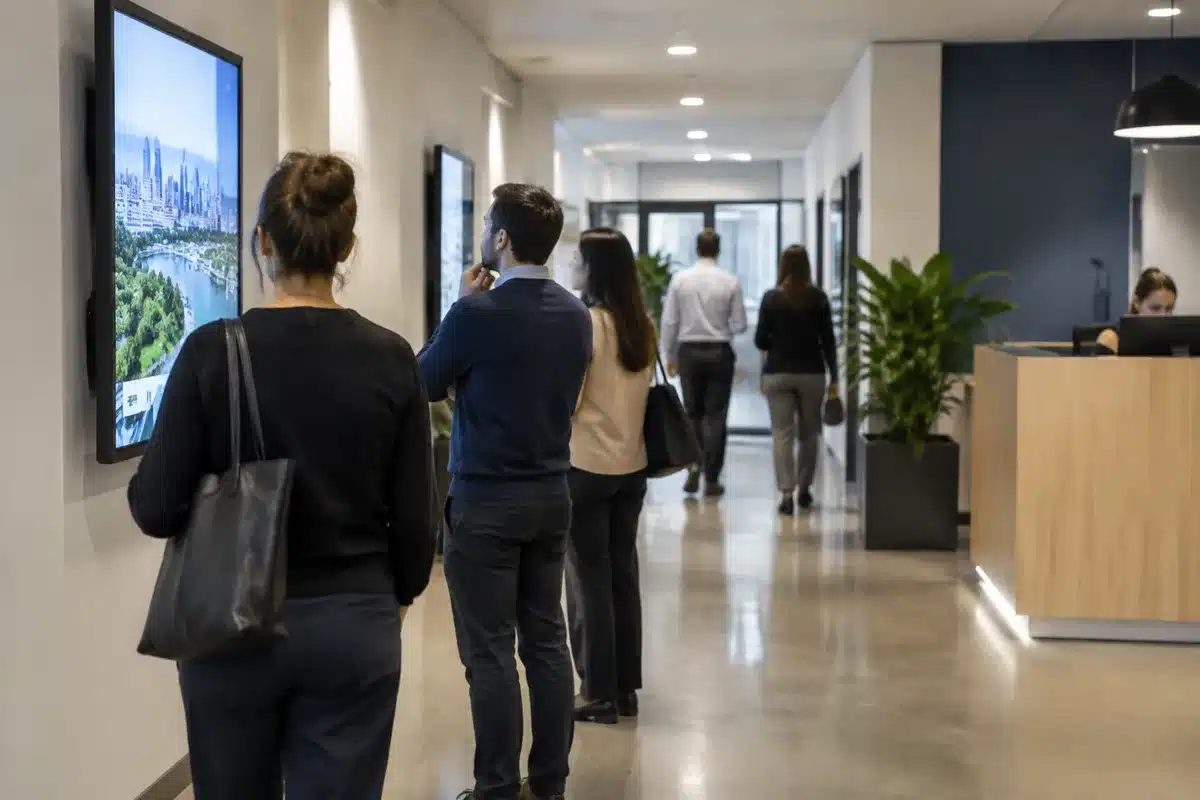
Email, intranet pages and team chat apps work well for employees who sit at a desk, but they often miss staff who don’t have regular access to a computer. Wall-mounted screens placed on site fill that gap—provided they are treated as a full-fledged communication channel and not just decorative displays.
Scientists confirm: This is the most effective way to get your cat’s attention, according to new research
Elderly Couple Refuses Reserved Seats—Viral Train Standoff Sparks Fiery Debate on Courtesy
Discover Cenareo
News, HR, safety, reception… what corporate screens can show
A monitor installed in a corridor or common area reaches anyone who pauses nearby, without requiring a login or an app. Typical locations include reception areas, cafeterias, break rooms, workshop entrances and waiting zones. Depending on where they’re positioned, screens can carry many kinds of content:
- Company news: brief headlines can announce an internal appointment, a new client win or the opening of a new facility, with a link or pointer to the intranet for the full story.
- HR reminders: screens can highlight dates and deadlines relevant to everyone, such as the annual review period, the last day to book holidays or upcoming employee representative elections. They’re also useful for advertising internal mobility opportunities.
- Operational metrics: displays can show figures tied to the site’s activity. A production floor could present items produced during the shift or the number of days without an accident, while a call center might show average wait times.
- Safety messages: screens can broadcast PPE reminders and other safety procedures. After an incident, a site-wide safety alert or a step-by-step reminder can be pushed to all monitors within minutes.
- Events: internal events like town halls, charity drives or seminars can be promoted on screens, with reminders the day before and photo galleries shown afterwards.
- Visitor welcome: the lobby display can greet visiting customers or job candidates and provide site rules and the location of meeting rooms.
- Recognizing employees: highlighting team achievements—process improvements, volunteer involvement or individual initiatives—gives field teams greater visibility and recognition.
Why You Should Never Reheat These Foods in the Microwave – The Hidden Dangers Experts Warn About
I tried the top 5 guard dogs—here’s what makes these breeds the ultimate protectors
One platform to control all screens and tailor the messaging
To remain relevant, screen content must be kept up to date. A centralized management system solves this: the internal communications team can control every display across locations from a single dashboard without travelling, and can swap content in minutes when urgent information needs to go out.
Central control doesn’t mean identical messages everywhere. Headquarters can schedule a shared baseline of information while each site adds local content. Displays can also be customized according to several factors:
- Location: content is chosen to match where a screen is installed. Workshop displays focus on production data; office screens emphasize commercial news or corporate updates.
- Audience: messages differ by who is passing the screen—permanent staff, temporary workers and visitors don’t all require the same details.
- Time of day: content can be scheduled to match daily rhythms—shift change reminders, the canteen menu before lunchtime, or an end-of-day activity summary.
These capabilities are provided by digital signage software. Vendors such as Cenareo, a French company near Toulouse specializing in dynamic displays, offer cloud platforms that let organizations manage screen fleets remotely, schedule content by location and time, and integrate with existing tools like Microsoft Teams, Slack or Google Workspace. Some feeds—dashboards, weather, or news—can be automatically updated, removing the need for manual re-entry.
Discover Cenareo
Five principles to make screens actually read
Poorly designed signage quickly fades into the background. Applying a few design and editorial principles makes screens more readable and more useful:
- Keep messages brief: people usually glance at a screen for only a few seconds. Each slide should convey a single idea in one clear sentence, with a link or QR code directing viewers to more information.
- Show clear priorities: high-priority items should occupy a dedicated area of the screen or use a color code that stands out. In an emergency, alerts must be able to interrupt the normal loop.
- Design for viewing distance: screens are often read from several meters away. Use large type, strong contrast and limit the number of elements per screen. Test readability from the spots where employees stand.
- Rotate content regularly: viewers stop noticing a screen that never changes. How often content should refresh depends on the location; a reception area can host more stable items while a break room used daily by the same teams benefits from more frequent updates.
- Make screens one channel among others: digital signage should complement emails and intranet pages, not replace them. An internal campaign can include a short version for screens, a longer article on the intranet and messages in the chat tools. Critical alerts should be sent through at least one additional channel besides the screens.
Discover Cenareo
Similar Posts
- WhatsApp Update Revolutionizes Reminder Feature: Never Forget to Call Back Again!
- Android 16 Desktop Mode Gets Even Better: Google Quietly Preps Its Future Android PC
- Business Telephony Transformed: How Cloud Technology Revolutionizes Operations for SMEs
- What your IP address and device ID really reveal about you – the truth behind online tracking
- Explore iOS 26 Now: Discover Every Minor Update and Hidden Feature!

Jordan Park writes in-depth reviews and editorial opinion pieces for Touch Reviews. With a background in UI/UX design, Jordan offers a unique perspective on device usability and user experience across smartphones, tablets, and mobile software.