
Scientists confirm: This is the most effective way to get your cat’s attention, according to new research
Elderly Couple Refuses Reserved Seats—Viral Train Standoff Sparks Fiery Debate on Courtesy
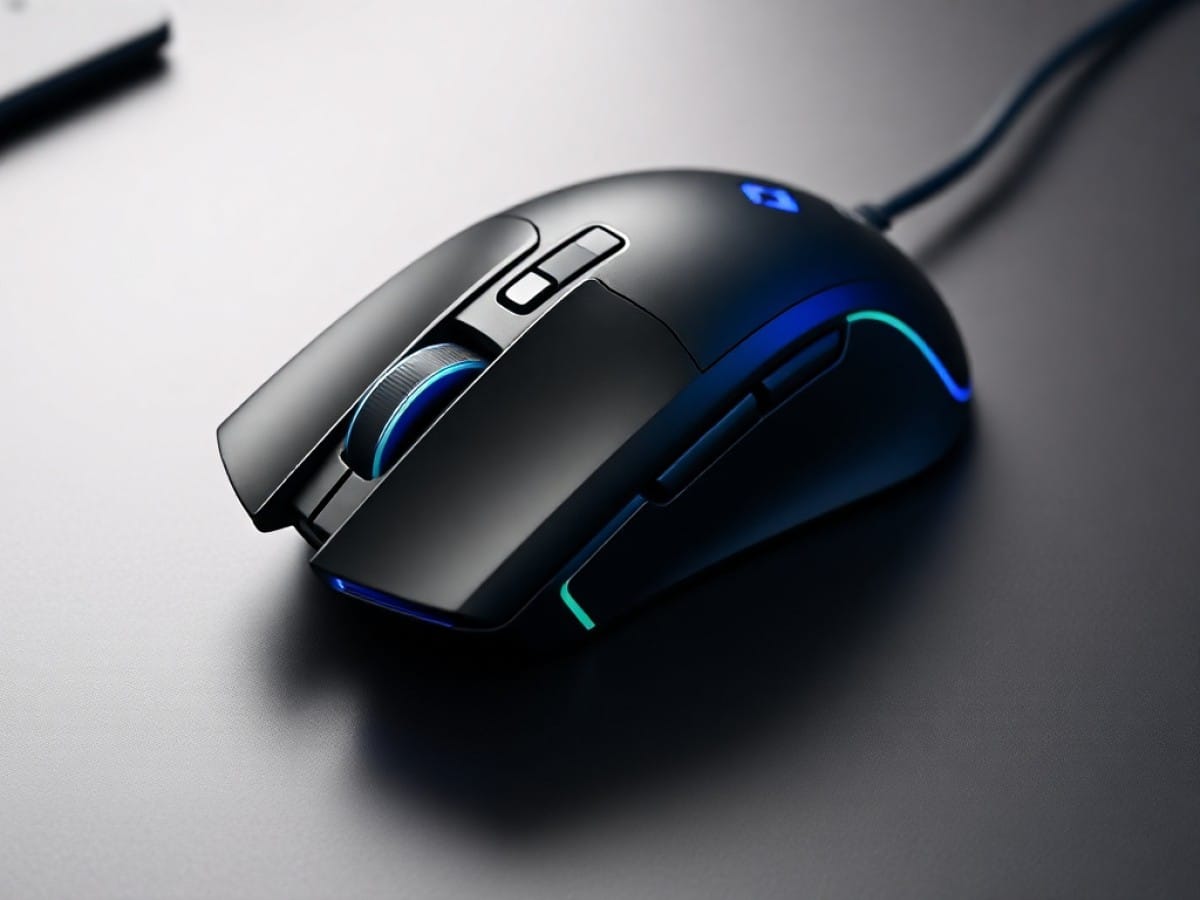
The SKILLKORP Ambi One gaming mouse is a unique model that caters to the often-overlooked left-handed gamers. Instead of a typical symmetrical design, it features a rotating base that allows users to easily “flip” the mouse, making it suitable for both left and right-handed users.
Beyond its unique rotating base, the Ambi One is equipped with a 26,000 DPI optical sensor, two additional buttons, a discreet LCD screen, and RGB lighting. It also boasts triple connectivity options through a dedicated wireless link and Bluetooth connectivity.
As a relatively new brand, SKILLKORP aims to penetrate a market saturated with numerous options, offering the Ambi One at a fairly reasonable price of 70 euros.
Technical Specifications
| Model | Skillkorp Ambi One |
|---|---|
| Connection | USB C, 2.4 GHz, Bluetooth |
| Max Sensitivity | 26000 DPI |
| Number of Programmable Buttons | 8 buttons |
| Weight | 122 g |
| Product Details |
Innovative Design with Mixed Results
The standout feature of the Ambi One is its genuinely ambidextrous design. To achieve this, SKILLKORP incorporated a rotating base held in place by a magnetic system. This rotation allows for two adjustments: moving the side wing to the left or right and slightly tilting the mouse to optimize ergonomics.
Essentially, the upper part of the Ambi One is perfectly symmetrical and does not feature any specific tilt. It’s the rotating base that is slightly tilted, providing a touch of extra ergonomics compared to more traditional symmetrical models. Although the design is novel, it doesn’t revolutionize the experience. The ergonomic aspect isn’t pronounced enough to be considered a significant advantage over other symmetrical options.
In use, the shape of the Ambi One is less compelling. Despite being quite large and tall, the mouse doesn’t fit snugly in the hand and tends to sit under the fingers, leaving the palm hanging. This gives a feeling of having to “force” my hand forward. The comfort level is quite mixed, and the substantial weight of the mouse, at 121 grams, does not help.
The rest of the mouse features more conventional elements, with two main buttons that are light and responsive, complemented by a metal scroll wheel whose notches are, however, too subtle. This wheel is more suited to office work for smooth scrolling rather than gaming, where each action needs to be precise. The click activation is effective but lacks responsiveness when repositioning.
In addition to the two programmable buttons located slightly further back, the Ambi One features a discreet LCD screen. It is used to display the battery status, connection mode, and the sensitivity profile being used. This is a clever feature, allowing users to quickly check the status of the mouse without relying on additional software.
The mouse also has two side buttons on each edge. These buttons automatically deactivate depending on the “orientation” of the mouse, preventing unintentional clicks. However, their design is less than ideal, with a heavy, noisy, and unresponsive press.
The bottom of the Ambi One reveals its three glide pads and optical sensor. Here, you’ll also find the mode selection switch and a button for activating and customizing the RGB lighting. This lighting, though subtle, consists of a single light strip at the base of the mouse, complemented by a white illumination of the SKILLKORP logo.
Three Modes of Connection and Average Battery Life
The Ambi One excels with its triple connectivity options. The mouse can be used with a 2.4 GHz wireless connection thanks to its dedicated USB adapter, as well as Bluetooth for enhanced compatibility. Additionally, its USB-C port, used for charging the battery, also allows for wired use.
During our testing, primarily using the wireless dongle, the connection proved reliable with no signal interruptions noted. Note that the mouse’s polling rate is limited to 1,000 Hz, regardless of the connection method used.
As for battery life, the Ambi One’s specs promise 100 hours away from the charger, although it’s unclear under what conditions this was measured. In our use, using the 2.4 GHz wireless mode with RGB lighting activated, the mouse lasted just over two days of intensive use. So, it’s an average battery life that could potentially be extended by turning off the RGB lighting entirely.
Robust Core Performance
While the Ambi One may not impress with its design and ergonomics, SKILLKORP has not skimped on the optical sensor for its ambidextrous mouse. It features the high-quality PAW 3395 sensor from PixArt, known among gamers for its capability to reach a sensitivity of 26,000 DPI, with a speed of 650 IPS and supporting accelerations up to 50 g.
Thanks to this sensor, the Ambi One indeed delivers solid performance, ensuring flawless movement tracking and handling sudden accelerations in more demanding titles. Although not exceptional in terms of specifications, this sensor is competitive for its price range.
However, it’s the size and weight of the Ambi One that significantly detract from the gaming experience. In a market where major manufacturers compete to shave off every gram, the Ambi One’s weight of over 120 grams is surprising. Moreover, its shape does not allow for the essential micro-adjustments needed in the heat of the action, such as ensuring a precise AWP shot in CS or positioning an ultimate in LoL, for example.
A Standard OEM Driver
It comes as no surprise that we encounter a driver with an outdated interface, likely provided by an OEM manufacturer. Aside from the concerning warning message displayed by Windows during installation due to the unrecognized publisher—although this is mentioned in the manual—it’s always a bit shocking.
The crude interface offers access to the usual features associated with customizing a gaming mouse. The assignment of different buttons is adjustable with various system-related functions or media control options. It’s also possible to create macros using a simplistic yet fairly comprehensive editor.
Up to six sensitivity levels can be created, ranging from 400 to 26,000 DPI in increments of 100. The polling rate can also be adjusted, although we recommend keeping the default value of 1,000 Hz. It’s worth noting that the sensitivity level is displayed on the integrated LCD screen of the Ambi One each time it changes and can also be relayed through a pop-up generated by the application.
Lastly, the effects of the RGB lighting benefit from a dedicated tab that provides access to a few presets and brightness adjustments. This is also where the energy-saving mode can be adjusted, which is somewhat frustrating since you must press a button on the mouse to wake it up, whereas a simple movement suffices on most other mice on the market.
While it’s possible to save settings in profiles, these cannot be linked to games or applications. Therefore, you must manually switch between them, as no action is available for this in the button assignments.
Price and Availability of the SKILLKORP Ambi One Mouse
The SKILLKORP Ambi One mouse is available at a suggested retail price of 70 euros.
Skillkorp Ambi One
at the best price
-
Boulanger
69,99 €
Similar Posts
- Discover the Corsair Sabre v2 Pro Ultralight Wireless Review: Featherlight Precision
- Corsair Scimitar Elite Wireless SE Review: Unleash MMO Gaming Superiority!
- Glorious Model O Eternal Review: Top Performance at a Sweet Price!
- HP 785M Mouse Review: HP’s Take on the MX Master Unveiled!
- Razer DeathAdder V4 Pro Review: Is It The Best Mouse Ever?

Maya Singh is a senior editor covering tablets and hybrid devices. Her work explores how these tools reshape digital productivity and learning. She also contributes to feature editorials on emerging tech.