
Scientists confirm: This is the most effective way to get your cat’s attention, according to new research
Elderly Couple Refuses Reserved Seats—Viral Train Standoff Sparks Fiery Debate on Courtesy
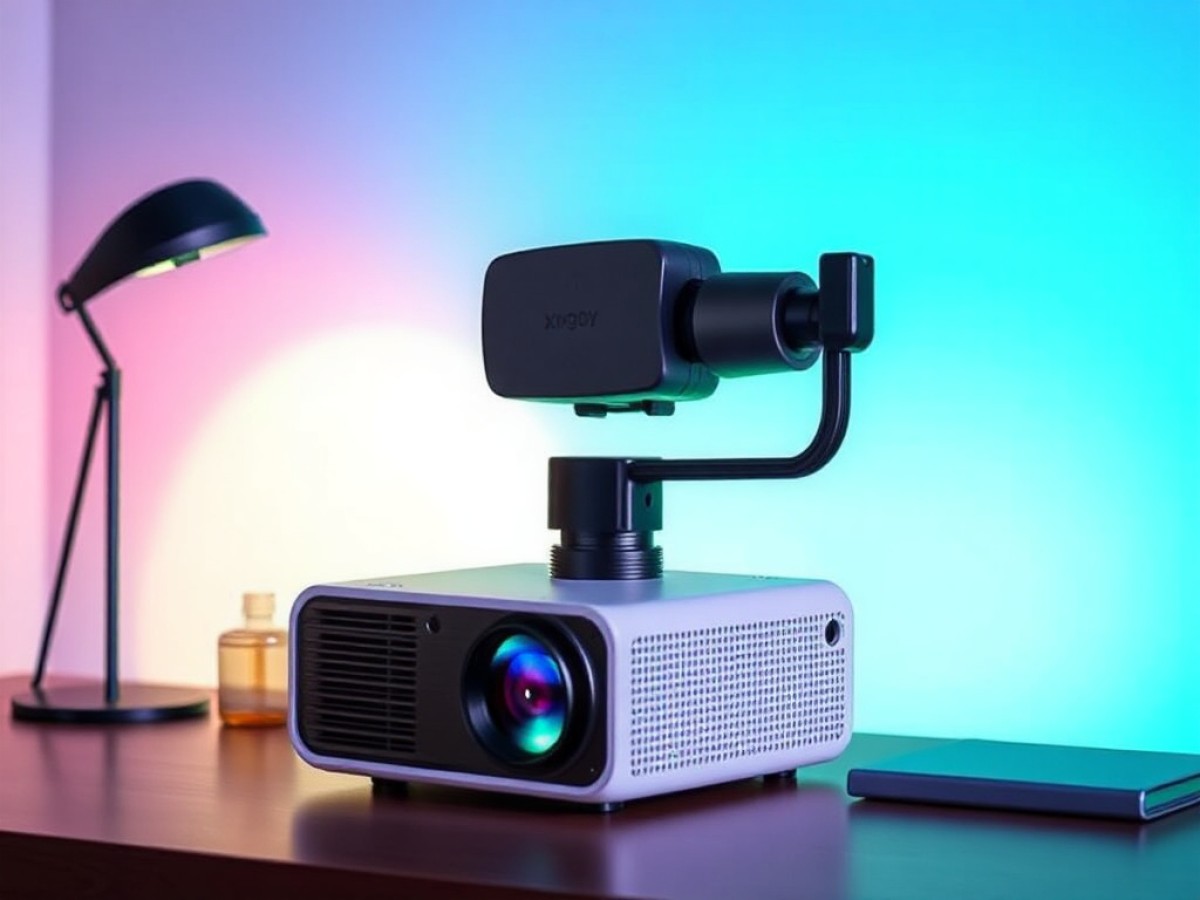
The Xgody Gimbal N6 Pro targets those looking to transform their living room or bedroom into a home cinema without breaking the bank. Designed for easy use and versatility, this model features a compact form with a gimbal for tilt adjustments and a spec sheet that’s quite impressive on paper: 1080p resolution, LCD source, built-in streaming video app interface, autofocus, automatic keystone correction, and Wi-Fi 6 compatibility.
It primarily aims to attract beginners and small spaces with its low cost and ease of setup. We’ve tested it: here’s our verdict.
Test Conditions
The Xgody Gimbal N6 Pro projector we tested was provided by the brand. It was reviewed using a Lumene Movie Palace UHD Platinum 300C screen. Measurements were taken with professional equipment directly in front of the screen to limit errors and provide values that reflect what users can actually see. This protocol is consistent across all our projector tests for comparison purposes.
Xgody Gimball N6 ProTechnical Specifications
| Model | Xgody Gimball N6 Pro |
|---|---|
| Display Technology | LCD |
| Maximum Resolution | 1920 x 1080 pixels |
| Screen Size | 200 inches |
| HDR Compatible | HDR10 |
| HDMI Ports | 1 |
| Speaker Power | 5 watts |
| Audio Output | Speakers |
| Product Sheet |
Xgody Gimball N6 ProA Light Projector Mounted on a Gimbal
The Xgody Gimbal N6 Pro features a compact design reminiscent of the Epson EF-22 and more expensive models like the JMGO N1S Ultra and the Xgimi Horizon 20. Like these models, it is mounted on a gimbal allowing it to tilt up or down as needed.
It can tilt up to 130 degrees. Surprisingly, it weighs less than 1.5 kg when unpacked!
Its matte white/cream chassis exudes simple elegance. The front features several sensors to aid setup and automatic image correction functions. The lens is off-center.
This size allows the device to be easily stored in a bag or on a shelf without taking up excessive space. The construction is primarily plastic, which does not compete with high-end models but is reasonable for its price.
There is no protective cover for the lens, which necessitates careful long-term attention to dust. Underneath the supporting gimbal, there are several anti-slip pads for stability on any surface, and a universal screw thread makes it easy to mount on a tripod or ceiling mount if needed.
Xgody Gimball N6 ProConnectivity
At the back, there is an HDMI port ensuring compatibility with consoles, set-top boxes, or TV boxes, paired with a USB 2.0 port for direct multimedia file playback. An analog audio jack 3.5 mm output allows for the connection of an external sound system to overcome the limitations of the integrated speakers, and a standard power socket completes the setup. There is no external power block, which is always a plus to avoid having to carry it around.
The Xgody Gimbal N6 Pro also features Bluetooth 5.4 and Wi-Fi 6, ensuring seamless streaming and efficient wireless broadcasting, compatible with Miracast (Android), AirPlay (Apple), and DLNA.
The connectivity panel is well-organized and easily accessible. Note that the device comes with an HDMI cable, which is not common even among more expensive models.
The Remote Control
The included remote control is compact and highly functional. Tested alongside the Philips GamePix 800 Smart, the two accessories share many similarities. The shortcut buttons for Netflix, YouTube, Disney+, and Prime Video are particularly appreciated. There is also a quick access button for image settings, allowing for easy navigation between applications and adjustments without entering complex menus. The remote is ergonomically designed.
Rated 9/10 by the Frandroid editorial team, the TCL C89K TV is “a reliable value for those looking for a versatile, high-performing, and durable Mini LED TV.” For Black Friday, the 65-inch version of the C89K is available with a 200 € discount.
Only drawbacks: the plastic used is basic, and the remote does not feature backlighting, which can complicate its use in the dark. Despite this, the integration of a microphone for voice commands and its correct infrared range facilitate projector control in all situations, ensuring a user experience suitable for the family target.
The Screen
The Xgody Gimbal N6 Pro projector is delivered without a screen. It is up to the user to project an image up to 150 inches on the wall, although the results are better with a suitable screen. This leaves the choice up to the user, but for those on a tight budget, there might be a temptation to use it without a screen, using a wall as the projection surface, thus losing the significant benefit of having an optimized projection surface.
Xgody Gimball N6 ProSetup
Setting up the Xgody Gimbal N6 Pro is extremely simple: just place it on a flat surface, connect it to the power supply, and choose the correct distance depending on the desired image size (digital zoom is possible to reduce the size).
Keystone correction is automatic at startup, effectively straightening the image even if the projector is positioned off-center. Autofocus adjusts sharpness without manual intervention, ensuring a clear image from the first use. Note that the device can also avoid obstacles on a wall, if needed. Another interesting feature is the screen recognition option. When activated, this feature automatically adjusts the image size to the edges of a screen.
In these respects, the projector is as complete as a high-end model.
Officially, the projector can offer an image ranging from 40 to 200 inches diagonally. However, given that its brightness is not very strong, we do not really recommend going beyond 100 inches.
To achieve a 100-inch diagonal image, count on a distance of about 2.60 m. If you place the projector 1.5 m away from the wall or screen, you get an image that is about 140 cm diagonally.
Xgody Gimball N6 ProThe Image in Subjective Mode
The Xgody Gimbal N6 Pro displays a decent image for its range, thanks to LCD technology, an LED source, and native Full HD 1080p resolution.
The colors are quite saturated, with a predominance of cool tones. The streaming content tested, whether recent films on Netflix or series in Full HD, show a reasonable level of detail as long as ambient light remains low, ideally absent. Oddly, we saw reflections on the edges of the image…
Several image modes are available: Standard, Soft, Dynamic, Energy Saving, Vivid, and User.
Also, note the ability to modulate the light source’s power: Standard, Energy Saving, and Highlight. However, be careful, as in Standard and Highlight modes, the device is very noisy and therefore these options are hardly recommendable. One must settle for the Energy mode, which means that the brightness is at its lowest…
The blacks tend to gray, especially in dark scenes, typical of budget LED projectors. The image maintains its sharpness even on a slightly irregular wall thanks to effective correction.
In Blu-ray playback, transitions remain sharp, but the sharpness cannot compare with higher-end laser or DLP models. During tests and considering its price, the Xgody Gimbal N6 Pro proves quite convincing for evening movie sessions or in a very dimly lit room. However, as soon as the shutters are opened, the image loses brightness and becomes difficult to follow.
Motion Compensation and Rainbow Effect
This model does not include motion compensation technology, which normally offers the possibility to significantly improve fluidity during fast scenes. Scenes featuring complex elements against contrasting backgrounds are challenging for trained eyes.
Lacking DLP technology, the Xgody Gimbal N6 Pro is not subject to rainbow effects, an annoying phenomenon on some projectors that create brief, colorful light arcs when the eyes move quickly. This is an advantage for this projector.
Xgody Gimball N6 ProGaming
The Xgody Gimbal N6 Pro can be used for occasional gaming thanks to its adequate latency and HDMI compatibility with major consoles. Tests conducted on PlayStation 5 and Xbox Series X show satisfactory immersion, with text and interfaces readable on a large screen. The observed latency allows for playing many games, except for pure competitive gaming which requires extreme responsiveness.
There is no Game mode in the settings, which would have allowed for quick optimization of parameters to limit input lag during extended sessions. Highlighting subtle details in dark areas is conditioned by use in a dimly lit environment: the projector’s brightness limits gaming performance in broad daylight or during very large projections.
Xgody Gimball N6 ProAudio, Not Overwhelming
The sound reproduction of the Xgody Gimbal N6 Pro relies on a single 5 W speaker, which is barely sufficient for casual listening in a small room but proves too weak for a living room, for example. The overall ambiance clearly lacks bass and spatialization to hope for an immersion worthy of a real cinema.
The audio output is too muddled to be satisfactory. Action scenes lack marked dynamics and enveloping warmth, which quickly necessitates the use of a soundbar, a Bluetooth speaker, or wired headphones, especially since the projector has the necessary connections for these devices.
Xgody Gimball N6 ProThe Interface, a Proprietary System Based on Android TV
On this point, the projector scores relatively well. Indeed, it is powered by Whale OS based on Android 13. In use, the Xgody Gimbal N6 Pro offers a smooth and intuitive interface, halfway between the simplicity of a connected TV and the versatility of a tablet. However, the system is not as complete as a device under Google TV.
During the initial setup, you gain direct access to the main streaming applications, pre-installed: Netflix, YouTube, Prime Video, Disney+, Canal+, TF1+, France.tv (note the effort to provide the latter three by default, showing a certain interest for French users). If you want more applications, it’s possible through the Play Store platform. We had no difficulty installing VLC and many others, for example.
The navigation is quite responsive. The menus are clear.
In addition, the system supports screen casting via Miracast, AirPlay, or DLNA, making multimedia content sharing instantaneous.
Xgody Gimball N6 ProConsumption and Noise Nuisance
In standard operation, the Xgody Gimbal N6 Pro is relatively modest in power consumption with an average of 60 W. However, regarding noise nuisance, it’s a different story because only the Energy Saving brightness mode remains relatively reasonable. The other two are difficult to endure for use in a living room or bedroom.
Xgody Gimball N6 ProRelease Date and Price
The Xgody Gimbal N6 Pro is available on major online platforms at an average price of 140 euros. On Amazon, apply the promo code UGC6UZW3 and you can get it for 108.73 euros (valid until December 31, 2025).

Maya Singh is a senior editor covering tablets and hybrid devices. Her work explores how these tools reshape digital productivity and learning. She also contributes to feature editorials on emerging tech.