
Scientists confirm: This is the most effective way to get your cat’s attention, according to new research
Elderly Couple Refuses Reserved Seats—Viral Train Standoff Sparks Fiery Debate on Courtesy
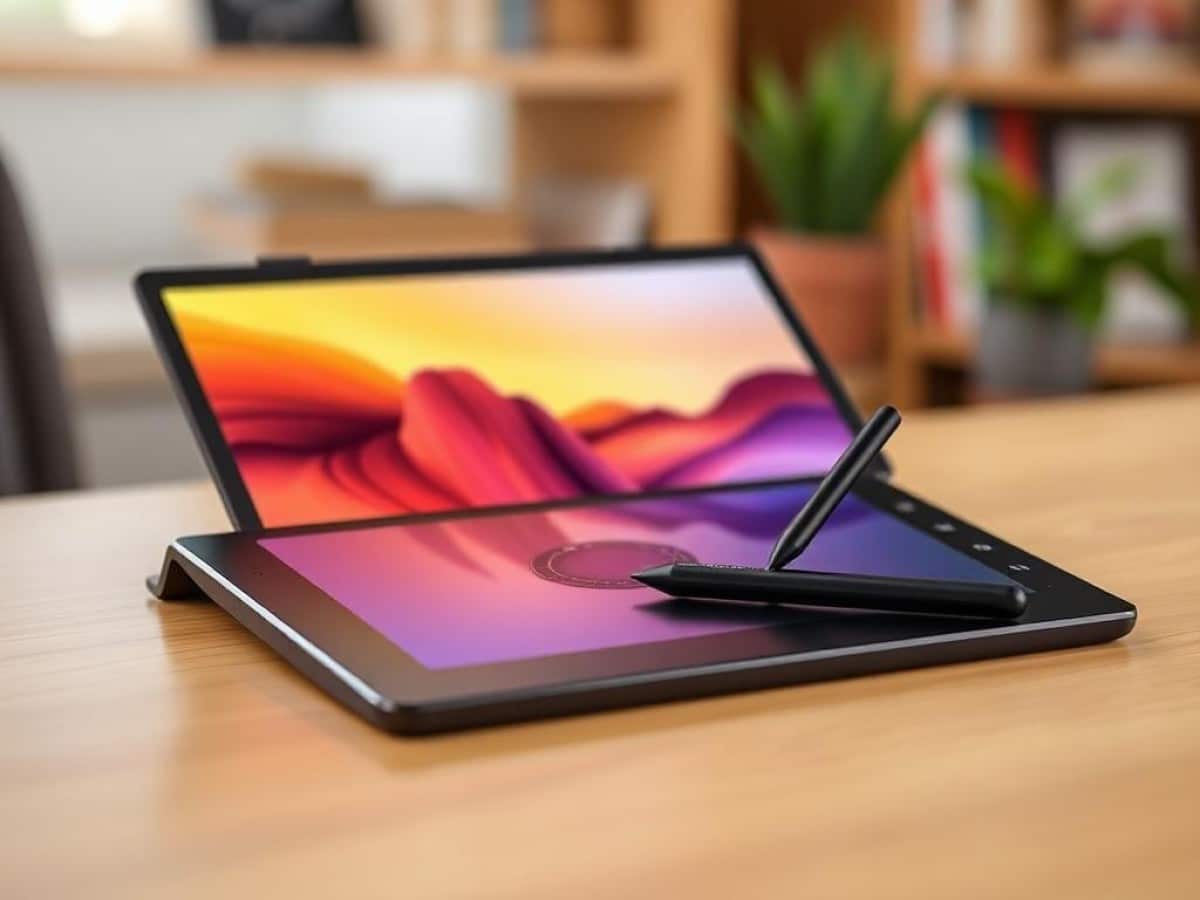
In the Android tablet market, competition is fierce in the sub-500 euro segment, with the high-end dominated by Samsung. However, in the broader tablet market, Apple leads with its various iPad models. Wacom has now entered the entry-level segment with its Movink Pad, marking its first foray into the world of Android touch tablets.
Building on its dominant position in the graphic tablets market, the brand is now testing new waters by offering a different type of product. According to the specs sheet, don’t expect top-of-the-line features, but rather a good value for money. The MovinkPad 11 targets a younger audience, offering features focused on graphic design.
Technical Specifications
| Model | Wacom MovinkPad 11 |
|---|---|
| Dimensions | 182 cm x 266 mm |
| Screen Size | 11.45 inches |
| Resolution | 2200 x 1440 pixels |
| Pixel Density | 229 ppi |
| Screen Technology | LCD |
| Processor Model | Helio G99 |
| RAM | 8 GB |
| Internal Memory | 128 GB |
| Rear Camera | 4.7 MP |
| Front Camera | 5 MP |
| Wifi | Wi-Fi 5 (ac) |
| Bluetooth | 5.2 |
| NFC | No |
| Water Resistance | No |
| Weight | 588 grams |
| Product Details |
Design: A Classic Approach
Upon unboxing, the Wacom tablet’s design won’t dazzle you. It sports a very conventional look with notably thick bezels around the screen.
The tablet is comfortable to hold, with edges that are sufficiently rounded to be gentle on your hands. Naturally, adding a case that doubles as a stand is essential, especially since there’s no magnetic support on the tablet to attach the stylus.
In terms of size, the Movink Pad 11 is quite standard, measuring 26 cm long by 18 cm wide and 7 mm thick. It weighs 588 grams, which will be noticeable in your hands during use.
The Stylus: A Continuing Paradox
The Wacom tablet comes with a stylus, of course, to complement its various functions. However, there isn’t a natural support for attaching it when not in use.
A significant advantage of the MovinkPad 11 is its compatibility with various styluses, including those from Samsung tablets.
The stylus is quite ergonomic. The button closest to the tip changes the pencil style, the middle one activates the eraser, and the last one allows you to move your work around the screen.
Screen: All About the Feel
The MovinkPad 11 from Wacom features an 11-inch LCD screen with a matte coating and a paper-like effect, affirming its intended use for graphic design. You also get a refresh rate between 60 and 90 Hz, although it isn’t adaptive.
While the maximum brightness isn’t very high, the matte screen coating allows you to view it even in bright light. The peak brightness is stated to be 400 cd/m2 with an adequate contrast ratio of 1200:1.
The overall feel of the tablet is noteworthy. Whether using your fingers or the stylus, every swipe and tap feels smooth, and the slightly grainy texture of the screen does not cause any discomfort. Moreover, the anti-scratch coating allows you to press a bit harder with the stylus during drawing sessions.
Software: Designed with Graphics in Mind
Starting with the basics, the Wacom Movink Pad runs on Android 14. Additionally, there is no software overlay layered on the tablet, offering a pure Android experience… with a twist.
On its tablet, the manufacturer has included several in-house applications designed for drawing. These include Wacom Canvas, Wacom Shelf, and Wacom Tips, which are pre-installed on your device. Clip Studio is also featured, which we will discuss more in detail later.
What’s commendable are the thoughtfully designed gestures that enhance everyday use. A double click on the lock button, for instance, opens a canvas for quick sketching. It’s also possible to simply hover the stylus over the screen even in sleep mode to open a sketch pad. Everything is easy to use and highly enjoyable to try, even for a beginner.
Clip Studio: The Real Added Value
As mentioned earlier, Clip Studio comes pre-installed on your Wacom tablet. With the purchase of a Movink Pad 11, you get a two-year subscription to the software.
This software offers a broad spectrum of graphic tools and more. It allows you to learn drawing step-by-step and even import models.
Performance: The Bare Minimum
At the heart of the Wacom tablet lies a MediaTek Helio G99 processor, the same as in the first Xiaomi Redmi Pad.
For its intended uses such as graphic design, browsing, or note-taking, it’s more than adequate. You can even watch videos on YouTube at double speed without any issues.
In terms of mobile gaming, we tested the tablet with two types of games: a standard game often seen in online ads, and Pokemon Unite, a MOBA similar to League of Legends. Surprisingly, after a 30-minute session on the first game, we noticed a slight warmth to the tablet, which was not uncomfortable, however.
As expected, during a normal 10-minute game of Pokemon Unite, we again observed the tablet warming up. Nonetheless, it was a positive surprise to see that, despite this heavy use, the Movink Pad had only lost a few percentage points of battery, indicating good energy management overall. In terms of game fluidity with standard display settings, the experience remains enjoyable.
Photos and Videos: A Step Back
On the back of the tablet, there is a 4.7-megapixel camera. There’s no need to belabor the point, as photography is not the primary function of this device. We still conducted a few tests out of due diligence. The results were poor, with a lot of digital noise and blur despite favorable lighting conditions.
Battery: Comfortable for Daily Use
The Wacom Movink Pad 11 is equipped with a 7700 mAh battery, which is standard for this type of touchscreen tablet. As previously mentioned, the device benefits from efficient energy management. In mixed use involving drawing, gaming, and some video watching, the tablet can last two days before needing a recharge.
Regarding charging, the Wacom tablet’s charging capacity is capped at 16W via the included cable. A full recharge takes approximately 2 hours and 20 minutes.
Price and Availability
The Wacom Movink Pad will be available at the beginning of August for 449 euros, with a two-year subscription to Clip Studio included. If you need a support case, which is almost essential, expect to pay an additional 49 euros. Additionally, the purchase of the tablet comes with a two-year subscription to Clip Studio.
Similar Posts
- Say Goodbye to Wrist Pain: How Switching from Mouse to Tablet Changed My Life
- Swap Your iPad and Kindle for This E-Reader with Paper-Feel Screen: Now Up to 39% Off This Prime Day!
- Samsung Tablet Blowout at Best Buy: Top 3 Back-to-School Picks Starting at $599!
- AT&T amiGO Jr. Tab 2 Review: Discover Why This Kids’ Tablet is a Game-Changer!
- Top 3 Samsung Tablets of the Year: Find Out Which Ones We Recommend!

Maya Singh is a senior editor covering tablets and hybrid devices. Her work explores how these tools reshape digital productivity and learning. She also contributes to feature editorials on emerging tech.