
Scientists confirm: This is the most effective way to get your cat’s attention, according to new research
Elderly Couple Refuses Reserved Seats—Viral Train Standoff Sparks Fiery Debate on Courtesy
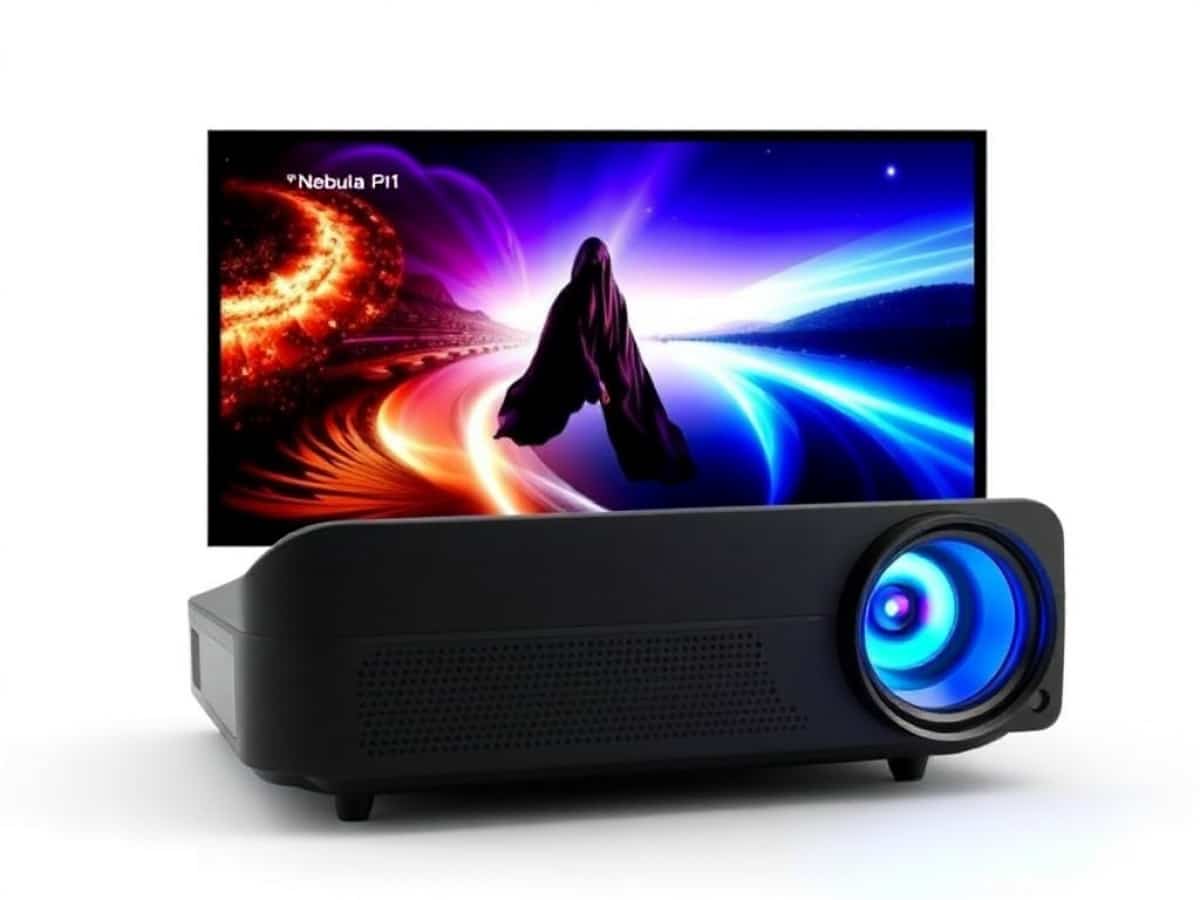
The Nebula P1 blurs the line between a portable projector and a compact home cinema solution. Equipped with 1080p Full HD resolution, a 650 ANSI lumens LED light source, and a 1.2:1 throw ratio, it can project an image up to 180 inches in diagonal size. It utilizes a DLP chip for image processing.
Additionally, the Nebula P1 features a swiveling head that can tilt at various angles. Another standout feature is its audio system: two 20W total stereo speakers magnetically attached to the top of the chassis, which can be detached and placed on either side of the screen to create a much wider soundstage than with a typical built-in speaker.
This concept is reminiscent of more ambitious models like the Nebula X1 Pro, which also offers separate speakers but here it’s implemented in a more accessible mid-range product. Furthermore, the device operates on Google TV.
Anker Soundcore Nebula P1Technical Specifications
| Model | Anker Soundcore Nebula P1 |
|---|---|
| Focal Type | Standard |
| Image Definition | 1920 x 1080 px |
| Technology | DLP |
| Brightness (ISO) | 650 Lumens |
| Number of HDMI Ports | 1 |
| ALLM | Unknown |
| Operating System | Google TV |
| Product Sheet |
Test Conditions
The Nebula P1 projector we tested was loaned to us by the brand. It was tested in conjunction with a Lumene Movie Palace UHD Platinum 300C screen, specifically designed for projectors. Measurements were taken using professional equipment directly in front of the screen to minimize errors and provide values consistent with what the viewer can actually see. This protocol is identical for all ultra-short throw projector tests to enable comparison.
Anker Soundcore Nebula P1Design, a Tower with a Pivoting Head and Detachable Audio System
The Nebula P1 stands out from other portable projectors with its tower design mounted on a dual-arm gimbal that can pivot up to 130 degrees, topped with two magnetically attached speakers.
The overall appearance is more akin to a small audio station than a traditional projector, featuring a flexible carrying handle attached on either side of the chassis for easy transport.
The main unit remains relatively compact with dimensions close to 28 x 13 x 13 cm, but considering the gimbal and speaker support, it turns into a product that balances its volume to offer proper stability and usability on a coffee table or TV stand.
The finishes are robust, with plastics that instill confidence, a sufficiently dense construction to avoid feeling like a cheap gadget, and well-integrated control elements. The P1 weighs about 2.4 kg, speakers included, which is quite reasonable for a device that can be slipped into a bag or moved from room to room without hassle.
On the front, you’ll find the DLP lens and various sensors for auto-focus, keystone correction, and eye protection, housed behind a neat facade that avoids any ostentation.
The sides are relatively understated, with well-thought-out ventilation to dissipate heat without multiplying unsightly openings. The detachable speakers also contribute significantly to the device’s aesthetic identity: when clipped on top, they complete the vertical silhouette and reinforce the all-in-one aspect, while when separated, they transform the P1 into a genuine mini audio/video system.
Underneath, there is a universal screw thread for mounting the projector on a suitable stand. Otherwise, it rests on four non-adjustable rubber pads.
The choice of IP33 protection for the chassis and IP54 (as indicated underneath) for the speakers also shows that the brand has considered outdoor use, on a terrace or in a garden, where splashes and a bit of dust are part of everyday life. While not a fully all-terrain product, the P1 thus accepts a certain level of constraints, which fits well with its hybrid positioning between a living room projector and a portable solution.
Anker Soundcore Nebula P1Connectivity
The connectivity of the Nebula P1 is concentrated at the back of the chassis when the lens is deployed, which is oriented downwards when the product is at rest. Only the USB-C port connected to an external power block, the same size as that of a compact laptop, is available all the time.
Note that the projector supports Power Delivery up to 100 W, which opens up the possibility of using not only the provided power block but also a large external battery or a small power station for sessions away from a wall outlet.
It features an HDMI 2.1 input compatible up to 4K 60 Hz, allowing for easy connection of a recent game console, Blu-ray player, or PC, even though the image will still be processed in 1080p by the projector. Next to it, a USB-A 2.0 port allows for playing multimedia content stored on a flash drive or external disk.
A 3.5 mm jack port completes the setup for connecting headphones or a wired audio system, and wireless connectivity is not forgotten with Wi-Fi and Bluetooth, as well as support for Chromecast built-in and the Nebula Cast function, handy for mirroring the screen of a smartphone or tablet.
The Remote Control
The remote control included with the Nebula P1 adopts a fairly standard format for a Google TV device, with an ergonomic design that favors quick handling over extreme compactness. It features a central directional pad surrounded by navigation buttons, a dedicated Google Assistant button for voice control, and several shortcuts to major streaming services (Netflix, Prime Video, and YouTube).
The unit is quite light, well-balanced, and the buttons provide satisfying feedback without excessive play. Good news: some keys benefit from backlighting, which is always handy, especially for a device typically used in the dark.
The pairing with the projector is via infrared and Bluetooth, allowing both to wake up the device and control it without necessarily aiming precisely at the front of the P1. The presence of a dedicated focus adjustment button is also appreciated, while other settings must be configured via the system menus. However, since the latest version of Google TV, changing the image mode is simply a matter of going to the Display menu, immediately available.
Anker Soundcore Nebula P1The Screen
The Nebula P1 video projector is sold without a screen. This leaves the choice open, but if on a limited budget, one might be tempted to install it without a screen (using a wall as the projection surface) and thus lose the benefit (relatively significant) of having a surface optimized for projection. Expect to spend between 500 and 2700 euros for screens of various sizes whose surfaces benefit from a specific treatment.
Anker Soundcore Nebula P1Installation, Thanks to the Tiltable Head
Setting up the Nebula P1 has clearly been designed to minimize the adjustment phase. The first step involves placing the projector at the correct distance from the projection surface: with a 1.2:1 ratio, about 2.7 meters of space is needed to achieve an image close to 100 inches. Rather than using adjustable feet, it’s the dual-arm gimbal that ensures vertical positioning, with a range of 130 degrees allowing for targeting both a standard wall and its upper part. However, it is not possible to project directly onto the ceiling unless the base is also tilted.
Once the P1 is positioned, simply turn it on for the autofocus and automatic keystone correction to activate, with the device relying on a combination of sensors to analyze the image and make it sharp and rectangular.
The Intelligent Environment Adaptation system goes further by offering auto-obstacle detection and automatic adjustment to a screen, when detected. In practice, if a frame or piece of furniture encroaches on the projected surface, the P1 reduces the image to bypass this element, without user intervention.
In practice, automatic corrections are quick and reliable enough that most of the time, this mode suffices, although one might fine-tune it manually afterwards if a few more inches of diagonal are desired.
However, it’s important to remember that all these digital corrections come at a cost in terms of brightness and image quality: the further one deviates from a perfectly flat and centered setup, the more scaling and keystone correction are needed, with a slight loss of sharpness and light as a result. Ideally, one should carefully position the P1 physically, with the gimbal greatly simplifying this step compared to a traditional projector lacking an integrated support.
Once the image is adjusted, the software installation takes over: connecting to Wi-Fi, linking to a Google account, possibly updating the firmware, then setting up the apps, all in about twenty minutes if one uses the QR code displayed on the screen to proceed via a smartphone.
Anker Soundcore Nebula P1The Image in Subjective Mode
In practice, the Nebula P1 delivers an image that exceeds the expectations one might have for a portable projector of 650 ANSI lumens. The DLP technology combined with the 4LED light source produces a relatively sharp Full HD image, even in the corners, with convincing sharpness as long as reasonable diagonals of about 80 to 100 inches are maintained and ambient light is minimally controlled.
Beyond that, the reserve of brightness and the native contrast of about 408:1 show their limits, especially in dark scenes where the depth of blacks remains typical of small LED DLPs, never reaching what more luminous models or those based on other technologies can offer. However, in a dimmed room, the overall sensation is very pleasant: colors appear vivid, sometimes a bit cold out of the box, with a blue/green dominance in certain modes, but the Movie mode provides a more neutral and natural base, easily adjustable with color temperature settings if needed.
The image modes offered cover various uses. Nebula Master and Vivid Colors prioritize a more striking image with an emphasis on brightness and saturation, which works well with a bit of residual light in the room but can result in a much less faithful rendering on highly stylized films. The Movie mode, on the other hand, is the best compromise for cinema sessions in the dark, with more balanced colors and a shadow management that limits the grayish mush often observed on 100% nomadic projectors.
SDR contents from streaming platforms or 1080p Blu-rays are relatively well handled, with sufficient definition to enjoy details in faces, costume textures, or urban night scenes, without the image appearing artificially “too sharp”. Scaling up from lower resolution sources remains decent, without miracles, but neither does it fall into excessive blur on 720p videos or some compressed streams.
Pleasantly, the P1 now handles HDR10 and HLG. No HDR10+ or Dolby Vision, however. As often with projectors of this caliber, HDR must be handled with care: the relative low brightness and the absence of advanced tone-mapping mean that some very dark contents lose readability, with blacks tending to close up and high lights lacking “punch”. On some films, switching back to SDR simply provides a more uniform and pleasant image, with more visible details in dark areas.
In a realistic use case, the Nebula P1 is thus mostly appreciated on SDR contents in Movie or Standard mode, in a moderately or heavily dimmed room, where it manages to offer a cinema experience that is far from ridiculous compared to much bulkier solutions.
Motion Compensation
The Nebula P1 includes motion compensation, following what is practiced on many projectors aimed at the general public. The goal is to smooth out horizontal scrolling, fast pans, and action scenes, to limit the jitter that can bother some sensitive viewers. In practice, the algorithm performs quite well on classic video contents, particularly TV programs, sports, or some action movies shot at a high frame rate.
As always with this type of processing, it’s all about finding the right balance. Users allergic to the “soap opera” effect might prefer to reduce the intensity of the compensation, or even disable it for cinema films with a strong visual signature, in order to preserve the grain and timing intended by the director. The P1 offers enough settings to tailor the behavior of the motion compensation to everyone’s taste, and it remains generally discreet when not pushed to the maximum.
The Rainbow Effect
Like any projector based on a DLP chip, the Nebula P1 is not immune to the rainbow effect, those fleeting flashes of color that some people perceive on contrasted moving objects, especially white subtitles on a dark background. In practice, while this phenomenon is indeed present, it remains relatively contained, comparable to what is observed on most modern DLPs of this size and brightness category. Viewers not sensitive to this defect will probably not notice it, even after several hours of viewing, while those who are very sensitive may occasionally see some colored flashes during rapid eye movements across the image.
It should be noted that the significance of this phenomenon is highly subjective: while some notice it immediately, others will never see it, even when looking for it. If you know you are very sensitive to the rainbow effect, a prior test, at a retailer or a friend’s place, is ideal before purchasing any DLP, whatever it may be. If you find it bothersome, then you should consider a model with an LCD technology (such as those from Epson).
Anker Soundcore Nebula P1Our Measurements, Probes Included
We have already mentioned the native contrast ratio of the Movie mode, a bit more in detail. Regarding color accuracy, still with the Movie mode and default settings, the projector offers an average Delta E of 4.97, thus above the threshold of 3 below which the human eye can no longer distinguish the difference between the displayed color and that of the source. Moreover, the average color temperature is 6473 K, for an ideal value of 6500 K, which is an excellent result. Only the green is a bit off compared to other colors. The average gamma was measured at 2.06, following the reference curve quite well, which is not evident for all projectors.
With HDR contents, now and still in Movie mode, color accuracy unfortunately does not meet expectations because the average Delta E is 5.45, thus still above 3. As for brightness, at its peak, we recorded 105 cd/m², so a somewhat weak value. There’s a slight break at the maximum. A projection in minimal lighting conditions is thus highly recommended.
The P1 manages to maintain this brightness whether the test pattern covers 1% of the screen surface or 100%, which is always a good thing.
Finally, regarding the coverages of color spaces, we measured 88.68% for the DCI-P3 and 73.84% for the BT2020, which is typical for this range of projectors.
Anker Soundcore Nebula P1Gaming, Playable IndeedSimilar Posts
- Nebula X1 Review: Discover the Bright, High-Performance Projector That’s Easy to Use!
- Xiaomi Smart Projector L1 Pro Review: Compact Google TV Gadget Impresses!
- ViewSonic M1B Max Review: Google TV in a Sub-€500 Mini Portable Projector!
- BenQ W2720i Review: Does This Android TV Back-Room Projector Measure Up?
- TCL A1s Review: Compact Projector Shines with Google TV, Delivers Top Performance!

Maya Singh is a senior editor covering tablets and hybrid devices. Her work explores how these tools reshape digital productivity and learning. She also contributes to feature editorials on emerging tech.