

The Benefits and Limitations of Tablets for Educational Use
Scientists confirm: This is the most effective way to get your cat’s attention, according to new research
Elderly Couple Refuses Reserved Seats—Viral Train Standoff Sparks Fiery Debate on Courtesy
If you are contemplating whether a tablet is a good educational tool for your child, you are not alone. Tablets are appealing due to their portability, cost-effectiveness compared to laptops, and their user-friendly interface that most students are familiar with.
However, it’s important to understand that a tablet is not just a smaller laptop; it’s a different type of device with its own set of capabilities and limitations when it comes to academic tasks. To make an informed decision, you should consider both the advantages and disadvantages of using a tablet for schoolwork.
Over the years, I have reviewed numerous tablets and tested them extensively to determine if they can replace laptops for school-related tasks. My findings show that the suitability of tablets for educational purposes varies significantly depending on the task at hand.
Advantages of Using Tablets for Education
One of the main benefits of using a tablet for school is its design. Tablets like the iPad and various Android models are lightweight and easy to carry around, which is particularly beneficial for students. They also have a battery life that can last an entire school day and are quick to wake up from sleep mode.
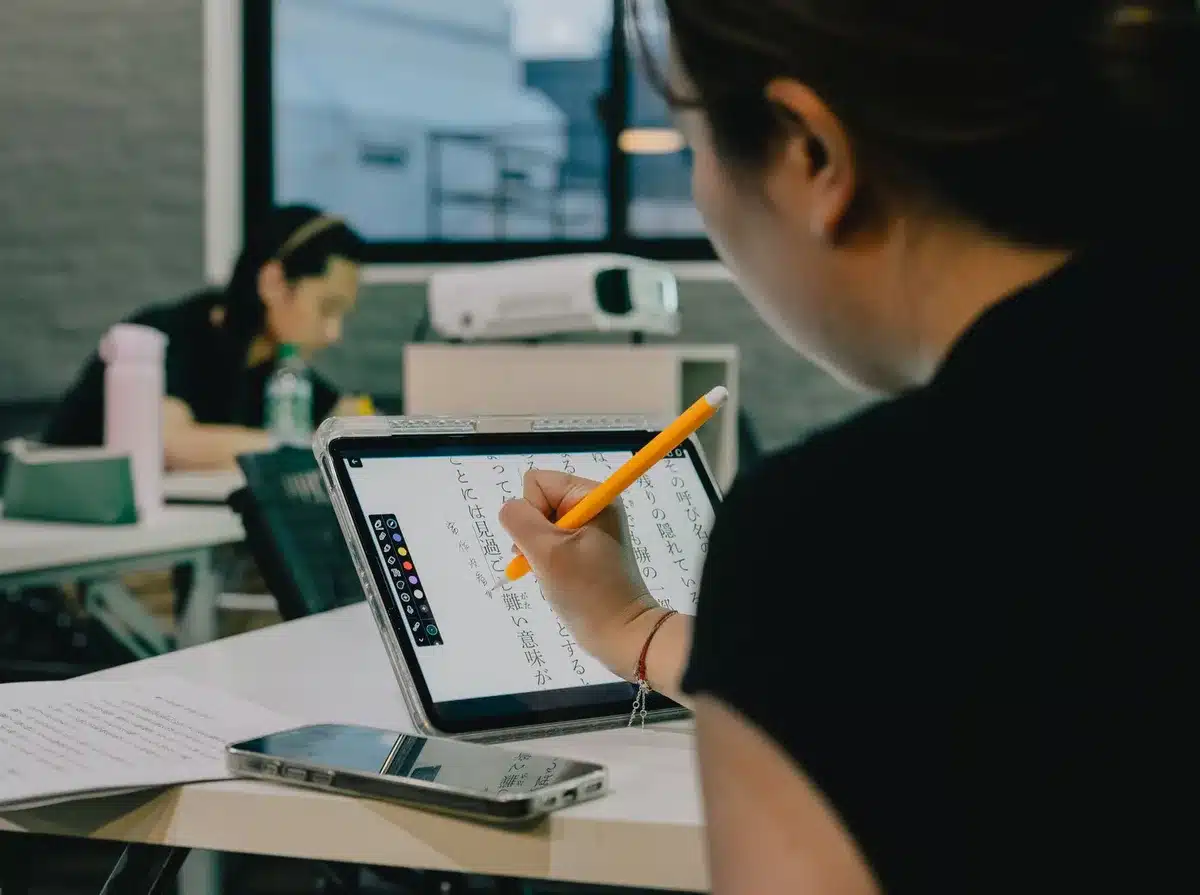
Tablets excel in facilitating interactive and visual learning. They are ideal for reading ebooks, annotating documents, watching educational videos, and using learning apps. Many educational institutions use platforms like Google Classroom, which are compatible with tablets, allowing for seamless integration into the classroom.
Another significant advantage is cost. Often, a mid-range tablet combined with a keyboard case can be more affordable than many laptops, with less maintenance required. For students who mainly need a device for reading, browsing, simple note-taking, and using educational apps, a tablet can be an adequate solution.
Why You Should Never Reheat These Foods in the Microwave – The Hidden Dangers Experts Warn About
I tried the top 5 guard dogs—here’s what makes these breeds the ultimate protectors
If you’ve decided that a tablet is the right choice for your child’s back-to-school needs, I have several recommendations that might suit your needs.
Limitations of Tablets for Educational Use
Despite their benefits, tablets have some drawbacks when used for educational purposes.

Tablets can be less effective for tasks that require heavy typing, advanced multitasking, and complex file management. Even with an external keyboard, these tasks are often more efficiently handled on a laptop. If your child’s coursework involves extensive writing or data manipulation, a tablet might not be the most efficient choice.
Additionally, the cost of necessary accessories like a high-quality keyboard or a stylus can add up, potentially offsetting the initial affordability of the tablet.
Compatibility issues with school-specific software and platforms might also arise, as some educational tools are optimized for laptops and may not function as smoothly on a tablet.
Another concern is the ease of distraction when using tablets; they can make it tempting for students to switch to gaming or social media, potentially disrupting their study and sleep routines.
If the drawbacks seem too significant, you might want to consider some budget-friendly laptop options that could be more suitable for your child’s educational needs.
Concluding Thoughts
Ultimately, whether a tablet is a suitable educational tool for your child depends on the specific needs and learning style of the student, as well as the requirements of their school. For younger students and those engaged in more interactive learning, a tablet could be a great tool. However, for older students or those needing to manage more intensive tasks, a traditional laptop might be a better option.
If you opt for a tablet, ensure you equip it with the necessary accessories and set guidelines to minimize distractions, keeping its use focused on education.
Follow Tom’s Guide on Google News and add us as a preferred source to stay updated with our latest insights and recommendations.
- Dell XPS 13 vs. MacBook Neo: Which $699 laptop is right for you?
- 12 essential back-to-school laptop accessories under $50 I recommend
- I tested the new Dell XPS 13 for two weeks — here’s 3 things I love (and 1 I hate)
Similar Posts
- Boost Your Daily Productivity: Discover How a Samsung Galaxy Tablet Can Be Your Ultimate Upskilling Tool
- Top Student Tablets of 2025: Discover Our Best Picks Now!
- Top Child-Friendly Tablets of 2025: Discover Our Favorites!
- Back to School Blowout: Last Days to Grab MacBook Pro & iPad Pro M5 Deals!
- Back to School 2025 Essentials: Best Laptops, Chromebooks, Headphones & More!

Tobias Nguyen covers mobile technology and social media trends. He combines a background in digital marketing with a passion for emerging tech to provide readers with data-driven insights and practical tech usage tips.