
Scientists confirm: This is the most effective way to get your cat’s attention, according to new research
Elderly Couple Refuses Reserved Seats—Viral Train Standoff Sparks Fiery Debate on Courtesy
Last year, Garmin focused on the mid and high-end of its running watch range, and it is now refreshing its most affordable models. The American sports tech giant has announced two new sports watches, the Garmin Forerunner 70 and the Garmin Forerunner 170.
Given the subtle differences between the two models, this review—focusing on the Forerunner 170 Music—will also cover the key distinctions from the Forerunner 70.
Here is our comprehensive review of Garmin’s new, more accessible watches.
Garmin Forerunner 170Technical Specifications
| Model | Garmin Forerunner 170 |
|---|---|
| Dimensions | 42.6 mm x 42.6 mm x 11.9 mm |
| Technology | Li-Ion |
| Screen Resolution | 390 × 390 pixels |
| Panel | AMOLED |
| Internal Memory | 4 GB |
| Weight | 41 g |
| Accelerometer and Electronic Compass | Yes |
| Sleep Analysis | Yes |
| Ambient Light Sensor | Yes |
| Protection Rating | 5ATM |
| Product Sheet |
The watch for this test was provided by the manufacturer.
Garmin Forerunner 170Title for Design
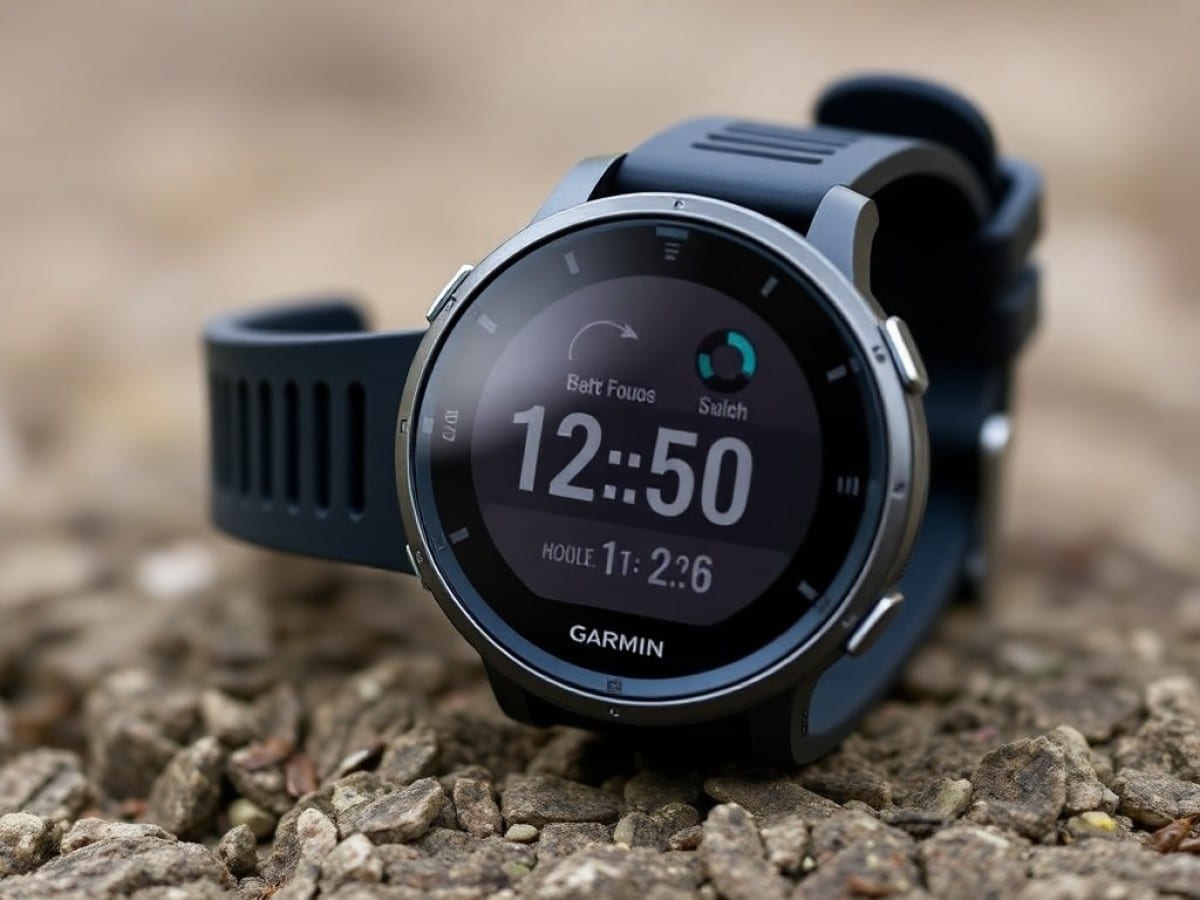
For this review, I had the opportunity to wear the Garmin Forerunner 170 Music on my wrist. However, aside from color variations—which differ between models—it is essentially identical to the other two models, the Garmin Forerunner 70 and the Garmin Forerunner 170 without the Music suffix. For colors, I tested a salmon pink model with burgundy and orange accents. The choice of colors is certainly original, even if it tends to give the watch a toy-like appearance. There are also more classic versions available in black or white.
This is a particularly compact watch with dimensions of 42.6 x 42.6 x 11.9 mm. This ensures a good fit on the wrist without worrying about the watch coming off due to the inertia of movements during various workouts. For comparison, this watch is slightly wider than the older Forerunner 55 (42 x 42 x 11.6 mm) and more compact than the older Forerunner 165 (43 x 43 x 11.6 mm). The Coros Pace 4, by contrast, measures 43.4 x 43.4 x 11.8 mm.
Unlike the Forerunner 570 and Forerunner 970 announced last year, there is no metal bezel here. For its entry-level watches, Garmin has opted for all plastic to save on weight—and also on cost. We thus have a case that weighs 41 grams on the scale with the provided silicone strap—or 40 grams for the Forerunner 70. It’s light enough for everyday wear so that the watch is hardly noticeable.
Regarding the strap, Garmin provides a silicone strap as usual with its watch. It’s a pity that the brand didn’t opt for nylon models, which are more comfortable and easier to adjust. Fortunately, the provided strap can be easily removed thanks to its quick-release spring and replaced with a standard 20 mm wide strap.
As for the buttons—all made of plastic—we find the classic Garmin watch layout, with three buttons on the left side and two on the right.
As is often the case with the brand’s watches, it’s hard not to notice the wide black borders all around the screen, integrated into the bezel. It’s a shame, as the screen occupies only 51.2% of the case surface, and it would have been nice to enjoy a larger display.
Finally, the Garmin Forerunner 170 is certified 5 ATM and can therefore be worn without fear not only in the rain, for doing dishes, in the shower, or even for swimming in a pool. However, it is not designed for deep-sea diving.
Garmin Forerunner 170A Well-Defined But Small Screen
A small case means a small screen. In this case, the Garmin Forerunner 170 incorporates a small circular 1.2-inch diameter panel with a resolution of 390 x 390 pixels, which equates to a pixel density of 325 pixels per inch. Practically, this is very close to the “Retina” resolution of the Apple Watches, and so it is comfortable to read the screen on the wrist without detecting each individual pixel.
Like with the Forerunner 165—but not with the Forerunner 55—the new Forerunner 70 and 170 both feature an AMOLED panel. This allows for a screen with much higher contrast, without the washed-out effect of MIP panels, and with much more vibrant colors. The downside, however, is that sufficient brightness is needed to comfortably view your data without being bothered by sunlight reflections. Fortunately, this is the case with the Forerunner 170, which performs adequately even though it does not reach the impressive brightness peaks of some high-end smartwatches like the Apple Watch Series 11, the Samsung Galaxy Watch 8, or the Google Pixel Watch 4. As we’ll see later, the screen is also touch-sensitive.
The Garmin Forerunner 170 also offers an always-on display mode to keep certain data always visible. This is very handy for checking the time or your notifications out of the corner of your eye without having to ostentatiously raise your arm to your interlocutor. Notably, you can set the sleep mode for certain time slots to disable the always-on display and the function that turns on the screen when you raise your wrist.
Of course, the watch also includes an ambient light sensor to automatically adjust the screen lighting to the surrounding light.
Finally, in terms of watch faces, Garmin offers 20 virtual dials pre-installed on the watch. All are highly customizable, both in terms of shades and the data displayed. The Connect IQ store will allow you to download hundreds of others according to your tastes and colors.
Garmin Forerunner 170An Interface Without Surprises
As for the software interface of the Garmin Forerunner 170, there’s nothing new under the sun: it’s a similar interface to that of the latest watches in the “Forerunner” range, whether it’s the Forerunner 570 or the Forerunner 970.
To set up your watch and connect it to your phone, you will necessarily need to go through the Garmin Connect app, available on both iPhone and Android.
Garmin Connect Mobile
Navigation within the watch is done through the five buttons provided—three on the left and two on the right:
- simple press on the “light” button: turns on the screen
- long press on the “light” button: toolbox
- short press on the “up” button: access to notifications
- long press on the “up” button: access to settings
- short press on the “down” button: access to the data strip
- long press on the “down” button: access to music
- short press on the “start.stop” button: access to apps and activities
- short press on the “back.lap” button: back
As we’ve seen, the screens of the Garmin Forerunner 70 and 170 are touch-sensitive. Therefore, you can swipe up from the dial to access the entire data strip or down to display notifications.
As always with Garmin, it’s the sports, health, activity, or performance data that are at the heart of the system. Displayed and customizable in the strip, they aim to indicate your state of form, recovery, or readiness.
However, you can download some third-party apps in the Garmin Connect IQ app specifically developed for this purpose by Garmin. This includes the WhatsApp app, for receiving and responding to your messages directly from the watch. The Google Maps app, on the other hand, will display the various stages of your route planned on a smartphone.
Among the differences between the Forerunner 70, Forerunner 170, and Forerunner 170 Music, it should be noted that the Forerunner 70 is not equipped with an NFC chip and will therefore not allow for contactless payment unlike its larger siblings, which are compatible with Garmin Pay. Moreover, only the Garmin Forerunner 170 Music includes a 4 GB storage that can be used for storing music via MP3 files or streaming apps like Spotify, Deezer, or YouTube Music.
Finally, while it is possible to receive notifications on the Garmin Forerunner 70 and Forerunner 170, none of the different watches include a microphone and speaker. They will therefore not allow for receiving or making Bluetooth phone calls from your wrist.
Garmin Forerunner 170More Advanced Scores for Training Tracking
Like all watches from the manufacturer, the Garmin Forerunner 170 is equipped with a number of sensors for tracking health, activity, and performance.
Thus, it includes an optical heart rate sensor, an SpO2 sensor, GPS tracking, and an accelerometer, common to both the Forerunner 70 and 170. In addition, while the Forerunner 170 is equipped with a barometric altimeter, a thermometer, a gyroscope, and a compass, this is not the case for the Forerunner 70.
The GPS Accuracy of the Garmin Forerunner 170
For activity and training tracking, the Garmin Forerunner 170 is equipped with a GPS chip. It is indeed a multi-GNSS compatible chip (GPS, Galileo, and Glonass), but it only supports the L1 frequency band and is therefore not compatible with dual-frequency GPS.
On paper, this means that the watch will be less accurate than Garmin’s higher-end watches, such as the Forerunner 570, or even some competing models, such as the Coros Pace 4, especially in urban areas with tall buildings.
To assess the GPS tracking of the Forerunner 170, I wore it on my left wrist during several workouts with, in parallel, a high-end Garmin watch, the Fenix 8, on my right wrist. I then ran several sessions both in the city and in an open park or on a track.
| Runs | Garmin Fenix 8 | Garmin Forerunner 170 | Difference |
|---|---|---|---|
| Run 1 (city) | 9,138 km | 8,956 km | -1.99% |
| Run 2 (track) | 12,274 km | 12,204 km | -0.57% |
| Run 3 (park) | 11,641 km | 11,678 km | +0.32% |
| Total | 33,053 km | 32,838 km | -0.65% |
In the city, there is a rather significant difference between the two watches, which can probably be explained by the lack of multi-band GPS on the Forerunner 170. However, in the other two cases, the watch performs very correctly with more marginal differences.

Maya Singh is a senior editor covering tablets and hybrid devices. Her work explores how these tools reshape digital productivity and learning. She also contributes to feature editorials on emerging tech.