
Scientists confirm: This is the most effective way to get your cat’s attention, according to new research
Elderly Couple Refuses Reserved Seats—Viral Train Standoff Sparks Fiery Debate on Courtesy
The year 2026 kicks off with a bang, though it doesn’t necessarily herald a fierce rivalry. While Intel’s Panther Lake has taken a significant leap forward, particularly in integrated graphics, AMD’s 400 series isn’t expected to be revolutionary.
However, it’s important not to overlook that we now have a three-manufacturer SoC market. Qualcomm, not satisfied with dominating just the mobile sector, is making its second attempt to establish ARM’s dominance in the laptop market.
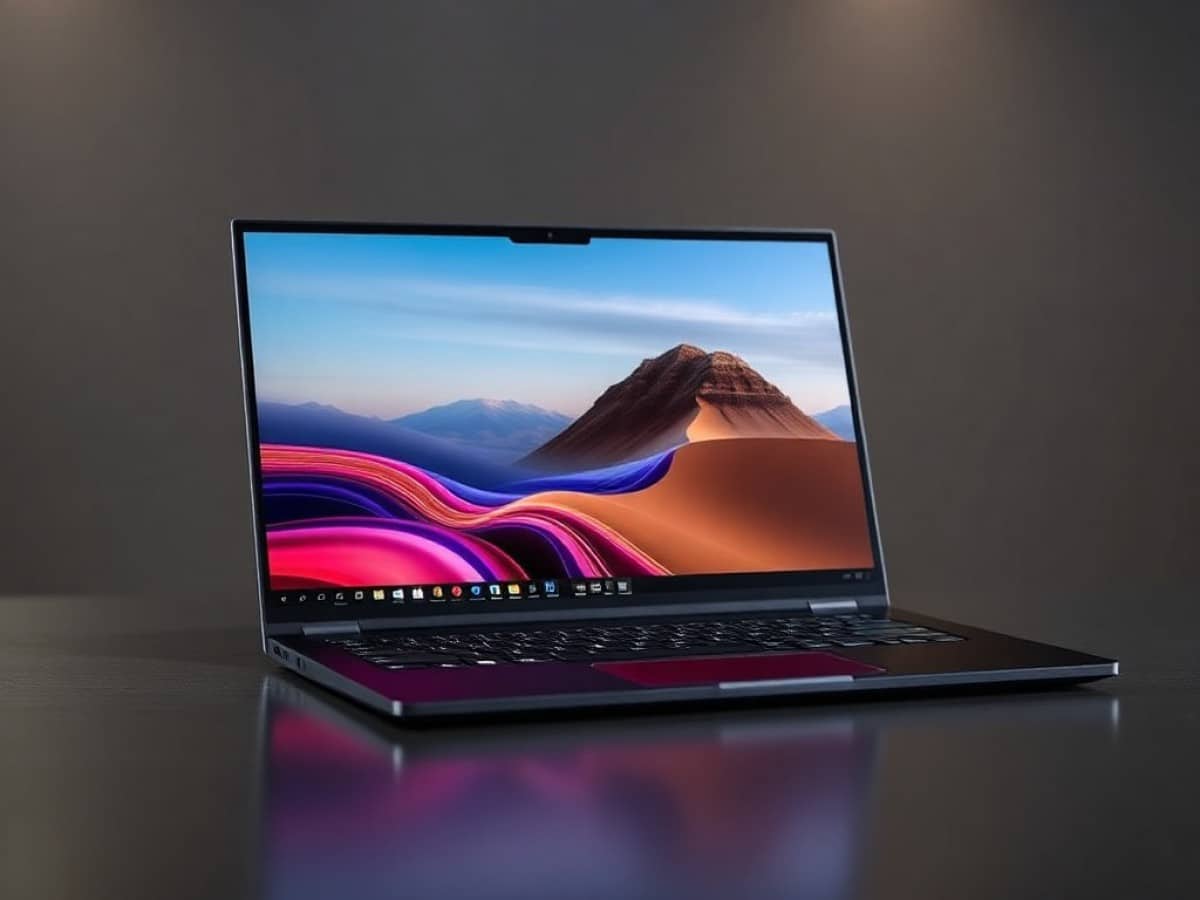
In France, we have the exclusive on the Snapdragon X2 Elite Extreme in the Asus Zenbook A16, which we’ve thoroughly tested to gauge the significance of this new competition.
Technical Specifications
| Model | Asus Zenbook A16 2026 (UX3607OA) |
|---|---|
| Dimensions | 353.5 mm x 16.5 mm |
| Resolution | 2880 x 1800 pixels |
| Display Technology | OLED |
| Processor (CPU) | Snapdragon X2 Elite Extreme X2E94100 |
| Graphic Chip (GPU) | Qualcomm Adreno |
| RAM | 48 GB |
| Internal Memory | 1024 GB |
| Appearance | Metal |
| Operating System (OS) | Microsoft Windows 11 |
| Weight | 1200 grams |
| Depth | 242.4 mm |
| Product Sheet |
Design
Asus is one of the few manufacturers striving to inject some originality into its designs. Of course, we’re mainly talking about a metal rectangle with somewhat rounded edges to prevent injury upon handling, but there’s also the signature “cerallium” – a proprietary alloy meant to mimic ceramic, which indeed feels like polished stone to the touch.
What’s remarkable here is not just the pleasing texture, but the weight. This 16-inch setup weighs just 1.2 kilograms. Combining such lightness with structural rigidity makes for an ultraportable laptop that reassures without weighing down, a rare feat in its category. A true gem.
Keyboard and Touchpad
The keyboard setup of the 2026 Asus Zenbook A16 is quite typical for the brand. We see a refined evolution in the switches used and the quality of the keys, offering reassuring stability and a solid activation distance suitable for an ultrabook.
The touchpad, however, might be slightly disappointing. While it maintains smooth operation and a generous size, it lacks the haptic feedback that has become more common among its competitors. It’s the only element missing for this setup to reach true premium status.
Connectivity
On the left side, there’s a full-size HDMI 2.1 port, two 40 Gbps USB-C 4.0 ports, and a combo jack. On the right, there’s a single USB A 3.2 Gen 2 port and a full-size SD card reader version 4.0.
The diversity and modernity of the provided connectivity are highly appreciated. An additional USB-C port on the right would have been nice, but that’s just nitpicking for what is otherwise a very solid configuration.
Webcam and Audio
The Asus Zenbook A16 2026 comes with a rather basic 1080p webcam. However, as we observed with the previous generation, Qualcomm’s SoCs can do a lot with a little, thanks to the manufacturer’s experience in mobile devices. Here, the output is quite pleasing with beautiful colors despite the sensor’s lack of sharpness. Very nice.
The audio is similar. Although the Asus Zenbook A16 2026 doesn’t have speakers on the sides of the keyboard, the sound that does emerge from under the chassis is unobstructed and of good quality. The output is decent, not excellent nor poor, but “good” for its clean high tones, adequate mids, and typically lacking bass for the category.
Display
The Asus Zenbook A16 2026 features a large 16-inch OLED panel with a 3K resolution of 2880 x 1800 pixels, in a 16:10 aspect ratio. While not touch-enabled, it supports a refresh rate of 120 Hz, which is not activated by default. Though it has an anti-glare treatment, it doesn’t quite reach the quality of treatment seen in devices like the Samsung Galaxy Book 6 Ultra, with a matte finish being more desirable.
Using our probe and the Calman software by Portrait Displays, we measured a coverage of 170% of the sRGB space and 114% of the DCI-P3 space. In SDR, the maximum brightness is measured at 468 cd/m², which is very good for indoor use but slightly lacking for outdoor use. The average color temperature is measured at 6268K, close to perfect, with an average delta e00 of 2.61, excellent with a maximum deviation of 5.85 on royal blue tones.
In HDR, we see a peak maximum brightness of 1065 cd/m², excellent for this product category. The average delta e00 over the DCI-P3 space is 3.1, also excellent. While the luminance curve isn’t perfect on these portable formats, the offering from this Zenbook A16 is excellent. However, it would really benefit from a better anti-glare treatment, which is disappointing for this premium category.
Software
We are still on Windows 11, which also benefits from the 26H1 update in “exclusive,” as the naive might say, or in “beta,” as the rational would argue. We also see the usual Asus software, especially MyAsus, along with the usual pre-installed ads typical for the manufacturer. Nothing new under the sun. Note that while Qualcomm doesn’t impose it, it’s also possible to use a “Snapdragon Control Panel” to get the latest drivers first and manage game-specific feature profiles.
What’s important to note here is that unlike the release of the Snapdragon X1 Elite, the natural compatibility limits of the ARM universe are no longer really felt here. Web browsers, Adobe tools, even our benchmark tools all have ARM versions now, suggesting that Microsoft is really pushing this architecture despite the strength of Intel and AMD.
Except, of course, for video games. It’s still a point where compatibility improves day by day, but it’s not particularly hard to find a title that will refuse to launch and will give a fatal error. When, of course, it’s not its anti-cheat that blocks. If for the first case, Qualcomm is in the kitchen, for the second, everything will depend on the evolution of the platform’s popularity. In this, the fate of ARM under Windows is not so different from SteamOS for Linux in gaming.
Performance
The Asus Zenbook A16 is powered by the Qualcomm Snapdragon X2 Elite Extreme. It will also be the only one in France to benefit from the most powerful version of Qualcomm’s SoC, which is limited in stock. It’s worth noting that this is the Snapdragon X2 Elite Extreme X2E94100, which does not reach the 5 GHz in single core promised by Qualcomm but is limited to 4.7 GHz, with a maximum frequency of 4.4 GHz in multi-core. We are talking here about 18 cores for 18 threads nonetheless, with 48 GB of LPDDR5X RAM at 9523 MT/s and 1 TB of storage on PCIe Gen 4.
We have on this platform the new Adreno X2-90 graphics circuit, its best version therefore. And of course, a dedicated NPU for artificial intelligence calculations promising 80 TOPS, a record for the field.
Benchmarks
Under Cinebench 2024, we find scores of 1590 points in multi-core and 150 points in single-core. On the 2026 version of Cinebench, this translates to 6852 points in multi-threads and 634 points in single-thread. Simply put… the best scores of the year, outright, compared to Panther Lake in their finest forms as on the Galaxy Book 6 Ultra.
With 18 cores, it seemed obvious that the configuration would manage to surpass Intel’s 16 mixed cores, but such a victory in single-thread performance with 26% more performance was not necessarily expected. On the CPU side, Qualcomm is simply the current market leader, especially since the SoC maintains its performance whether it is plugged into the mains or not, as is the case with Panther Lake.
But here’s the thing… On the graphics circuit side, it’s a different story. The Adreno X2-90 offers us a score of 5448 points on Steel Nomad Light, which is 16% less than the excellent Intel Arc B390 mobile, but still theoretically 38% more powerful than the Radeon 890M integrated into the ROG Xbox Ally X at 35W. This is promising, but let’s not forget other limits we’ll talk about in the gaming section.
Finally, on storage, we simply find what is expected of a PCIe Gen 4 storage of this generation.
In Game
Well… Here we are. We arrive at between 40 and 45% less performance on the X2 Elite Extreme compared to the latest Panther Lake.
| 1080p | Black Myth: Wukong | Cyberpunk 2077 |
| High, XeSS Balanced, FG x2 | 57 FPS | 80 FPS |
| High, XeSS Balanced, FG x0 | 38 FPS | 58 FPS |
| High, XeSS OFF | 25 FPS | 38 FPS |
When the games do launch, of course, because in the case of Monster Hunter Wilds, the computer launches it for about 2 minutes before offering a critical error.
This without simply counting on the software offering around the products. Intel can count on an increasingly performant XeSS 3, which also offers the MFG x4 these days. Qualcomm has nothing in its chest, except the basic compatibility with FSR 3 and its very unadvisable algorithmic frame generation.
It would be very interesting to see the manufacturer develop its own technology that can rely on its very powerful NPU. In the meantime, we can always count on the very basic AutoSR integrated into Windows 11, in beta as at the time of the release of the X1, which at least has the advantage of not needing any integration by the developers.
For Creatives
For photography, there is virtually no difference between the X2 Elite Extreme and the Arc B390. But alas, on video, the difference is huge: 58% less performance. However, we are still at the same level as the 2nd generation Intel Arc mobiles integrated into Lunar Lake, which is not bad in itself. Quicksync simply has a lead.
Cooling and Noise
Hearing its fans is almost unthinkable. The Asus Zenbook A16 2026 seems not to need them, but benefits from occasionally refreshing itself discreetly. In use, you really have to run synthetic tests to hear them, like launching a Cinebench and a 3DMark at the same time. Otherwise… Silence is golden.
Temperatures are also excellent. Even under less than optimal conditions, with the fans muffled by a bed quilt for example, the computer does not really heat up. ARM’s advantage on this point is always significant.
Battery Life
The Asus Zenbook A16 2026 features a 70 Wh battery that can be charged using a 130W power supply, although a minimum of 45W is sufficient thanks to the Power Delivery standard. Note that in this configuration, the screen is the most power-hungry component.
In office use, with the screen set to 50%, we find usage between 23 and 24 hours. This is essentially the same as the Intel Panther Lake integrated into the 2026 Zenbook Duo when it uses only one of its screens, and the best score we have had on Panther Lake since its release.
ARM retains an advantage in that its standby mode consumes almost nothing. We lost only 2% in two days of non-use on the remaining battery, which is terribly pleasant for a PC configuration.
Price and Availability
The Asus Zenbook A16 2026
Similar Posts
- Apple Opens Rare Opportunity for Intel: A New Era in Chip Manufacturing for iPhones and Macs
- Nothing Phone 3 Might Let You Down on a Key Feature: Find Out Which!
- Dell XPS 14 (2026) Review: Still Good, But No Longer Remarkable
- Asus Zenbook Duo Review 2026: Core Ultra X9 388H Reaches New Heights!
- MSI Prestige 14 Flip AI+ Review: Unveiling the Hybrid PC with Core Ultra X7 Power!

Maya Singh is a senior editor covering tablets and hybrid devices. Her work explores how these tools reshape digital productivity and learning. She also contributes to feature editorials on emerging tech.