
Scientists confirm: This is the most effective way to get your cat’s attention, according to new research
Elderly Couple Refuses Reserved Seats—Viral Train Standoff Sparks Fiery Debate on Courtesy
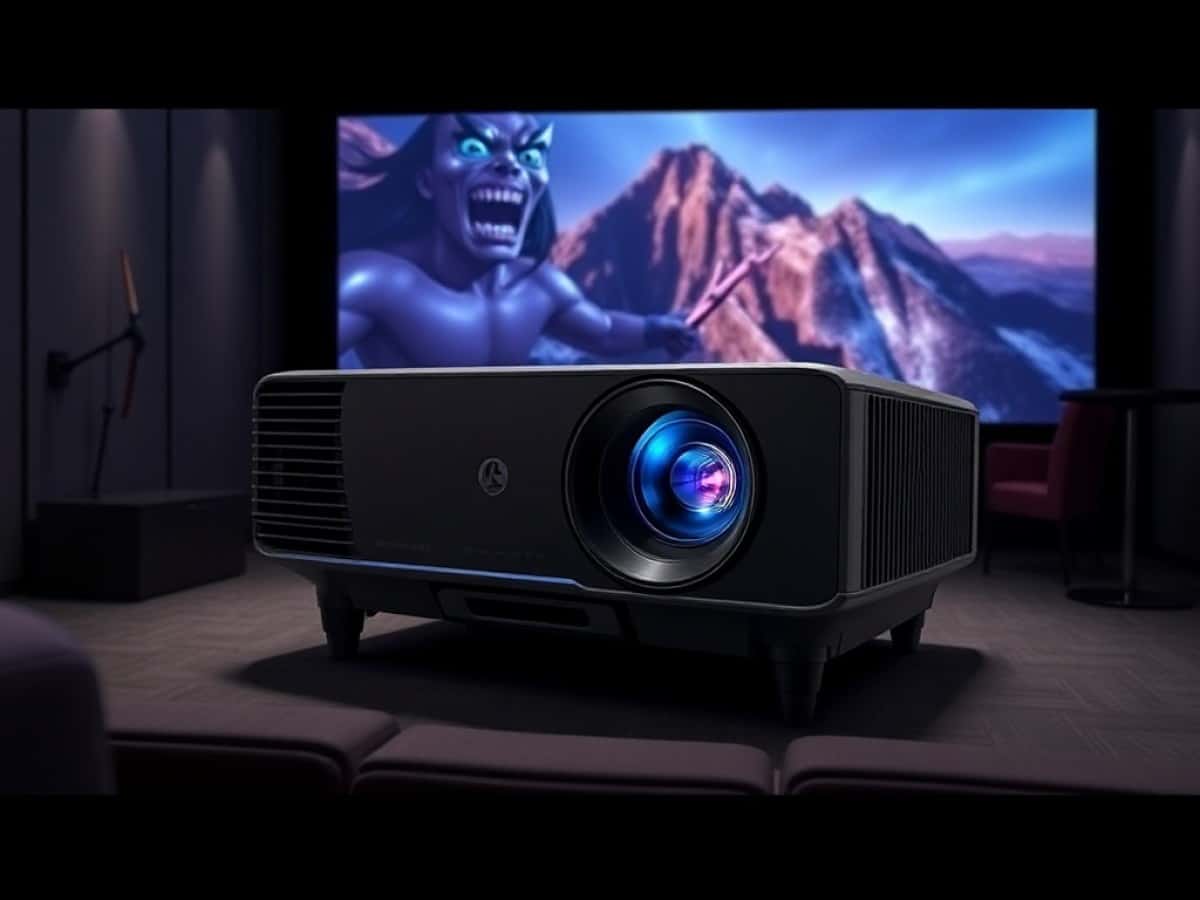
The JMGO O2S Ultra is part of a new generation of ultra-short-throw projectors designed to replace high-end TVs in the living room, providing a much larger image base. It was officially announced in January 2025 at the CES event in Las Vegas and is now available in France.
This model can project a 4K image ranging from 80 to 150 inches diagonally from just a few centimeters away from the wall, appealing to both movie enthusiasts and families looking for a versatile display for movies, series, sports, and video games. With its RGB Pure MALC 3.0 triple laser light source, the JMGO O2S Ultra boasts an exceptionally high BT2020 color space coverage, deep blacks for a DLP, and an ISO brightness of 3,600 lumens, ensuring a usable image even in a partially lit living room, positioning it immediately among the most ambitious products in its category.
Technically, the O2S Ultra utilizes a 0.47-inch DMD chip combined with XPR technology to simulate Ultra HD resolution. Additionally, compatibility with 3D, Dolby Vision, and HDR10 enhances its capabilities by leveraging the dynamic metadata of recent movies and series available on streaming platforms. JMGO has also equipped it with cutting-edge electronics, including an MT9679 processor, 4 GB of RAM, 64 GB of internal storage, and Google TV with access to Netflix, Disney+, Prime Video, YouTube 4K, and many more applications.
Compared to competitors, the JMGO O2S Ultra matches up well against other ultra-short-throw references like the Formovie Theater Premium, Hisense PX3-Pro, some Xgimi Aura 2 models, and Samsung The Premiere 9, all while being more compact and brighter than many of these rivals. It remains to be seen if this promise holds up in practice, both in terms of image quality and ease of use, gaming performance, and audio quality, to justify an investment exceeding 2,700 euros depending on the retailer.
Test Conditions
The JMGO O2S Ultra projector tested was loaned to us by the brand. It was tested in conjunction with a Lumene Extra Bright Eden 240C screen available at Son-Vidéo.com, a model specifically designed for ultra-short-throw projectors. Measurements were conducted with professional equipment directly in front of the screen to minimize errors and provide values that reflect what the viewer can actually see. This protocol is identical for all ultra-short-throw projector tests to enable comparisons.
Technical Specifications of JMGO O2S Ultra
| Model | JMGO O2S Ultra |
|---|---|
| Dimensions | 312 mm x 140 mm x 290 mm |
| Maximum Resolution | 3840 x 2160 pixels |
| Screen Size | 150 inches |
| Compatible with HDR | HDR10, Dolby Vision |
| HDMI Ports | 2 |
| Surround Compatible | Dolby Atmos, DTS-X |
| Number of Speakers | 2 |
| Speaker Power | 20 watts |
| Audio Output | Speakers, Optical |
| Operating System (OS) | Google TV |
| Voice Assistant | Google Assistant |
| Product Sheet |
Design of JMGO O2S Ultra
At first glance, the JMGO O2S Ultra does not play the role of a bulky centerpiece on the TV stand but opts for a particularly compact casing for its category.
Its dimensions are merely 31.2 cm wide, 29 cm deep, and 14 cm tall. This is significantly smaller than other models in its class, such as the Formovie Theater Premium or the Hisense PX3-Pro, not to mention the Epson EH-LS800, for example.
The effort to miniaturize such a powerful triple laser model is evident. However, the chassis remains wide enough to house the UST 0.16:1 optics, ventilation, and Dynaudio sound system, with a low profile that facilitates integration onto a stand without obstructing passage or disrupting the room’s general aesthetics.
The device sports a rectangular silhouette with softened edges, featuring a smooth front face behind which the sound diffusion grille is hidden. Its rounded shapes are quite pleasing. However, be aware that the glossy front is prone to fingerprints, a detail to consider when handling, especially since this projector is designed to be permanently visible in the living area. The top part houses the UST optical trap facing the wall or screen, neatly embedded in a matte surface that limits stray reflections when ambient light is significant.
Underneath, there are several pads to ensure excellent stability. Some might miss the universal screw thread for ceiling mounting.
Despite its compact size, practical details have not been overlooked. The placement of vents at the rear and sides prevents blowing directly at the user or disrupting the sound facade while ensuring good airflow essential for a very bright light source. The build quality appears meticulous, with no apparent play, which is reassuring given the price.
Overall, the JMGO O2S Ultra manages to remain unobtrusive while sporting a decidedly technological character, making it a device that one is happy to keep permanently under the screen.
Connectivity of JMGO O2S Ultra
The connectivity options of the JMGO O2S Ultra are designed to cover most current uses, whether for cinema, connected TV, or gaming. At the back, it primarily features two HDMI 2.1 inputs, one of which supports eARC to send the audio signal back to a soundbar or home cinema amplifier, greatly simplifying integration into an existing setup. The presence of HDMI 2.1 also supports use with the latest generation consoles or a gaming PC, particularly to enjoy display up to 120 Hz in Full HD in dedicated mode.
JMGO has also provided an optical digital audio output, handy for connecting to an older audio system or a soundbar without HDMI eARC, and a LAN Ethernet port for those who prefer a more stable wired network connection than Wi-Fi. A USB 2.0 port is also included for playing multimedia content stored on a flash drive or external hard drive, or possibly to power a small accessory.
Regarding wireless connectivity, the projector incorporates Wi-Fi 6.0 and Bluetooth 5.2, ensuring a rapid connection with the Internet box, controllers, headphones, or Bluetooth speakers.
Additionally, screen sharing and wireless broadcasting functions via AirPlay or Chromecast allow easy sending of a smartphone, tablet, or laptop display to the projector without the need for an HDMI cable. Overall, the connectivity of the JMGO O2S Ultra extensively covers the needs of typical use, with sufficient inputs and options to serve as a complete entertainment hub.
The Remote Control
The remote control that comes with the JMGO O2S Ultra adopts a fairly standard format for the world of connected projectors, somewhere between the minimalist zapper of some multimedia boxes and a more traditional model. Thus, we have a relatively compact accessory in hand, with an ergonomically designed grip that naturally fits in the hand and offers direct access to the main functions without fumbling, even in the dim light of a movie session. The buttons dedicated to navigating Google TV, adjusting the volume, going back, home, and controlling playback are logically grouped, which allows for quick familiarization.
Each button responds well and quite reactively, letting you know that the commands have been registered.
The remote is powered by a rechargeable battery via a USB-C port. It operates on Bluetooth, which avoids the need to precisely point it at the projector, a real plus when the device is placed very low or slightly off-center on the furniture. The presence of a built-in microphone allows the use of voice commands via Google Assistant to launch an application, search for a movie, or adjust certain settings without entering the menus.
While the absence of backlit keys, always handy in a dark room, is regrettable, the layout of the controls remains intuitive enough for quick mastery. In daily use, this remote proves effective, easy to get used to, and in line with the very “connected TV” orientation of this projector.
The Screen
The JMGO O2S Ultra projector is delivered without a screen. This leaves the choice open, but if the budget is limited, one might also be tempted to install it without a screen, using a wall as the projection surface and thus losing the relatively significant benefit of having an optimized surface for projection. Expect to spend between 500 and 2,700 euros for screens of various sizes with a specific treatment, particularly for technical models dedicated to ultra-short-throw that improve contrast in bright environments.
Installation
Like all ultra-short-throw projectors, the first step with the JMGO O2S Ultra involves finding the right position on the furniture relative to the wall or screen. Thanks to its 0.16:1 projection ratio, placing it about 16 to 17 cm from the wall yields a 100-inch image, allowing for easy installation on a standard TV stand without encroaching on the circulation space. Remember that its depth is only 29 cm. By slightly advancing or retreating the device, the image size can be varied up to about 150 inches, provided there is a wall or screen suitable for this diagonal.
To simplify startup, the JMGO O2S Ultra offers a set of automatic image alignment functions: focus, keystone correction, edge adjustment, and screen detection can be largely managed by the device, significantly reducing the time needed to achieve correct geometry. Also, note the presence of an option to adapt the image to the wall color and to automatically adjust the display size according to the screen, if applicable.
These automatic functions are not always perfect. It may be necessary to fine-tune the settings manually to achieve optimal precision, but they already provide a clean base. Once the image is set, it is strongly advised to limit excessive digital corrections to preserve sharpness, and to focus on physical placement, even if it takes some time at the start to avoid touching it later.
To be completely objective, we noticed, on our test model, a slight color shift in the upper part of the image.
The Image in Subjective Mode
From a subjective perspective, the JMGO O2S Ultra impresses from the first moments with the sharpness and precision of the projected image. The combination of the 0.47-inch DMD chip and XPR processing gives an impression of very high definition on test patterns as on films, with fine details well rendered, whether on skin textures, urban settings, or highly detailed landscapes.
The MALC 3.0 triple laser without color wheel delivers particularly rich colors, resulting in very saturated but generally natural hues when the most accurate image modes are selected.
The projector offers several predefined image modes, designed to adapt to different content: cinema modes for a darkened room, a brighter mode for daytime TV or sports, a vivid mode for those seeking a very impactful display, as well as a dedicated gaming mode. Specifically, the device allows selecting Dynamic, Cinema Master Adjustment, Office, Movie, Soft, Standard, Vivid Colors, and AI Enhanced modes.
In practice, the cinema-oriented modes (Movie and Soft) offer the most pleasant balance, with more neutral colorimetry and a very convincing perceived contrast for a DLP, especially in dark HDR film scenes where blacks maintain a beautiful depth without completely crushing the details. Forget the Dynamic mode, which offers completely fanciful colors and triggers the fan to its maximum, making projection unpleasant in a living room.
The Cinema Master mode is quite original. Indeed, it provides access to a specific menu that displays several thumbnails. Everyone chooses the rendering they prefer, depending on the content viewed. However, it should be noted that, in light of our measurements, see a bit further down, the colors are unfortunately not respected even if they may seem flattering. It’s up to everyone to make their choices. In this mode, it is possible to save your own settings to return to them more quickly later. This is well thought out but still addresses specialists and connoisseurs.
When playing content from streaming platforms in 4K HDR, with Dolby Vision when available, we observed that the image clearly benefits from dynamic processing, offering well-managed brightness peaks on light sources, metallic reflections, or landscapes in full sunlight, all while maintaining a nuanced rendering in the shadows.
The sharpness remains pleasant without falling into an excessively digital appearance, allowing enjoyment of both very modern series and older restored films, where the original grain remains perceptible. On Blu-ray and 4K Blu-ray, the JMGO O2S Ultra also showcases its ability to exploit high-definition masters, with an impression of relief and depth enhanced by interesting native contrast but less than the references Hisense PX3-Pro and Formovie Theater Premium.
The significant brightness allows maintaining an impactful image even with ambient light, for example, to watch shows or sports events during the day, especially if using a technical screen adapted for it. Naturally, in a completely darkened room, one enjoys a sufficiently wide dynamic to give a true cinema dimension, with blacks that, while not reaching the best projectors, are remarkably deep for a DLP triple laser. Generally, the impression left by the image of the JMGO O2S Ultra is that of a very refined model, combining precision, color richness, and contrast to offer a coherent home cinema experience, whether it’s for streaming, discs, or more everyday programs.
Motion Compensation
The JMGO O2S Ultra integrates MEMC-type motion compensation technology, designed to smooth rapid movements and reduce motion blur in the most hectic scenes. In practice, this function is very effective for sports programs, filmed concerts, and part of modern TV series, where the clarity enhancement in actions and tracking shots is immediate, especially on a large image base.
Cinema films also benefit from this increased fluidity if one appreciates this type of rendering, although it is advisable to remain measured to avoid generating a too pronounced “soap opera” effect, always a subject of debate among enthusiasts. The various levels of power offered precisely allow adjusting the intervention of the algorithm, or even completely disabling it to preserve the original character of works shot in 24p. In mixed use, the presence of robust motion compensation is an asset for this type of projector intended to serve as the main screen of the household.
Rainbow Effect
As with any projector based on DLP technology, even in a triple laser variant, the JMGO O2S Ultra is not entirely free from the risk of the rainbow effect. However, it should be noted that this phenomenon is very limited on this model, as the use of three RGB lasers and the absence of a traditional color wheel help to significantly reduce the appearance of these colored flashes on high-contrast areas, particularly white subtitles on a black background.
Keep in mind that sensitivity to the rainbow effect varies greatly from one viewer to another, some being almost unaffected while others are very attentive. If you are in the latter case, we recommend looking at LCD models, such as those from Epson. Here, in everyday use, for the vast majority of users, this aspect should not constitute a major obstacle, but a preliminary trial is always recommended for the most sensitive.
Our Measurements, Probes Included
Like some projectors, such as the Epson EH-LS800, this model is equipped with a brightness sensor that automatically adjusts certain image parameters based on the lighting conditions in the room. All our measurements were made with the sensor disabled and in total darkness. We used the Movie mode.
Regarding the native contrast ratio, we recorded 1814:1, which is relatively high but not as much as the Formovie Theater Premium or the Hisense PX3-Pro (respectively 2557:1 and 3095:1). The average gamma was measured at 2.1 with good tracking for low gray levels but a tendency to over-light the scene for the highest values (dip towards the bottom on the graph). The average color temperature is 8494 K, with the default settings, which is too high and indicative of an image too cold, much more than it should be (the ideal value being 6500 K). We can observe a serious drift of red.
Out of the box, and without any calibration, color fidelity is not optimal since we measured an average Delta E of 7.39 with the Movie mode, which is significantly above the threshold of 3, below which the human eye can no longer differentiate between the requested color and the one displayed on the screen. This results in colors that are a bit too flattering on the screen. We obtained similar values for the Formovie Theater Premium and Hisense PX3-Pro. Therefore, optimizations can be made to achieve truly natural and “cinema” colors.
With HDR content, again, we selected the Movie mode. Regarding color fidelity, the average Delta E was recorded at 6.84, thus well above the threshold of 3. Facing the Lumene screen used for all our tests
Similar Posts
- LG CineBeam S Review: Ultra HD Mini Projector With Winning Design Fits Inches From Wall
- Optoma Photon Go Review: Transform Any Wall into a Giant Screen with This Mini Projector!
- Hisense PL2 Review: Top Sharpness and Contrast, But Colors Could Improve
- Xgimi Horizon 20 Max Review: Ultimate 4K Laser for Home Cinema Unveiled!
- BenQ W2720i Review: Does This Android TV Back-Room Projector Measure Up?

Maya Singh is a senior editor covering tablets and hybrid devices. Her work explores how these tools reshape digital productivity and learning. She also contributes to feature editorials on emerging tech.