
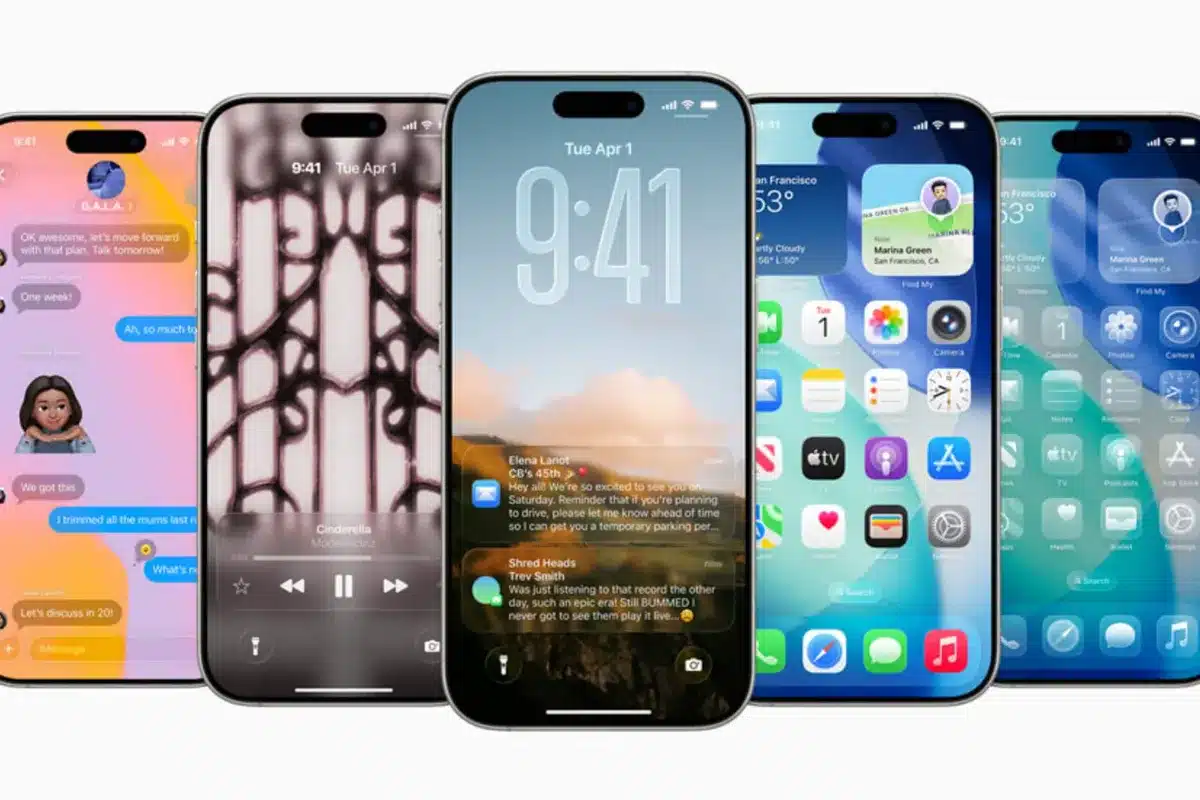
A Design Revolution Years in the Making
Apple’s latest iOS release marks its most dramatic overhaul since 2013. The new “Liquid Glass” design language brings stunning translucent elements that transform how your iPhone looks and feels, unifying the experience across all Apple devices.
Scientists confirm: This is the most effective way to get your cat’s attention, according to new research
Elderly Couple Refuses Reserved Seats—Viral Train Standoff Sparks Fiery Debate on Courtesy
Your lock screen becomes a dynamic canvas, automatically converting standard photos into eye-catching 3D compositions. Home screen customization reaches new heights with reimagined widgets and app icons that adapt to your style.
AI Power Without the Cloud
In a groundbreaking move, Apple opens its AI models to developers. This means powerful artificial intelligence features run directly on your iPhone – no internet required – promising faster performance and enhanced privacy.
Real-time translation debuts in FaceTime, Messages, and phone calls, breaking down language barriers instantly. The system supports major world languages out of the box, making international communication seamless.
Smart Protection Against Digital Nuisance
A cutting-edge call screening system acts as your personal assistant, requiring callers to identify themselves and state their purpose before reaching you. Say goodbye to robocalls and unwanted interruptions.
The Messages app introduces a dedicated folder for unknown senders, bringing order to your digital communications. This smart organization keeps your important conversations front and center while filtering out potential spam.
Native Apps Get a Premium Makeover
Apple’s built-in apps showcase the new design philosophy. The Camera app sports a cleaner, more intuitive interface, while Safari leverages transparency effects to maximize your browsing space.
Third-party developers can now integrate “Liquid Glass” effects into their apps, ensuring a consistent premium feel across your entire iPhone experience.
Compatibility and Getting Started
iOS 26 supports iPhone 11 and newer models, though some advanced AI features are exclusive to the latest hardware. This ensures optimal performance across the board.
Why You Should Never Reheat These Foods in the Microwave – The Hidden Dangers Experts Warn About
I tried the top 5 guard dogs—here’s what makes these breeds the ultimate protectors
Installation remains hassle-free through Settings > General > Software Update, maintaining Apple’s commitment to user-friendly experiences.
Conclusion
iOS 26 isn’t just another update – it’s a complete reimagining of what your iPhone can be. With groundbreaking design, on-device AI, and enhanced security features, Apple sets a new standard for mobile operating systems. Whether you’re a tech enthusiast or casual user, iOS 26 delivers meaningful improvements that make your iPhone more capable and enjoyable to use.
Similar Posts
- Apple TV Update: Discover the Top Features of tvOS 26!
- iPhone, Mac, and iPad Users Win: Liquid Glass Now Tolerable With New Feature!
- Revolutionize Your iPad Experience: iPadOS 26 Brings Mac-Level Multitasking & New Features!
- iPadOS 26 Transforms iPads: Now More Mac-Like for Ultimate Productivity!
- Apple Unveils iOS 26: Discover Liquid Glass Interface and Apple Intelligence Now!

Ben Thompson is a tech strategist and contributing journalist. He breaks down complex industry movements into practical insights for everyday users. Known for his sharp analysis of big tech trends and business models, Ben draws from years of experience as a consultant and founder of Stratechery. At Touch Reviews, he focuses on how major innovations—from AI tools to platform shifts—translate into real-life impacts and actionable tips for users who want to stay ahead of the curve.
Ben.Thomson@touchreviews.net