
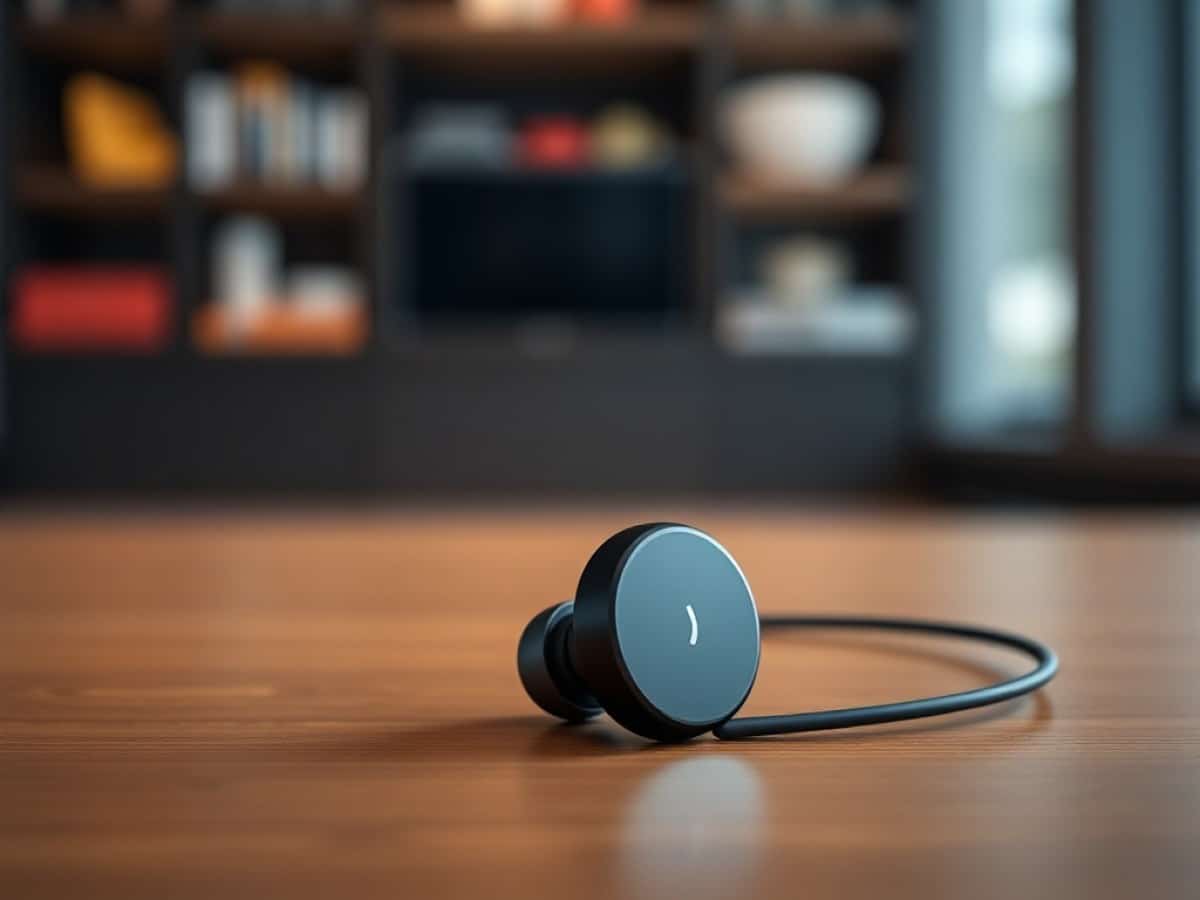
Two years after the original FreeClip, Huawei returns with an upgraded version. These open earbuds promise comfort and lightness for athletes who reject noise isolation. There are ergonomic improvements, and the sound quality has progressed.
Scientists confirm: This is the most effective way to get your cat’s attention, according to new research
Elderly Couple Refuses Reserved Seats—Viral Train Standoff Sparks Fiery Debate on Courtesy
The market for open earbuds is experiencing a spectacular boom. Following the original FreeClip, numerous competitors have entered the fray. Thus, Huawei is returning to a familiar yet now highly competitive territory. The FreeClip 2 inherits the clip-on design that contributed to the success of its predecessors: a C-shaped architecture that wraps around the ear, an acoustic part positioned in front of the ear canal, and an electronic section that rests behind the ear.
The philosophy remains the same: to provide a listening experience without sound isolation, to stay connected to one’s surroundings. This approach is particularly appealing to runners, cyclists, and anyone engaging in outdoor physical activities. However, this positioning involves significant sound compromises that must be accepted from the outset.
Priced at 199 euros, the FreeClip 2 is positioned at the higher end of the open earbuds market, comparable to the Bose QuietComfort Ultra Open Earbuds (200 euros) and the highly regarded Shokz OpenFit 2+ (149 euros), Anker Soundcore AeroClip (119 euros) or Motorola Buds Loop with excellent value for money (129 euros). At this price, Huawei clearly aims for the premium open format, with features (IP57, battery life, finish) to justify the difference. It remains to be seen if the audio quality follows suit.
Huawei FreeClip 2 Technical Specifications
Huawei FreeClip 2
This review was conducted using earbuds provided by Huawei.
Huawei FreeClip 2: A Refined but Divisive Design
Huawei retains most of the original FreeClip’s design elements. The characteristic C-shape is still present but with some welcome evolutions. The two parts of the earbud – the acoustic sphere and the bean-shaped electronic body – are now connected by a textured silicone cable, more flexible than in the first generation. This connection is 25% more flexible according to Huawei, resulting in less pressure on the ear cartilage.
The weight has been reduced from 5.6 to 5.1 grams per earbud. While this seems modest on paper, it could be noticeable during extended sessions. The IP57 certification (resistance to immersion up to 1 meter for 30 minutes) is a real plus for sports earbuds.
Four colors are available: black, white, rose gold, and blue. The variety is sufficient to satisfy everyone’s taste, although the glossy finish inevitably attracts fingerprints.
Significantly Improved Comfort
Comfort is one of the major improvements in this second generation. The new silicone junction, less rigid than the original FreeClip’s, exerts gentler pressure on the ear. During multi-hour sessions, the difference is noticeable: where the original FreeClip could cause slight discomfort after two hours, the FreeClip 2 are almost entirely forgettable.
Why You Should Never Reheat These Foods in the Microwave – The Hidden Dangers Experts Warn About
I tried the top 5 guard dogs—here’s what makes these breeds the ultimate protectors
Stability remains excellent. Even with sudden head movements or while running, the earbuds do not shift. Placement is relatively free on the rear part of the ear, but it is best to aim for the lower part to maintain good fit and sound quality.
A Compact and Thoughtful Charging Case
The charging case has slimmed down significantly compared to the original FreeClip’s. More compact and less rounded, it easily slips into a pocket. Certified IP54 (resistance to water splashes and dust), it can withstand a few sweat drops without a problem.
Storing the earbuds might be surprising at first: the junctions cross at the center of the case. It takes a few uses to get the hang of it, but it then becomes a natural operation.
The case supports Qi wireless charging in addition to the USB-C port. A practical feature, although wired charging remains significantly faster. A small tip: it is possible to activate sound prompts that use the earbuds’ speakers to confirm charging, even when they are stored in the case.
Huawei FreeClip 2: Enhanced Usage and Controls
The original FreeClip suffered from a major flaw: the inability to adjust the volume directly on the earbuds. Huawei has listened to the feedback and now includes a touch-sensitive surface on the bean-shaped part. A vertical swipe allows volume adjustment. The maneuver takes a bit of practice – it may require a couple of attempts at first – but once mastered, it is quite responsive.
Finally Comprehensive Touch Controls
Other controls rely on tapping: double tap for play/pause, triple tap to navigate between tracks. These gestures work on the cable, the acoustic sphere, or the rear part. Customization is possible via the app, allowing for differentiation between the left and right earbuds.
A small novelty: head gestures. By nodding or shaking the head, it is possible to accept or reject a call. This function is disabled by default, but it works reliably once activated. However, during intense sports sessions, tapping and sliding can slightly displace the earbuds.
The Huawei AI Life App
Huawei switches from AI Life to Huawei Audio Connect, a dedicated app for its audio products. Available on iOS (via the App Store) and Android (via APK, not on the Play Store), it offers a clear and airy interface. The settings are extensive: control assignment, customizable 10-band equalizer, activation/deactivation of wear detection, sound localization of the earbuds, adaptive volume. However, the Huawei AI Life app also works with the FreeClip 2.
The equalizer is particularly comprehensive, allowing advanced users to create their own sound profile. For others, several presets favor certain types of content. The app also manages firmware updates.
A practical function: automatic detection of the left and right ear. Thanks to built-in accelerometers, each earbud identifies its position and adjusts the channels accordingly. No need to check which earbud goes in which ear: just put them on, and they adjust instantly.
Connectivity: Modern Without LE Audio
The FreeClip 2 features a Bluetooth 6.0 chip. However, the LE Audio standard is missing. No LC3 codec, no Auracast standard: one has to settle for SBC, AAC, and Huawei’s proprietary L2HC codec. With recent Huawei smartphones, NearLink Audio technology promises a data rate of 2.3 Mb/s with reduced consumption, but this is limited to the brand’s ecosystem. Beyond that, let’s be honest, it does not impact the sound quality.
Multipoint is included, allowing simultaneous connection of two devices. Useful for switching between a smartphone and a computer. However, Google Fast Pair is still missing, which slows down the initial pairing on Android. Microsoft Swift Pair, on the other hand, is supported.
Huawei FreeClip 2: The Constraint of the Open Format
The frequency response curve of the FreeClip 2 immediately reveals the constraints of the open format. In the low frequencies, the curve dives from 60 Hz, barely reaching 55 dB SPL at 20 Hz. This is the Achilles’ heel of all open earbuds: without a sealed canal, it is impossible to generate acoustic pressure in the lows. Huawei compensates with its dual-membrane 10.8 mm transducer, which manages to maintain an acceptable level up to 60 Hz, but beyond that, there is a void.
However, the midrange is the strength of these earbuds. The curve shows a nice regularity between 200 Hz and 2 kHz, with a slight boost in the upper bass that adds body to the voices. The texture is good, the level of detail satisfactory. This is where the FreeClip 2 excels: voices are well reproduced, warm, and present.
But the highs are problematic, as they are too pronounced. The curve shows a marked emphasis between 3 kHz and 8 kHz, which inevitably colors the sound. At a moderate volume (around 30-40%), this signature brings energy and brightness without aggressiveness. But once the volume is pushed beyond 50%, the emphasis becomes excessive.
Listening Impressions: A Colored Sound to Accept
In a quiet environment, the FreeClip 2 deliver a pleasing sound signature, despite its imbalances. The bass, although absent below 60 Hz, manages to provide a minimum foundation for the sound. One will never find the depth and punch of closed earbuds, but for an open format, it is already respectable. The mids, excellent, carry the music. Voices are warm, textured, pleasant to listen to. The soundstage is wide and airy, providing a welcome sense of space.
The highs, as mentioned, become problematic when the volume is increased. Below 50% volume, the balance remains acceptable. Beyond that, the emphasis in the high frequencies becomes too marked. It is not necessarily aggressive, but unbalanced. The equalizer allows for partial correction of this flaw, but one must accept the colored character of the FreeClip 2’s sound.
Outdoors or in transit, the situation changes radically. Ambient noises mask all the lows, leaving only the mids and highs, resulting in a thin and disembodied sound. The adaptive volume function attempts to accentuate certain frequencies depending on the surrounding noise. This is useful for podcasts and voices, but it does not really improve the musical experience.
Let’s be clear: the FreeClip 2 are not earbuds for high-quality music listening outdoors. However, for indoor sports (gym, running in a quiet park), they perform very well. For urban athletes who want to stay connected to traffic noises, this is exactly what is needed: sufficient sound to accompany the effort, without dangerous isolation.
Soundstage: The Advantage of the Open Format
The soundstage is one of the strengths of the open format. Unlike in-ear headphones, which create a sonic bubble in the head, the FreeClip 2 offer natural spatialization. Instruments are positioned more credibly in space, stereo separation is clear. This is particularly appreciable on acoustic tracks or live recordings, where this openness adds a real plus.
However, do not expect miracles: the width of the stage remains limited by the format and the proximity of the transducers. We are far from an audiophile headset, but for sports or relaxed listening, it is more than enough.
Huawei FreeClip 2: An Excellent Hands-Free Kit
The FreeClip 2 include three microphones per earbud: a main microphone to capture the voice, a bone conduction microphone to isolate vocal vibrations, and a microphone dedicated to wind reduction. The ensemble is coupled with a DNN (Deep Neural Network) noise reduction algorithm that mixes the three sources to isolate the voice while preserving its natural timbre.
In practice, the results are very good. In a quiet environment, the voice is perfectly captured with a slight attenuation in the highs that produces a soft and pleasant rendering. In a noisy environment (street, transit), the algorithm manages to maintain intelligibility even in difficult conditions. The voice is then more altered, with some artifacts of digital processing, but it remains understandable. Dropouts are rare.
The bone conduction sensor makes a difference: by capturing skull vibrations rather than aerial sounds, it allows the algorithm to effectively distinguish the user’s voice from background noises. For calls on the move, this is a real plus.
Huawei FreeClip 2: Above Average Battery Life
Huawei announces 9 hours of autonomy for the earbuds alone, and 38 hours with the charging case. These figures are measured at 50% volume with the AAC codec. During my tests, I measured about 8h30 of autonomy at 60% volume, as the 50% level was a bit low for my taste. A result slightly above the announcements, thanks to moderate listening volume.
Battery life depends greatly on the volume used. At 30% volume, one can expect to exceed 10 hours. At 60-70%, it will likely fall back to 7-8 hours. This is above average for open earbuds.
Wired charging of the earbuds takes about 40 minutes from 0 to 100%, slightly more than the original FreeClip. This is the price to pay for improved autonomy. In 10 minutes of charging, one recovers about 25% of the battery, or nearly 2h30 of listening. Convenient for a quick fix.
The charging case (537 mAh) offers a little more than three full charges of the earbuds. It recharges in less than an hour wired, nearly 3 hours wirelessly. Wireless charging is convenient, but one will prefer the USB-C cable to save time.
Huawei FreeClip 2: Price and Availability
The Huawei FreeClip 2 have been available since January 2026 at a price of 199 euros. Four colors are offered: black, white, rose gold, and blue. A premium pricing position that places these earbuds at the very top of the open earbuds segment.
For comparison, the Bose QuietComfort Ultra Open, far from exceptional, are sold for 200 euros. The acoustically superior Shokz OpenFit 2+ are priced at 200 euros. In the entry-level segment, one finds the Anker Soundcore AeroClip for 119 euros and the Motorola Buds Loop for 129 euros.
Thus, the FreeClip 2 are positioned at the same level as the Bose in terms of price, but with different strengths since the Huawei offer better sound, IP57 certification (compared to IPX4 for the Bose), automatic left/right detection, and a more compact design. The value for money will depend mainly on your priorities: if you are looking for the best possible sound on open earbuds, the Shokz remain ahead. If you prioritize comfort, lightness, and water resistance for sports, the Huawei are a credible alternative.
Similar Posts
- Huawei FreeArc Review: Are These Open-Ear Headphones Perfect for Sports?
- Huawei FreeBuds 7i Review: Top-Tier ANC at a Bargain Price!
- New Powerbeats Fit Launch: The Successor to Beats Fit Pro Unveiled!
- Samsung Unveils Its New Galaxy Buds 3 FE, Earbuds Designed For Those Who Want Quality Without Breaking The Bank
- AirPods Pro 3 Review: Early Impressions Burst with Excitement

Maya Singh is a senior editor covering tablets and hybrid devices. Her work explores how these tools reshape digital productivity and learning. She also contributes to feature editorials on emerging tech.