
Scientists confirm: This is the most effective way to get your cat’s attention, according to new research
Elderly Couple Refuses Reserved Seats—Viral Train Standoff Sparks Fiery Debate on Courtesy
The initial Altyk mini-PCs featuring Intel N100 and Intel N305 processors remain relevant and continue to meet the needs of many users. However, there were cases where the power was slightly lacking, and Altyk has logically utilized the insights gained from this first release to enhance their product line.
The second-generation Altyk mini-PCs are notably equipped with more robust chips, specifically the Core i5-1240P or Core i7-1280P, depending on the model. These are 12th generation chips with at least 12 cores and 12 MB of cache, as seen in the F2-I516-N05 model that the brand provided for testing. This allows for a somewhat grander performance scope.
| Model | Altyk Le Mini PC – F2-I516-N05 |
|---|---|
| Dimensions | 115 mm x 115 mm x 40 mm |
| Processor (CPU) | i5-1240P |
| Graphics Chip (GPU) | Intel UHD Graphics |
| RAM | 16 GB |
| Internal Memory | 480 GB |
| Wi-Fi Standard | Wi-Fi 6E |
| Bluetooth Version | 5.3 |
| Operating System (OS) | Microsoft Windows 11 |
| Product details |
The review was conducted using a product loaned by Altyk.
Compact with Top-Notch Finish
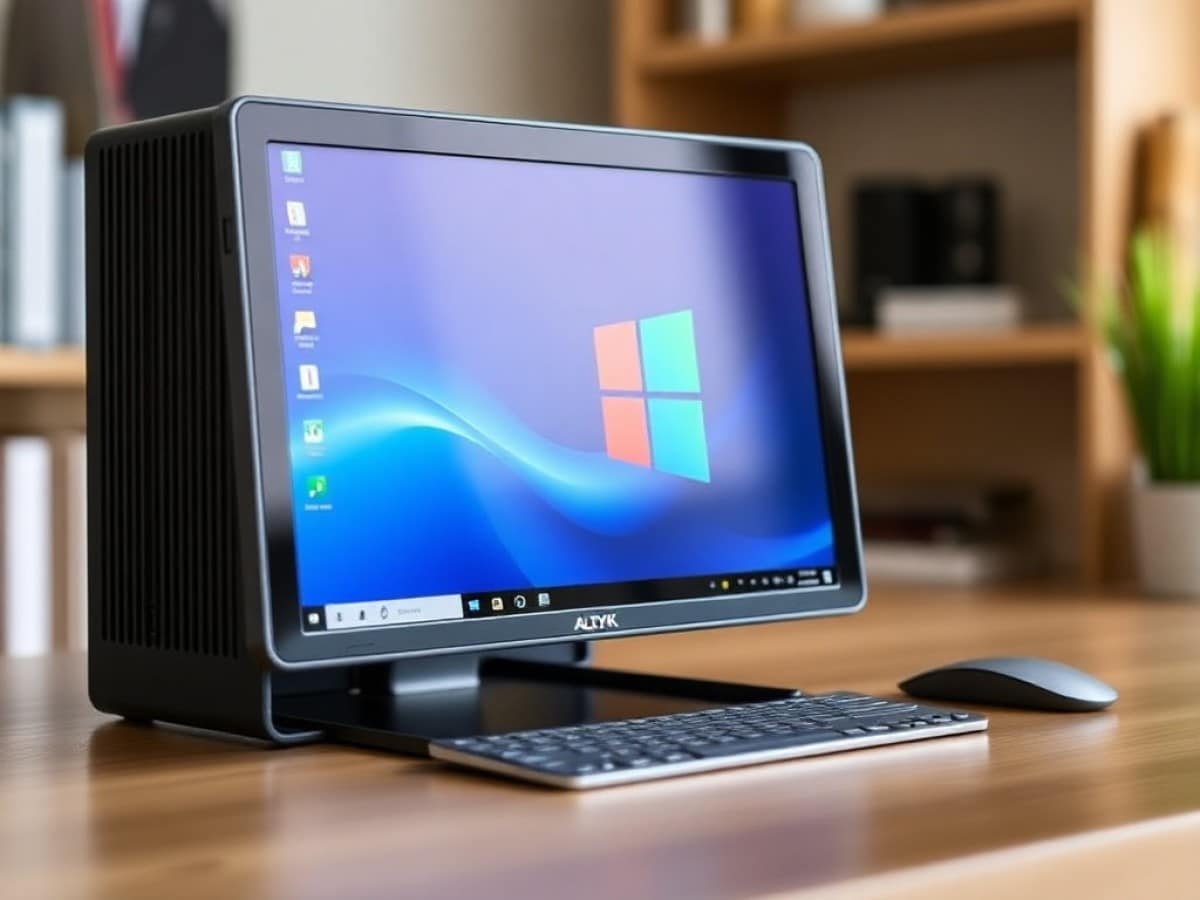
The first generation of Altyk’s mini-PCs, dressed in white, continues to be sold, but it’s the black models from the second generation that are now hitting the shelves. Altyk does not allow customization of its machines, so the color difference is a simple way to distinguish between the two generations. The F2-I516-N05 is actually closer to anthracite than true black, and this slightly “smoky” look gives it a strong presence.
It also impresses with its dimensions, which are even more compact than before: now based on a square footprint of just 118 millimeters on each side and a thinner-than-average thickness of 38 mm. Achieving such compactness with a volume of just over half a liter is commendable, and the weight of about 570 grams is hardly noticeable.
However, these dimensions, volume, and weight do not include the external power brick, which is relatively bulky. The brick measures 130 mm long, 58 mm wide, and 32 mm thick, weighing around 300 g, nearly 50% of the mini-PC’s overall weight. It delivers a maximum power of 100 watts.
Aside from that, the design is understated, which we appreciate. In addition to the ports we will discuss later, there are large grilles on the sides for machine ventilation.
Rich Connectivity, with Some Shortcomings
We’ve already mentioned the external power brick, but it’s worth noting that unlike many competitors, Altyk opts for a USB-C connection to the PC. This not only complies with European standards but also makes the setup more practical than the still-too-common “jack,” allowing the power supply to be used for other purposes. Of course, this USB-C port designated for power is located on the back of the PC. It is accompanied by an extensive array of ports that notably includes a single RJ45 port—where the first-generation Altyk had two—but fortunately, it supports 2.5 GbE.
Altyk also includes everything needed for display management—despite the absence of a DisplayPort—with support for up to three monitors: two through two HDMI 2.0 (4K@60 Hz) ports and the third through the USB-C 3.2 Gen 2 (10 Gbps) port, also compatible with Power Delivery 3.0. The rear is somewhat cramped, offering only two USB-A 2.0 ports and a 3.5 mm audio jack. It’s a pity we couldn’t see a bit more modernity here.
Accessories? Rather, a Lack Thereof
When testing the F2-N30516-N05, the previous generation of Altyk mini-PCs, we weren’t particularly impressed by the accessories provided. Like most manufacturers of such machines, Altyk did the bare minimum, even omitting a display connection cable when some competitors at least include an HDMI.
As the saying goes in sports, “don’t fix what isn’t broken.” Although, it’s hard to see what they’re winning here… other than cutting costs by limiting accessories to the bare essentials.
Thus, in addition to the mini-PC itself, the box contains only four items: the power brick, the power cable (about 1.2 meters), the VESA mount kit for attaching the machine to the back of a monitor, for example, and a brief user manual. It might not seem like much, but these few pages can be handy for setting up your very first PC.
Windows 11 Preinstalled and That’s It
As with its previous generation, Altyk has chosen not to overload the machine with software, which would unlikely match the real uses of the device.
Therefore, instead of burdening us with bloatware, Altyk offers just one piece of software: a preinstalled version of Windows 11. In our case, it was the Professional edition, but buyers can also opt for a slightly less expensive Home edition. The advantage of pre-installation is that the machine is almost ready to use once plugged in. You’ll need to go through a few Microsoft setup screens to complete the installation, but it only takes a few minutes.
While Altyk has made the setup process smooth, the brand cannot perform miracles, and the first users of a mini-PC F2-I516-N05 will still have to endure a hefty session of updates. Whether it’s Windows 11 components, some additional modules, or the most important drivers, you won’t escape it, but it will happen without any need for your intervention.
It is somewhat disappointing, however, that Altyk does not offer a Linux option on its mini-PCs. It would have allowed those indifferent to Microsoft to save some money.
So, How Does It Perform in Use?
The exterior look, connectivity, and accessories are all well and good, but it’s crucial to see what this mini-PC has under the hood. To do this, simply open it up! Well, that’s not always easy, and some manufacturers use tricky methods to reduce size.
Altyk has made an effort to ensure its machine is easy to open. You need to flip the device over and locate the rubber pads that also cover the screws. While some competitors glue these pads to the structure, they are “plugged” at Altyk: they can be removed and replaced at will without fear. Then, remove the four screws and the chassis plate to reveal a second plate, which involves removing another four screws. This is the only “constraint,” as Altyk has arranged for nothing to be in our way: no fragile antennas, no complex screws, no obstructive cooling systems.
From there, you can access the “accessible” internals of the machine, and we are not disappointed by what we find: two SO-DIMM slots for RAM (occupied by two 8 GB DDR4-3200 modules) and three M.2 slots. The first is occupied by the WiFi/Bluetooth card, with perfectly organized antennas. The second slot is taken by the base SSD (a 500 GB NVMe model from Kingston), while the third slot is free: it will be easy to add a second SSD to increase the storage capacity of the F2-I516-N05, even though Altyk has placed only one thermal pad on the delivered SSD.
Finally, beneath these components lies the processor and its cooling system. Given that the chip is soldered to the motherboard, Altyk has wisely chosen not to make it accessible. The chip in question is a 12th generation Core i5-1240P from Intel. It consists of 12 cores, 4 high-performance and 8 efficient ones, assisted by 12 MB of smart cache and an Intel Iris Xe Graphics solution with 80 execution units. While not a powerhouse, the setup seems as balanced as it is intriguing.
Our first test was an opportunity to see a bit of this since 3DMark has a knack for challenging both CPU and GPU.
Our three scenes of choice are not easy for a chip that struggles a bit on the graphic side. Of course, things are most difficult on Steel Nomad, but it’s not much more promising on Time Spy Extreme (respectively scoring 132 and 580 points): two scenes too demanding for the Iris Xe Graphics. However, with 4099 points on Fire Strike, it’s more convincing, proving the machine can run smaller games.
To be sure, we repeated our usual gaming protocol with Forza Horizon 5 and Shadow of the Tomb Raider, two somewhat older titles that perfectly illustrate the limits of such a machine: at 1280 x 720, but with maximum details, we barely saw better than a slideshow, averaging 26 frames per second on Forza Horizon 5 and 25 fps on Shadow of the Tomb Raider. Absolutely unplayable.
Unfortunately, even when reducing the graphic details to the minimum, 1280 x 720 remains out of reach for such a machine on even slightly demanding games. It’s “amusing” to note that, already very close earlier, the results are this time exactly the same at an average of 48 fps on our two games. Even major productions from eight or ten years ago are unplayable on such a machine.
However, it is possible to switch to more modest independent productions and enjoy emulation for some fun. We did not encounter any particular problems with our selection of indie games: Horizon Chase Turbo, Tricky Towers, Unpacking, and Unrailed all work wonderfully. You’ll just need to be mindful not to ask too much of Altyk’s mini-PC.
Power and Cooling
While many mini-PC manufacturers tout the “silent” operation of their coolers, often, this is not the case. Altyk stands out from its competitors in this respect: its mini-PCs may not be the most powerful, but the promise of a “discreet operation, ideal for a work environment or at home” is kept.
We put the F2-I516-N05 to the test—on various CPU tests, for example—and while the machine had to activate its single fan, it remained quiet: just a gentle breeze audible when close to the central unit, with no overly aggressive noise to report. One might think that the cooling is insufficient to keep the processor cool. Not at all. The Core i5-1240P does indeed heat up, but it stays far from any throttling with a maximum of 82°C: we’ve seen much worse in many competing machines.
Surprisingly, however, there are no temperature sensors on the RAM modules, and we were therefore forced to measure “by hand” to check their heating: here too, nothing bothersome with a maximum of 48°C. It’s a bit hotter at the single SSD installed by Altyk, but at 51°C during the most demanding sessions, it’s really not a problem.
Controlled heating is more comfortable because the ventilation will be discreet, but it’s also an asset for the PC’s lifespan and the need to call customer service… even if, in this case, it is in France and the warranty is 3 years with a 5-year guarantee of parts availability!
Last but not least, we measured a modest consumption of 67.8 watts under full load. In more typical use, it varies around 35 to 45 watts, although this can fluctuate.
Price and Availability
The second generation of Altyk mini-PCs is already available, in stock, particularly on the brand’s official website. It coexists with the four models from the previous generation, which continue to resonate with the public.
Altyk Le Mini PC – F2-I516-N05
at the best price
-
Amazon
€799
With a new version and a new processor, the second generation is somewhat more expensive than the previous one. The inflation affecting RAM and SSD prices does not help the situation: our test model, the F2-I516-N05, is priced at €799.95 with a Windows 11 Home edition or €869.95 for a Pro edition. It remains reasonable.
It’s interesting to note that, to move up the range, Altyk has four other versions equipped with the Core i7-1280P with 14 cores. Available in 16 GB or 32 GB, with Windows 11 Home or Pro, these versions range from €929.95 to €1219.95.
Similar Posts
- Geekom A9 Max Review: Is This Mini-PC the Ultimate Power-to-Cost Champion?
- Altyk L16F Review: Impressive French Innovation? Find Out Now!
- iPad Mini 8 Packs iPhone 17 Pro Power: Here’s the Scoop!
- GMKtec EVO-T1 Review: Intel’s Latest Mobile Processor Gives It a Serious Edge
- Beelink EQi13 Pro Review: Power-Packed Mini-PC Unleashed!

Maya Singh is a senior editor covering tablets and hybrid devices. Her work explores how these tools reshape digital productivity and learning. She also contributes to feature editorials on emerging tech.