
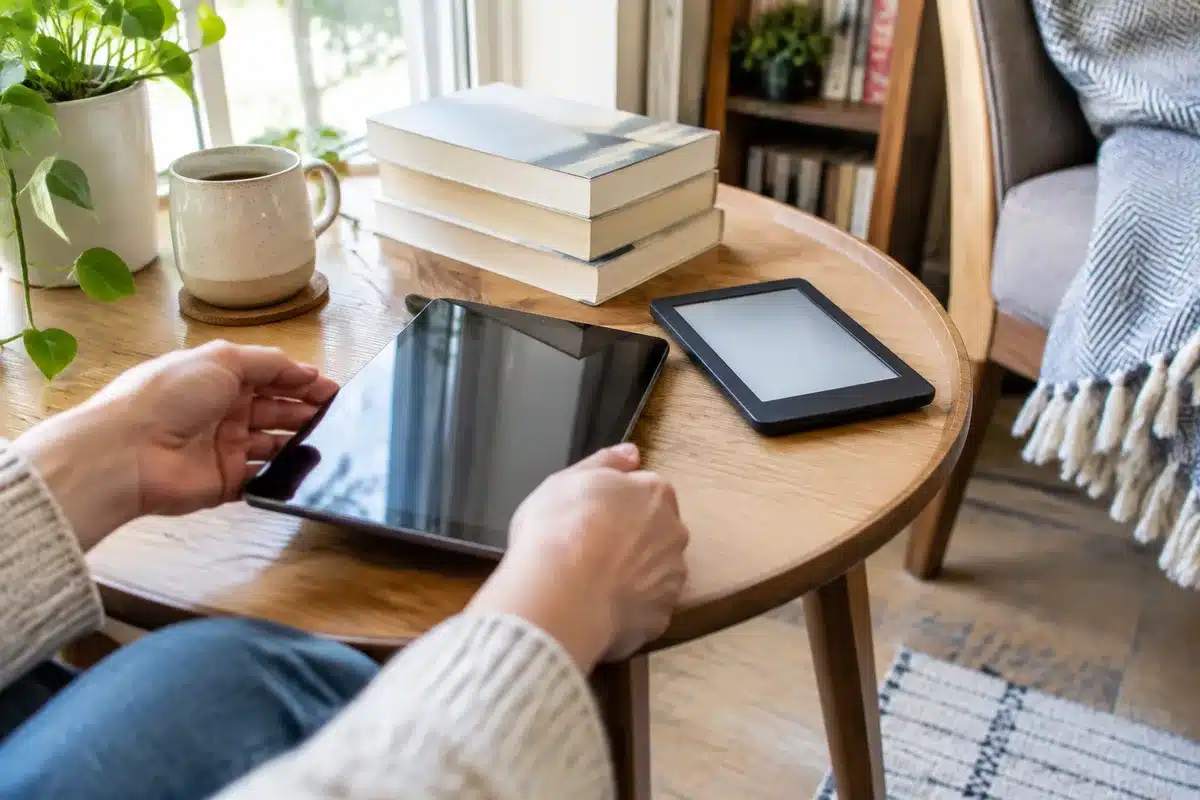
I recently spent time with Apple’s iPad mini 8 and Amazon’s Kindle Colorsoft Signature Edition, and both devices rank among the best I’ve used for reading. That’s notable coming from someone who’s relied on Kindles for more than a decade. Each device approaches the reading experience differently: the iPad mini 8 brings a powerful, colorful tablet experience that makes books and comics really sing, while the Kindle Colorsoft doubles down on everything you expect from a dedicated e-reader. Below I go through how they compare so you can pick the one that fits your reading habits.
Scientists confirm: This is the most effective way to get your cat’s attention, according to new research
Elderly Couple Refuses Reserved Seats—Viral Train Standoff Sparks Fiery Debate on Courtesy
Design and feel
Both devices have been slimmed down compared with their predecessors, which makes long reading sessions less tiring. The iPad mini 8 is the larger of the two: it measures roughly 7.69 x 5.22 x 0.21 inches and weighs about 8.9 ounces. The Kindle Colorsoft Signature Edition is more compact at around 6.9 x 5.0 x 0.3 inches and tips the scales at about 8.1 ounces. In practice the Kindle feels a touch smaller and is easier to cradle for extended periods, but the mini’s lightness and balanced weight distribution make it surprisingly comfortable as well.
Materials and build quality differ too. Apple’s tablet is a single machined-aluminum unibody, giving it a premium, solid feel in the hand. The Kindle uses an aluminum back only for the Signature Edition, but overall both devices feel well-built and smooth. Both also carry water-resistance ratings — the iPad mini 8 is IP67, while the Colorsoft has an IPX8 rating. Color choices are straightforward: the mini comes in Midnight and Starlight, and the Kindle Colorsoft is offered in Fig and Graphite.
Screens and reading comfort
Where the iPad mini 8 stands out is its new 8.5-inch OLED screen. With thinner bezels and a resolution of 2316 x 1512 (about 326 ppi), text is crisp and color content is vivid with excellent contrast. Apple also offers an optional nano-texture display that cuts down on reflections and gives the panel a slightly paper-like surface — a nice compromise if you read outdoors or are sensitive to screen glare. That option, however, is only available with the higher-capacity model and adds a hefty premium.
The Kindle Colorsoft keeps the same 7-inch color display as its predecessor, using a new reverse-stack construction to smooth the transition between bezel and screen. For regular black-and-white text reading it delivers bold, bright results thanks to its optimized color layer. Color support is improved over earlier Kindles, so comics and illustrated books look better than before, but color mode reduces the effective resolution — Amazon’s approach has color reading at a lower ppi (around 150), while monochrome text remains sharp at 300 ppi.
If you want simply the most eye-catching, punchy display, the iPad’s OLED will likely impress more. But if you prioritize a paper-like feel and lower glare for longform reading, the Kindle’s e-ink approach — especially with its matte finish and text-focused rendering — will be gentler on the eyes for many people.
Battery life
This is a classic tablet vs. e-reader distinction. Apple rates the mini for roughly 10 hours of web browsing on Wi-Fi, which aligns with my experience: after nearly two weeks of regular use I was charging it about every other day. The Kindle Colorsoft, on the other hand, is built for endurance — Amazon claims up to eight weeks of use on a single charge under typical reading conditions. In real-world testing I used the Kindle for almost three weeks before needing to recharge, and it still showed around 60% battery remaining. If you want a device you can pick up and read from for days or weeks without thinking about the charger, the Kindle is far and away the easier choice.
Software and reading ecosystem
One area where the Kindle has a built-in advantage is its integration with Amazon’s reading ecosystem. The Colorsoft ties directly into the Kindle Store and Goodreads: you can buy books onscreen, see recommendations, track what you’re reading and quickly sync reading progress across devices. The Kindle’s Home layout highlights current reads, suggestions tailored to your habits, and Kindle Unlimited picks when applicable, and in-book settings let you change fonts, themes and more with a few taps.
On the iPad, you can of course run the Kindle app and carry over most of that functionality — font controls, syncing, and seamless access to your library are all available. One inconvenience: you can’t purchase books from within the Kindle app on iPad; you must use a web browser and sign into Amazon to buy titles. Still, the app preserves your place across devices and brings the Kindle catalog to a more capable tablet.
Why You Should Never Reheat These Foods in the Microwave – The Hidden Dangers Experts Warn About
I tried the top 5 guard dogs—here’s what makes these breeds the ultimate protectors
Distractions and focus
One of the Kindle’s strongest selling points is how distraction-free it is. The Colorsoft is designed primarily for reading: you won’t receive push notifications, and there are no tempting app icons to wander into. That single-purpose focus helps you stay immersed in a book. The iPad mini 8, by contrast, is a full tablet. You’ll need to manually silence notifications and resist switching to other apps if your goal is uninterrupted reading. That flexibility is great if you want a multipurpose device, but it makes the iPad less of a single-minded reading tool.
Price and value
Price is a big differentiator. The iPad mini 8 starts at $699 for the 128GB model with a standard glossy screen. To get the nano-texture finish you must step up to the 256GB model, which adds about $200 to the price. The Kindle Colorsoft Signature Edition is far less expensive: the 32GB Signature Edition (which includes the aluminum back) is $319, and the standard Colorsoft with 16GB and a different rear material is $289. While the Kindle’s price has increased compared to older entry-level models, it’s still considerably less than the iPad.
Which should you choose?
Both devices are excellent readers, but they serve different needs. Choose the Kindle Colorsoft if you want a refined, distraction-free e-reading experience with outstanding battery life and tighter integration with the Kindle ecosystem. It’s the better pick for people who mainly read books and comics and want week-plus battery life between charges.
Pick the iPad mini 8 if you value a high-end, versatile tablet that offers a spectacular OLED panel for both text and color content, plus apps for productivity, streaming, and gaming. If you want a single device that can handle reading superbly and do far more beyond that, the mini is the stronger all-around choice — though it comes at a much higher price and shorter battery life.
Bottom line: if reading is your sole priority, the Kindle Colorsoft is the focused, longer-lasting option. If you want a remarkable display and a compact tablet that’s also an outstanding reader, go with the iPad mini 8.
Similar Posts
- Amazon Kindle Sale Alert: Up to 25% Off Colorsoft, Scribe & More Before Labor Day!
- Amazon Cuts Kindle Prices Up to 42%: Prime Day Deals on Colorsoft, Scribe & More!
- Score Big Savings: Get Up to 40% Off on Kindles Before Amazon’s Spring Sale – Top 7 E-Reader Deals Revealed!
- Prime Day Steal: Get $90 Off My Top Pick E-Reader, the Kindle Colorsoft!
- Amazon Cuts Kindle Prices for October Prime Day: Save Up to 30% on Colorsoft, Scribe & More!

Tobias Nguyen covers mobile technology and social media trends. He combines a background in digital marketing with a passion for emerging tech to provide readers with data-driven insights and practical tech usage tips.