
Scientists confirm: This is the most effective way to get your cat’s attention, according to new research
Elderly Couple Refuses Reserved Seats—Viral Train Standoff Sparks Fiery Debate on Courtesy
For several months now, I’ve been toying with the idea of replacing my living room console with a PC. Not just any PC—a real, compact, quiet (as much as possible) gaming PC connected via HDMI 2.1 to my 4K TV, complete with a wireless controller and Steam’s Big Picture mode.
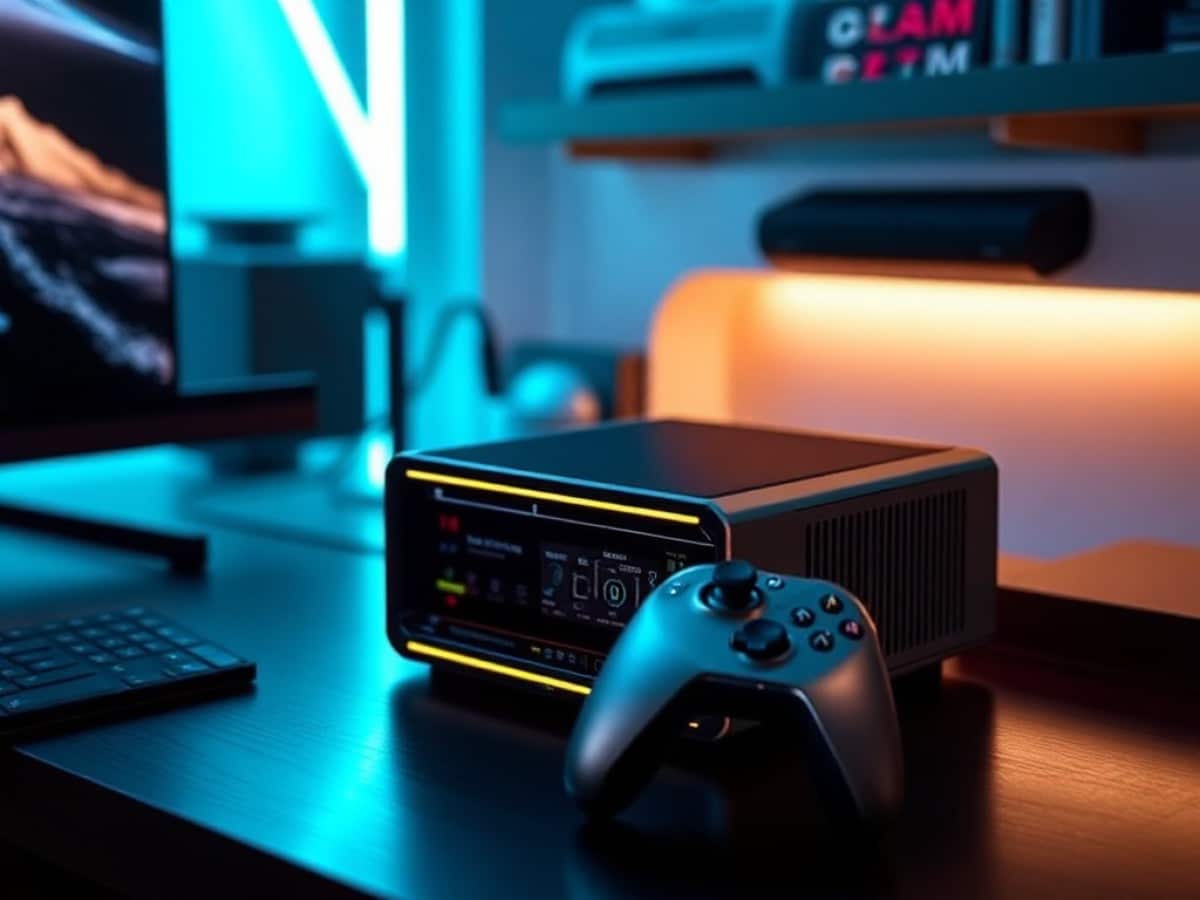
The Minisforum AtomMan G7 Pro, equipped with an Intel Core i9-14900HX and a mobile GeForce RTX 5070, promised just that. I installed it in my living room.
The concept isn’t new, but the hardware has evolved significantly. Until now, mini PCs at best featured an integrated GPU, adequate for light gaming but not competitive with a PS5 or Xbox Series X on major AAA titles.
With the G7 Pro, Minisforum integrates a dedicated (mobile version, unsurprisingly) latest-generation graphics card into a device that fits alongside a home cinema amplifier.
This makes the setup intriguing: it’s no longer about constant compromise; it’s about a genuine miniaturized gaming PC. The question is whether the experience holds up once you’re settled on the sofa, controller in hand.
Why You Should Never Reheat These Foods in the Microwave – The Hidden Dangers Experts Warn About
I tried the top 5 guard dogs—here’s what makes these breeds the ultimate protectors
Technical Specs
| Specifications | Minisforum AtomMan G7 Pro |
| Processor | Intel Core i9-14900HX (24 cores, 32 threads, up to 5.8 GHz) |
| Graphics Card | Nvidia GeForce RTX 5070 (mobile version, 8 GB VRAM GDDR7) |
| RAM | 32 GB DDR5 5600 MHz (expandable up to 96 GB) |
| Storage | 1TB SSD NVMe (2 slots available: 1x PCIe 4.0, 1x PCIe 5.0) |
| Connectivity | Wi-Fi 7, Bluetooth 5.4, Ethernet 2.5 GbE |
| Dimensions and Weight | 398 x 260 x 80 mm / 2.6 kg |
| OS | Windows 11 Pro |
| Launch Price | €1759 |
The G7 Pro continues using the same processor base as its predecessor, the G7 Ti, which was equipped with an RTX 4070. The Core i9-14900HX remains a mobile Raptor Lake-HX generation chip. While it’s not the latest from Intel, it’s still highly effective with its 8 Performance cores and 16 Efficiency cores.
The significant upgrade here is the shift to the RTX 5070 Laptop with its 8 GB of GDDR7, which introduces capabilities like DLSS 4 and multi-frame generation. Minisforum has announced a combined thermal envelope of 200 W in gaming mode (85 W for the CPU, 115 W for the GPU), necessitating a substantial cooling system for a casing that’s only 33 mm thick.
The unit tested was provided by Minisforum.
Design and Connectivity
The G7 Pro doesn’t look like your typical mini PC. We’re not talking about the small square cubes that you can place behind a monitor: its form is vertical, tall, and it clearly mimics a gaming console’s design. Placed next to a PS5, it’s almost the same height but significantly thinner. The included weighted plastic base provides good stability on a TV stand.
The finish is polished. Brushed aluminum dominates, with black accents on the logos and ventilation grills. It’s a departure from the aggressive “gamer” aesthetic with multicolored LEDs everywhere.
The RGB light bar on the front is very subtle; you can customize it (breathing, gradient, rainbow) or simply turn it off via the Minisforum Control Center software.
On the front, there are two physical buttons. The first for power and the second to switch between Desktop and Gaming modes. This latter feature is quite practical for everyday use: in Desktop mode, the PC consumes less and remains quiet. In Gaming mode, it unleashes all its power. No need to dive into settings, a simple press does the trick.
The front panel includes two USB 3.2 Type-A ports, one USB-C 3.2 Gen 2, an SD card reader (UHS-II), and a 3.5 mm combo jack.
At the back, there’s the power supply (280 W external block), a USB4 port, an HDMI 2.1 (supports 4K@120 Hz or 8K@60 Hz), an additional USB 3.2 Type-A, and a 2.5 Gbit/s Ethernet port. The setup is completed by large ventilation grills on three sides.
The connectivity is decent, but not without criticism. The lack of a second HDMI port or a DisplayPort is noticeable if you want to connect two screens without using a USB-C or USB4 adapter. For a living room setup with just one TV, it’s not an issue. But for a dual-monitor desktop setup, some workaround is needed.
The disassembly is straightforward: three screws under the base, and the side panel slides up. Inside, you have direct access to the two SSD M.2 2280 slots (only one is occupied on the tested version), the two SO-DIMM slots for RAM, and the cooling system.
On our 32 GB model, Minisforum used only one stick of RAM. Therefore, dual-channel is lost, which can slightly affect performance. Adding an identical second stick would be a sensible upgrade, but given the current price of DDR5, the manufacturer’s choice is understandable.
The cooling system is impressive for such a thin casing: six heat pipes, two fans, and air exhaust on three sides. This architecture explains the height of the casing, which is higher than you might expect for a mini PC. Practically, it’s an interesting choice that helps manage the heat from mobile components pushed to significant thermal envelopes.
The 280 W external power supply is bulky but necessary to power a CPU/GPU pair that can consume up to 200 W at peak. It’s something to keep in mind if you want a clutter-free living room: the power block and its cable take up space behind the furniture.
A minor detail that matters for a living room use: the casing cannot be laid flat. The rear ventilation grills would be blocked. The vertical stand must be used. For a typical TV stand, this poses no issue, but it’s something to consider before purchasing.
Performance
This is where the G7 Pro needs to justify its price tag. And the numbers are there. In synthetic benchmarks, the Core i9-14900HX scores a Geekbench 6 single-core score of 2,950 and about 14,503 in multi-core. On Cinebench R24, it reaches 128 in single-thread. The multi-core is predictably behind desktop solutions, but for a mobile processor in a 33 mm casing, it’s impressive. Here’s a summary of the results obtained in Gaming mode, with Quick Cooling ventilation activated.
Benchmark Summary
| Benchmark | Score | Details |
|---|---|---|
| Geekbench 6 (CPU) | 2 950 / 14 503 | Single-core / Multi-core |
| 3DMark Speed Way (DX12 Ultimate, ray tracing) | 3 430 | Average 34.31 FPS |
| 3DMark Steel Nomad (DX12, pure rasterization) | 3 052 | Average 30.52 FPS |
| 3DMark Time Spy Extreme (DX12, 4K) | 6 693 | Graphics: 6 338 / CPU: 9 814 |
| 3DMark Fire Strike Extreme (DX11, 1440p) | 16 792 | Graphics: 16 973 / Physics: 39 326 |
| 3DMark Wild Life Extreme (Vulkan, mobile-class) | 25 072 | Average 150.14 FPS |
Regarding the GPU, the 115 W RTX 5070 Laptop is exactly where it’s expected for a mobile chip in this category. The Time Spy Extreme score of 6,693 points places the machine above the majority of equivalent gaming laptops. On Fire Strike Extreme, it reaches 16,792 points, accurately reflecting the GPU’s ability to push titles in 1440p at high settings. On the ray tracing-oriented benchmarks (Speed Way), it’s at an average of 34.31 FPS, which matches real game performance with RT activated: playable with DLSS, ambitious without.
In games, the results speak for themselves. On Cyberpunk 2077 at 1440p, Ultra preset with DLSS quality, it averages about 75 FPS. With multi-frame generation from DLSS 4 activated, it exceeds 170 FPS. On Fortnite in Performance mode, it’s between 260 and 320 FPS depending on the action intensity, with peaks over 500 FPS in creative mode. GTA V Enhanced in 4K with maximum graphics hovers around 54 FPS, and jumps to 100 FPS when reduced to 1440p. Call of Duty Black Ops (the latest installment) exceeds 100 FPS in 4K, graphics set to Extreme.
The sensitive point is VRAM. With 8 GB of GDDR7, some texture-heavy games in high resolution hit the limit. On Spider-Man 2 at 1440p Very High settings, usage climbs to 7.4 GB, and micro-stutters occur when the buffer overflows. Doom: The Dark Ages requires staying in High rather than Ultra to avoid saturating the 8 GB. This is the main criticism of this configuration: by 2026, 8 GB of VRAM begins to feel limited for the most demanding titles in native 4K. It’s unfortunate when you have a 4K 120 Hz TV.
As for the SSD, the NVMe storage on PCIe 4.0 offers perfectly adequate speeds for gaming. Loading times are fast, and it handles high-bitrate 4K video playback (up to 400 Mbit/s) without any hitches. The second slot on PCIe 5.0 x4 will allow for an even faster SSD if needed, although the gain in gaming will remain marginal.
Regarding temperatures, the cooling system does a respectable job given the constraints. In gaming, the average CPU temperature is around 77°C, with peaks recorded up to 98°C under sustained loads.
The 14900HX officially supports up to 100°C, so it’s within safe limits, but it’s still high.
The cooling system with 6 heat pipes handles the GPU’s heat dissipation remarkably well in all scenarios, but the mobile CPU, in a 33 mm thick casing, skirts its thermal limit whenever it’s pushed hard on its own.
The RTX 5070 is much better contained, with an average of 66°C and a maximum of 69°C in gaming. No thermal throttling was observed during my sessions: the PC never reduced its performance due to heat, which is reassuring.
Noise, however, is the main compromise. In web browsing or office work (Desktop mode), the G7 Pro remains very quiet. It’s easy to forget it’s there.
Let’s not kid ourselves: the G7 Pro is fundamentally a laptop tucked into a console chassis. The components are mobile chips (as evidenced by the Core i9-14900HX and RTX 5070 Laptop), and importantly, the fans are small. Very small. And that’s where physics catches up to design.
To move a given amount of air, a small fan must spin much faster than a large one. And the noise a fan makes is directly related to its speed: the faster the blades move the air, the more turbulence increases, and the more the whistling becomes noticeable. A 120 mm fan in a gaming tower can dissipate 200 W while spinning at 800 rpm, almost inaudibly; the small fans in the G7 Pro, however, must rev up to 4,000 or 5,000 rpm to expel the same heat. The sound level meter readings speak for themselves: I recorded 54.2 dB during shader compilation at the start of a game, and 49.2 dB under sustained load during a game.
It’s not unbearable, and the sound of the TV or a headset easily covers it, but in a quiet living room, you can definitely hear the machine working. Those seeking a completely silent console experience will be disappointed: the form factor has its limitations, and Minisforum can do nothing about it as long as we want 200 W of combined power in a 33 mm thick casing.
Minisforum offers a “Quick Cooling” mode in its Control Center that forces the fans to maximum. It’s useful for prolonged loads, but it turns the PC into a wind tunnel. Conversely, it would be nice to have a customizable intermediate profile, between the standard Gaming mode and forced cooling, to find a better noise/temperature balance according to one’s preferences.
Windows as a Living Room Console: Our Tips
This is where the adventure gets truly interesting. Having a powerful mini PC is great. Transforming it into a real living room console that you control exclusively with a controller is something else.
I spent quite a bit of time configuring Windows 11 to make the experience as close as possible to that of a PS5 or Xbox: turn on the controller, the PC starts, Steam launches in Big Picture, and you’re ready to go.
Microsoft Wireless Xbox Series Controller
8/10
Read the review
-
Amazon
€54.99 -
Cdiscount
<Similar Posts
- Minisforum MS-02 Ultra Review: World’s Most Compact PC with GeForce RTX 5060 Unveiled!
- Minisforum AI X1 Pro-470 Review: Is This the Ultimate Mac Mini Killer?
- GMKtec EVO-X2 Review: AMD Strix Halo Power, 128GB RAM, iGPU Rivals RTX 4060!
- Revolutionary Cooling Tech: Your Next Smartphone Could Use Mini-Speakers!
- Revolutionary Chip in Your Next Samsung Prevents Burns: Say Goodbye to Overheating!

Maya Singh is a senior editor covering tablets and hybrid devices. Her work explores how these tools reshape digital productivity and learning. She also contributes to feature editorials on emerging tech.
Categories
Latest Articles