
Scientists confirm: This is the most effective way to get your cat’s attention, according to new research
Elderly Couple Refuses Reserved Seats—Viral Train Standoff Sparks Fiery Debate on Courtesy
The ROG Xbox Ally X represents a unique case in the emerging market of portable PC consoles. Eyeing the ease of use of a Steam Deck, Microsoft has partnered with Asus, already known for the ROG Ally X, to create the first portable Xbox console… which isn’t exactly a portable Xbox console.
There is indeed a risk of confusion for the general public, but not necessarily for fans of open portable consoles who keenly follow each new product. While the ROG Xbox Ally X is currently the most prominent product, it unfortunately faces a somewhat complicated launch, according to our insights…
Video Review
Technical Specifications
| Model | Asus ROG Xbox Ally X (Z2 Extreme) |
|---|---|
| Dimensions | 50.7 cm x 290.80 cm x 121.50 cm |
| Storage | SSD |
| Graphic Architecture | AMD RDNA 3.5 |
| Maximum Resolution | 8K |
| Bluetooth | Unknown |
| Weight | 715 g |
| Product Details |
Design
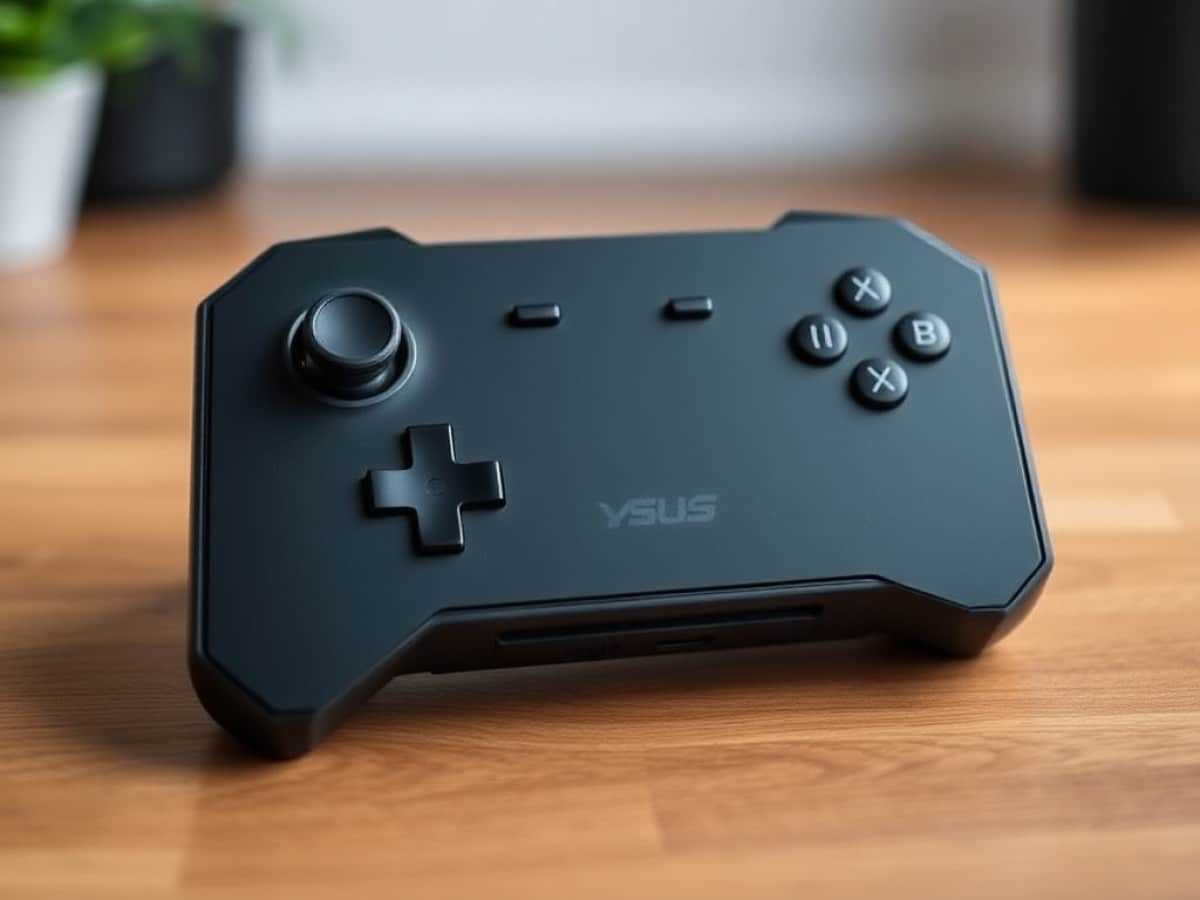
Is it essentially a fusion of a ROG Ally X with a basic controller? Absolutely. You didn’t even need to read this review to realize it, as the official images were quite telling on their own. This change truly makes the console infinitely more comfortable for both short and long gaming sessions.
What’s particularly interesting here is how its weight of 715 grams, an increase from the 678 grams of the ROG Ally X, doesn’t feel heavier. In fact, the ROG Xbox Ally X feels lighter than its non-Xbox counterpart, because the weight is more effectively distributed in hand. Or to put it simply: unsurprisingly, a complete controller remains the pinnacle of ergonomics.
Featuring hall effect triggers, traditional joysticks, Xbox-style button placement, and a precise directional pad… all the good and less impressive points of the ROG Ally X are transferred to the ROG Xbox Ally X, with some additional choices. We naturally find an extra Xbox button on the left side of the device, but the manufacturer has chosen to swap the Start/Select buttons with its two buttons dedicated to the console interface.
This choice has an ergonomic repercussion. Now placed at the bottom, the Start button becomes harder to reach by putting the right joystick in the way of the thumb. Start is a crucial button, which we press instinctively far more often than the new Library button that leads to one’s game list on the Xbox app. The result? Muscle memory makes us return to the library rather than hitting Start, requiring a period of readjustment, and making the Start button more annoying to reach. A strange ergonomic choice indeed.
What do we really gain with the format of this console? The quality of the vibration motors is greatly improved. We are now really on the soft vibrations of a traditional Xbox controller, making the option much more viable than on the more “tablet-like” format of the previous version. What do we really lose? Throwing this behemoth into a bag isn’t done lightly, and dedicated cases for the ROG Xbox Ally X will necessarily be mini-suitcases. The “portable” in “portable console” seems to be drifting further away in this PC category. However, you can’t really deny the absolute comfort the product offers, on which one can play for hours without ever experiencing tingling in one’s fingers or arms.
Connectivity
The connectivity is exactly the same as the ROG Ally X. From left to right, we find a USB-C 4.0 port compatible with Thunderbolt 3, a USB-C 3.2 Gen 2 port, and on the right, the microSD card reader.
No remarks: for this format, it’s always very good.
Screen
The ROG Xbox Ally X features a 7-inch IPS LCD screen with a 1920 x 1080 pixel resolution, equating to a traditional 16:9 ratio. This screen is touch-sensitive and offers a 120 Hz refresh rate that supports VRR via AMD FreeSync Premium.
Again, it’s… the same as the ROG Ally X. Under our probe and with the CalMAN software from Portrait Displays, we find a coverage of 98.69% of the sRGB space and 66% of the DCI-P3 space. The maximum brightness is measured at 480 cd/m², and the contrast ratio is 1322:1, which is very good for an IPS LCD.
The average delta e00 is perfect at 1.64, with a maximum deviation of only 3.62 in the blue tones. As for the average color temperature, it is recorded at 6902, which is a bit cold.
Well, let’s face it: still no DCI-P3, since still no OLED. But OLED is extremely expensive, especially considering the support of VRR which is important today for PC games, especially in the era of AI-assisted rendering. We therefore still appreciate this choice, although it will likely be the last model on which it will remain competitive.
Software
Let’s tackle the issue head-on: the ROG Xbox Ally X is NOT an Xbox. That means you CANNOT play your Xbox games on it. It is a traditional Windows PC in the form of a portable console. If you’re looking to play your Xbox Series X/S games on this product, you can really only access those under the “Xbox Play Anywhere” label, limited to 1000 games where the purchase gives access to all possible versions, including PC as here. An important reminder, since Microsoft’s “This is an Xbox” communication tends to forget to mention this important fact.
One of the biggest attractions of the ROG Xbox Ally is the new Xbox interface, which now takes almost total control of Windows at the machine’s startup. Understand that at the launch of Windows, you will not immediately find the file explorer or the desktop; the Xbox app launches instead, in full screen, and fills the role of a game launcher. You can find the classic desktop at any time, but to enjoy this world with its optimizations activated again, you will need to restart the device.
It now integrates shortcuts to the main market launchers like Steam or Epic Games, and lists all the games on your system. All this works rather well at first glance, until you look at the details. For example: games external to the Xbox universe do not get a nice presentation image, but the application icon plastered on a square it does not fill. Not very aesthetically pleasing. It is also impossible to add an application yourself, which means that games like 2XKO, too recent to be considered by the Xbox app, cannot be launched in this way: you must necessarily open the Riot launcher, which is one click too many. And when the Xbox app is not even aware of the launcher’s existence… it’s over.
The main interest of this interface? Freeing up some RAM. “Some” is the term, since out of the “up to 2 GB” touted by Microsoft, we find rather 500 MB freed up. In the end, in terms of performance, we are essentially on the equivalent of the RAM release of smartphone game modes. But under the hood, we can still note an improvement in the recognition of the controller throughout Windows, which finally allows accepting application, network, or firewall installation notifications through the controller, or switching from one application to another easily by holding down the Xbox button; touching the touch screen becomes increasingly rare.
We can also note the model of extensions of the Game Bar, now at the center of the experience rather than Asus’ Armoury Crate relegated to the background. The idea is very good, the interface works well, but we regret having to go through it to access vital features like Wi-Fi or Bluetooth. Integrating this kind of functionality within the Xbox app would seem more coherent in terms of the system; here, we feel the “added” aspect of this interface.
Now, for all these small missing or creaking elements, we must applaud the foundations laid by Microsoft on Windows here. The system will not stop improving in the future, and the operating system already shows a broader openness to other launchers than Xbox in its settings. The prospects for the future are therefore exciting, when this first version of the Xbox vision still needs a few additions to be really optimized.
Performance
The ROG Xbox Ally X is powered by the AMD Ryzen AI Z2 Extreme SoC. It is the latest generation and the most powerful chip dedicated to portable PC consoles, featuring an 8-core CPU for 16 threads that can turbo up to 5 GHz. It also incorporates a Radeon 890M GPU with 16 Compute Units that can reach a maximum frequency of 2900 MHz. The SoC is coupled here with 24 GB of LPDDR5X RAM at 8000 MT/s and 1 TB of storage in PCIe Gen 4.0. The “AI” moniker here emphasizes the integration of the brand’s 45 TOPS NPU, which does not yet have interesting applications today, but on which Microsoft counts a lot in the future.
After pointing out a strange behavior of the configuration to the Asus teams, and sending our test model back to Taiwan for analysis, we waited for initial feedback from the teams and a first wave of updates before performing a complete test. The official response we received from Asus is that “nothing problematic was noted”. We therefore allow ourselves today to finalize our article with our measured observations.
Synthetic Benchmarks
| Mode / Power | Asus ROG Ally X | ROG Xbox Ally X | Gain (%) |
|---|---|---|---|
| Quiet (13W) | 1747 | 2238 | +28.07% |
| Performance (17W) | 2729 | 3056 | +11.96% |
| Turbo (30W) | 2979 | 3225 | +8.26% |
A Story of TDP Boost
To understand our analyses, it is necessary to understand a concept: that of TDP Boost. You can observe it yourself on all ROG Ally products by going to the manual interface for adjusting the power of the console. Because yes, rather than defining a certain definitive wattage, you find three different notions there: SPL, SPPT, and FPPT. The first is the wattage limit of the SoC for common operations. The second is a maximum 2-minute boost of this wattage. And the third is of the same ilk, for only 10 seconds.
On all ROG Ally devices, Quiet, Performance, or Turbo modes are not exactly locked at 13W, 17W, and 25/30/35W respectively. They can freely use SPPT and FPPT to exceed, generally by 5/6W, the targeted performance profile. The reason is simple: FPPT often allows, for example, to speed up the loading of a game, when SPPT allows passing a heavy task in charge before returning to a more common experience. Think of a particularly complex area to render for a video game before returning to a save point.
The ROG Ally Z1 Extreme as well as the ROG Ally X took advantage of it in-game. You can see above measurements made by activating and deactivating this temporary performance boost on our panel of titles. The main problem with the ROG Xbox Ally X, which we noted at launch and which remains present despite the updates (including BIOS 312), is that the console is unable to take advantage of it in-game.
It uses it regularly in its interface, or when we perform synthetic benchmarks, but refuses to activate it once in a gaming situation. The blockage is such that even when the manual mode is used, allowing us to define the range of this boost ourselves, the ROG Xbox Ally X flatly refuses to use it.
Everything remains blocked at the SPL defined by the mode. This explains the drastic differences in performance that we measured during the launch period.
ROG Ally X VS ROG Xbox Ally X: TDP Boost OFF
Now, in order to compare the two SoCs Z1 Extreme and AI Z2 Extreme, we have carried out measurements by blocking the use of TDP Boost on the ROG Ally X.
We can then see that in Quiet mode at 13W, on Cyberpunk 2077, the Xbox gains 15.5% more performance. Miles Morales even climbs to 24%, while Monster Hunter Wilds is more timid at 11%. Ratchet & Clank: Rift Apart offers the best improvement at 34%, while The Witcher 3 is at 19%.
In Performance mode at 17W, Cyberpunk 2077 only gains 5% more performance, and Miles Morales 18%. Monster Hunter Wilds fares better at 20%, with Ratchet & Cl
Similar Posts
- “Only a moron would keep making consoles”: Ex-Xbox exec blasts Microsoft’s hardware strategy—Is it time to ditch Xbox devices for good?
- Switching Gears: My One-Week Apple Arcade Gaming Experience After Ditching Nintendo
- Microsoft finally addresses the rumors: “Xbox consoles are here to stay”
- iPhone’s Latest Game: Play Hands-Free with This Surprising Accessory!
- Microsoft Is Preparing A New Xbox Cloud Gaming Subscription That Is “More Affordable…” Really?

Maya Singh is a senior editor covering tablets and hybrid devices. Her work explores how these tools reshape digital productivity and learning. She also contributes to feature editorials on emerging tech.